Base de conhecimento
1000 perguntas frequentes, 500 tutoriais e vídeos explicativos. Aqui, você encontra apenas soluções!
Criar uma nova Organização Infomaniak
Este guia explica como adicionar uma nova Organização à qual você terá acesso com sua conta Infomaniak atual e na qual poderá adicionar e/ou transferir produtos, vincular usuários, etc.
Introdução
- Se você é um usuário do my kSuite, consulte este outro guia.
Criar uma nova Organização
Pode adicionar várias Organizações (ou seja, um espaço que permite gerir os seus produtos) ao aceder a elas com o mesmo identificador e palavra-passe, para separar as suas atividades profissionais e pessoais, por exemplo, ou ao gerir vários clientes:
- Clique aqui para aceder à gestão das suas definições (Gestor Infomaniak).
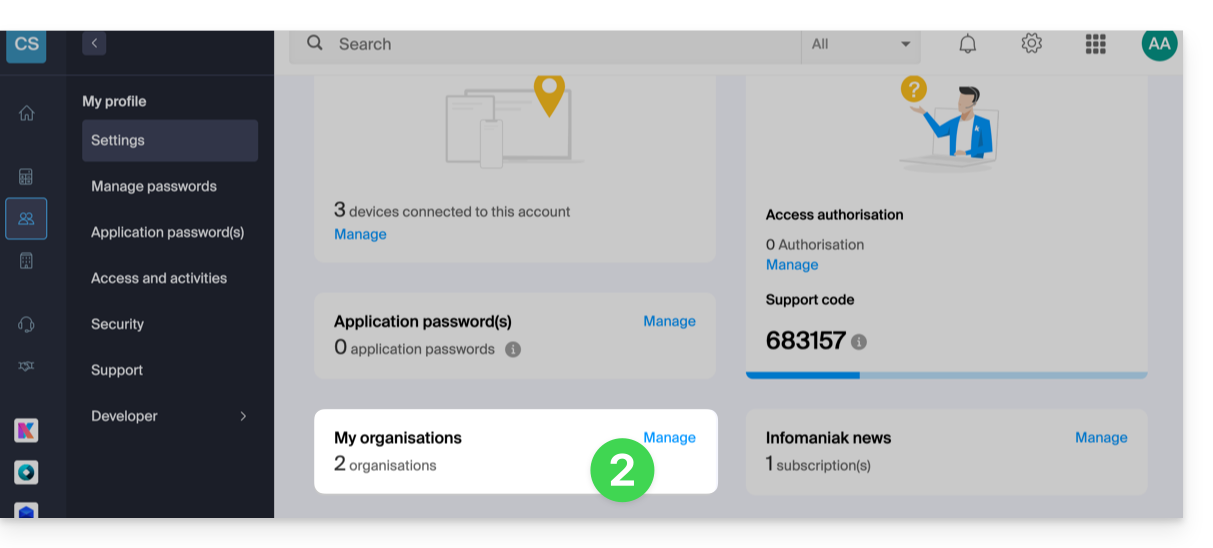
- Clique em Gerenciar no painel Minhas organizações:
- Clique no botão Criar uma nova organização
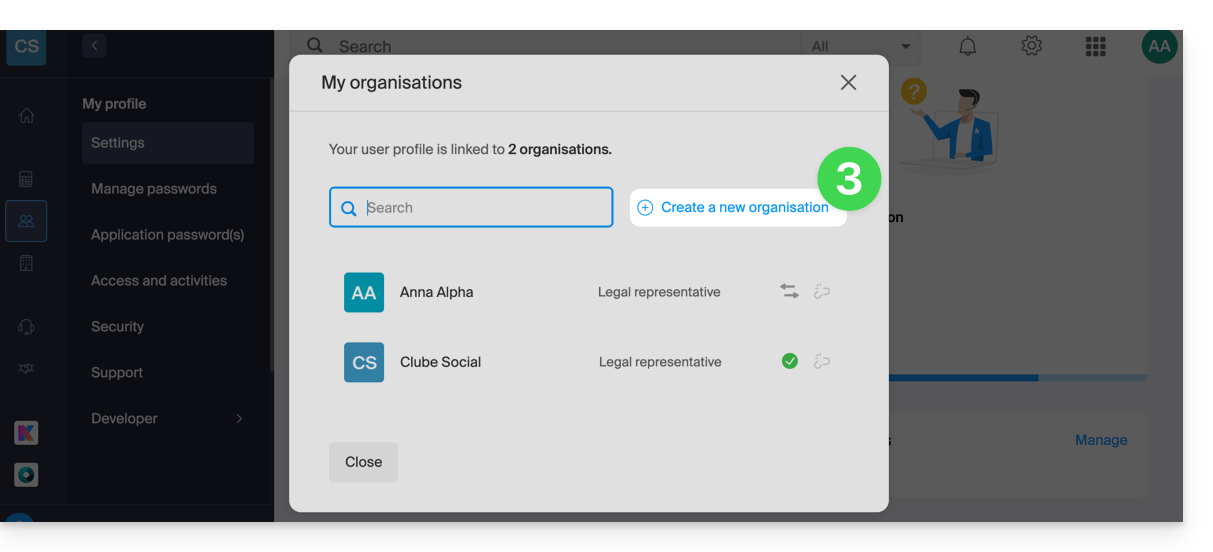
- Siga o procedimento para criar uma nova Organização.
Dessa forma, poderá continuar a usar o seu identificador de login habitual, podendo também alternar entre as suas diferentes Organizações (no canto superior esquerdo do painel de controlo).
Link para esta FAQ: https://faq.infomaniak.com/2330
Esta seção de perguntas frequentes foi útil?