Base de conhecimento
1000 perguntas frequentes, 500 tutoriais e vídeos explicativos. Aqui, você encontra apenas soluções!
Adicionar ou modificar um método de pagamento
Este guia explica como atualizar um perfil de pagamento no Manager Infomaniak para facilitar seus pedidos e renovações de serviços.
Introdução
- Ter um perfil de pagamento permite acelerar seus pagamentos.
- Os dados de pagamento são armazenados de forma segura.
- O saldo disponível na conta pré-paga pode, por exemplo, ser usado como perfil de pagamento padrão, mas outros métodos de pagamento podem ser registrados.
Adicionar ou modificar um perfil de pagamento
Para acessar o gerenciamento dos métodos de pagamento e definir um padrão:
- Clique aqui para acessar o gerenciamento dos perfis de pagamento no Manager Infomaniak (precisa de ajuda?).
- O acesso requer autenticação com um usuário que tenha permissões suficientes.
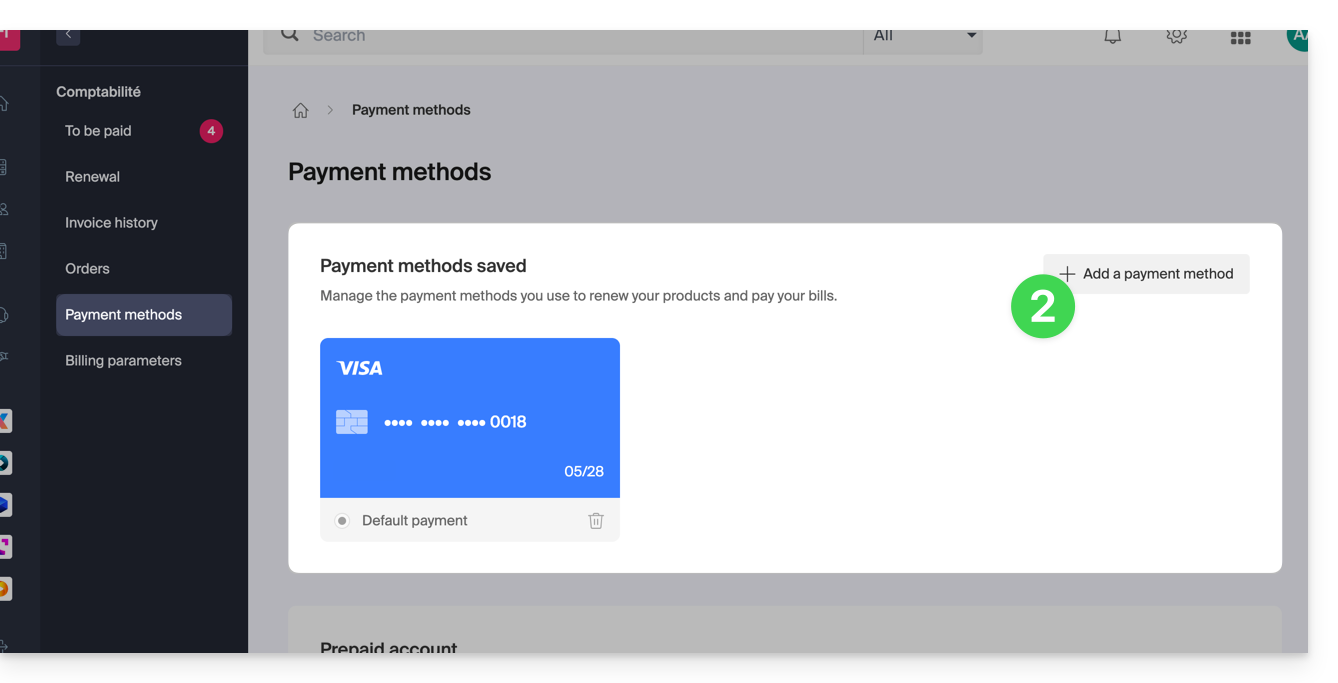
- Atualize ou adicione o método de pagamento desejado:
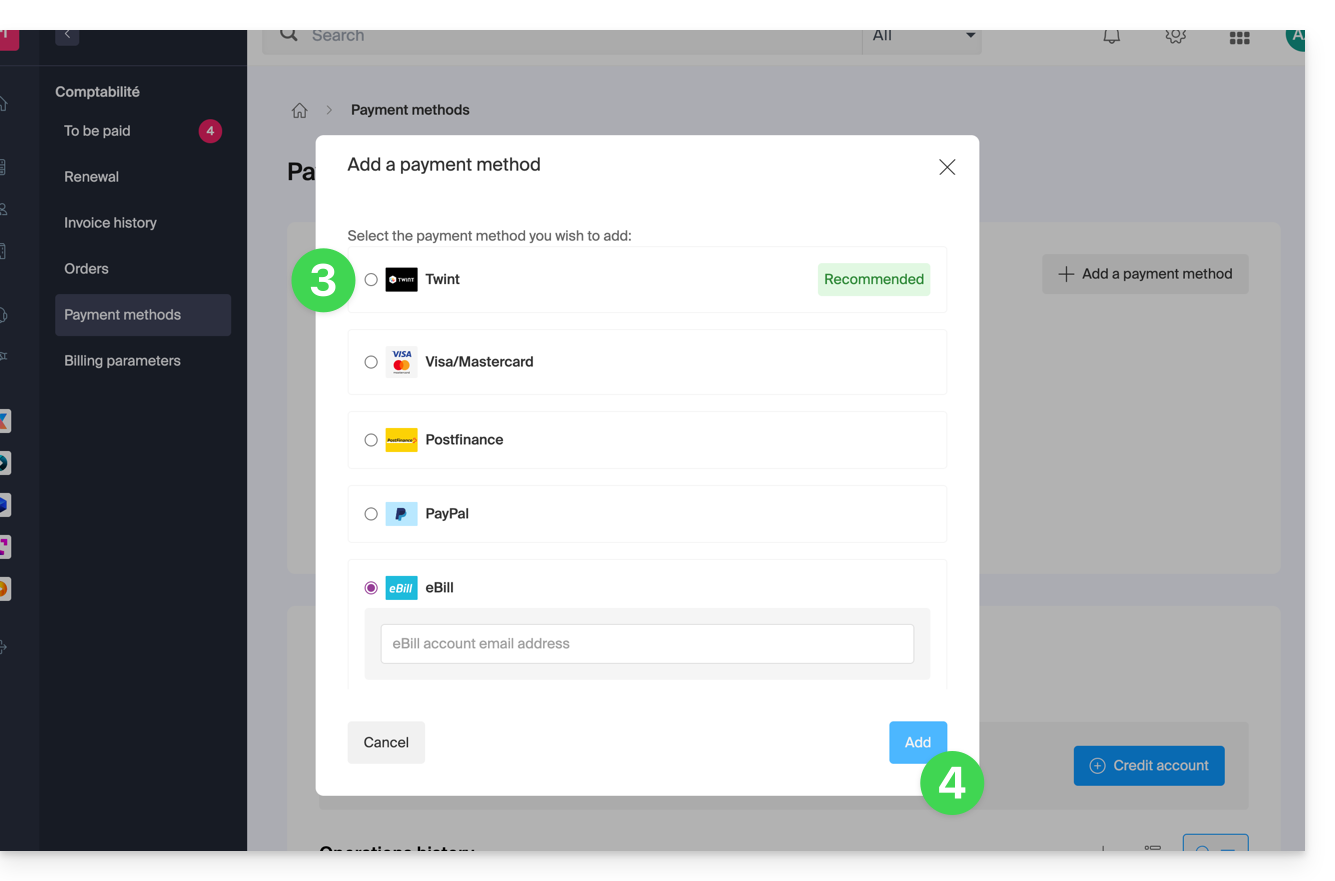
- Selecione o método de pagamento desejado entre:
- Clique no botão para guardar a alteração:
Link para esta FAQ: https://faq.infomaniak.com/2315
Esta seção de perguntas frequentes foi útil?