Base de conhecimento
1000 perguntas frequentes, 500 tutoriais e vídeos explicativos. Aqui, você encontra apenas soluções!
Force kSync contacts & calendars synchronization
This guide explains how to force synchronization of Infomaniak contacts & calendars when they are synchronized by the kSync app on an Android device.
Preamble
- The kSync app only synchronizes contacts & calendars that are selected in the application.
- If you subsequently add calendars/agendas from Calendar or address books from Contacts, it is therefore necessary to add them to the synchronization in the kSync application.
Add an agenda / address book to synchronization
To force synchronization if necessary:
- Open the mobile app kSync on your Android device and tap on the synchronized account concerned.
- Tap Refresh list to update the address books / agendas:
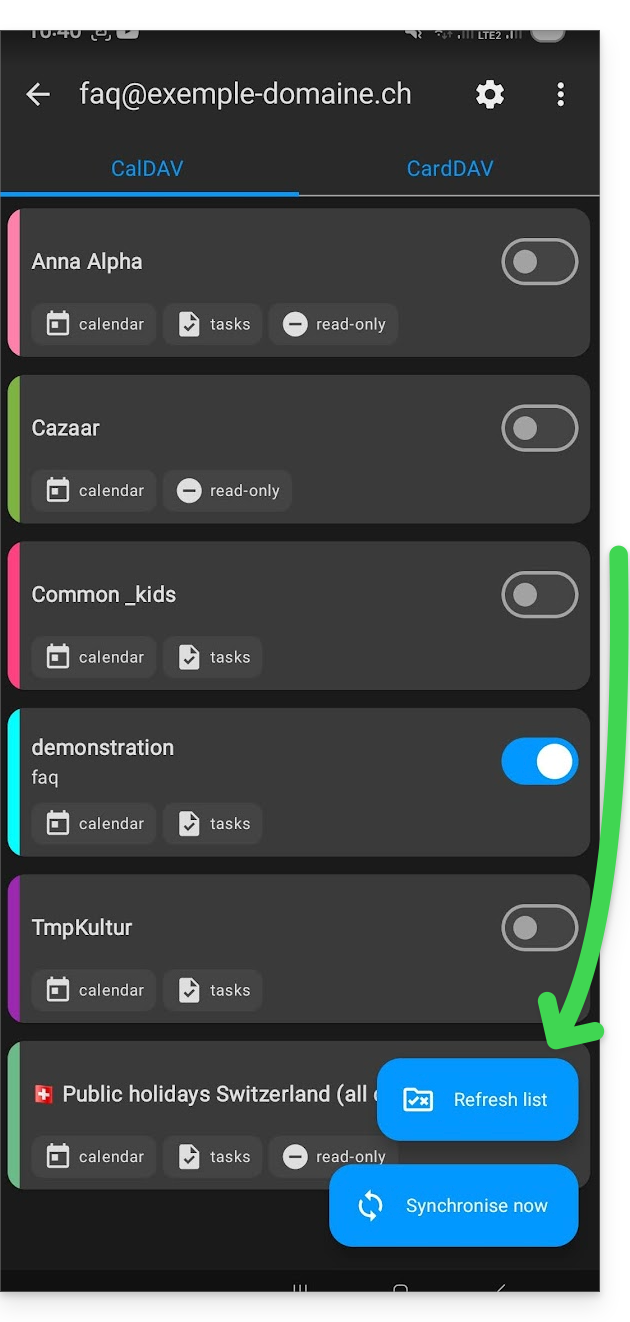
The new address books and agendas appear in the list. Configure those you want to synchronize.
Link para esta FAQ: https://faq.infomaniak.com/2300
Esta seção de perguntas frequentes foi útil?