Base de conhecimento
1000 perguntas frequentes, 500 tutoriais e vídeos explicativos. Aqui, você encontra apenas soluções!
Criar um novo livro de endereços ou calendário a partir do kSync
Este guia trata do kSync, que permite criar diretamente um novo calendário ou um novo livro de endereços a partir de um dispositivo Android.
Criar um calendário ou um livro de endereços a partir do aplicativo
Para isso:
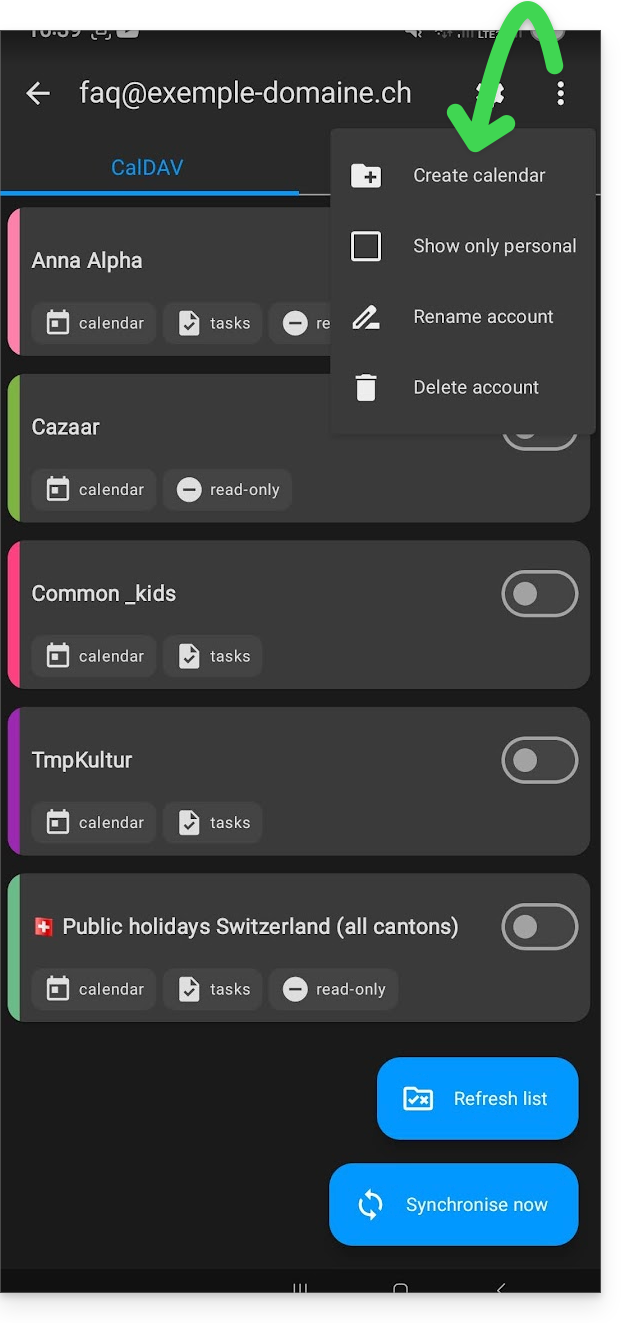
- Abra o aplicativo móvel kSync no dispositivo Android.
- Depois de iniciar sessão, clique no menu de ações ⋮, localizado no canto superior direito.
- Toque em Criar um novo livro de endereços / Agenda:
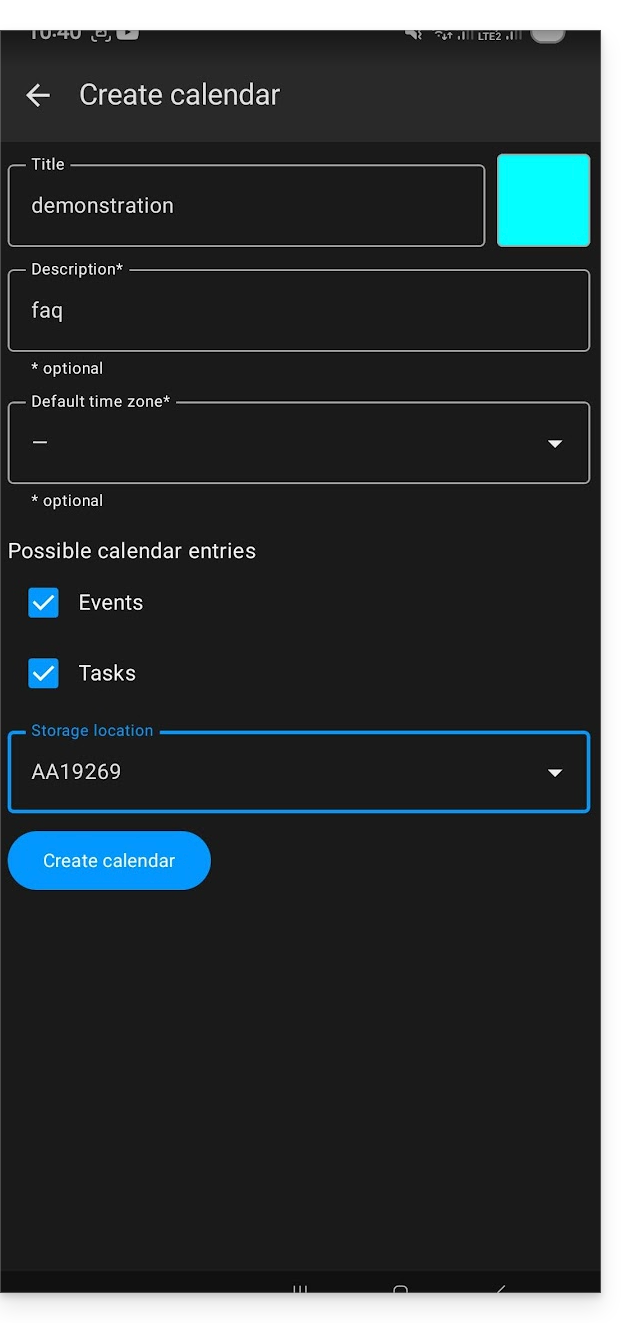
- Indique o nome do caderno ou da agenda e uma cor.
- Clique em Criar:
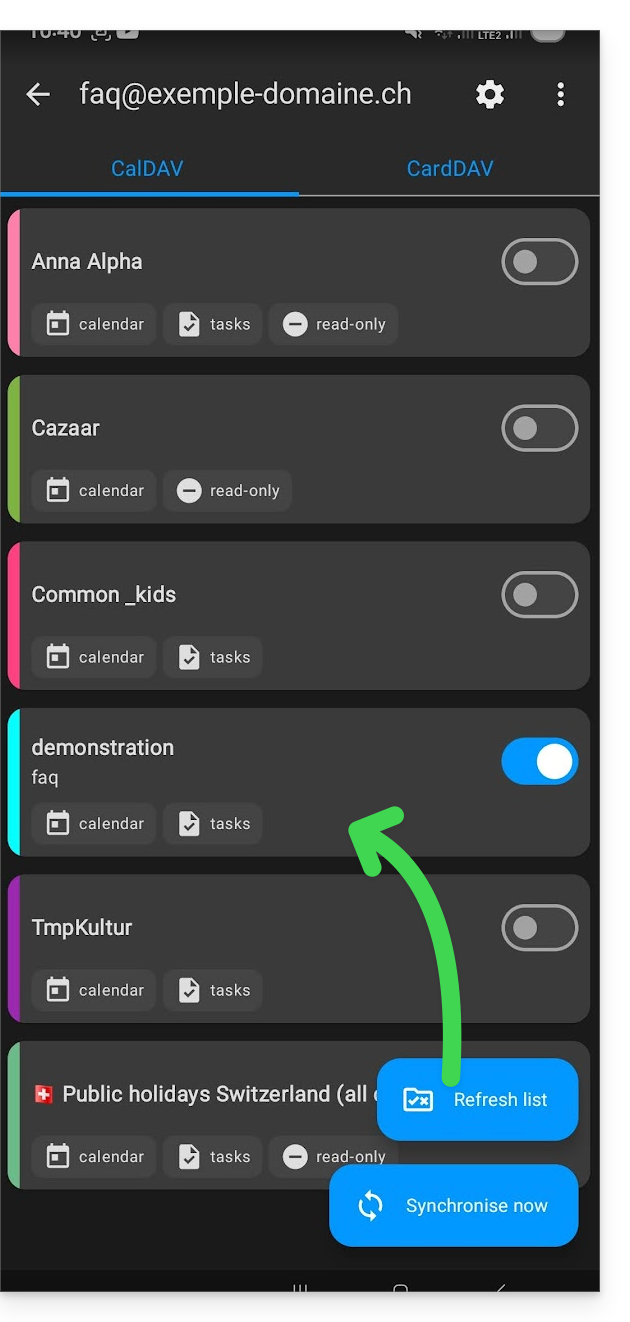
- Clique no ícone para atualizar a lista, se necessário. O novo item aparecerá na lista após alguns segundos:
O seu serviço será, então, sincronizado com a aplicação web correspondente, neste caso, o Calendar Infomaniak (serviço online ksuite.infomaniak.com/calendar):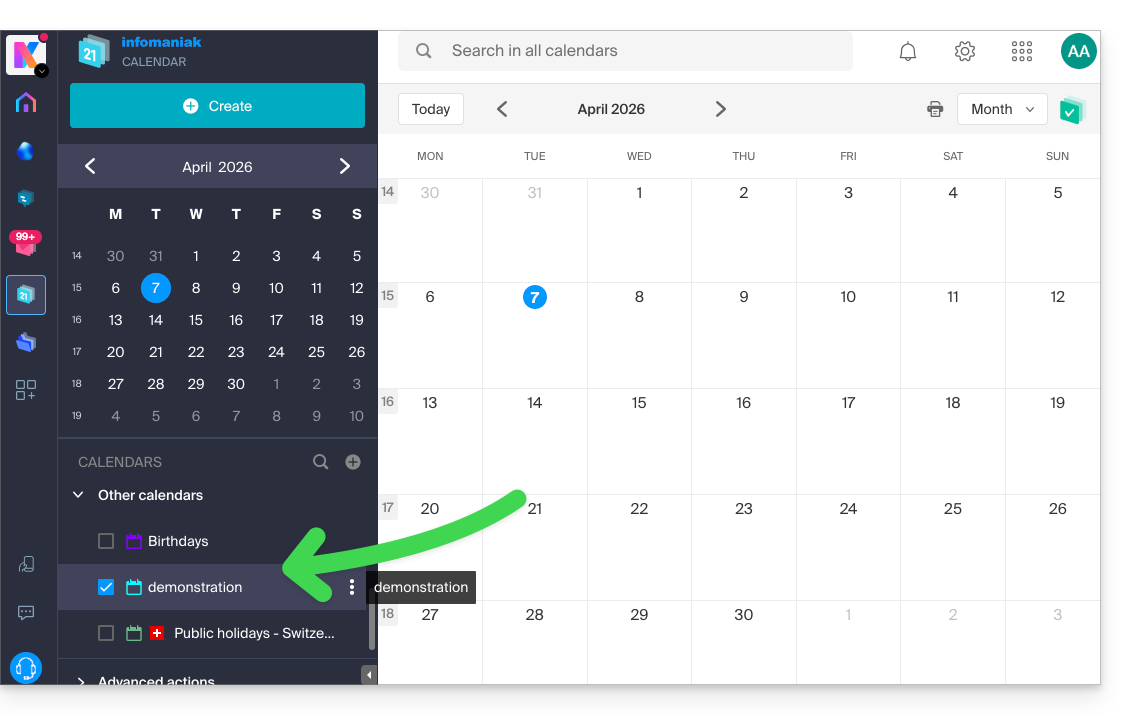
Link para esta FAQ: https://faq.infomaniak.com/2299
Esta seção de perguntas frequentes foi útil?