Base de conhecimento
1000 perguntas frequentes, 500 tutoriais e vídeos explicativos. Aqui, você encontra apenas soluções!
Fazer backup do iOS com o Acronis no Swiss Backup
Este guia detalha como fazer o backup de um dispositivo Apple iOS (iPhone, iPad, etc.) usando o Acronis no Swiss Backup, a solução de backup em uma nuvem suíça independente.
Introdução
- O que poderá guardar:
- Contactos e Calendários
- Fotos (o tamanho e o formato original das suas fotos são preservados)
- Vídeos
- Também é possível guardar outros tipos de dados.
Configurar o backup
Pré-requisitos
- Ter um espaço Swiss Backup Infomaniak com uma quota de dispositivo disponível (mínimo 1) para Dispositivos móveis:
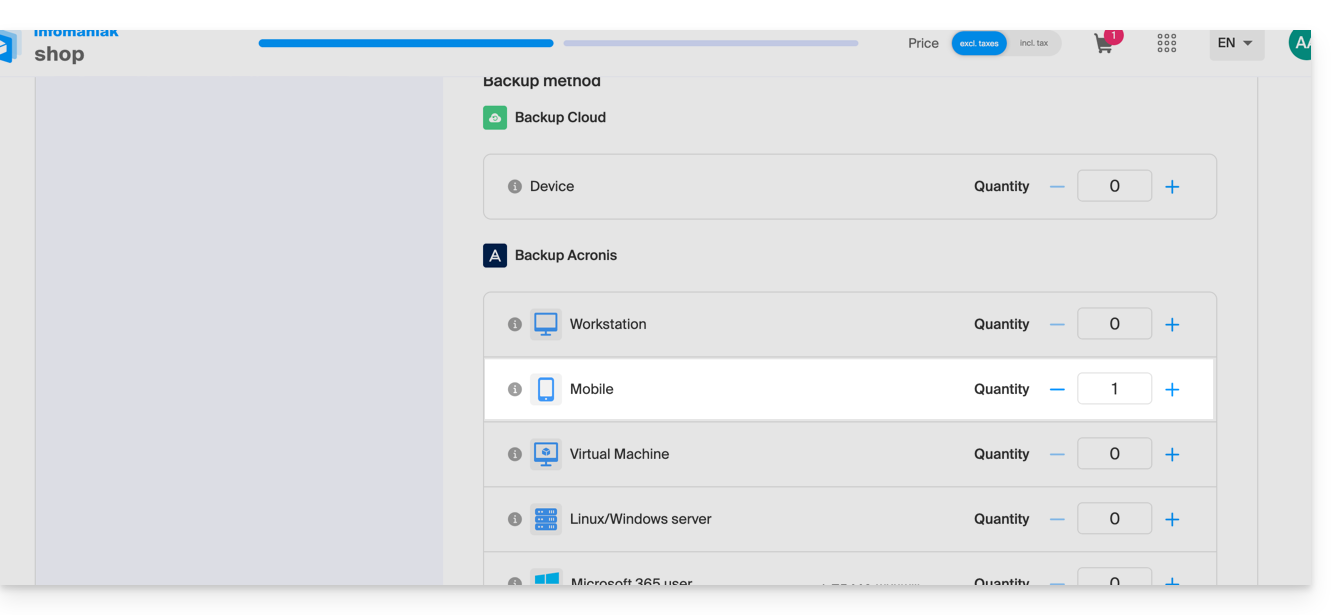
- Se necessário, aumente a quota de dispositivo de acordo com as suas necessidades.
- Adicione o dispositivo no Gerenciador Infomaniak para receber as credenciais de acesso.
- Consulte a documentação da Acronis sobre este assunto.
Para configurar o backup do dispositivo móvel no Android com o Acronis:
- Descarregue e instale a aplicação Acronis Cyber Protect (não Acronis Mobile) na App Store.
- Abra a aplicação, fazendo login no Agente Acronis com as credenciais obtidas após adicionar o dispositivo (precisa de ajuda?).
- Clique em Fazer backup e escolha os dados que deseja fazer backup.
- Clique em Confirmar para iniciar a cópia de segurança dos dados.
Link para esta FAQ: https://faq.infomaniak.com/2295
Esta seção de perguntas frequentes foi útil?