Base de conhecimento
1000 perguntas frequentes, 500 tutoriais e vídeos explicativos. Aqui, você encontra apenas soluções!
Fazer backup de dados com o Cyberduck no Swiss Backup (Swift)
Este guia detalha como fazer o backup manual de dados usando o aplicativo Cyberduck (macOS / Windows) através do protocolo OpenStack Swift no Swiss Backup, a solução de backup em uma nuvem suíça independente.
Introdução
Configurar o Cyberduck
Pré-requisitos
- Possuir um espaço Swiss Backup Infomaniak com uma quota de dispositivo disponível (mínimo 1) para um backup na nuvem.
- Adicionar 1 dispositivo do tipo Nuvem para obter os parâmetros OpenStack Swift.
- Baixar e instalar o Cyberduck (macOS / Windows).
- Consultar a documentação oficial https://docs.cyberduck.io/protocols/openstack/infomaniak/.
Para configurar um novo backup:
- Abra o aplicativo Cyberduck.
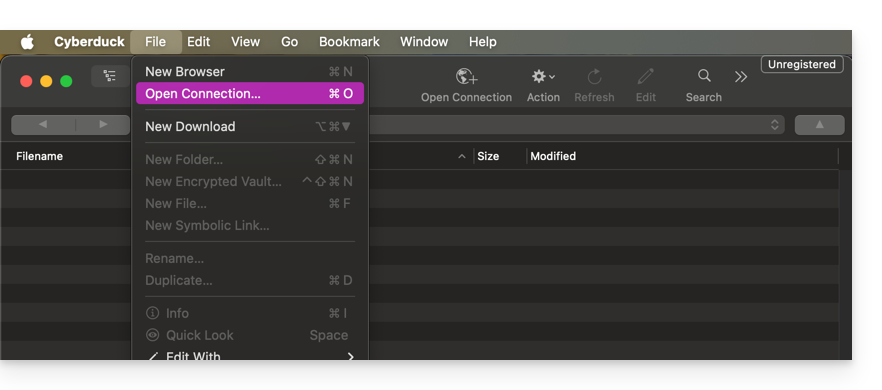
- Clique em Abrir conexão:
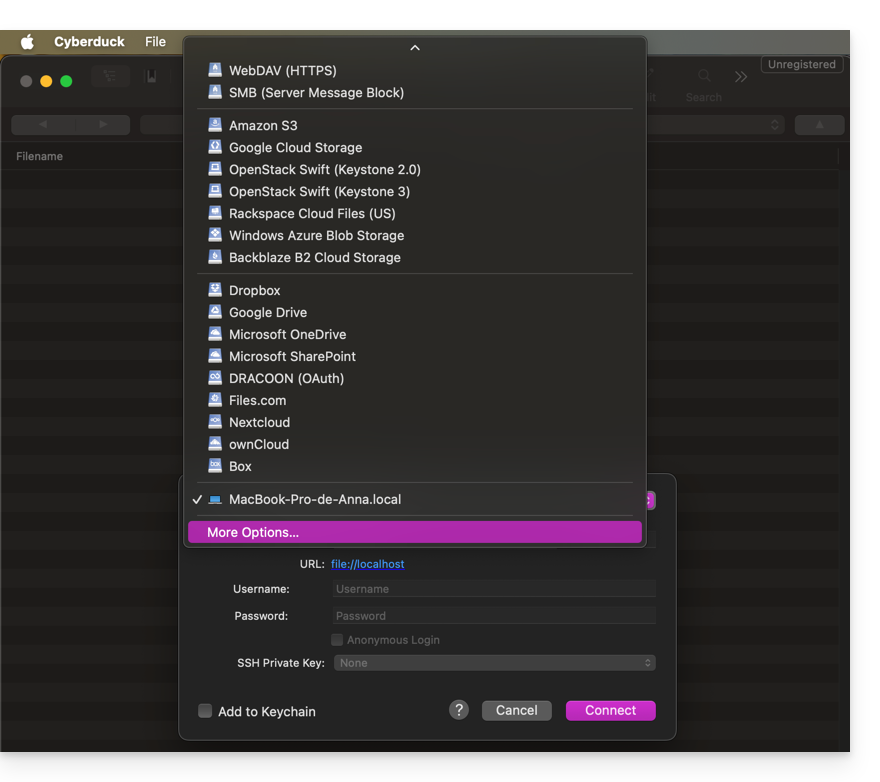
- Clique no menu suspenso e escolha Mais opções:
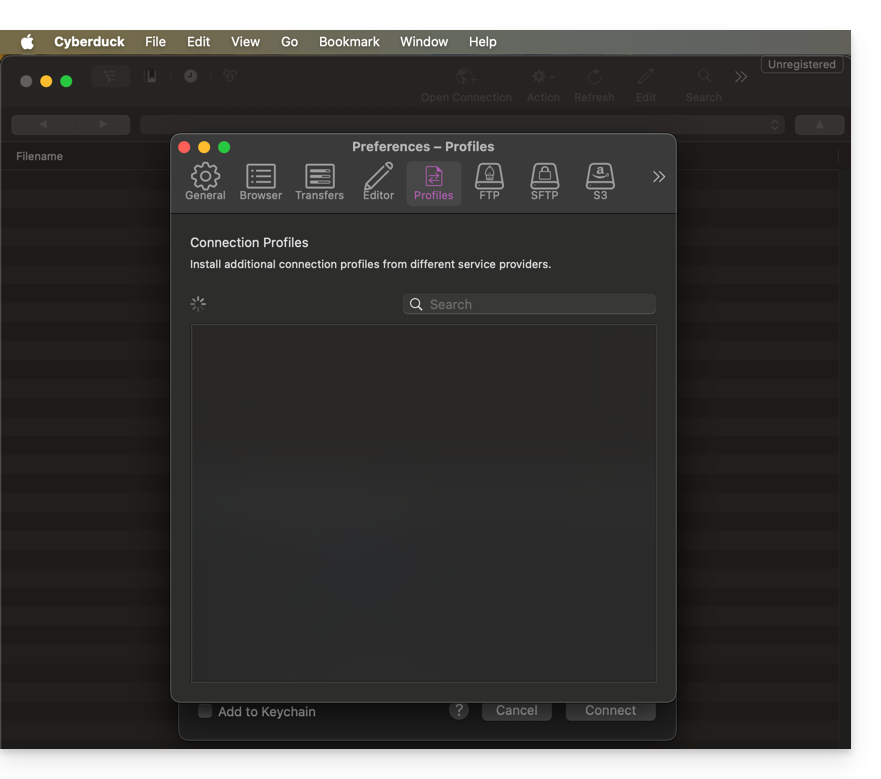
- Aguarde o carregamento dos perfis adicionais:
- Procure e selecione os perfis correspondentes ao Infomaniak Swift:
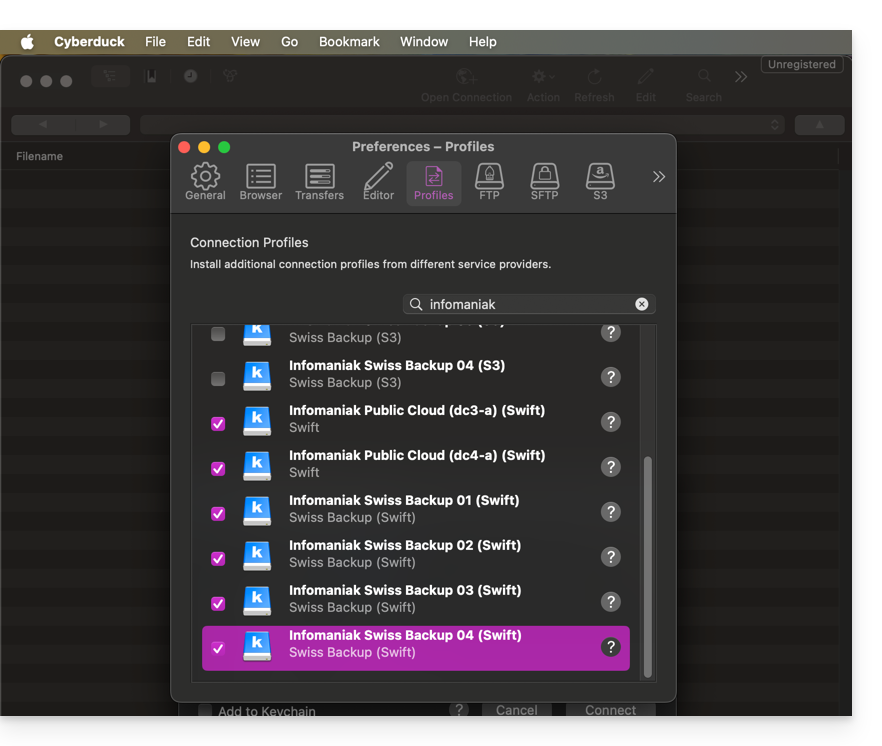
- Verifique, se necessário, o seu número de cluster indicado no Manager, nas informações de armazenamento Cloud, em "Localização".
- Feche a janela e reinicie o Cyberduck se os perfis não aparecerem no menu suspenso do ponto 3 acima.
- Escolha o perfil correspondente:
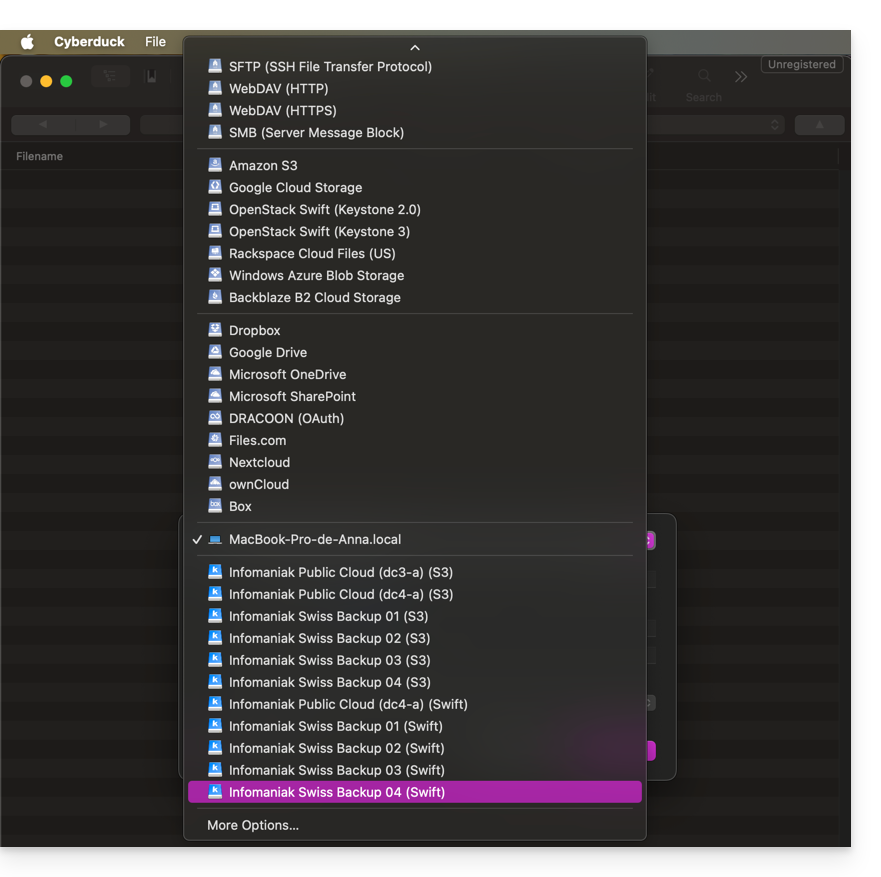
- Preencha os campos de acordo com as informações específicas do seu dispositivo:
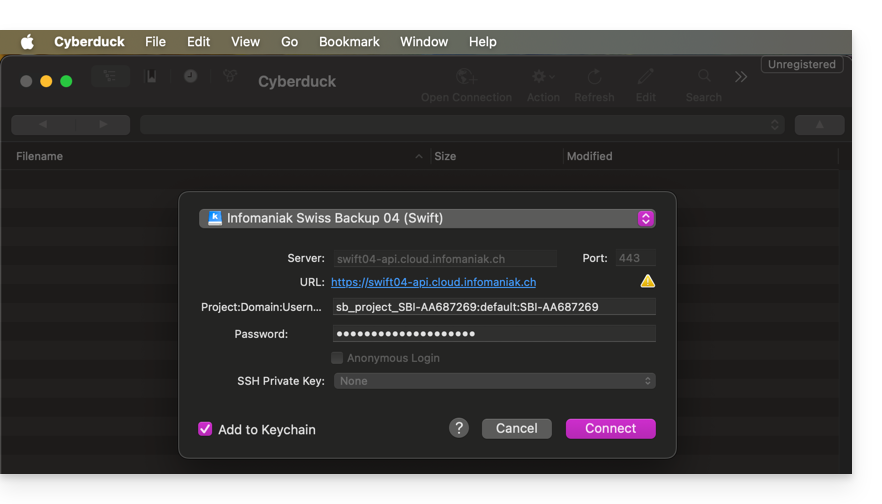
- Clique no botão Conectar para estabelecer a conexão Swift.
Link para esta FAQ: https://faq.infomaniak.com/2282
Esta seção de perguntas frequentes foi útil?