Base de conhecimento
1000 perguntas frequentes, 500 tutoriais e vídeos explicativos. Aqui, você encontra apenas soluções!
Renomear um kDrive
Atualização 13/10/2026
Este guia explica como modificar as informações do produto kDrive. Atenção: pode haver um atraso para que os aplicativos (desktop, móveis…) sejam sincronizados com as novas informações.
Renomear um kDrive a partir do Manager Infomaniak
Para isso:
- Clique aqui para acessar o gerenciamento do kDrive no seu Painel de Controle Infomaniak.
- Se nada for exibido após o login, você pode não estar na Organização à qual o seu kDrive está associado (❓: ajuda).
- Clique no menu de ação ⋮ localizado à direita do kDrive em questão.
- Clique em Renomear produto.
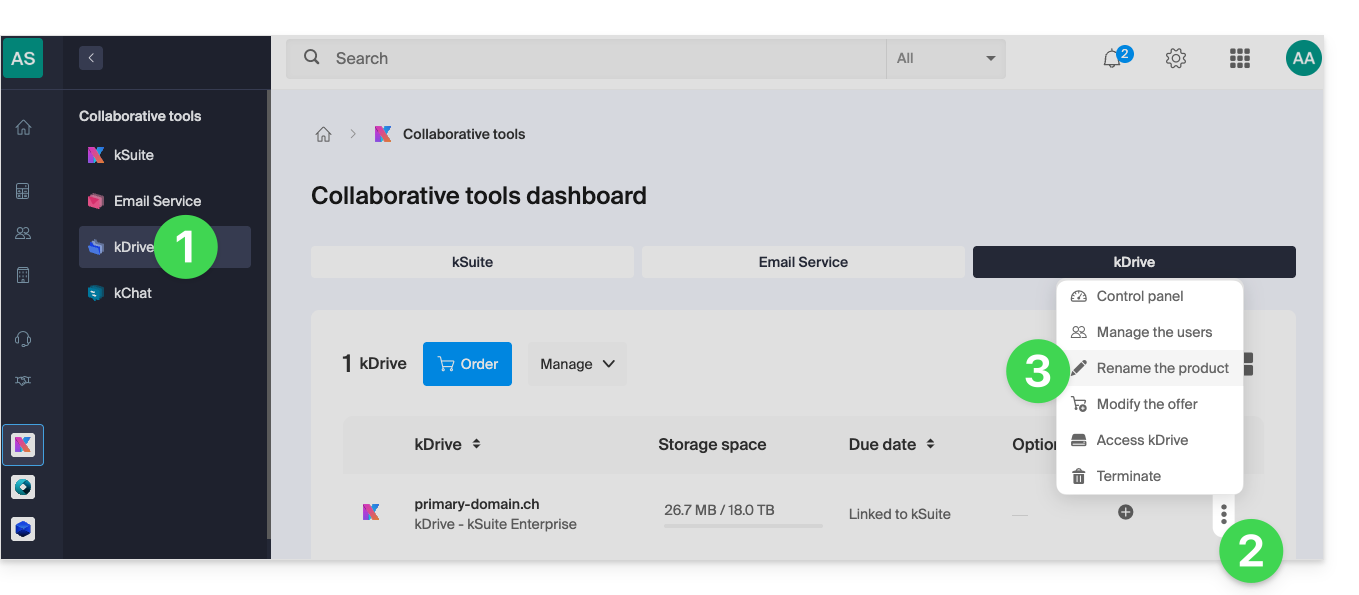
- Renomeie o seu kDrive.
- Clique no botão Guardar.
Renomear a partir das configurações unificadas dos aplicativos
Para isso:
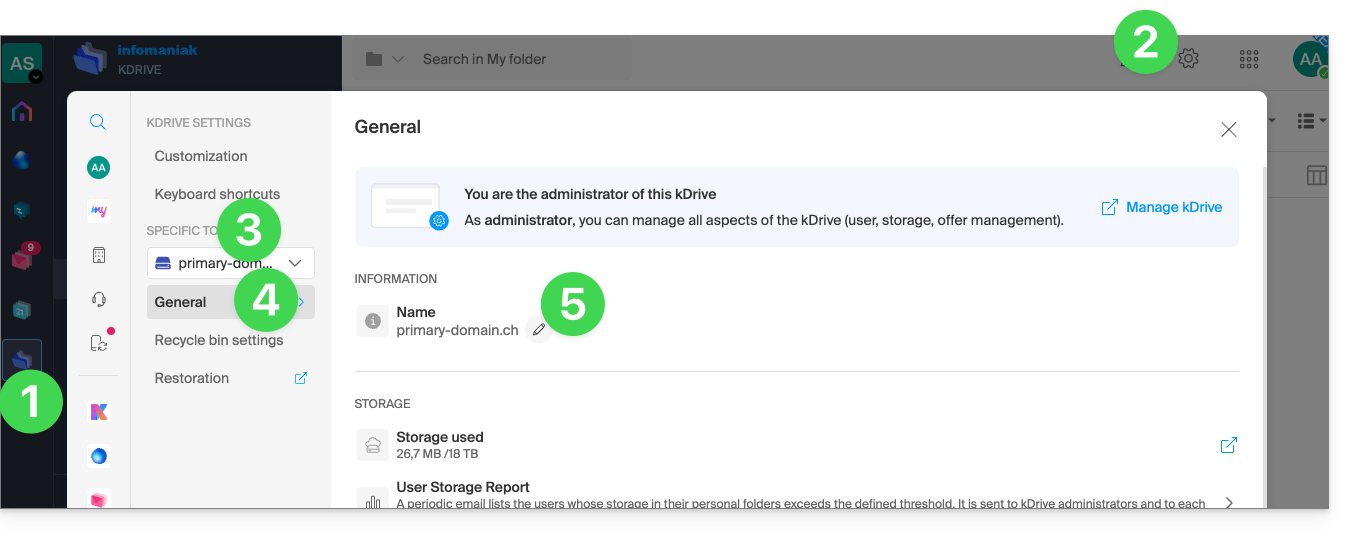
- Clique aqui para acessar o kDrive em seu kSuite Infomaniak (❓: ajuda).
- Clique em Configurações no canto superior direito.
- Verifique ou selecione o kDrive correspondente no menu suspenso do menu lateral esquerdo.
- Clique em Geral.
- Clique no ícone lápis ✎ para editar o nome do kDrive como desejar:
Link para esta FAQ: https://faq.infomaniak.com/2274
Esta seção de perguntas frequentes foi útil?