Base de conhecimento
1000 perguntas frequentes, 500 tutoriais e vídeos explicativos. Aqui, você encontra apenas soluções!
Automatically check Web Hosting and Domain links (DNS diagnostic)
This guide introduces the Domain Status tool, which allows you to verify that the relationships between…
- DOMAIN NAME at Infomaniak
and
- WEB HOSTING at Infomaniak
… are correct, so that Web traffic is directed to the right place.
Preamble
- To verify, the tool checks the
A,CNAME, etc. records. - You will thus be able to detect and correct certain Web issues, especially if they are related to DNS (technical information that, in short, determines where such and such Web traffic should be directed) by acting at the level of your domain.
- Automatic correction is only possible when the domain name is present in the same Organization as the product to which it must be attached.
- If this is not the case, then the correction must be done manually.
Diagnose a DNS problem
To access the DNS diagnosis of your domain name:
- Click here to access the management of your product on the Infomaniak Manager (need help?).
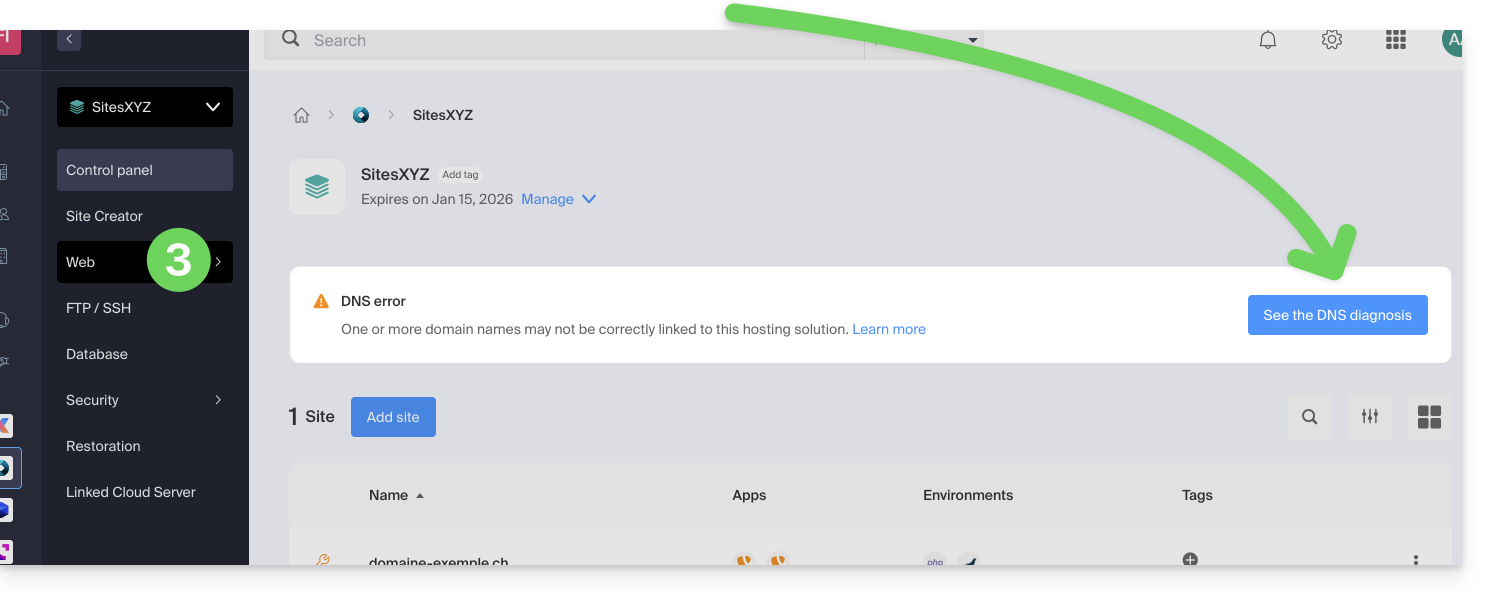
- Click directly on the name assigned to the product concerned.
- Click on Web in the left sidebar (or on the possible indication to go directly to point 6):
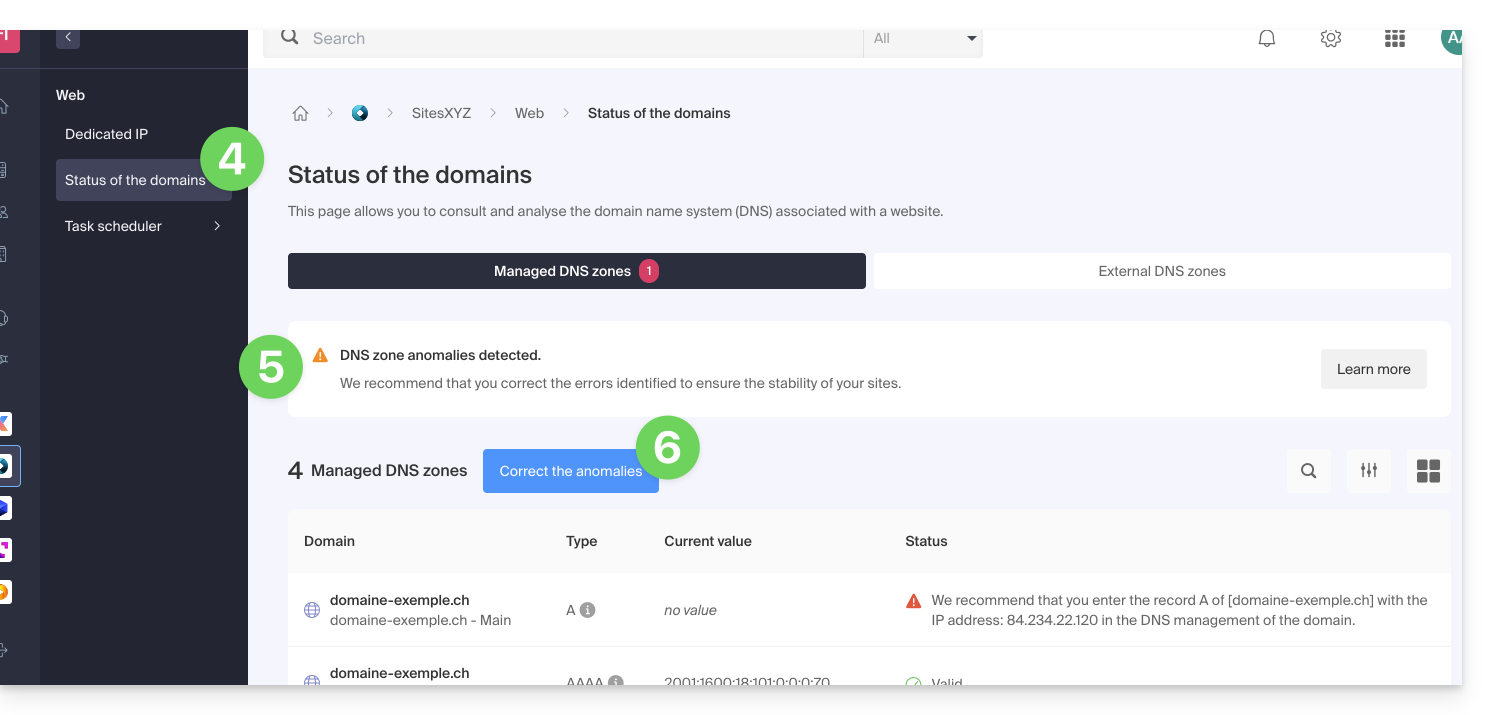
- Click on Domain Status in the left sidebar.
- If DNS issues are detected, the dashboard indicates it.
- Correct all errors at once by clicking on the button:
Refer to this other guide regarding the same automatic verification process but for Mail Services.
Link para esta FAQ: https://faq.infomaniak.com/2251
Esta seção de perguntas frequentes foi útil?