Base de conhecimento
1000 perguntas frequentes, 500 tutoriais e vídeos explicativos. Aqui, você encontra apenas soluções!
Receive an email notification when a new user subscribes to the newsletter
Atualização 02/11/2026
This guide explains how to receive an email notification when a new subscriber joins your Newsletter through one of your contact forms.
Receive a notification when a new contact subscribes
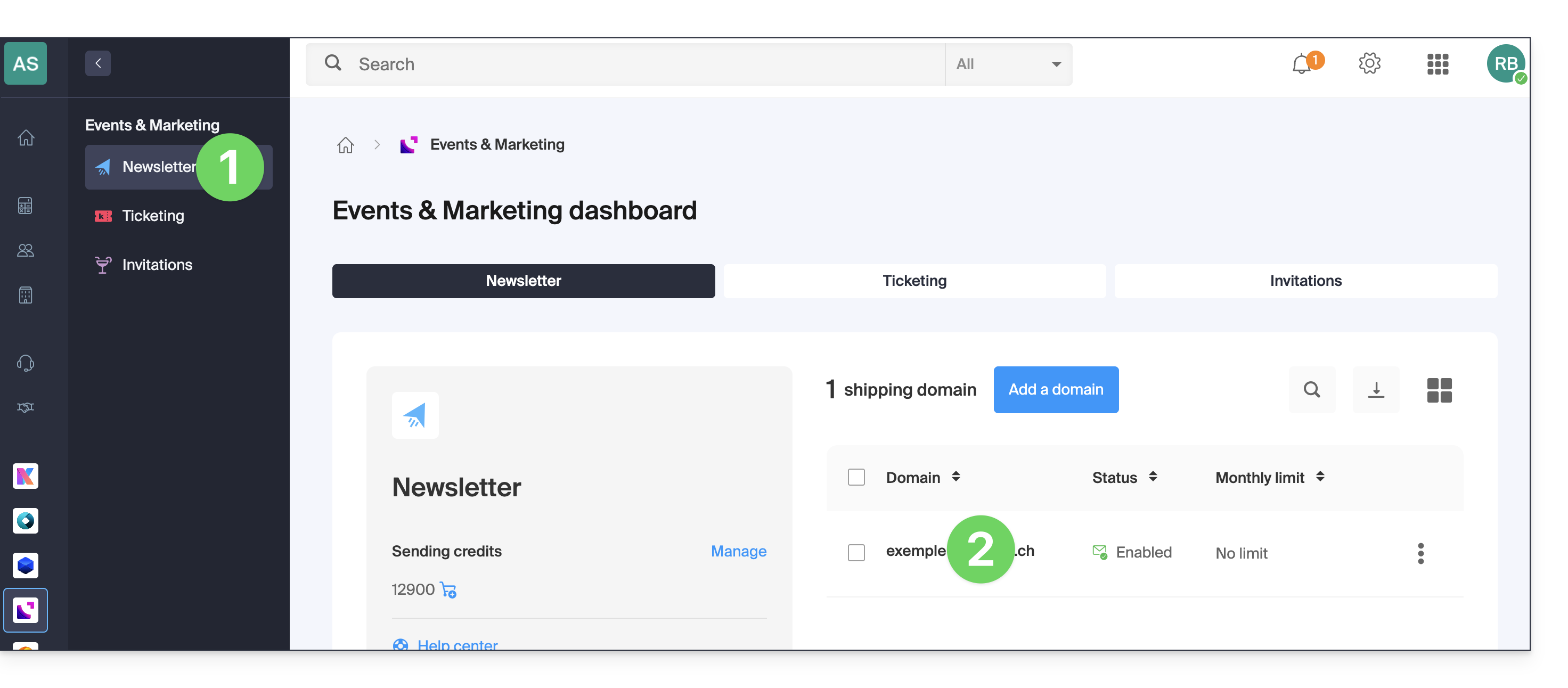
To access your Newsletter:
- Click here to access the Newsletter management section in your Infomaniak Manager.
- If nothing is displayed, you may not be in the Organization to which your Newsletter is linked (❓: help).
- Click on the domain name associated with your emails:
Then, to access the newsletter signup form:
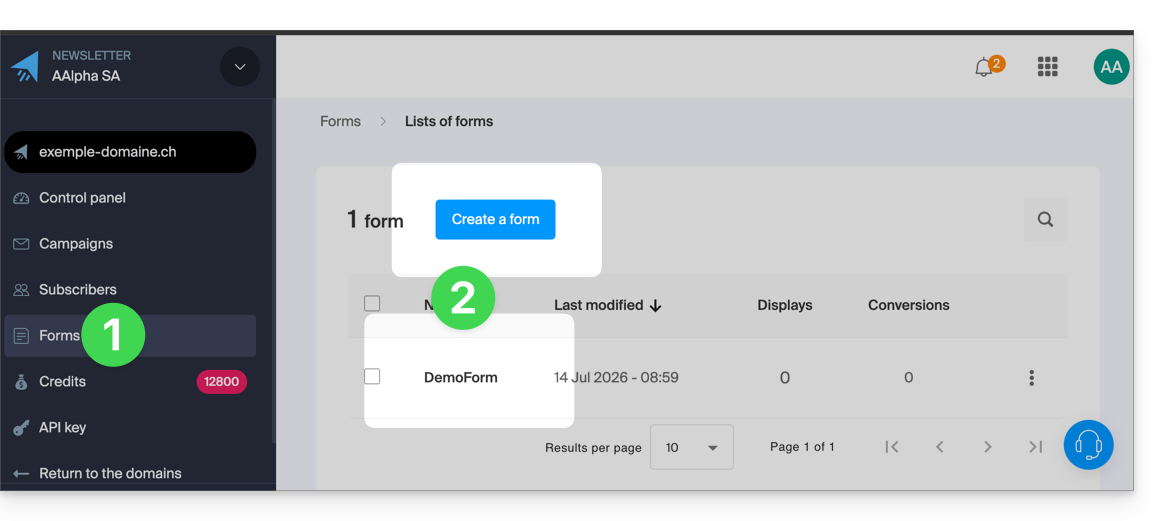
- Click on Forms in the left-hand menu.
- Create or edit the form for which you want to track registrations:
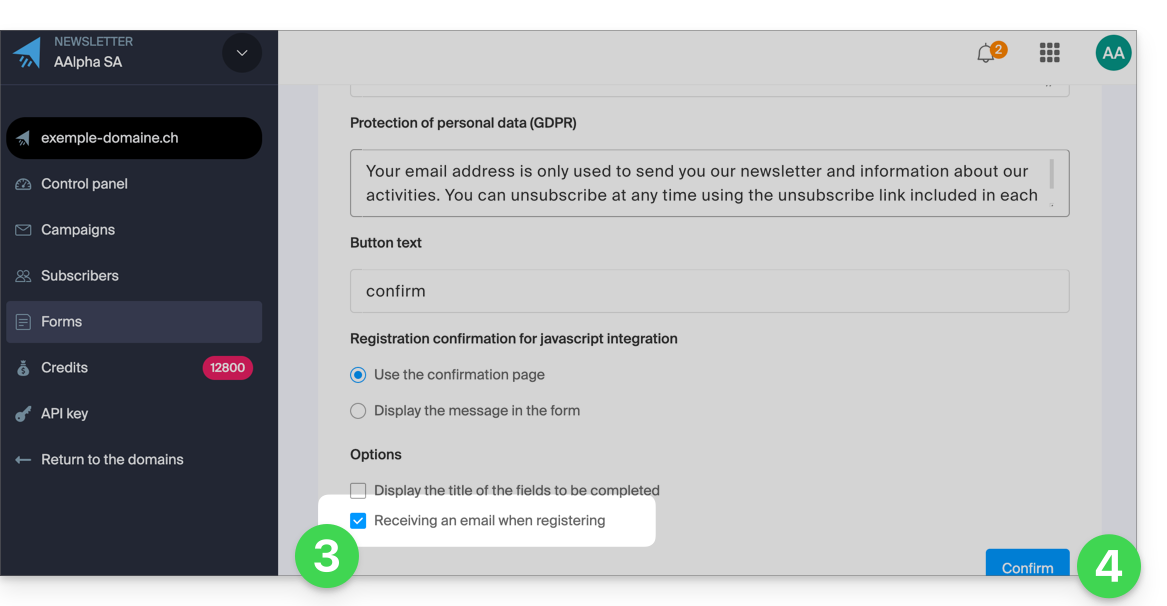
- At the very bottom of the page, check the box labeled Receive an email when a new user registers.
- Click the blue Save button to save the changes:
You will now receive an email as soon as a contact subscribes to your Newsletter via this signup form.
Simply uncheck the box at any time to stop receiving email notifications.
Link para esta FAQ: https://faq.infomaniak.com/2245
Esta seção de perguntas frequentes foi útil?