Base de conhecimento
1000 perguntas frequentes, 500 tutoriais e vídeos explicativos. Aqui, você encontra apenas soluções!
Connect to the DSM (DiskStation Manager) of your Infomaniak Synology NAS
This guide explains how to connect to the operating system of a Synology NAS hosted by Infomaniak.
Accessing DSM
To activate and manage an Infomaniak Synology NAS:
- Click here to access the management interface for your product on the Infomaniak Manager (need help?).
- Click directly on the name assigned to the product in question.
- Click on the Activate my Synology button:
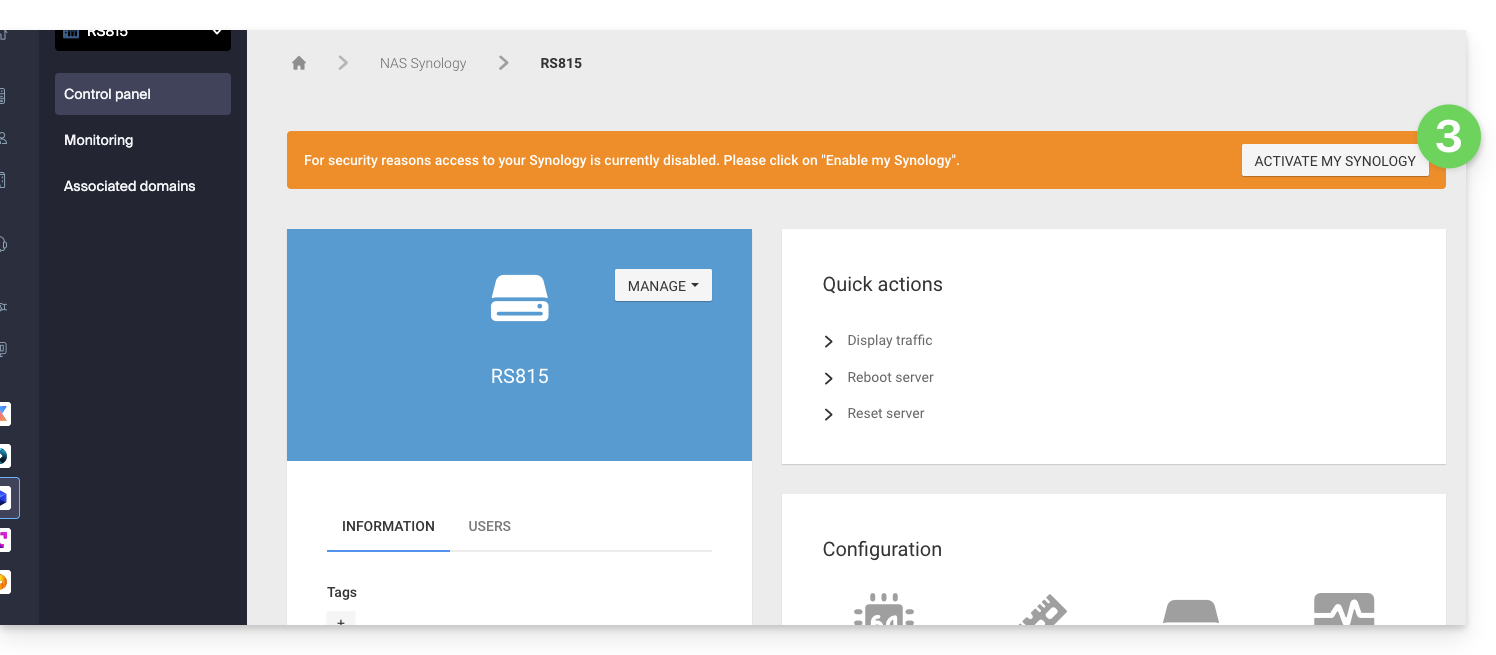
- Wait while your Synology is being activated.
- Click on DSM access / Manage my Synology from the Quick Actions section:
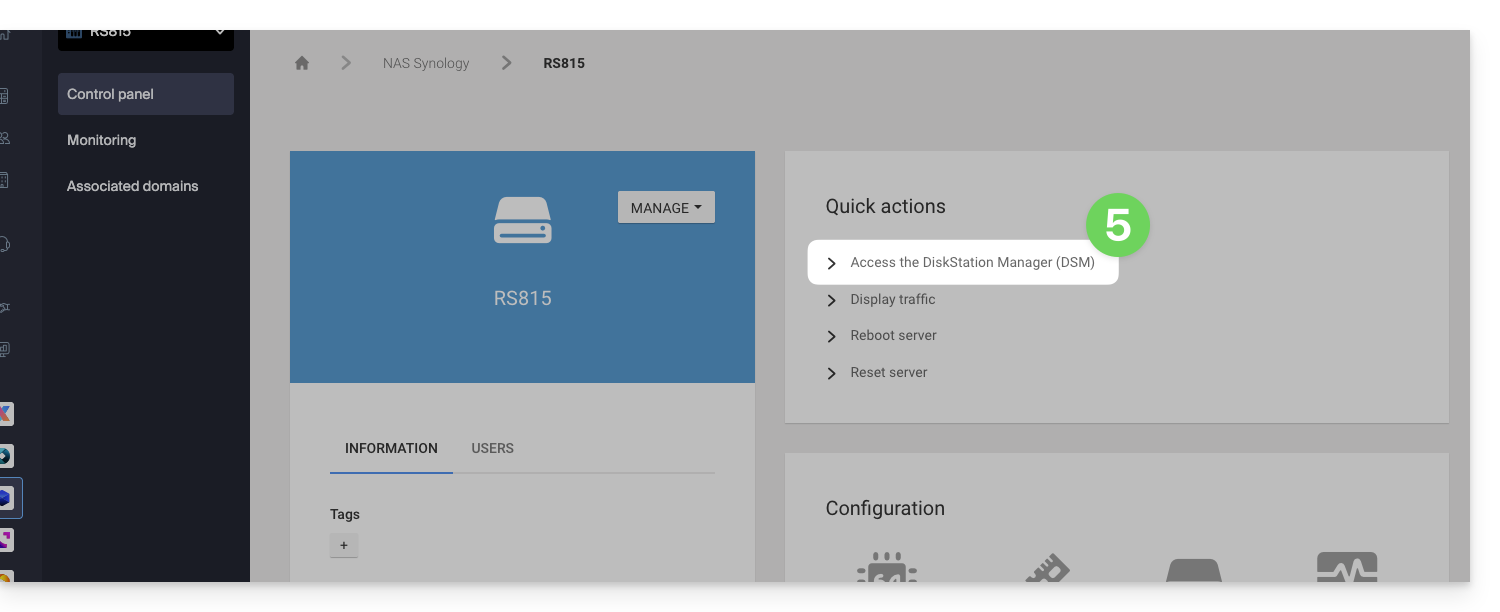
We recommend that you consult this other guide to secure your Synology NAS.
Link para esta FAQ: https://faq.infomaniak.com/2238
Esta seção de perguntas frequentes foi útil?