Base de conhecimento
1000 perguntas frequentes, 500 tutoriais e vídeos explicativos. Aqui, você encontra apenas soluções!
Atualizar uma aplicação web
Atualização 13/10/2026
Este guia explica como atualizar as Aplicações Web instaladas através das ferramentas Infomaniak.
Introdução
- Se uma aplicação for atualizada manualmente via FTP, não será possível atualizá-la através do painel de controle e, consequentemente, não poderá usufruir das atualizações automáticas.
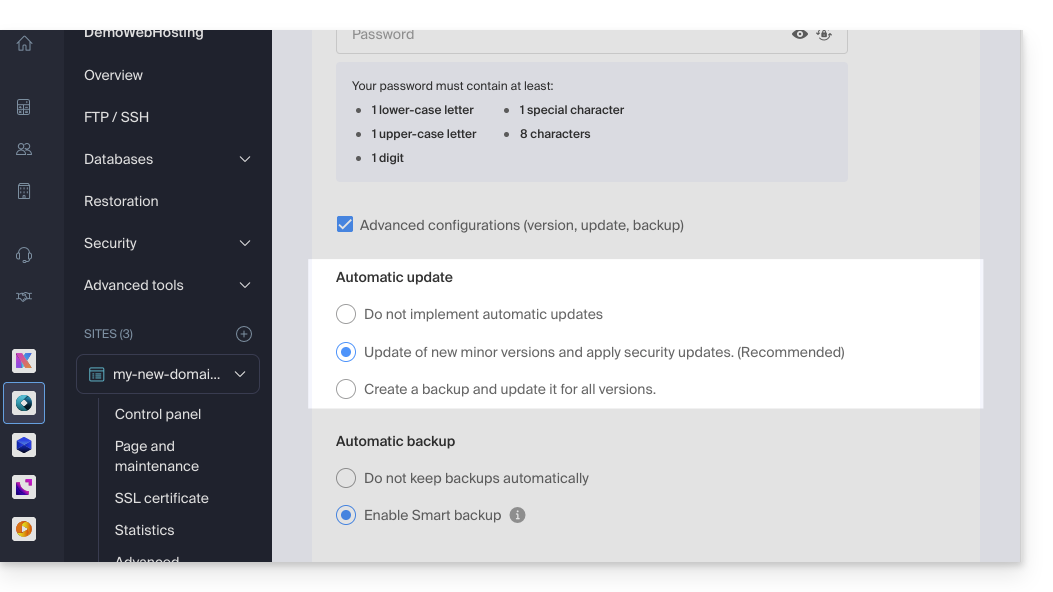
- Durante a instalação da sua aplicação web, as atualizações automáticas (pelo menos as de segurança) são, por princípio, ativadas por padrão:
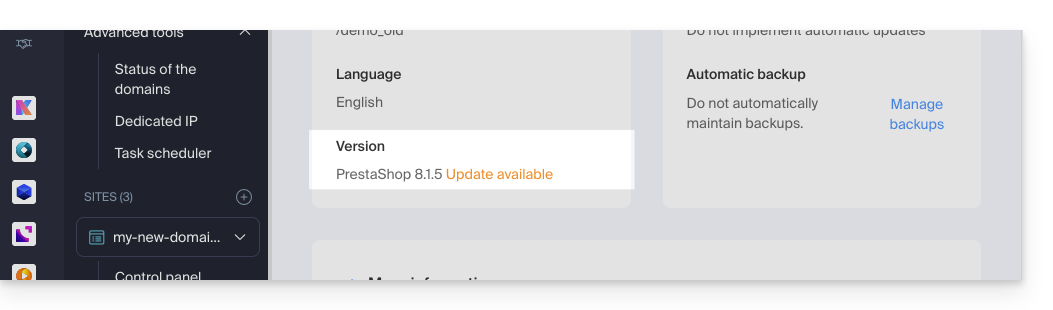
- Se houver uma atualização disponível para o aplicativo, você será notificado no painel de controle:
Atualizar um aplicativo instalado via Infomaniak
Para aceder à Aplicação Web Infomaniak e atualizá-la:
- Clique aqui para aceder à gestão de alojamentos e sites no seu Painel de Controlo Infomaniak (❓: ajuda).
- Clique em o nome do site em questão.
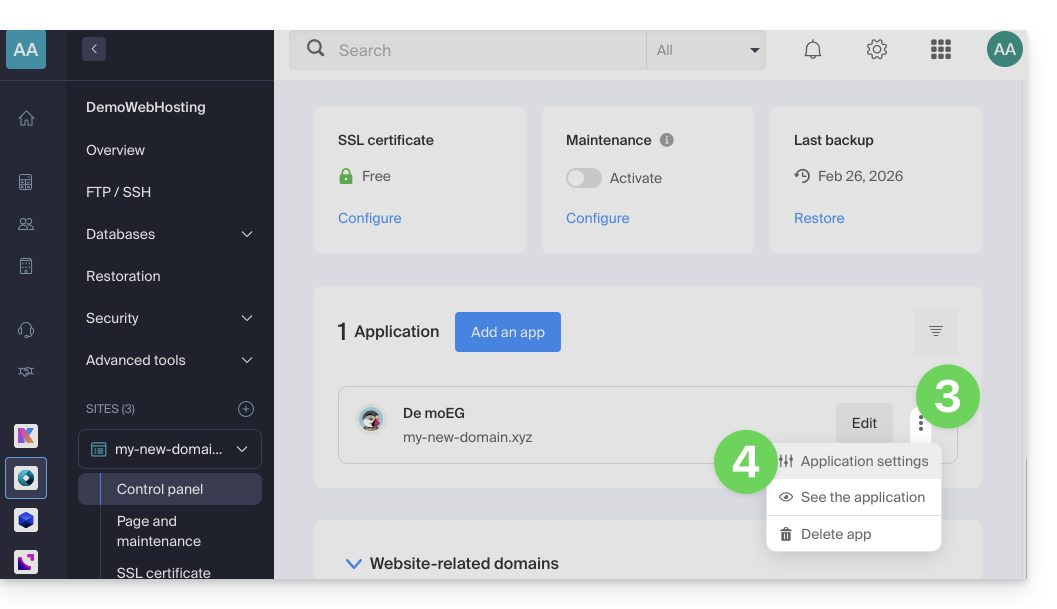
- Clique no menu de ações ⋮ localizado à direita da aplicação web em questão.
- Clique em Configurações no aplicativo:
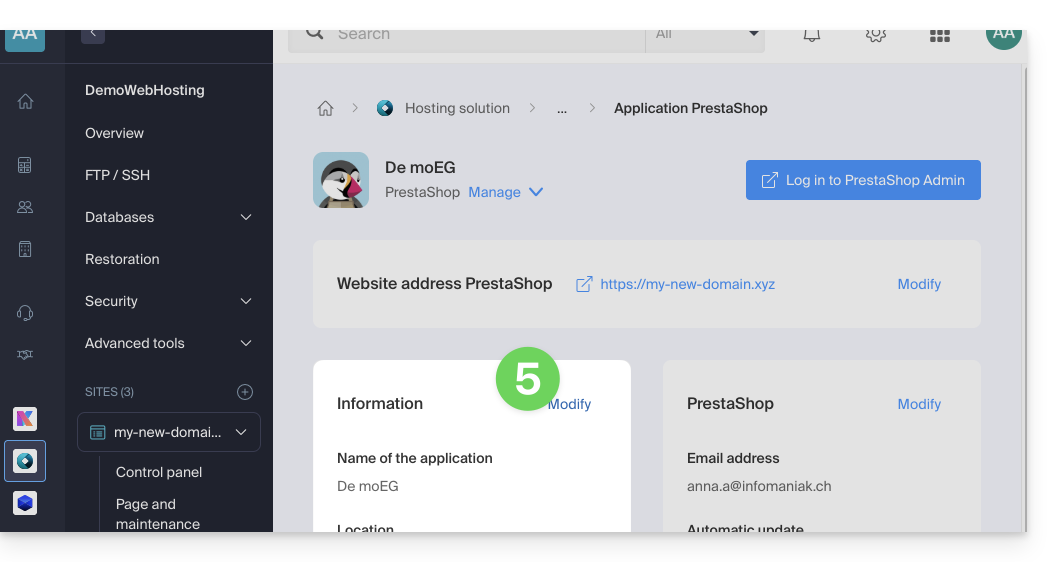
- Clique em Editar no bloco Informações:
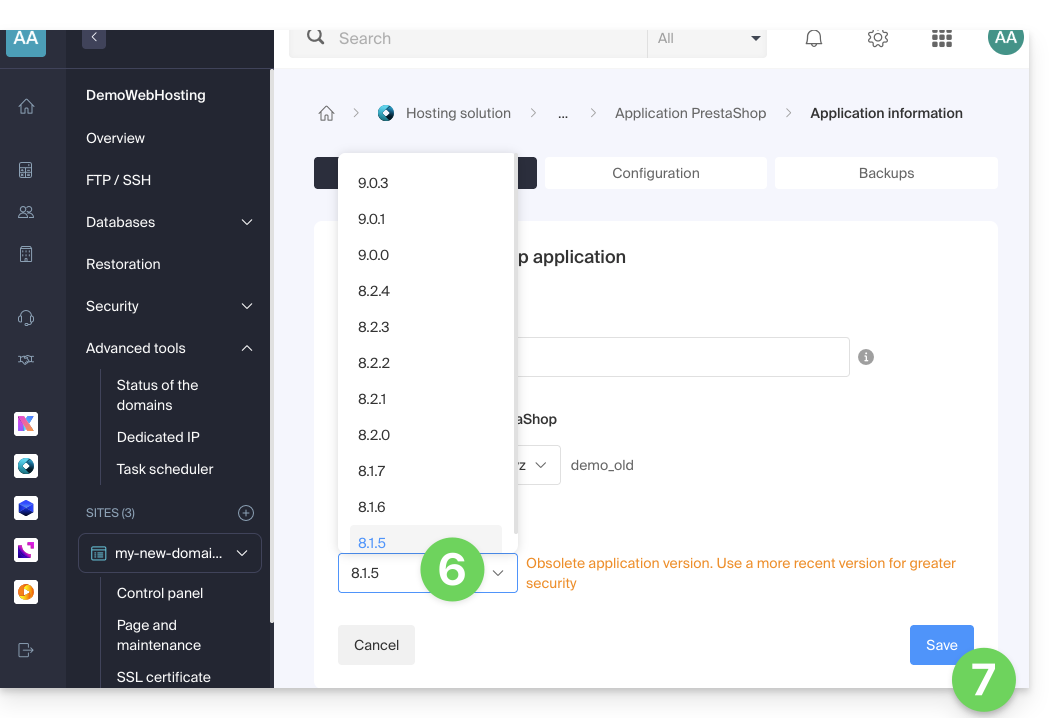
- Clique no menu suspenso para escolher uma versão mais recente.
- Clique no botão Guardar:
Link para esta FAQ: https://faq.infomaniak.com/2226
Esta seção de perguntas frequentes foi útil?