Base de conhecimento
1000 perguntas frequentes, 500 tutoriais e vídeos explicativos. Aqui, você encontra apenas soluções!
Update the contact details associated with your Infomaniak account
This guide explains how to change the first and last name that Infomaniak displays when you are logged into your Infomaniak account (= user account) within an Organization in the Manager, as well as your account avatar.
Introduction
- To change your login ID, please refer to this other guide.
- To change your phone number, please refer to this other guide.
- To manage the details of the Organization you belong to, please refer to this other guide.
Modify your Infomaniak account details
To edit your personal details:
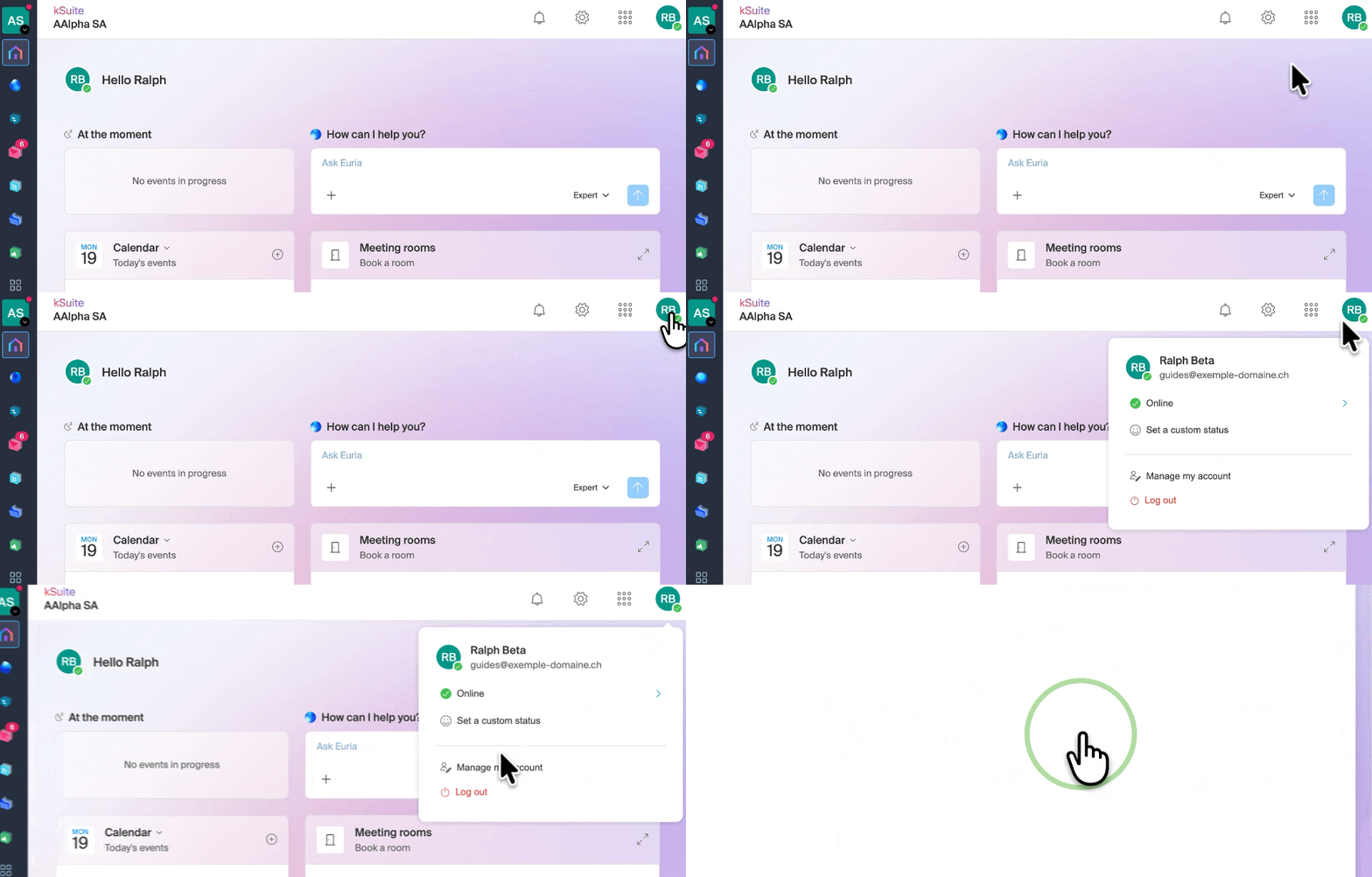
- Click here or at the top right, click on your initials/avatar to "Manage my account":
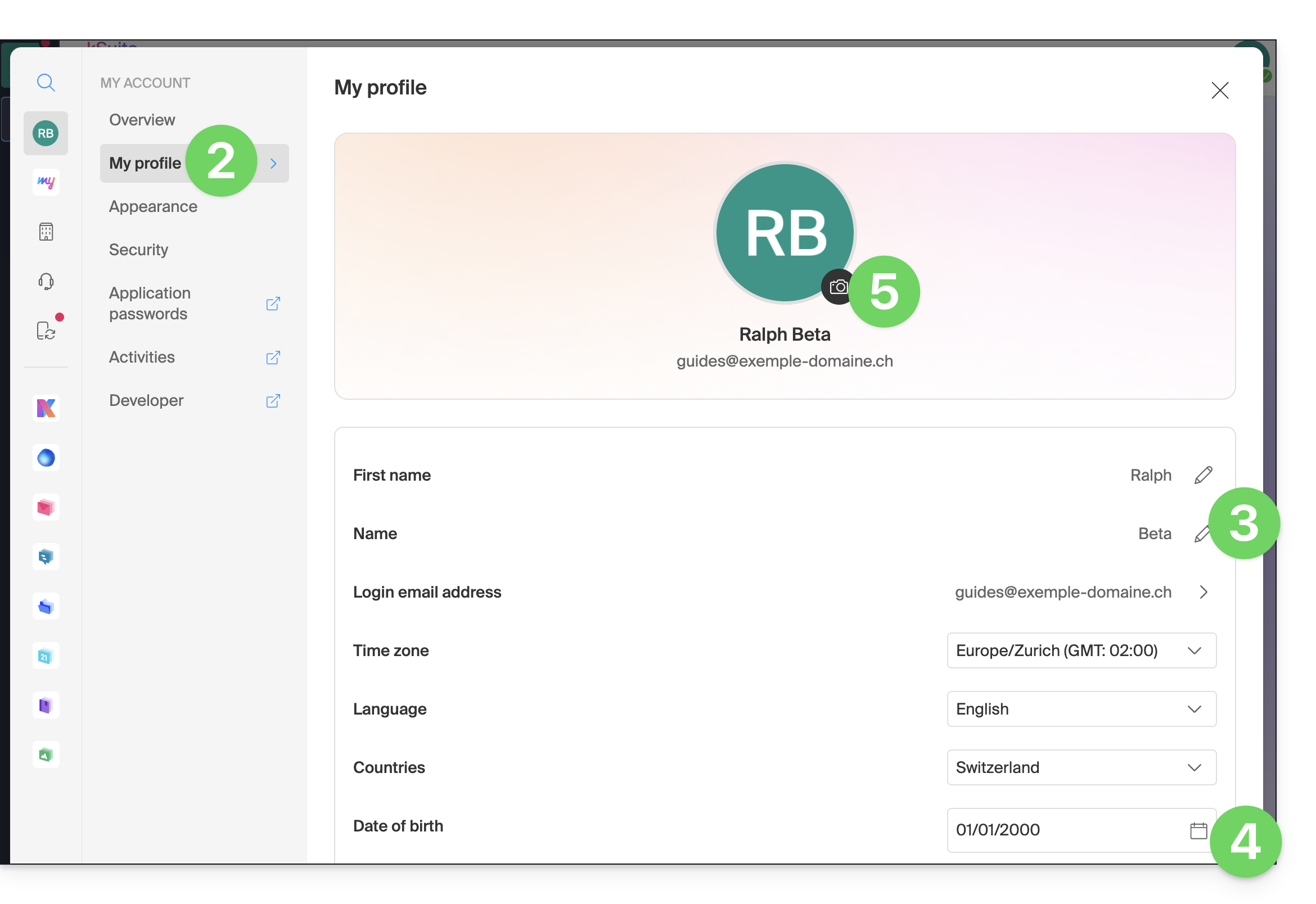
- Click on My profile in the left-hand menu.
- Edit your first name and last name on the right-hand side.
- You can also specify your date of birth.
- You can add a profile picture to your Infomaniak account, which will be displayed instead of your initials; it is recommended to import an image with a minimum size of 210 pixels on each side:
Link para esta FAQ: https://faq.infomaniak.com/220
Esta seção de perguntas frequentes foi útil?