Base de conhecimento
1000 perguntas frequentes, 500 tutoriais e vídeos explicativos. Aqui, você encontra apenas soluções!
Change your login ID for Infomaniak Manager / Mail
This guide explains how to view and change the login ID for your user account in the Manager, the management interface and dashboard for your Infomaniak products. This same ID also allows you to log in to Mail Infomaniak and various iOS/Android applications such as kDrive, Infomaniak Mail, etc.
Introduction
- To manage your Infomaniak account details, please refer to this other guide.
- To change your phone number, please refer to this other guide.
- To manage the details of the Organization you belong to, please refer to this other guide.
View the currently logged-in ID
The email address used for the current login is displayed in your user menu + on the profile page:
- Click on the badge with your initials / avatar in the top right corner of the Manager Infomaniak to note the login ID currently in use:
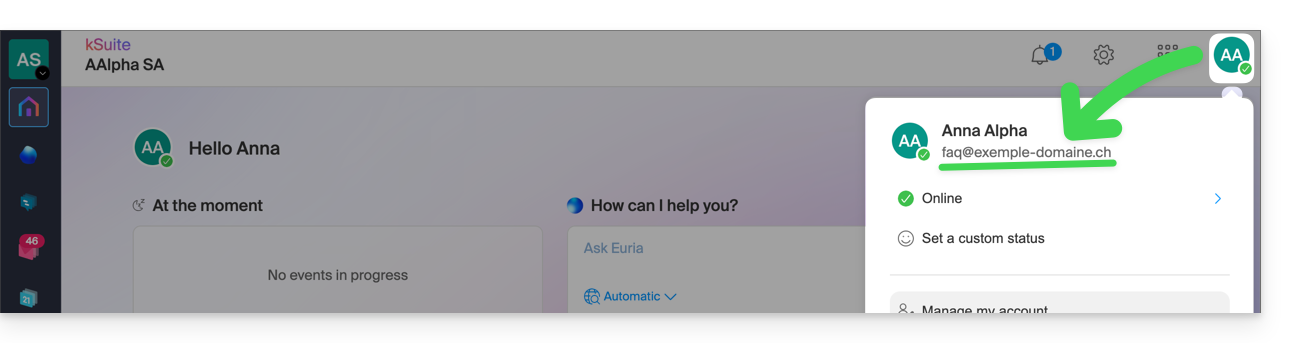
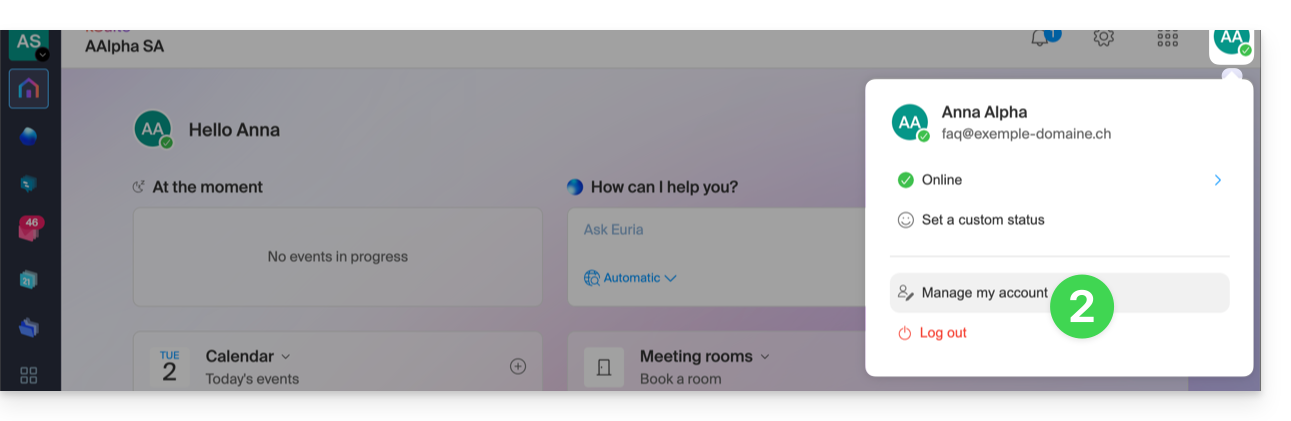
- Click on Manage my account just below to access the management of your profile in the Infomaniak Manager:
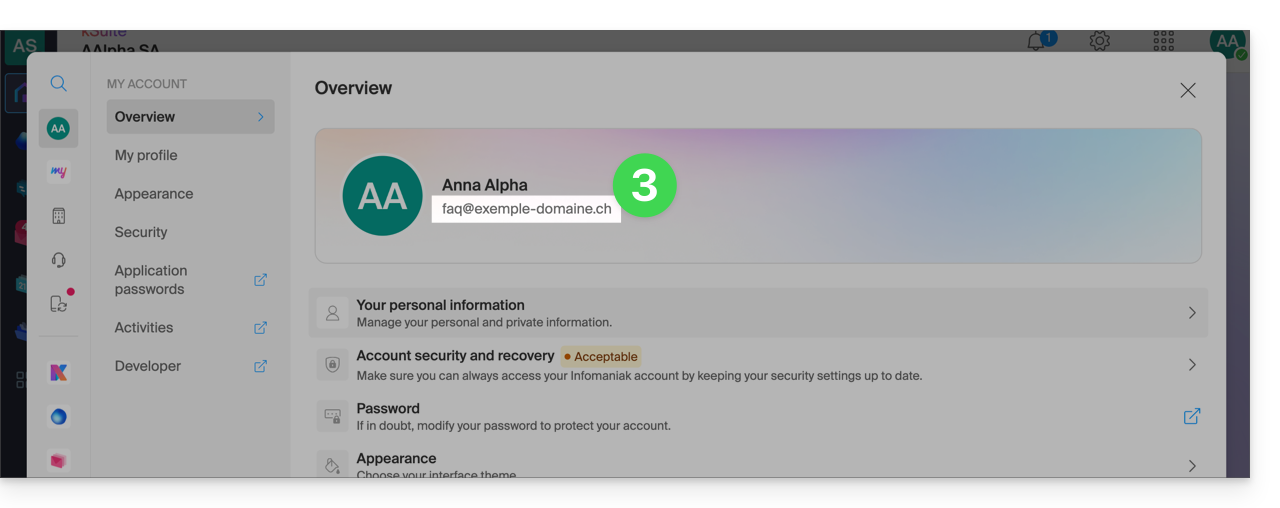
- Your current login ID is also displayed on the page:
Change Login ID (Login Email)
Prerequisites
- The login ID is an email address that must exist and that you must be able to access.
- The new email address must be different from the recovery email address.
- The new email address must not already be used as a login ID for another user account (if so, you should consider inviting them to the Organization beforehand to give them all the necessary rights, and then you can remove the old account with the old login ID).
To change the login ID for your Infomaniak account:
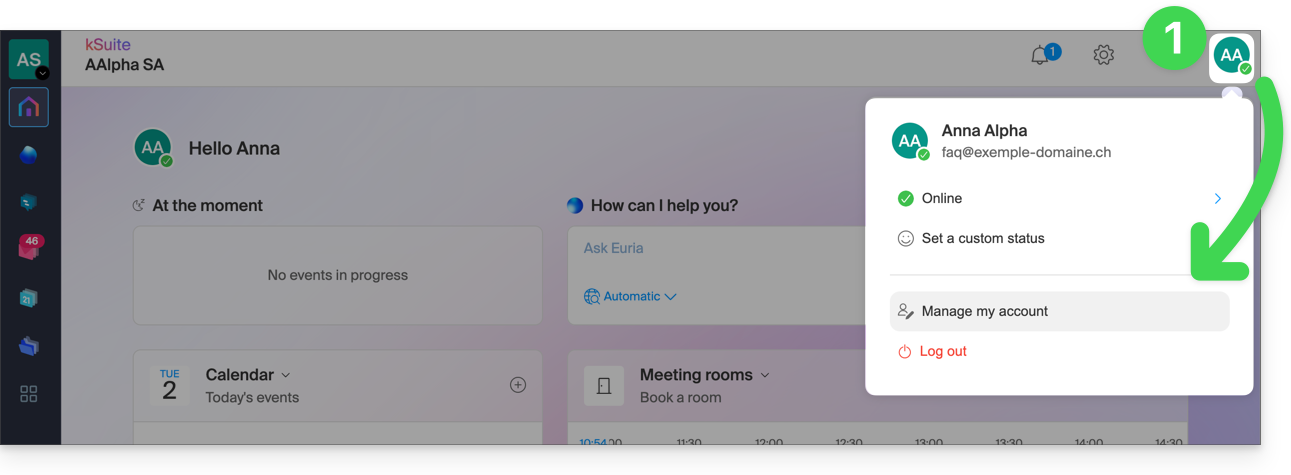
- Click here (or on the badge with your initials / avatar in the top right corner of the Infomaniak Manager) to "Manage my account":
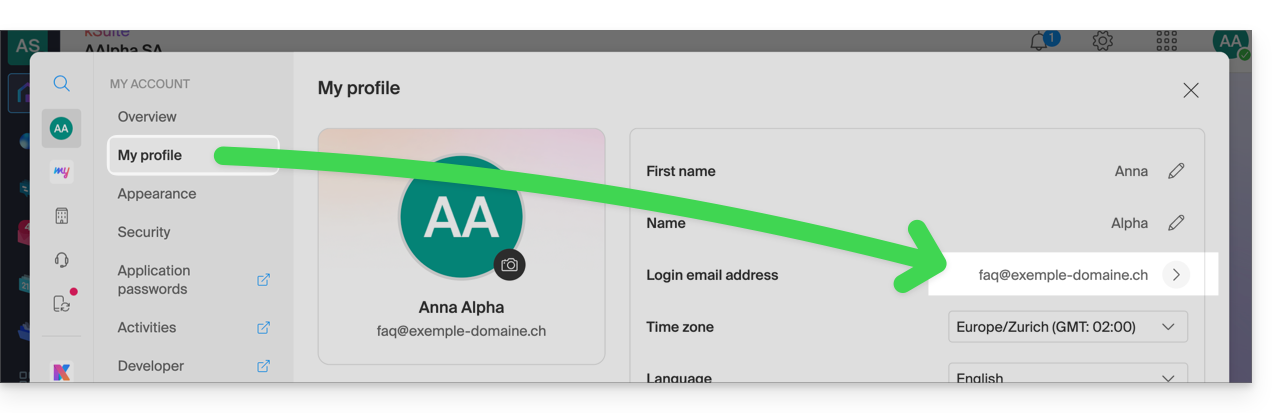
- From the My profile menu, click on your login email address:
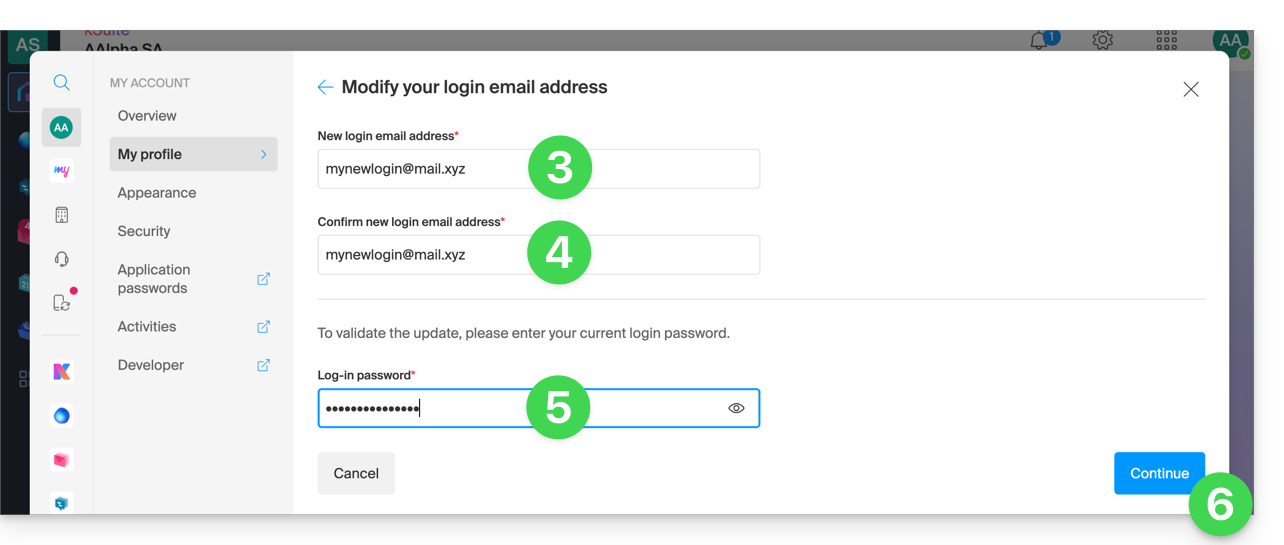
- Enter a new login email address.
- Confirm your new address by specifying it a second time.
- Enter the login password for your Infomaniak account.
- Click on Continue:
Link para esta FAQ: https://faq.infomaniak.com/2193
Esta seção de perguntas frequentes foi útil?