Base de conhecimento
1000 perguntas frequentes, 500 tutoriais e vídeos explicativos. Aqui, você encontra apenas soluções!
Configurar DNSSEC com o Cloudflare
Atualização 05/10/2026
Este guia explica como configurar o DNSSEC no Cloudflare com um domínio registado na Infomaniak.
Pré-requisitos
- A zona DNS do domínio deve ser gerenciada pelo Cloudflare.
Configurar DNSSEC no Cloudflare
Para isso:
- Clique aqui para acessar o console Cloudflare.
- Vá para a aba DNS.
- Clique em Ativar DNSSEC.
- Mantenha as informações obtidas à mão:
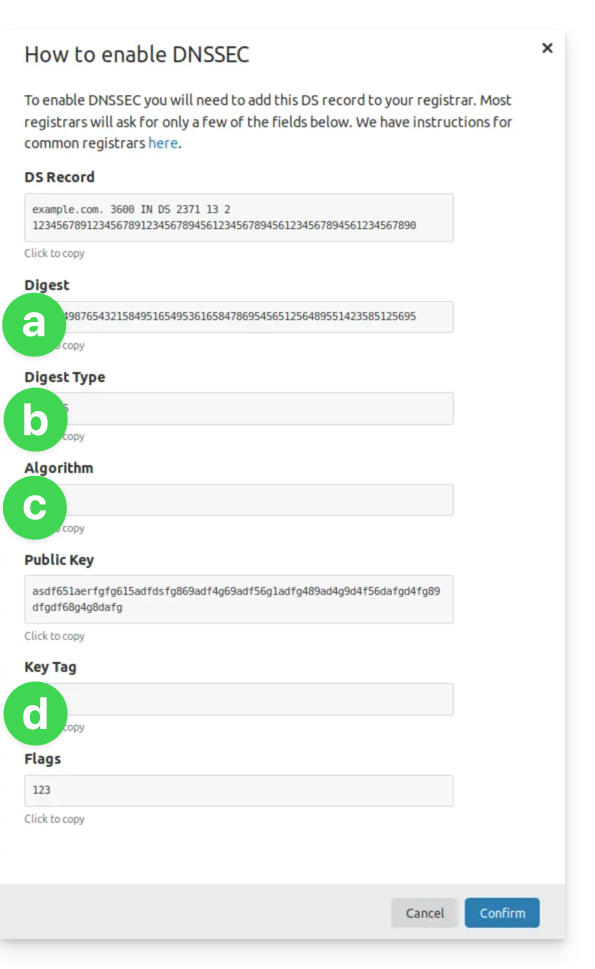
(ver pontos 8 e 10 abaixo)- As informações sob a devem ser inseridas em HASH
- As informações sob b devem ser inseridas em TIPO DE HASH
- As informações sob c devem ser inseridas em ALGORITMO
- As informações sob d devem ser inseridas em CHAVE
- Clique aqui para acessar o gerenciamento de domínios no seu Painel de Controle Infomaniak (❓: ajuda).
- Clique em o nome do domínio em questão.
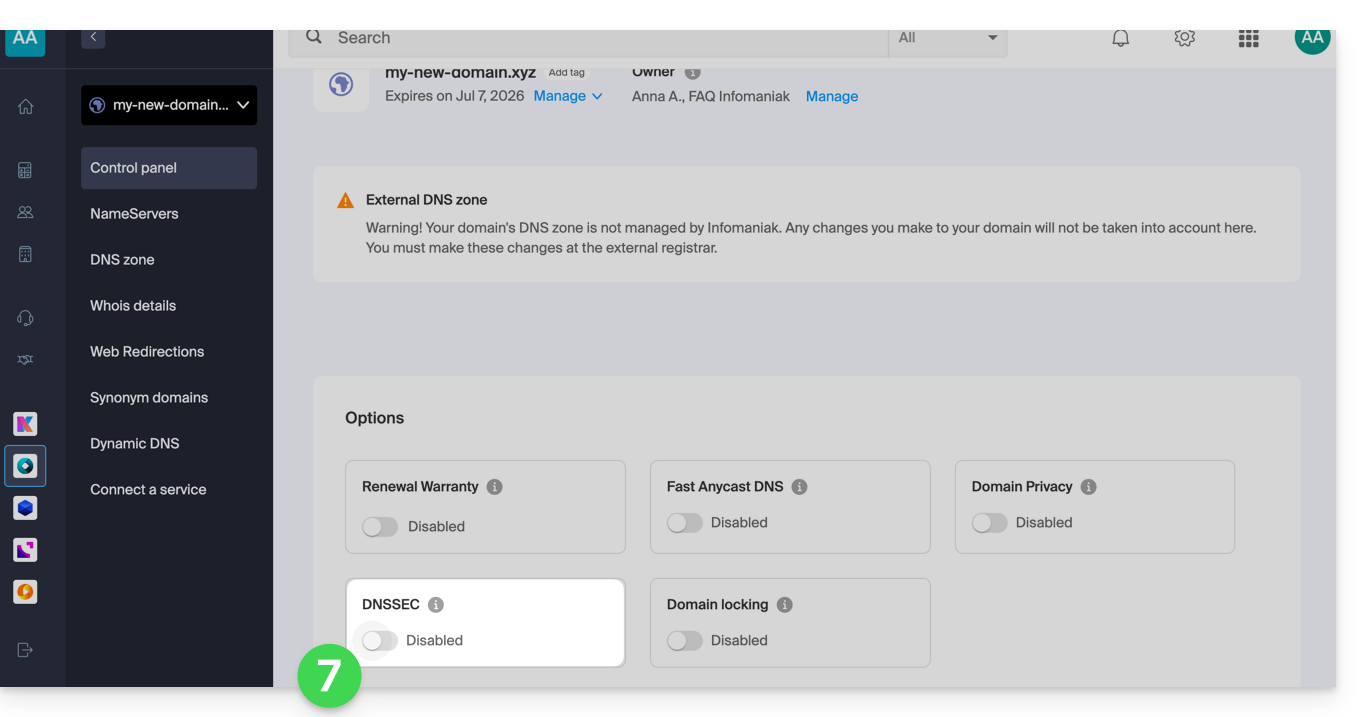
- Ative o DNSSEC a partir do Painel de Controle:
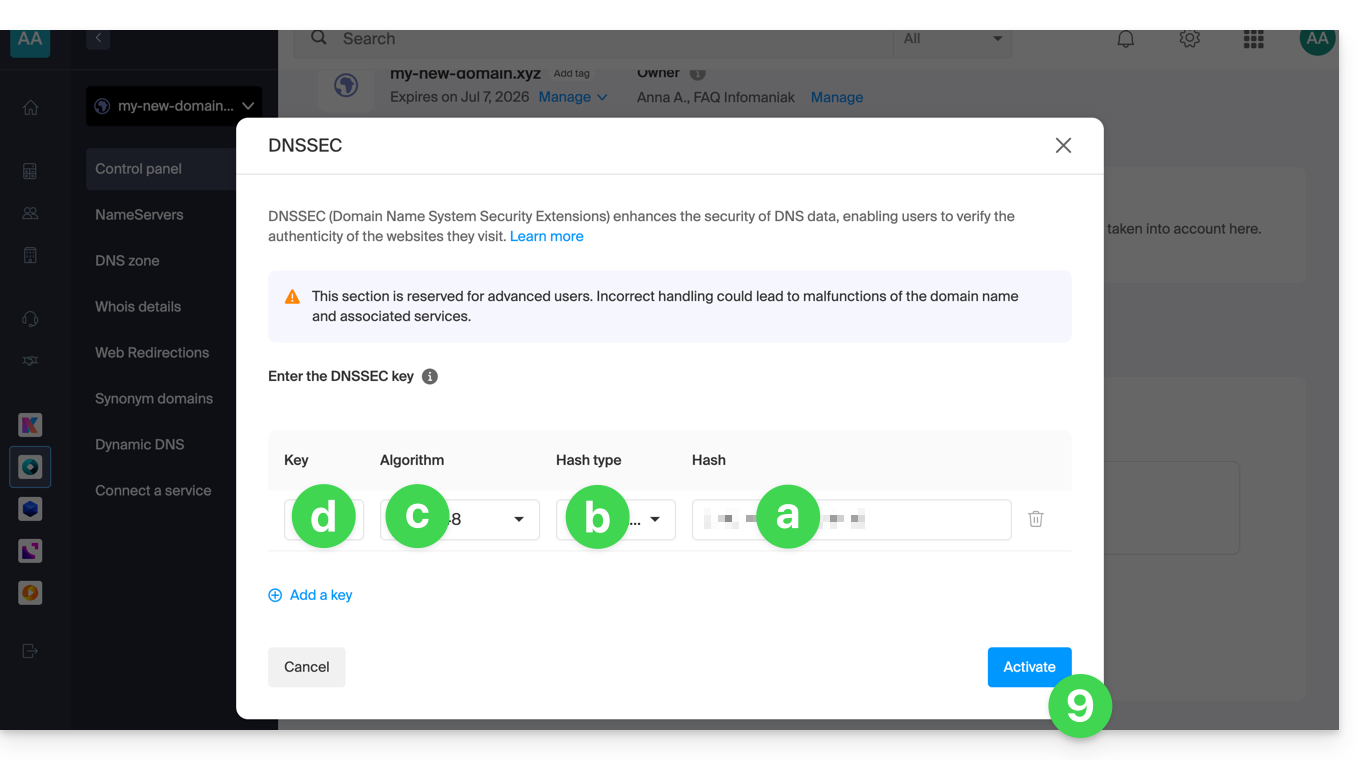
- Na janela que aparece, preencha as informações solicitadas com os dados fornecidos pela Cloudflare (consulte o ponto 4 acima):
- Hash = Digest
- Tipo de Hash = Tipo de Digest
- Algoritmo = Algoritmo
- Chave = Tag da Chave
- Clique em Ativar:
- No caso de um domínio com a extensão
.eu, as instruções necessárias podem ser significativamente diferentes (ver ponto 4 acima):- As instruções em FLAGS devem ser colocadas em BANDEIRAS
- As instruções em PUBLIC KEY devem ser colocadas em CHAVE PÚBLICA
Link para esta FAQ: https://faq.infomaniak.com/2187
Esta seção de perguntas frequentes foi útil?