Base de conhecimento
1000 perguntas frequentes, 500 tutoriais e vídeos explicativos. Aqui, você encontra apenas soluções!
Segmentar e filtrar os contatos da newsletter
Este guia apresenta as opções disponíveis para segmentar e filtrar suas listas de contatos ao enviar uma Newsletter Infomaniak.
Introdução
- O filtro de assinantes com base em determinados critérios permite enviar newsletters apenas para algumas pessoas da sua lista de assinantes.
- Os critérios podem ser a data de inscrição ou campos personalizados, ou ainda ações realizadas ou não em envios anteriores.
- Você pode combinar várias condições e adicionar condições "
OU" para refinar seus filtros.
Segmentar os envios de acordo com…
Aceda à sua newsletter:
- Clique aqui para aceder à gestão do seu produto no painel de controlo Infomaniak (precisa de ajuda?).
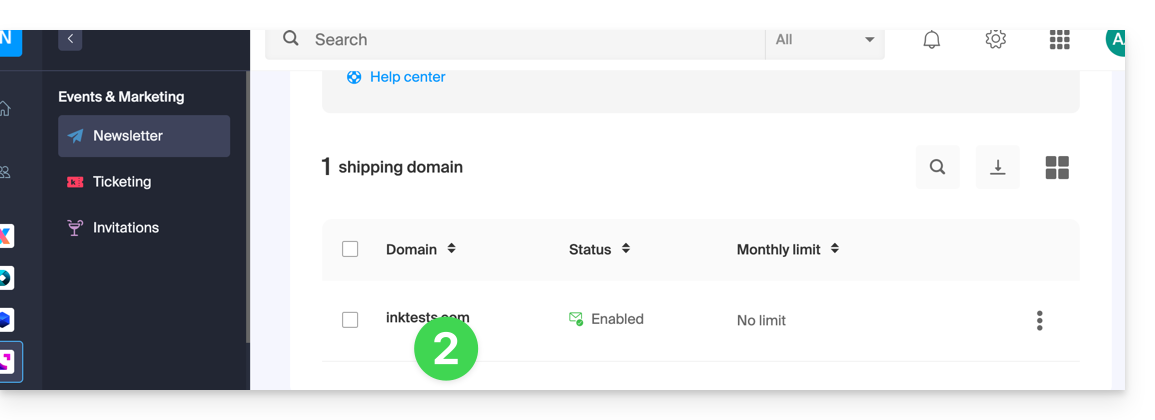
- Clique no nome do domínio correspondente na tabela que aparece:
… as particularidades dos assinantes
Aqui está um exemplo de formulário de inscrição na newsletter com campos adicionais que permitem solicitar informações personalizadas ao usuário que se inscreve: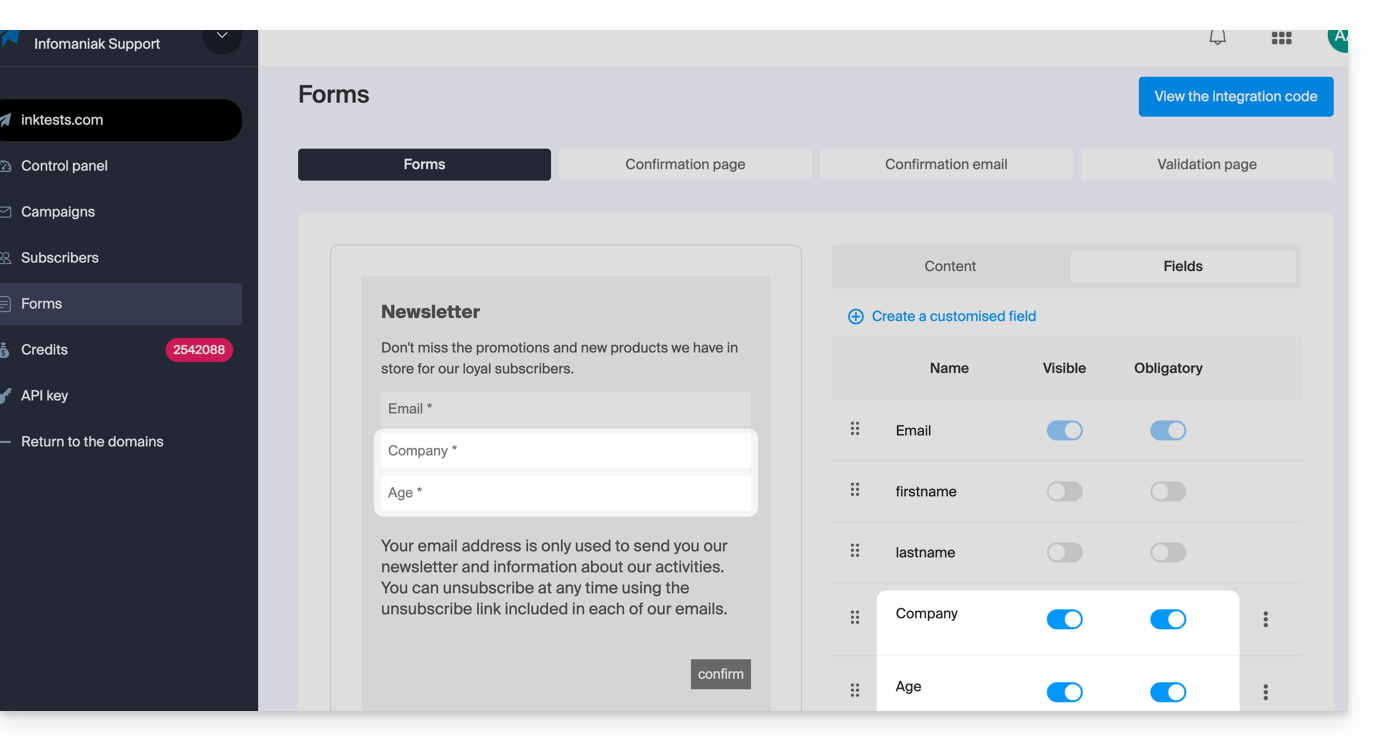
Assim que alguns usuários preencherem essas informações, você poderá encontrá-las nos detalhes do perfil de contato deles: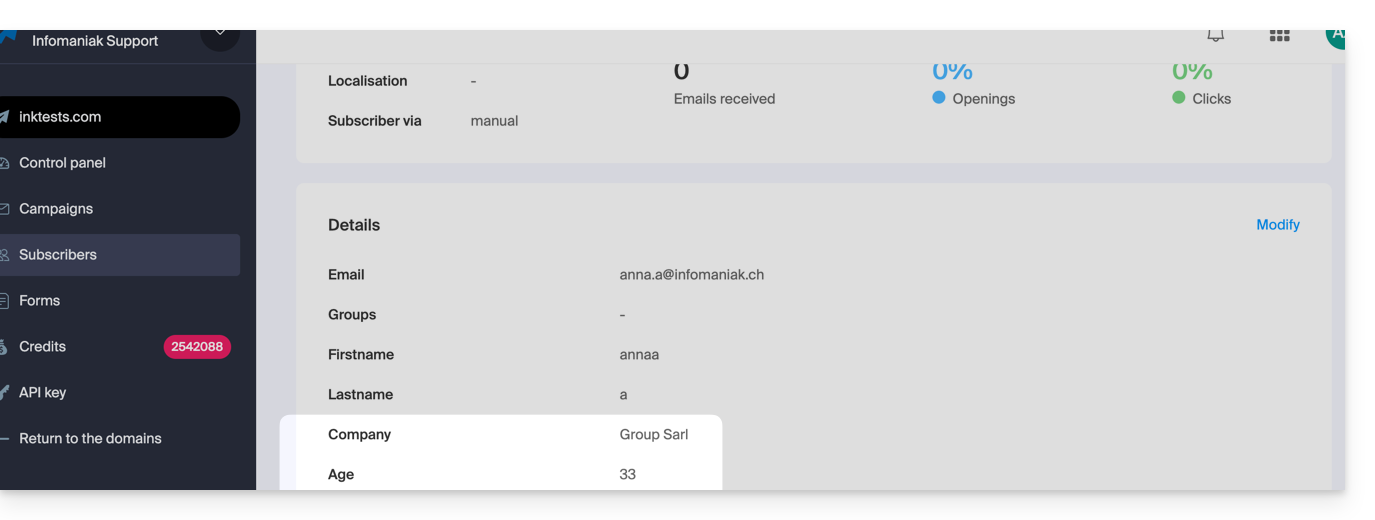
Este tipo de informação pode ser utilizado para segmentar a sua lista de subscritores e enviar mensagens apenas para uma parte dela. Consulte o capítulo 4 deste outro guia.
… as ações anteriores do subscritor
As informações sobre um envio anterior podem ser utilizadas para segmentar seu próximo envio. Exemplo: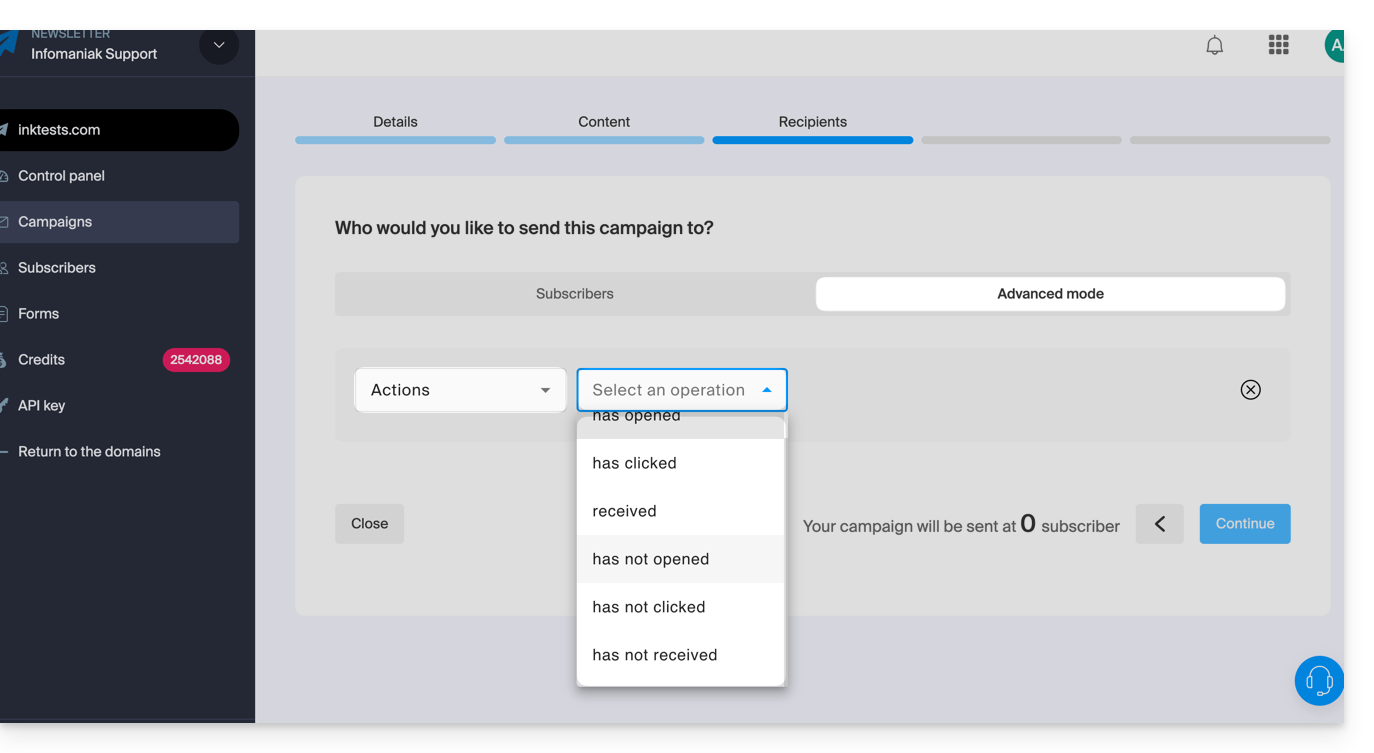
- Enviar apenas para os assinantes que abriram as últimas 5 campanhas.
- Envie apenas para os assinantes que nunca clicaram na newsletter específica enviada há 1 mês.
- etc.
Para isso:
- Consulte o capítulo 4 deste outro guia.
- Escolha Ações em vez de campo personalizado para selecionar os critérios que definem as pessoas que receberão o próximo envio da newsletter.
- Este mesmo menu suspenso também permite segmentar um envio com base nas datas de inscrição dos assinantes (enviar apenas para os inscritos de um determinado mês, por exemplo).
Link para esta FAQ: https://faq.infomaniak.com/2184
Esta seção de perguntas frequentes foi útil?