Base de conhecimento
1000 perguntas frequentes, 500 tutoriais e vídeos explicativos. Aqui, você encontra apenas soluções!
Configurar o Outlook (macOS) em IMAP (e-mail)
Este guia explica como conectar o aplicativo para desktop Microsoft Outlook para Mac, versão 16.80 (aplicativo para desktop no macOS), a um endereço de e-mail hospedado na Infomaniak.
Introdução
- Em vez da configuração manual para o Outlook abaixo, recomenda-se usar o aplicativo macOS Infomaniak Mail ou até mesmo o Apple Mail com os perfis de configuração .mobileconfig oferecidos pela Apple.
Adicionar o endereço de e-mail ao aplicativo
Pré-requisitos
- Criar o endereço de e-mail (❓: ajuda my kSuite | Serviço de E-mail/kSuite).
- Criar uma senha para o dispositivo (❓: ajuda my kSuite | Serviço de e-mail/kSuite).
- Verificar se a configuração do domínio está correta (❓: ajuda).
Para configurar o aplicativo de e-mail:
- Abra o aplicativo.
- Insira o endereço de e-mail que deseja associar.
- Clique em Continuar:
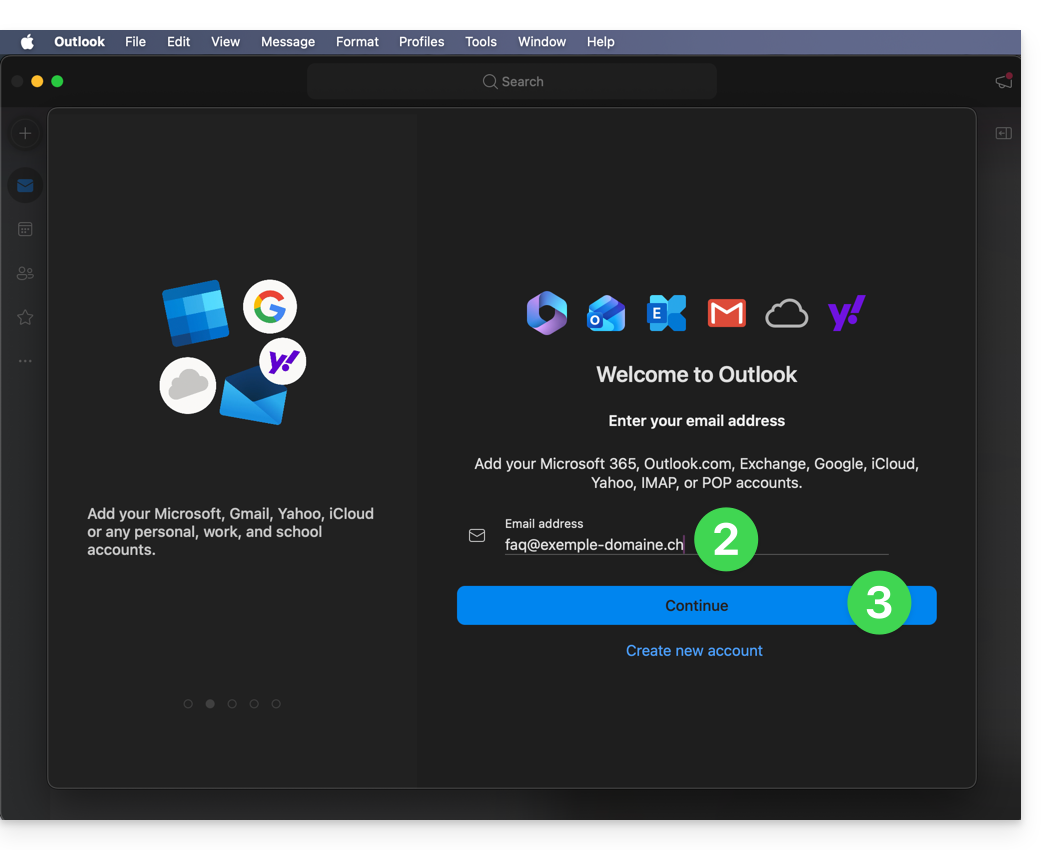
- Clique em Sincronizar via IMAP (sem o Cloud da Microsoft):
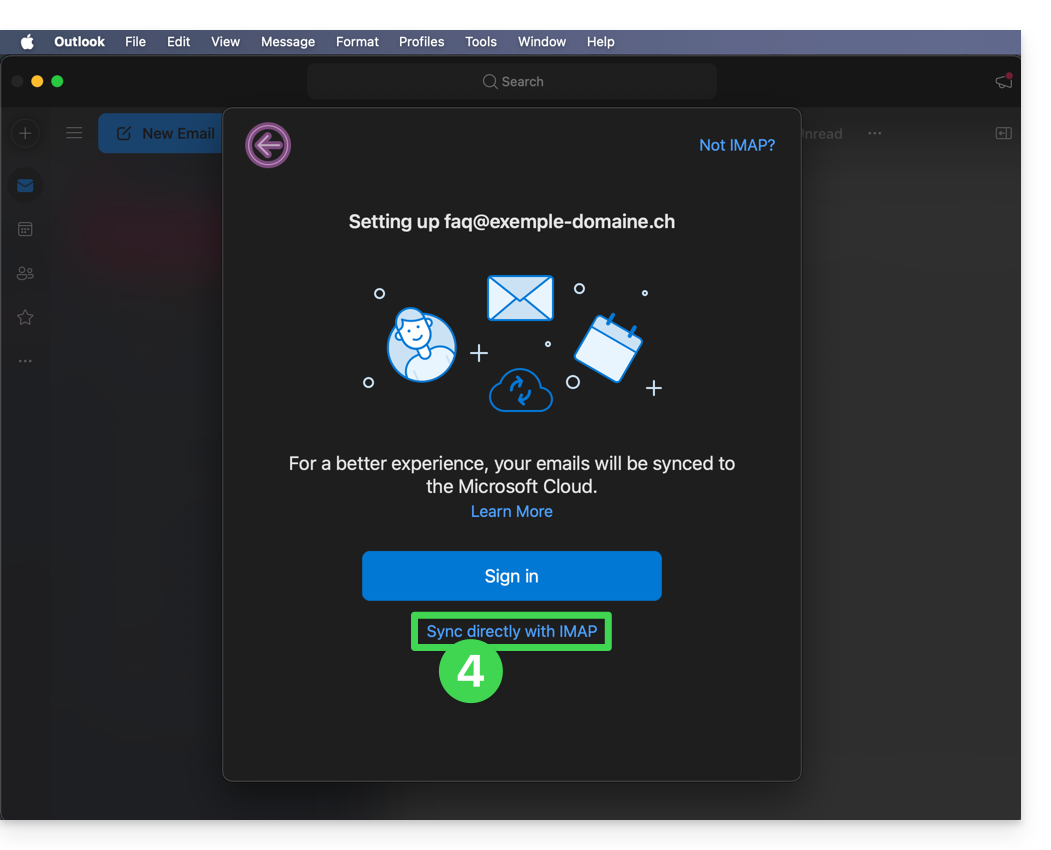
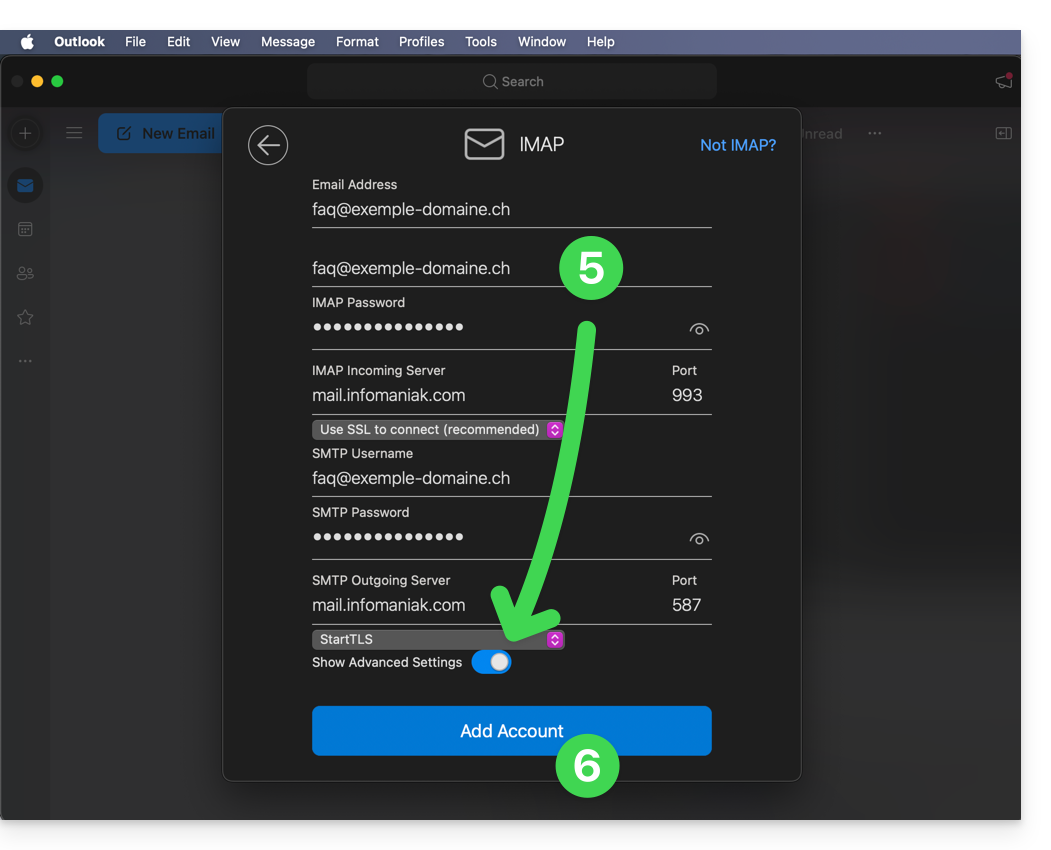
- Verifique e preencha as informações que faltam (❓: ajuda).
- Para isso, ative o botão de alternância (toggle switch) para a exibição das configurações avançadas.
- Clique em Adicionar conta:
- Leia e avance pelas diferentes janelas de informações da Microsoft:
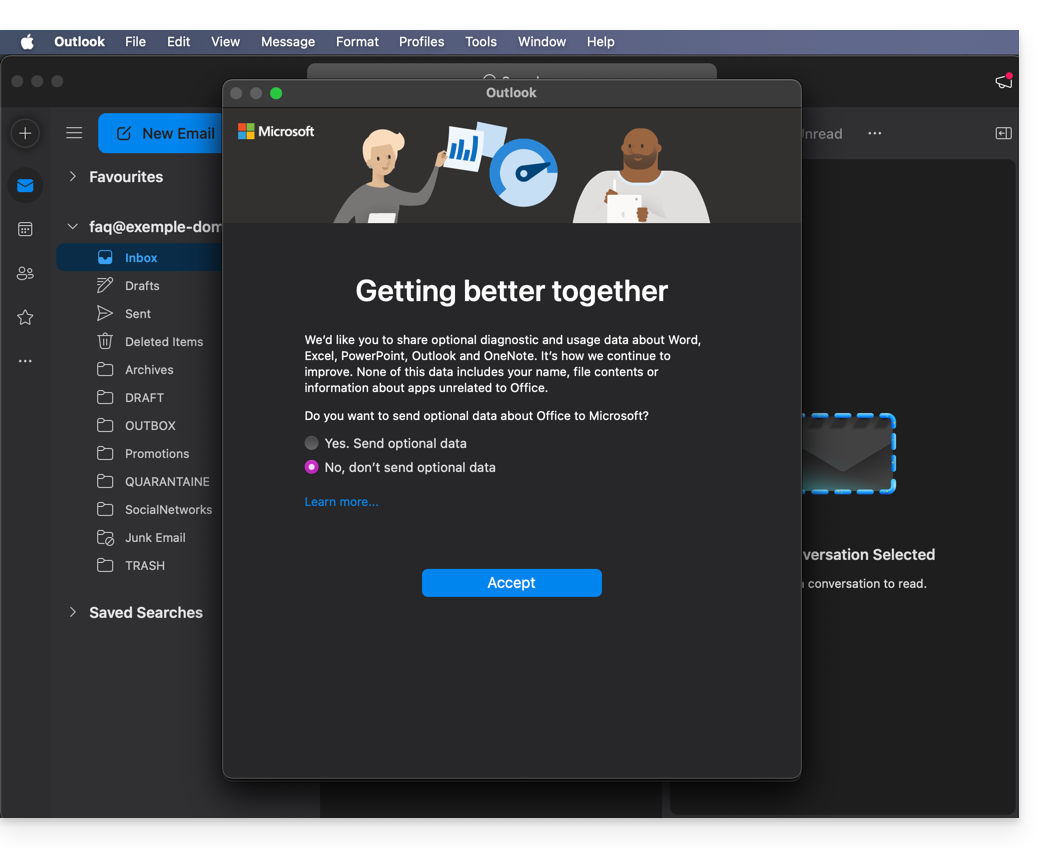
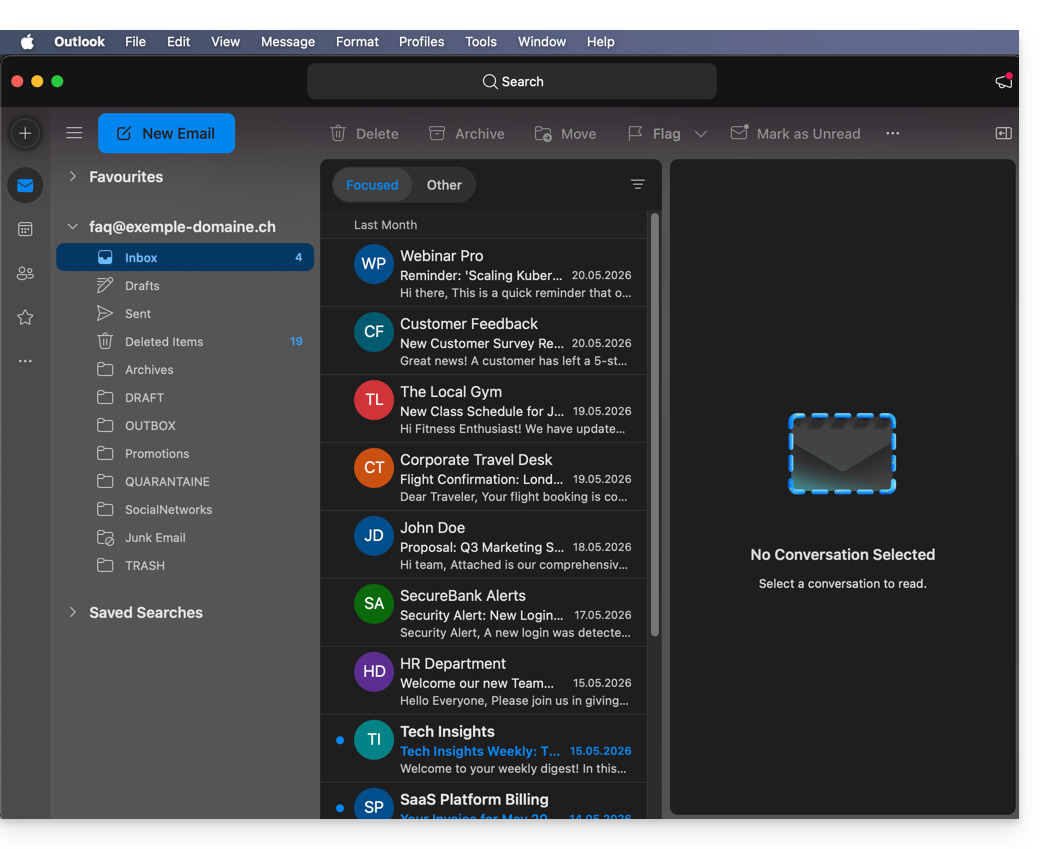
- Pronto, o seu endereço de e-mail já está configurado na aplicação:
Parâmetros recomendados
- Servidor IMAP de entrada =
mail.infomaniak.com - Porta IMAP =
993(com SSL) - Servidor SMTP de saída =
mail.infomaniak.com - Porta SMTP e protocolo de criptografia e comando/método para ativar este protocolo:
587+ STARTTLS - Nome de utilizador/username = o endereço de e-mail completo (❓: ajuda)
- Palavra-passe/password = a palavra-passe gerada para o endereço de e-mail que pretende consultar (❓: ajuda my kSuite | Serviço de E-mail/kSuite).
- Autenticação obrigatória para o envio de e-mails:
- Ative-a nas configurações SMTP da sua aplicação.
- Marque a opção "usar as mesmas configurações do servidor de entrada" ou, dependendo do software/cliente de e-mail, insira um nome de usuário (= endereço de e-mail completo) e a senha gerada.
Consulte este outro guia se precisar de informações sobre outras portas e protocolos de e-mail compatíveis (SSL / TLS, por exemplo).
Em caso de problema
Verifique se o Serviço de E-mail está configurado de forma otimizada (❓: ajuda).
Não é necessário entrar em contato com o Suporte da Infomaniak se o seu endereço de e-mail funcionar corretamente fora do aplicativo. O erro mais comum está relacionado ao uso de uma senha incorreta. Os guias de solução de problemas ajudarão você a resolver qualquer problema:
- Consulte as soluções apresentadas neste outro guia sobre e-mail em geral.
- Este outro guia trata especificamente do Outlook.
… e se o seu Outlook deixou de funcionar após uma alteração da palavra-passe do e-mail, consulte este outro guia.
Link para esta FAQ: https://faq.infomaniak.com/2174
Esta seção de perguntas frequentes foi útil?