Base de conhecimento
1000 perguntas frequentes, 500 tutoriais e vídeos explicativos. Aqui, você encontra apenas soluções!
Gerenciar os registros MX
Este guia explica como adicionar ou modificar um registo MX na zona DNS de um nome de domínio gerido a partir do Painel de controlo Infomaniak.
Introdução
- Um registro MX indica aos servidores de e-mail para qual servidor/provedor encaminhar as mensagens destinadas ao seu nome de domínio.
- As alterações efetuadas no painel de controlo Infomaniak só são tidas em conta se o nome de domínio utilizar a zona DNS correspondente.
- Qualquer adição/modificação de DNS pode levar até 48 horas para se propagar (❓: ajuda); durante este período, algumas mensagens podem ainda ser encaminhadas de acordo com a configuração anterior.
Registros MX para o serviço de e-mail Infomaniak
A Infomaniak configura automaticamente o registo MX necessário quando o nome de domínio e o Serviço de Email são criados na mesma Organização no Manager Infomaniak.
Se a sua configuração exigir a adição manual do registo MX para direcionar as mensagens recebidas para a Infomaniak, insira os seguintes valores:
- Anfitrião / Origem: deixe este campo em branco para aplicar o registo ao domínio principal
- Destino:
mta-gw.infomaniak.ch - Prioridade:
5
O destino deve ser inserido na forma de um nome de host, sem https://, sem endereço de e-mail e sem caminho adicional.
Variação específica para algumas interfaces DNS
Algumas interfaces, nomeadamente a da Gandi, exigem um ponto no final do destino para indicar que se trata de um nome de domínio completo. Neste caso, insira:
mta-gw.infomaniak.ch.
Se for utilizado outro registo MX ou se vários registos MX estiverem configurados, a Infomaniak não pode garantir a receção correta das mensagens.
Modificar a zona DNS
Para adicionar um registo MX na zona DNS:
- Clique aqui para acessar o gerenciamento de domínios no seu Painel de Controle Infomaniak (❓: ajuda).
- Clique no nome do domínio em questão.
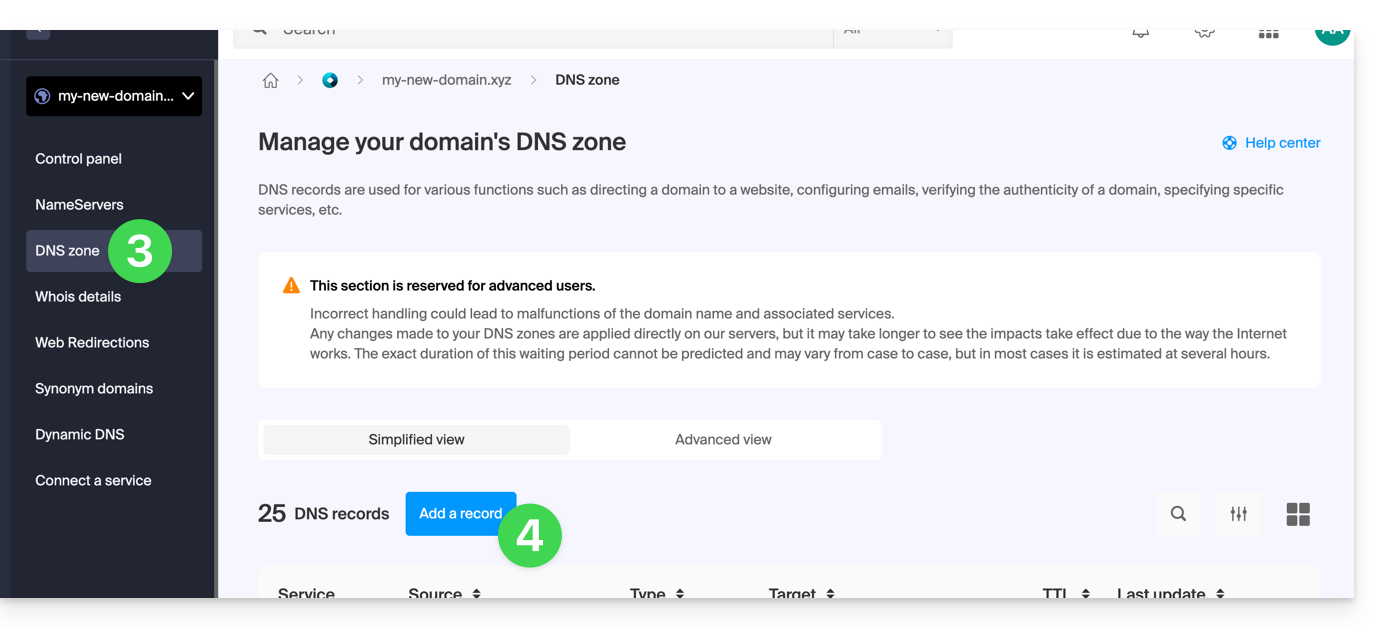
- Clique em Zona DNS no menu lateral esquerdo.
- Clique no botão para adicionar um registo:
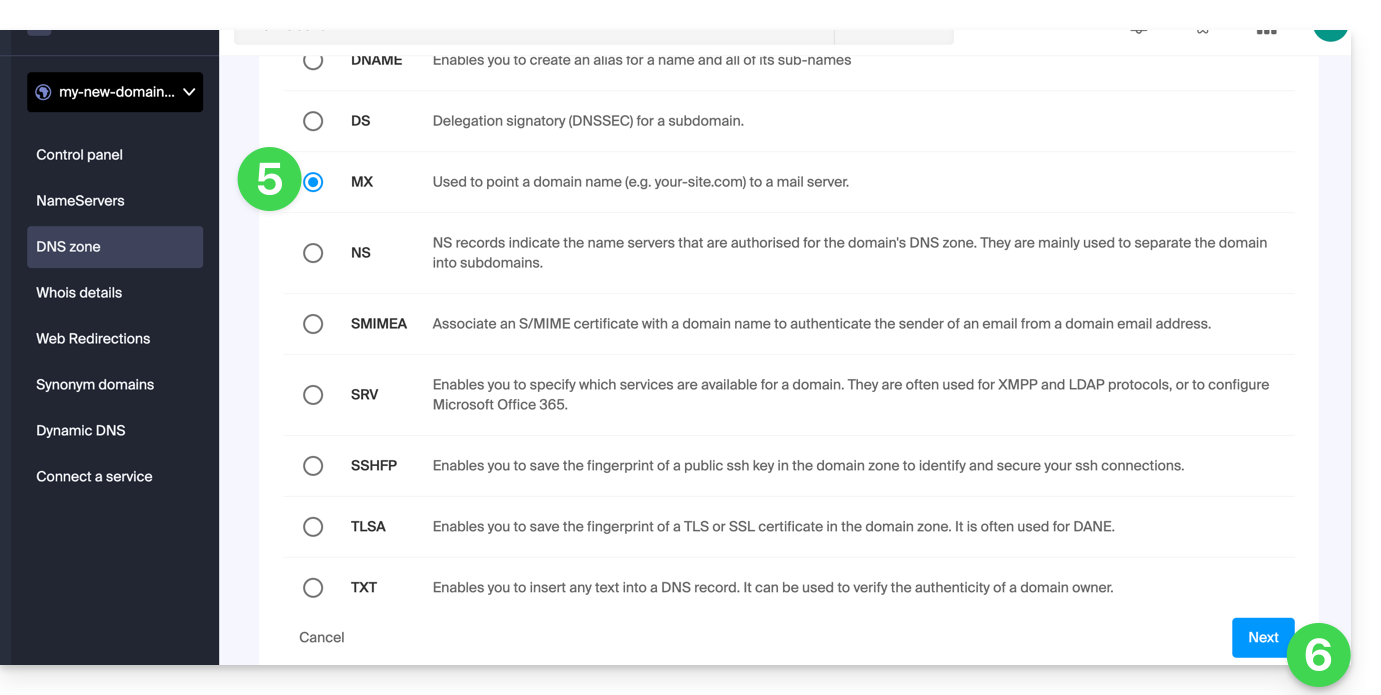
- Selecione o tipo de registo MX.
- Clique no botão Seguinte:
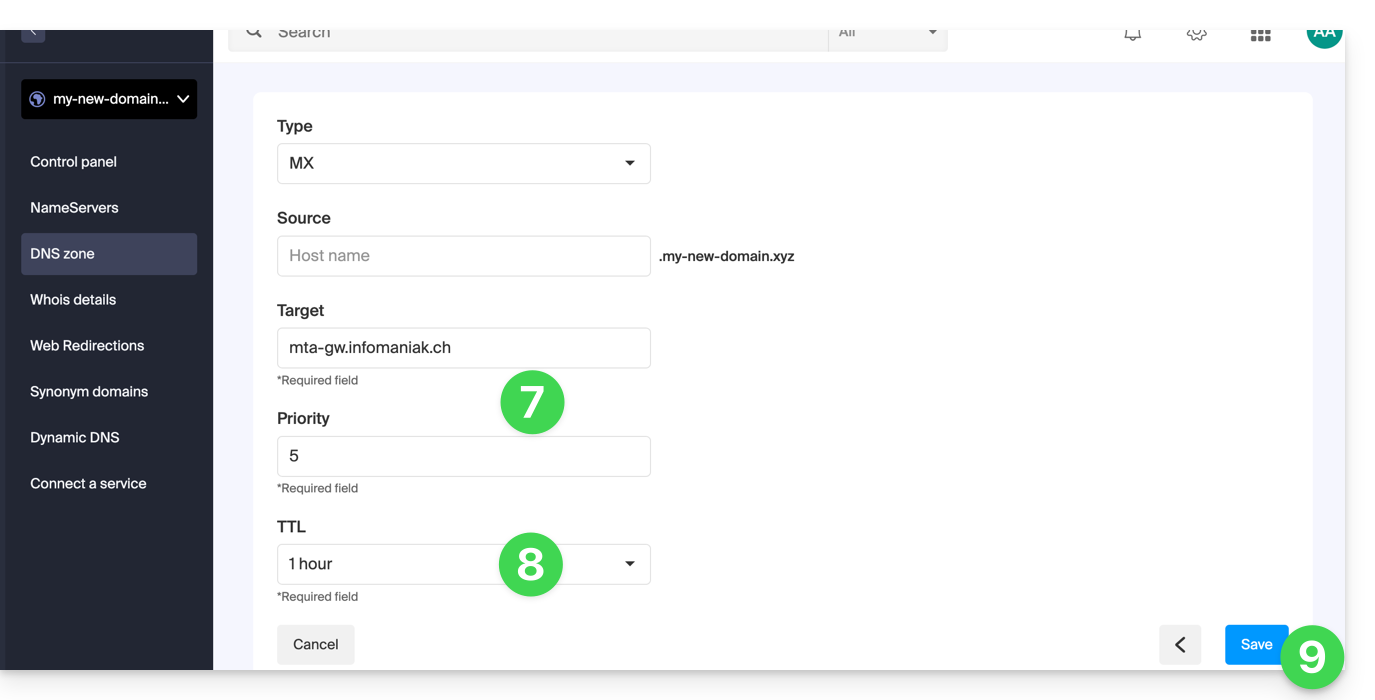
- Preencha os valores solicitados:
- para o serviço de e-mail do domínio principal, deixe o campo Servidor ou Origem em branco
- insira no campo Destino o nome do servidor de e-mail fornecido pelo provedor
- preencha a prioridade indicada por este provedor
- Mantenha o valor proposto por padrão para o TTL, a menos que o seu provedor de e-mail indique o contrário.
- Clique no botão Guardar:
Após guardar, o registo MX aparecerá na tabela da zona DNS: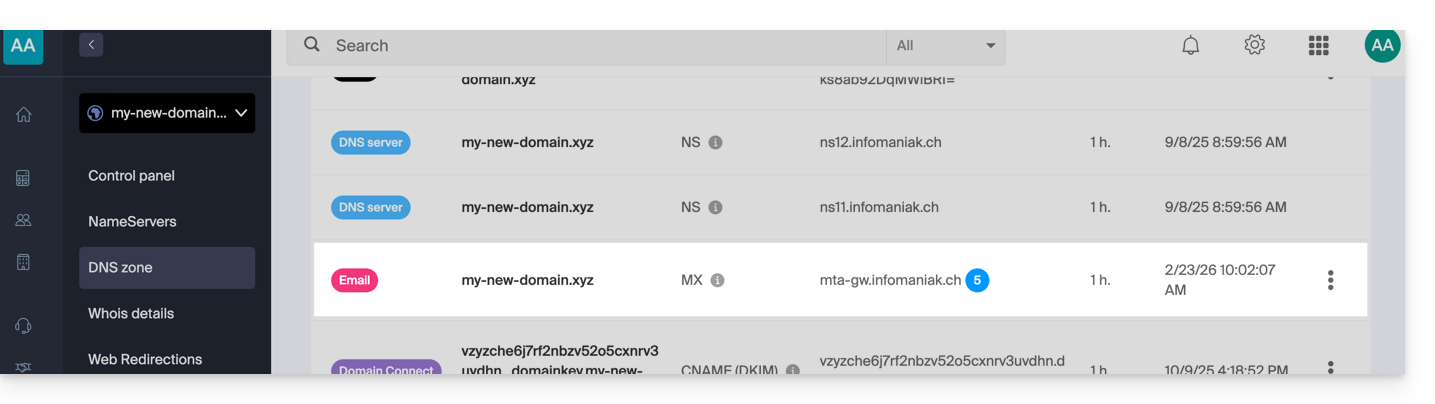
Para enviar mensagens com o serviço de e-mail da Infomaniak, o nome de domínio também deve ter um registo SPF (❓: ajuda) configurado corretamente.
Saiba mais
Link para esta FAQ: https://faq.infomaniak.com/2110
Esta seção de perguntas frequentes foi útil?