Base de conhecimento
1000 perguntas frequentes, 500 tutoriais e vídeos explicativos. Aqui, você encontra apenas soluções!
Link a domain name to your Infomaniak Synology NAS
This guide explains how to link a domain name to the Synology NAS that you are renting from Infomaniak.
Associate an existing domain
To connect your existing domain name to your Synology, which is registered with Infomaniak:
- Click here to access the management interface for your product on the Infomaniak Manager (need help?).
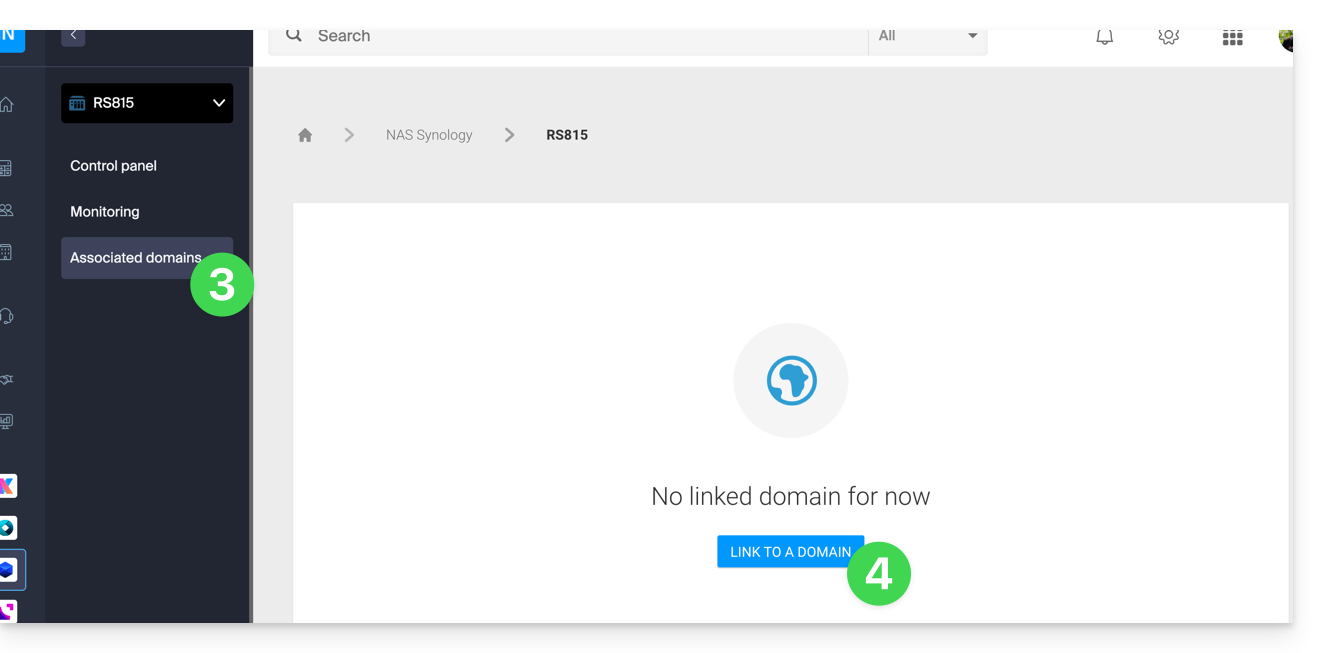
- Click directly on the name assigned to the Synology in question.
- Click on Related domains in the left-hand menu.
- Click on Link a domain name (in the Associated domains section):
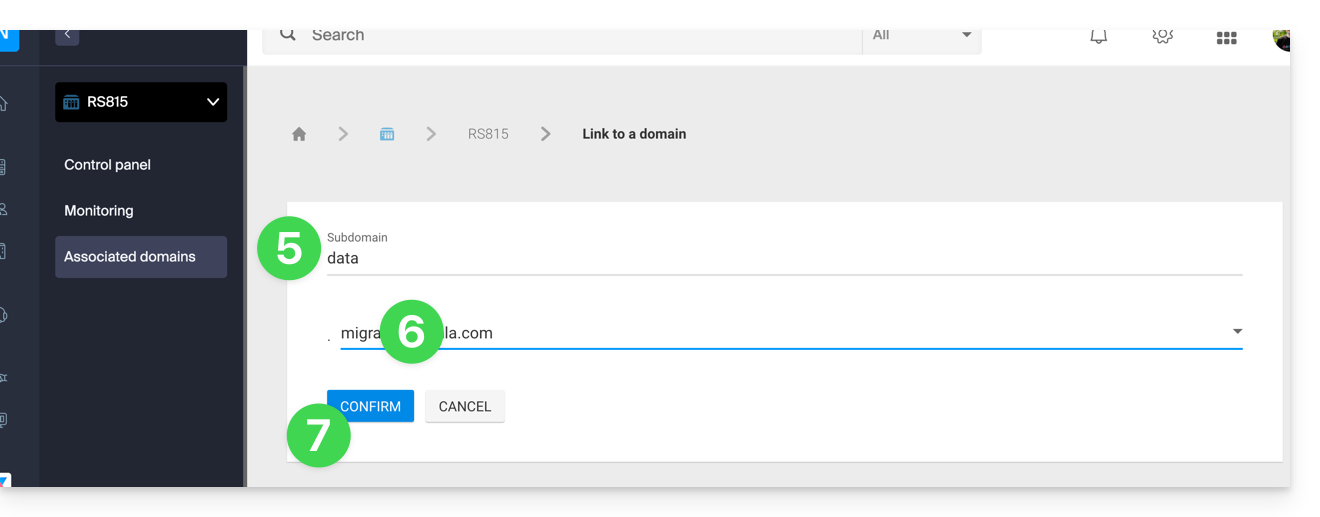
- Enter a subdomain, if applicable.
- Choose one of the domain names registered under your Organization.
- Click the button to Confirm:
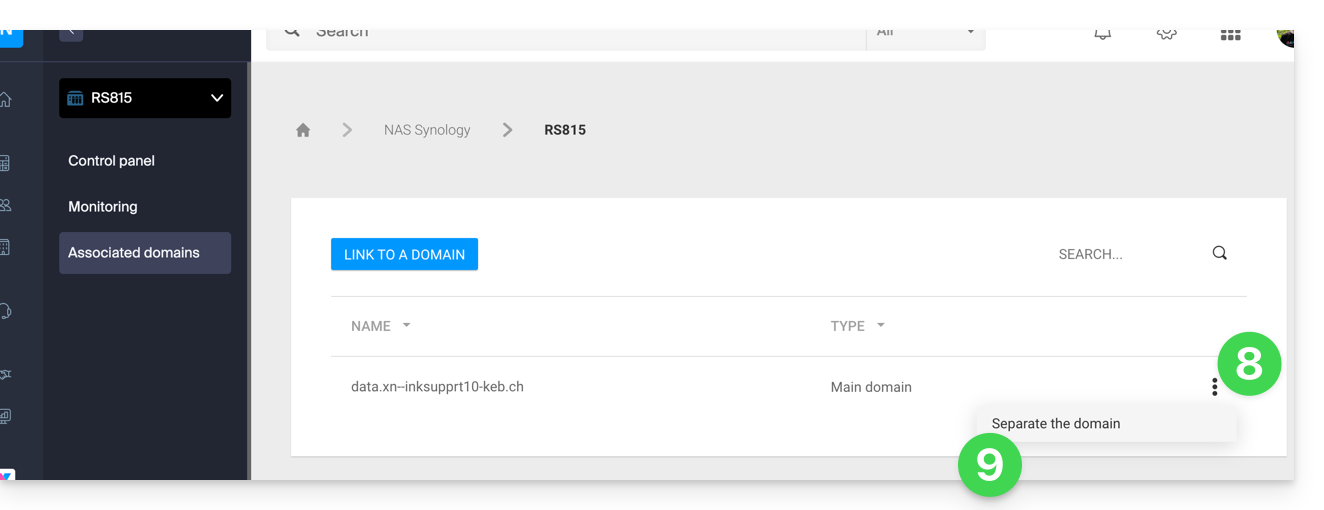
- The domain is associated with the device; to remove the association, click on the action menu ⋮ to the right of the item in question in the table that appears.
- Click on Disassociate the domain and confirm:
Link para esta FAQ: https://faq.infomaniak.com/2106
Esta seção de perguntas frequentes foi útil?