Base de conhecimento
1000 perguntas frequentes, 500 tutoriais e vídeos explicativos. Aqui, você encontra apenas soluções!
Personalize o WordPress com o Elegant Themes
Atualização 05/10/2026
Este guia explica como adicionar gratuitamente um tema da Elegant Themes (Divi) a um site WordPress já instalado através do instalador Infomaniak.
Pré-requisitos
- O seu site WordPress deve ser instalado através das ferramentas Infomaniak WordPress para utilizar estes temas e extensões.
- O tema pode ser adicionado durante a instalação (aproximadamente na etapa 14 deste outro guia) ou ativado posteriormente.
- Para usufruir do suporte da Elegant Themes (serviço de apoio ao cliente), deve subscrever um plano da Elegant Themes.
Adicionar um tema da Elegant Themes
Para isso:
- Clique aqui para acessar o gerenciamento do seu site WordPress no Manager Infomaniak (precisa de ajuda?).
- Se o seu site não aparecer aqui, é porque não foi instalado através das ferramentas Infomaniak (consulte os pré-requisitos).
- Clique diretamente no nome atribuído ao produto em questão:
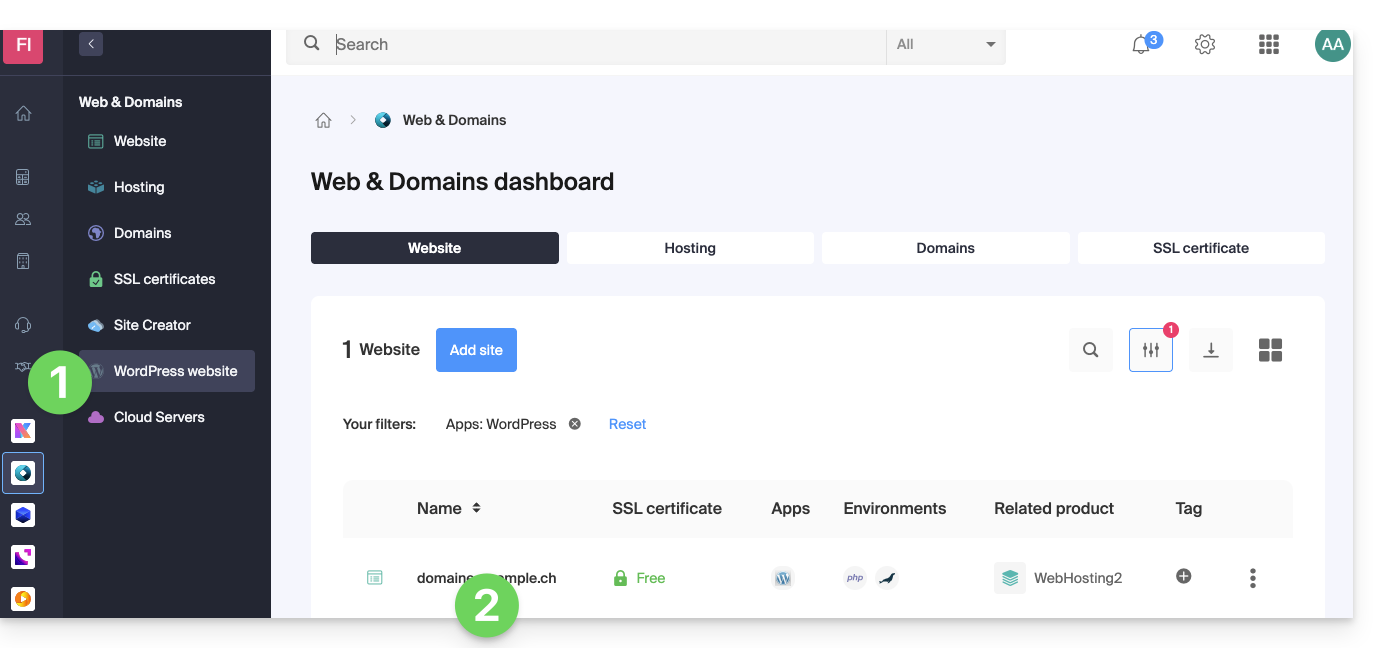
- Clique no menu de ações ⋮ localizado à direita da aplicação web em questão.
- Clique em Configurações no aplicativo:
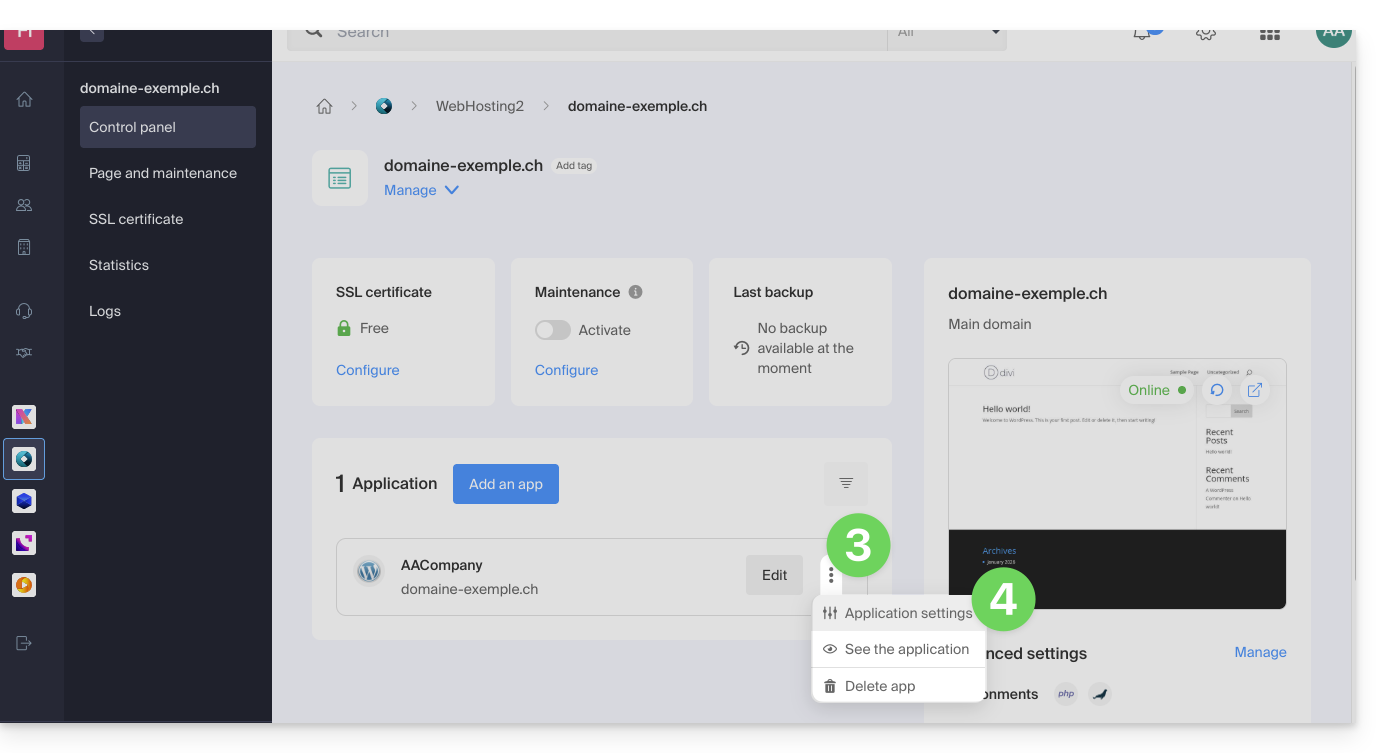
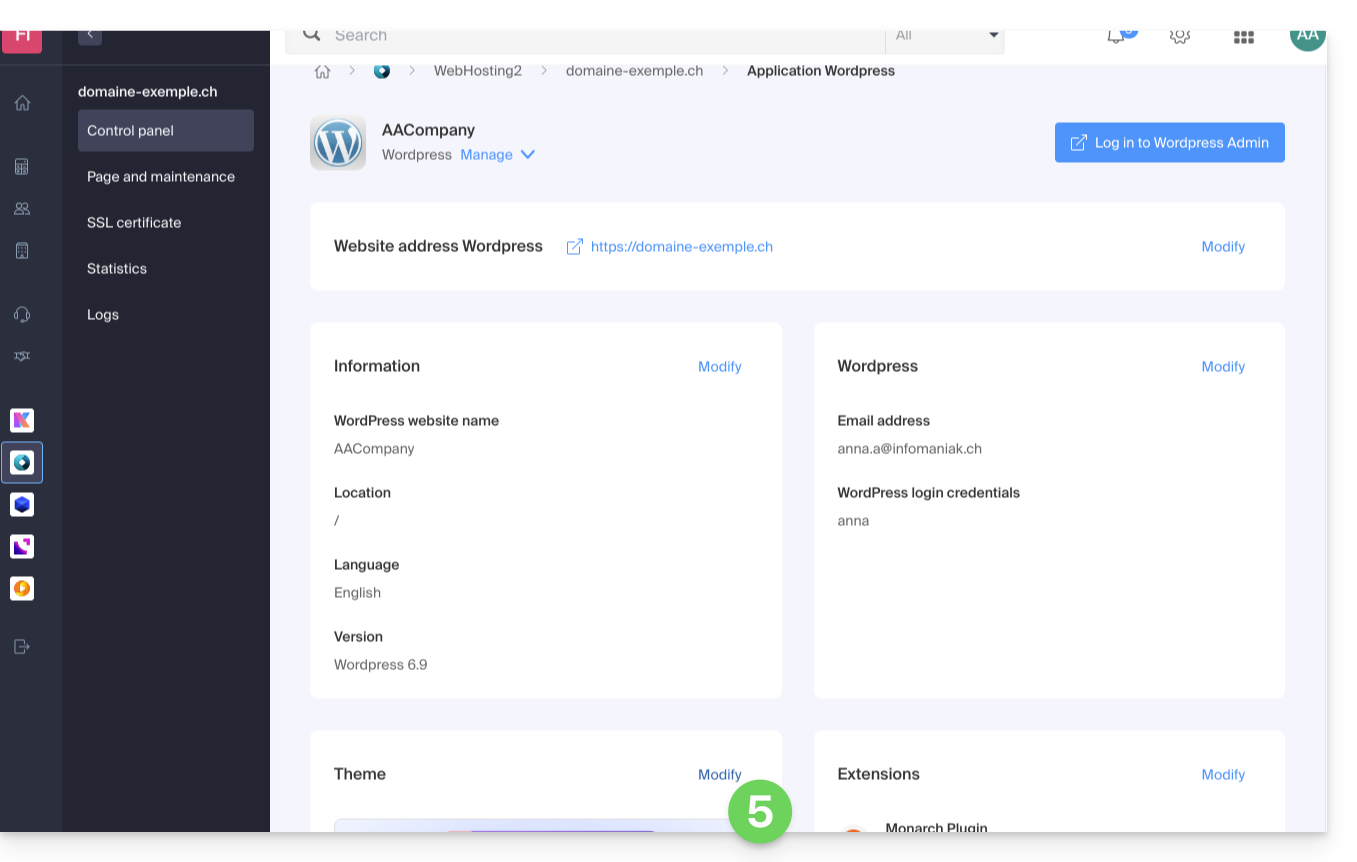
- Clique em Editar em Tema:
- Selecione o tema desejado.
- Clique no botão Guardar:
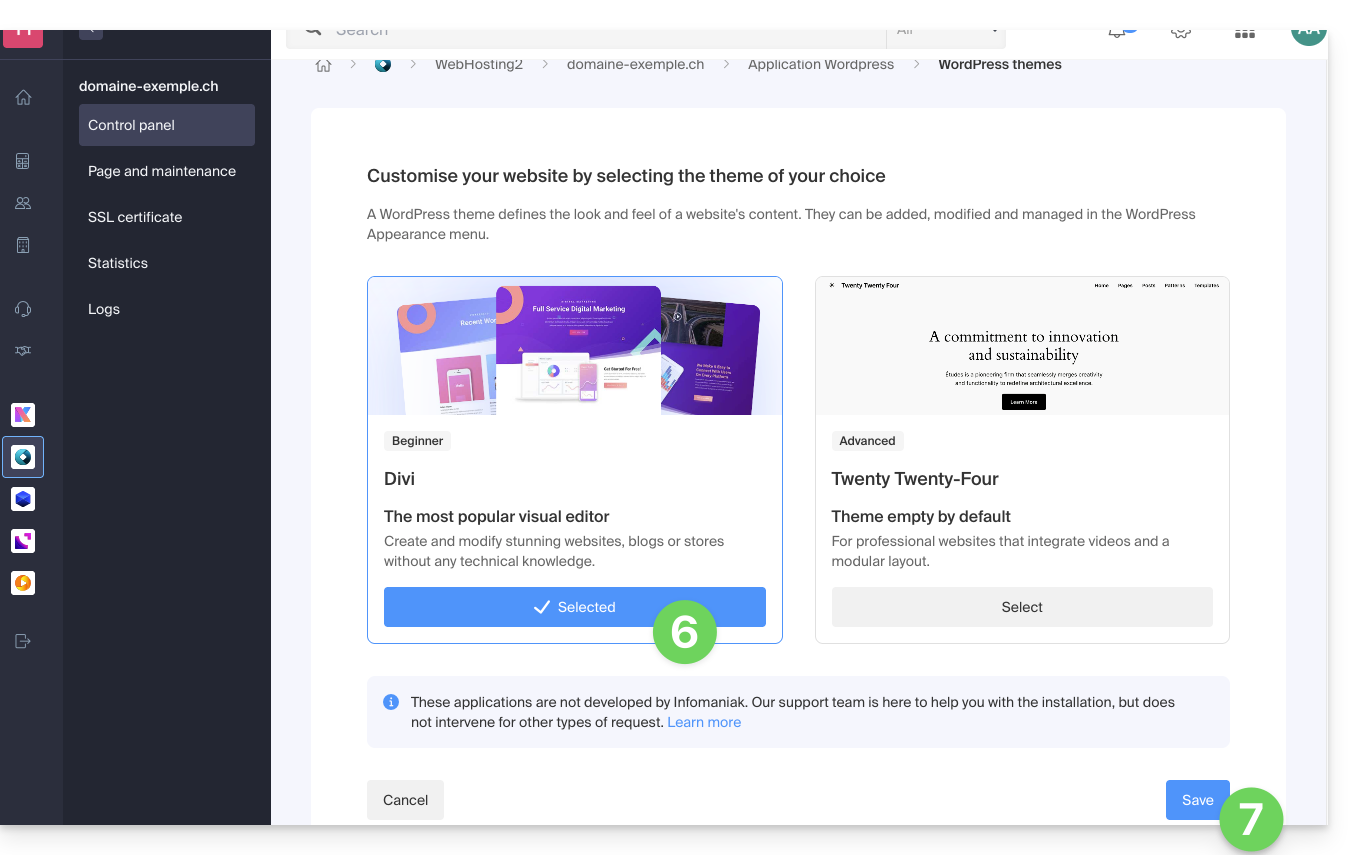
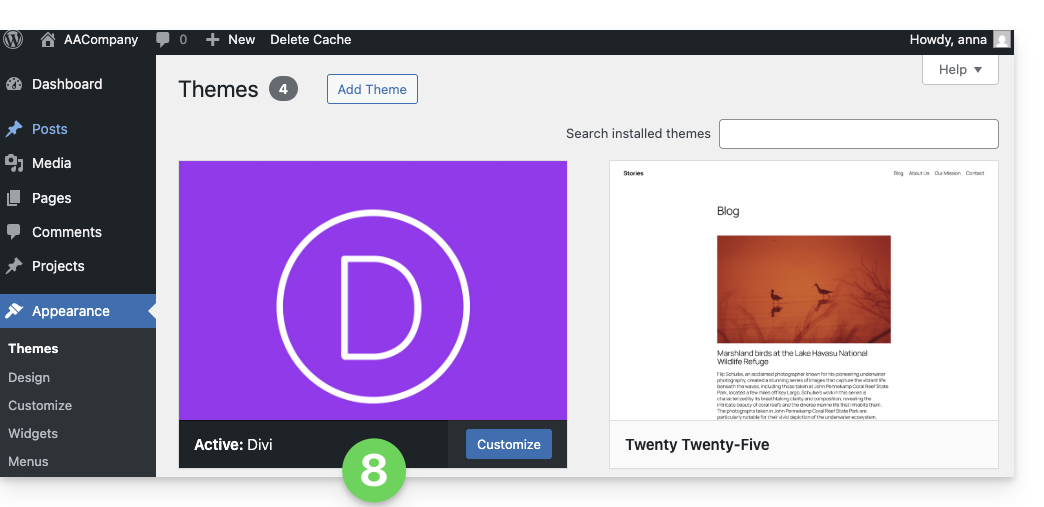
- O tema foi aplicado e está disponível para ser configurado na sua interface de administração WordPress:
Link para esta FAQ: https://faq.infomaniak.com/2056
Esta seção de perguntas frequentes foi útil?