Base de conhecimento
1000 perguntas frequentes, 500 tutoriais e vídeos explicativos. Aqui, você encontra apenas soluções!
Change the PHP version of a website
This guide explains how to change the PHP version available for your Infomaniak Web Hosting sites.
Preamble
- It is possible to switch from an old and potentially vulnerable PHP version to a recent one, but you will no longer be able to revert to this vulnerable version for security reasons.
- The change is effective immediately and permanently.
- Refer to this other guide if you are looking for information about configuring the PHP version used in SSH.
- It may be necessary to update your hosting in advance to access the very latest PHP versions offered by Infomaniak.
Change the PHP version used for a website
It is possible to easily change the PHP version used on an entire website:
- Click here to access your site management on the Infomaniak Manager (need help?).
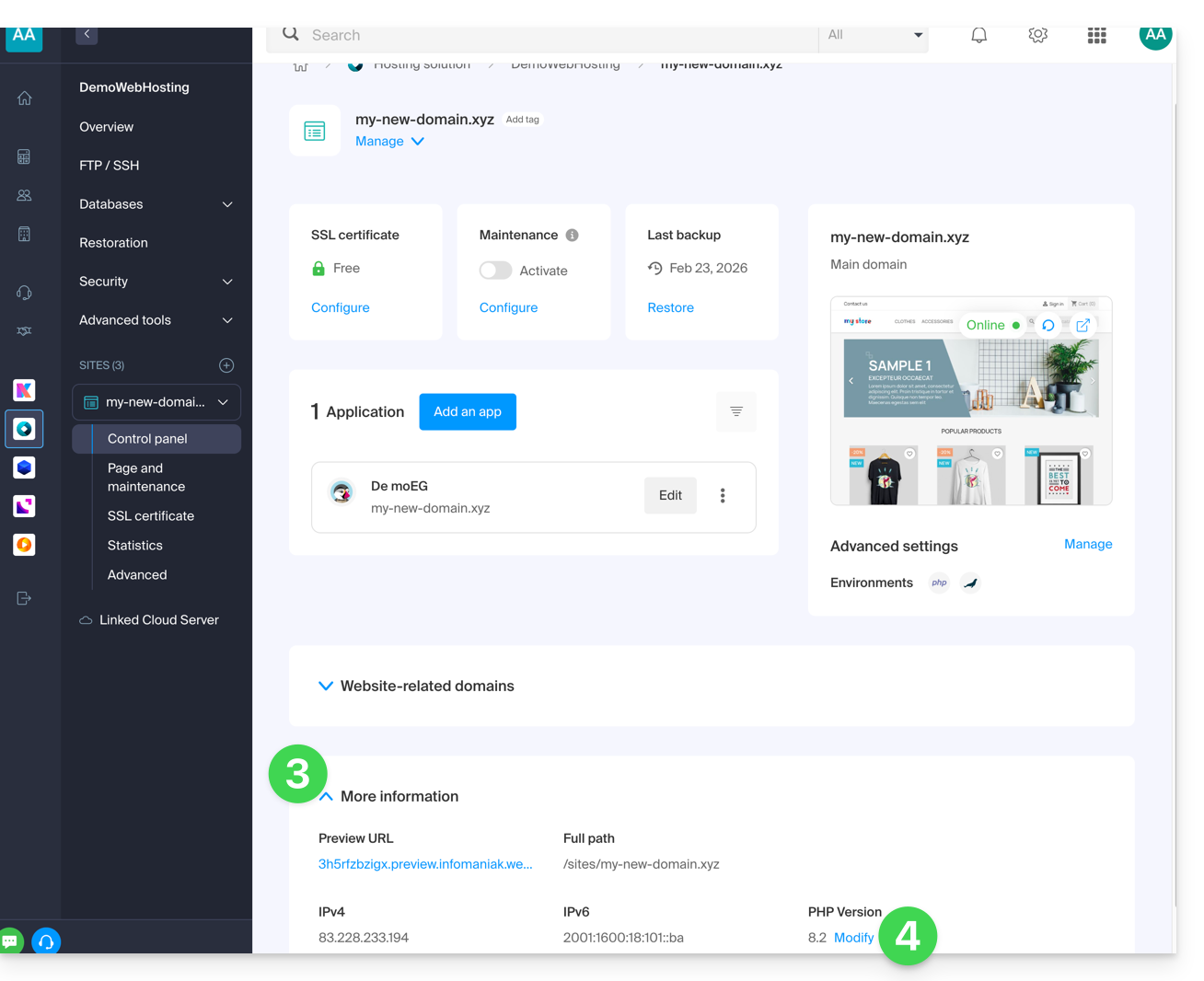
- Click directly on the name assigned to the site in question.
- Click on More information.
- Click on Modify:
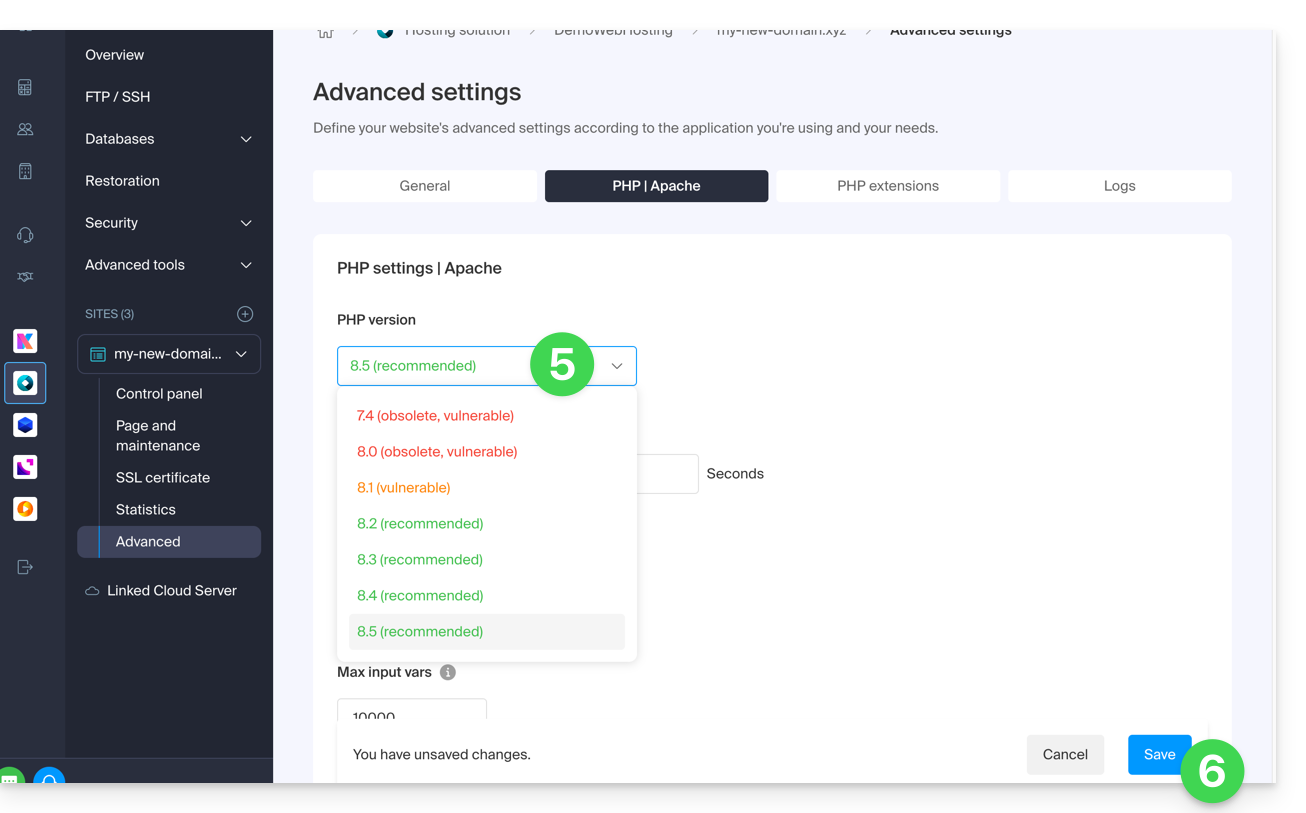
- Choose the desired PHP version.
- Click on Save at the bottom of the page to save the modification:
Link para esta FAQ: https://faq.infomaniak.com/2053
Esta seção de perguntas frequentes foi útil?