Base de conhecimento
1000 perguntas frequentes, 500 tutoriais e vídeos explicativos. Aqui, você encontra apenas soluções!
Manage Gzip compression
This guide explains how to enable compression for your resources (CSS, HTML, JSON, JS) to speed up the loading of your Web Hosting.
Introduction
- By compressing your files, you reduce their size, which decreases the transfer time to your visitors' browsers.
- Fast loading speed is a major criterion for search engines like Google.
- The Infomaniak Manager handles modifying your
.htaccessand.user.inifiles.- A backup copy is created automatically for security purposes.
- The modification may take up to 5 minutes to propagate across the entire infrastructure.
Enable Gzip compression
The procedure via the Manager activates one of the most efficient compression algorithms supported by your browser:
- Click here to access the hosting & website management section in your Infomaniak Manager (❓: help).
- Click on the name of the website in question.
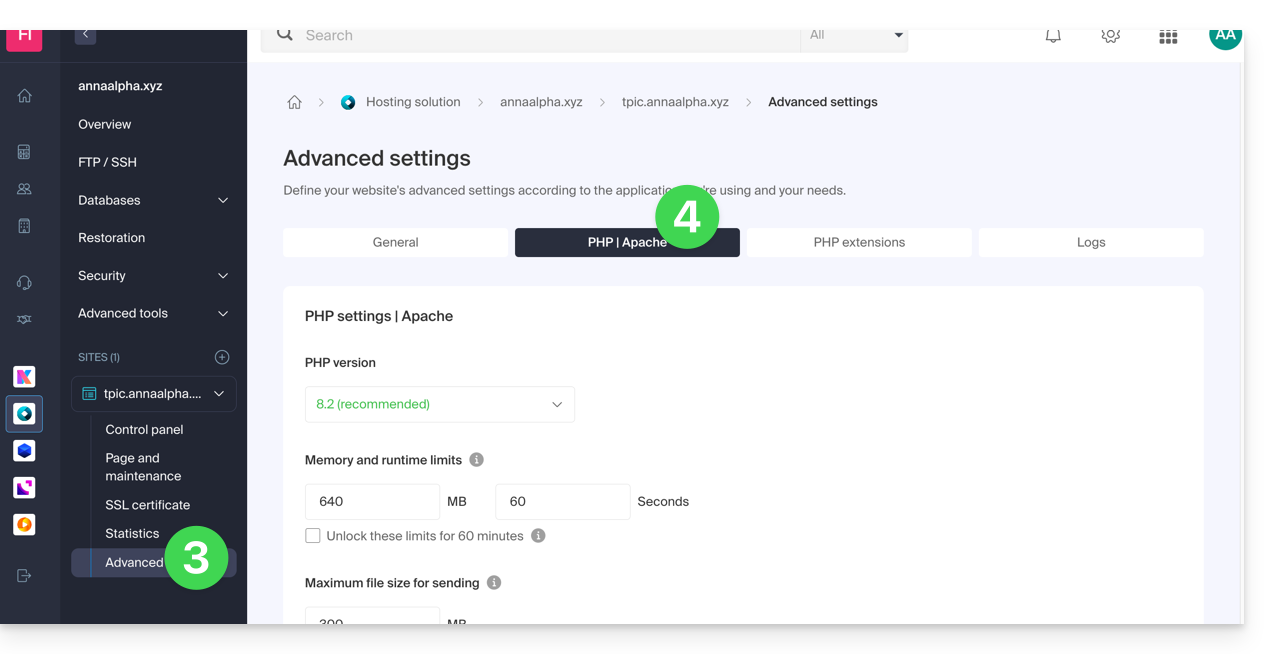
- Click on Advanced in the left-hand menu.
- Click on the Apache tab:
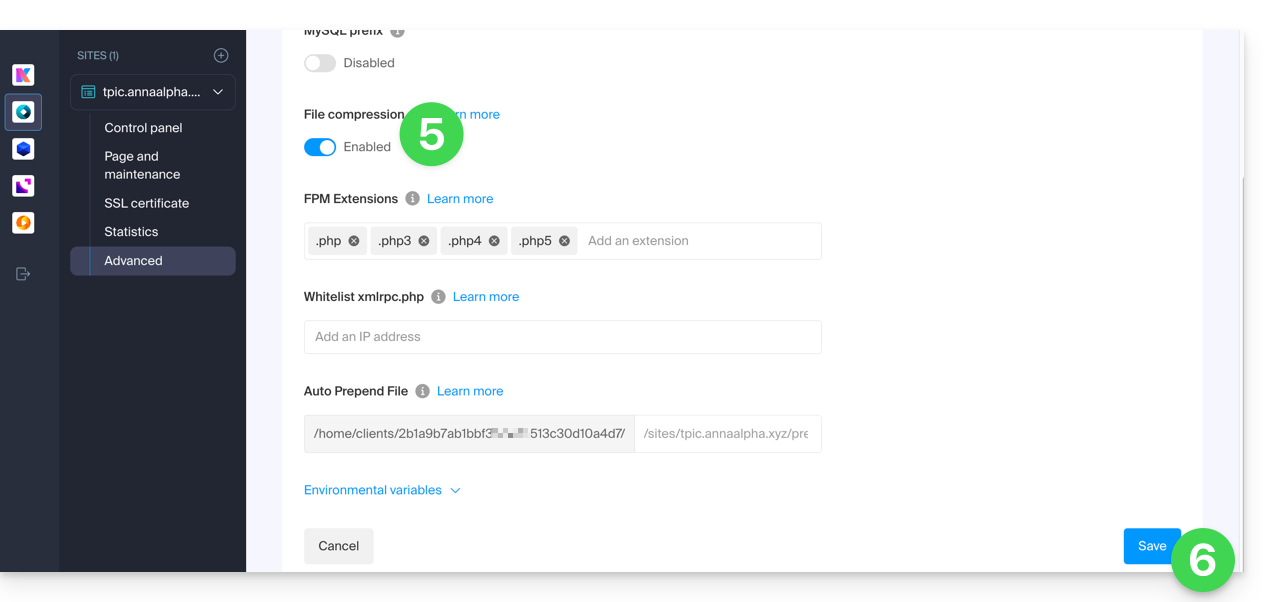
- Enable the File Compression option.
- Click on Save at the bottom of the page:
Check if the compression header is active
Once activated, your server will send an HTTP header Content-Encoding: gzip. You can test your site with these tools:
- Google PageSpeed Insights (recommended for a comprehensive analysis).
- GiftOfSpeed Gzip/Brotli Test (modern and fast tool).
- Browser Inspector: press
F12> Network tab > Click on your page > Check the response headers.
Link para esta FAQ: https://faq.infomaniak.com/2013
Esta seção de perguntas frequentes foi útil?