Base de conhecimento
1000 perguntas frequentes, 500 tutoriais e vídeos explicativos. Aqui, você encontra apenas soluções!
Exibir outra organização no painel de controle
Este guia explica como, quando você pertence a várias Organizações, alternar entre a visualização de uma Organização e outraatravés do Painel de Controle Infomaniak.
Introdução
- Desde que abriu a sua conta na Infomaniak, faz parte de pelo menos uma Organização.
- Se estava sozinho e não se tratava de um convite, uma Organização foi criada em seu nome e você se torna automaticamente o Responsável Legal.
- Caso contrário, você pertence à Organização que o convidou (para participar da sua kSuite, para gerenciar um produto, etc.) com um papel definido.
- Você pode sair de Organizações.
- É perfeitamente possível ter acesso a várias Organizações com as mesmas credenciais de login e alternar rapidamente entre elas.
- O princípio é o mesmo na interface Mail da Infomaniak (consulte este outro guia).
Exibir uma das outras Organizações da mesma conta de utilizador
Para alternar para outra Organização da qual você faz parte:
- Clique aqui para fazer login e acessar o gerenciamento de seus serviços e produtos no Painel de Controle Infomaniak.
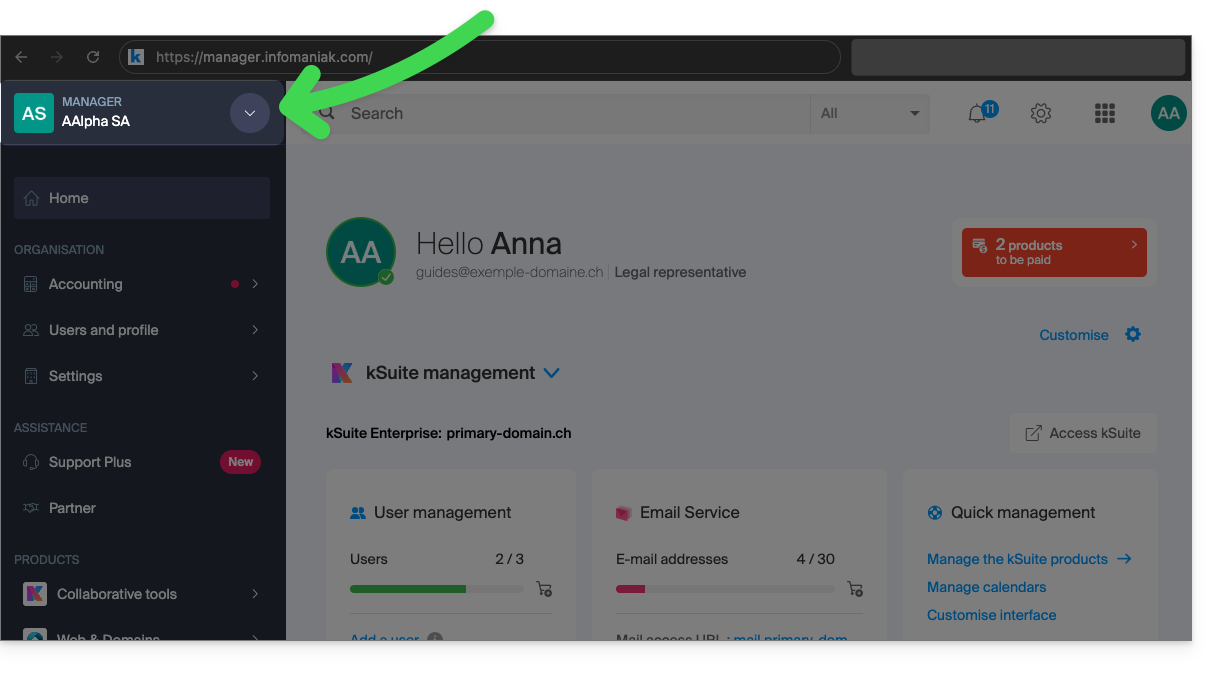
- Clique na seta para baixo no canto superior esquerdo da interface do Manager, à direita do nome da Organização em que você está atualmente:
- No menu que se abriu, clique no nome da Organização à qual deseja acessar:
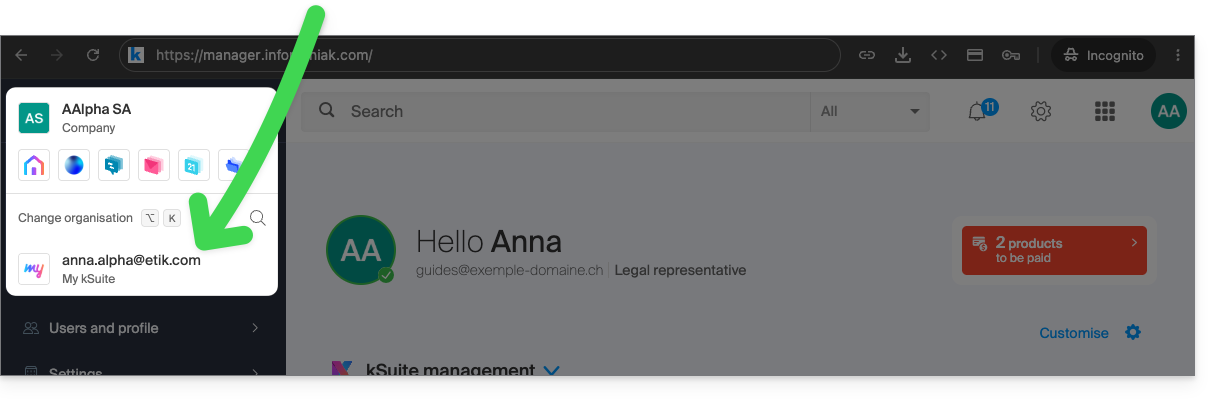
- Se você pertence a muitas Organizações, pode clicar na lupa para inserir o nome da Organização que procura.
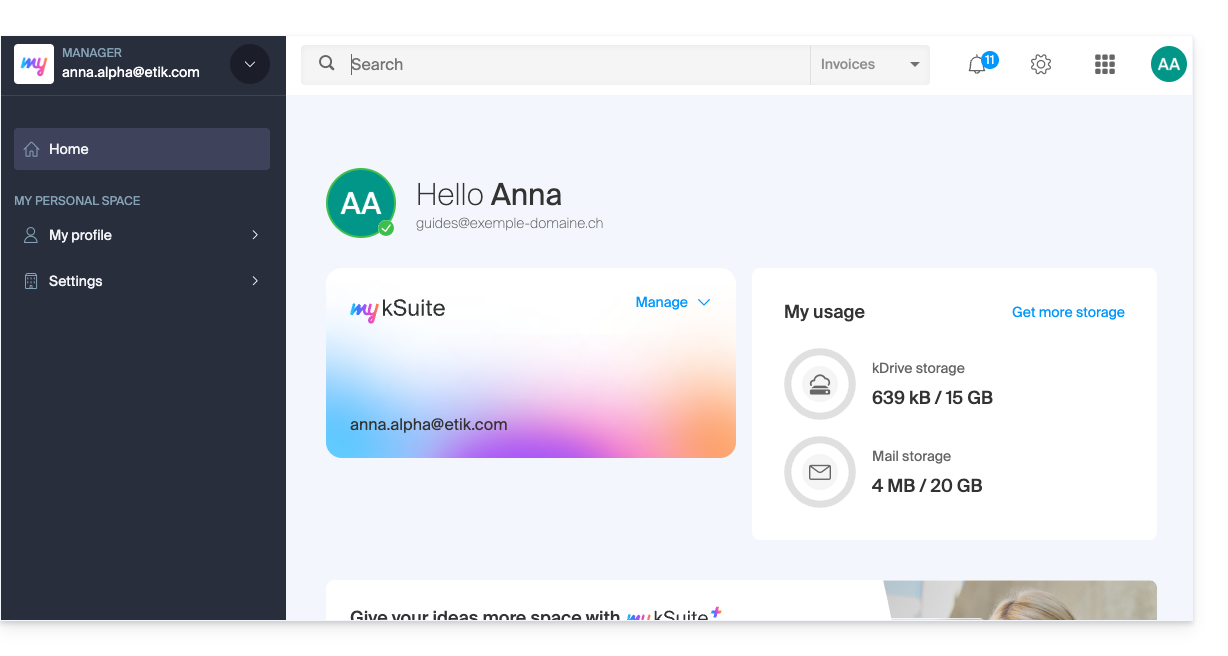
- A alteração da Organização é imediata, você é redirecionado automaticamente (neste caso, para uma conta my kSuite):
- Comece novamente no passo 2 para retornar a uma das outras Organizações.
Link para esta FAQ: https://faq.infomaniak.com/1989
Esta seção de perguntas frequentes foi útil?