Base de conhecimento
1000 perguntas frequentes, 500 tutoriais e vídeos explicativos. Aqui, você encontra apenas soluções!
Importar tarefas para o Calendar Infomaniak
Este guia explica como importar tarefas para a seção dedicada do aplicativo web Calendar da Infomaniak (serviço online ksuite.infomaniak.com/all/calendar/tasks).
Introdução
- O ficheiro
.icsé um formato padrão (RFC 5545) e, dentro deste ficheiro, encontramos “componentes”:VEVENT(Evento): é o que vemos na grelha do calendário, com uma noção de tempo ocupado (Hora de inícioDTSTARTe Hora de fimDTENDou duração).VTODO(Tarefa): é uma ação a ser realizada, geralmente com uma data de vencimento (DUE), mas não necessariamente com uma duração, e um estado binário (concluída ou não concluída).
- Consequentemente, ao importar um ficheiro
.icspara a aplicação Calendar da Infomaniak, o sistema importa os dados para o calendário e para a sua secção “Tarefas”, de acordo com o seu tipo.
Importar tarefas
Se tiver um ficheiro .ics para importar:
- Clique aqui para acessar o aplicativo web Calendar da Infomaniak (serviço online ksuite.infomaniak.com/calendar).
- Clique na seta para baixo para expandir a seção Ações avançadas.
- Clique em Importar.
- Clique no botão para selecionar um arquivo ICS (máximo de 20 MB):
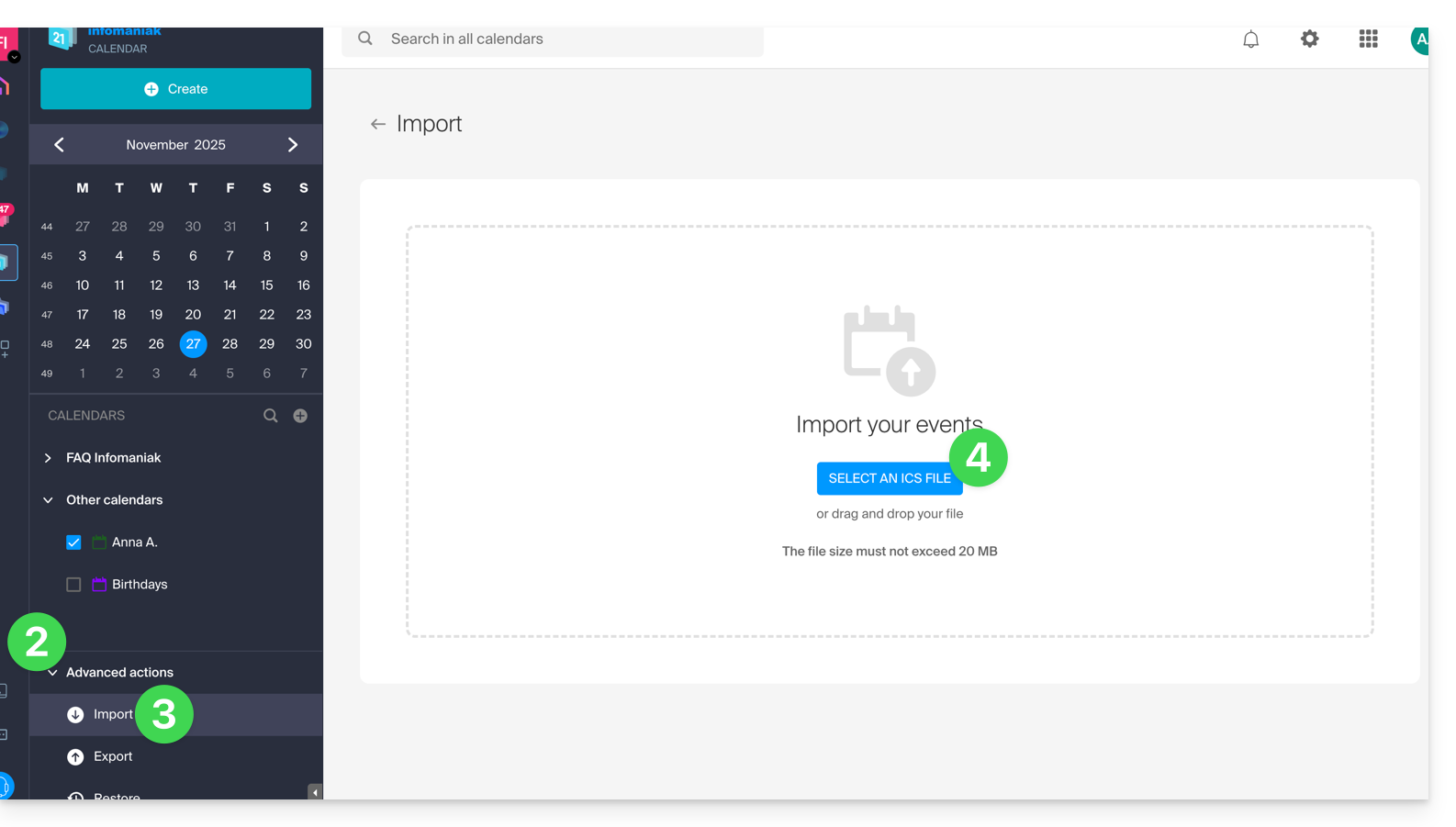
- Selecione o arquivo que contém as tarefas (e/ou eventos):
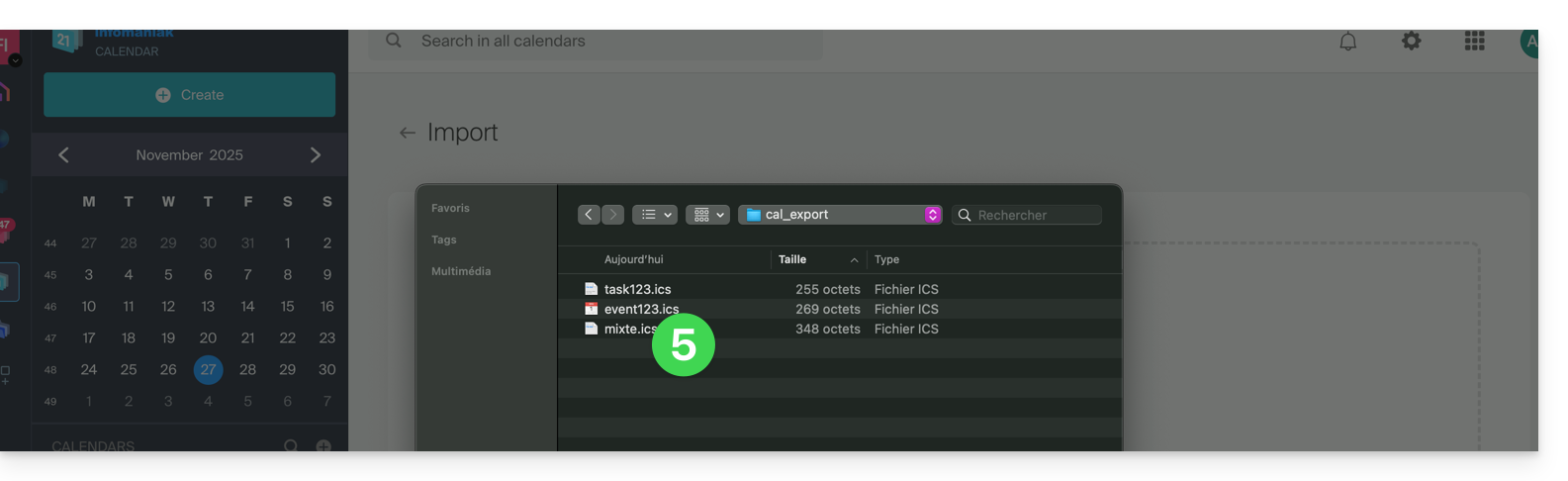
- Escolha o calendário no qual importar os dados (ou crie um novo calendário para essa finalidade).
- Clique no botão para iniciar a importação:
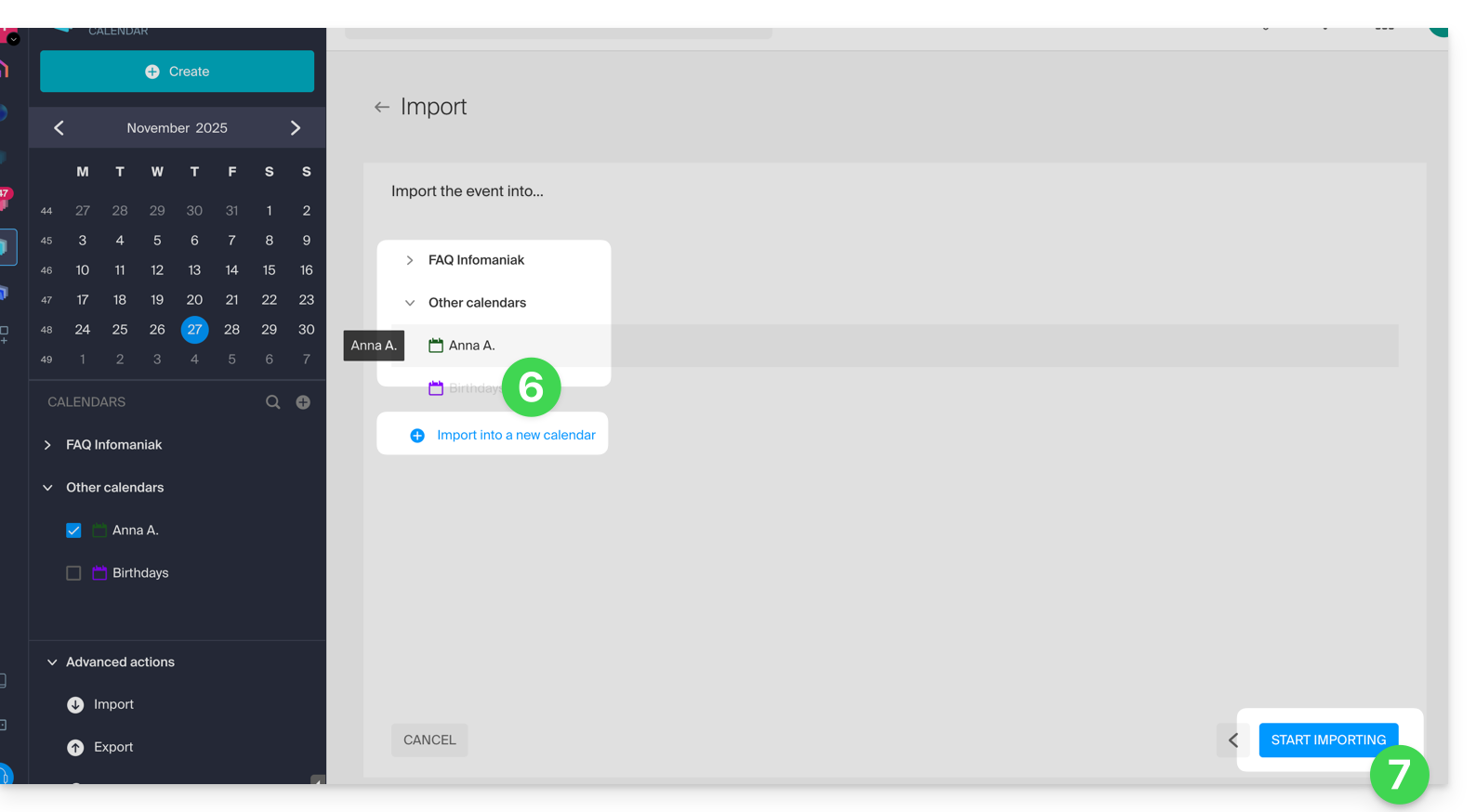
- Se o arquivo
.icscontiver tarefas, você as encontrará na seção Tarefas (e os eventos que possam estar presentes no arquivo serão exibidos no calendário):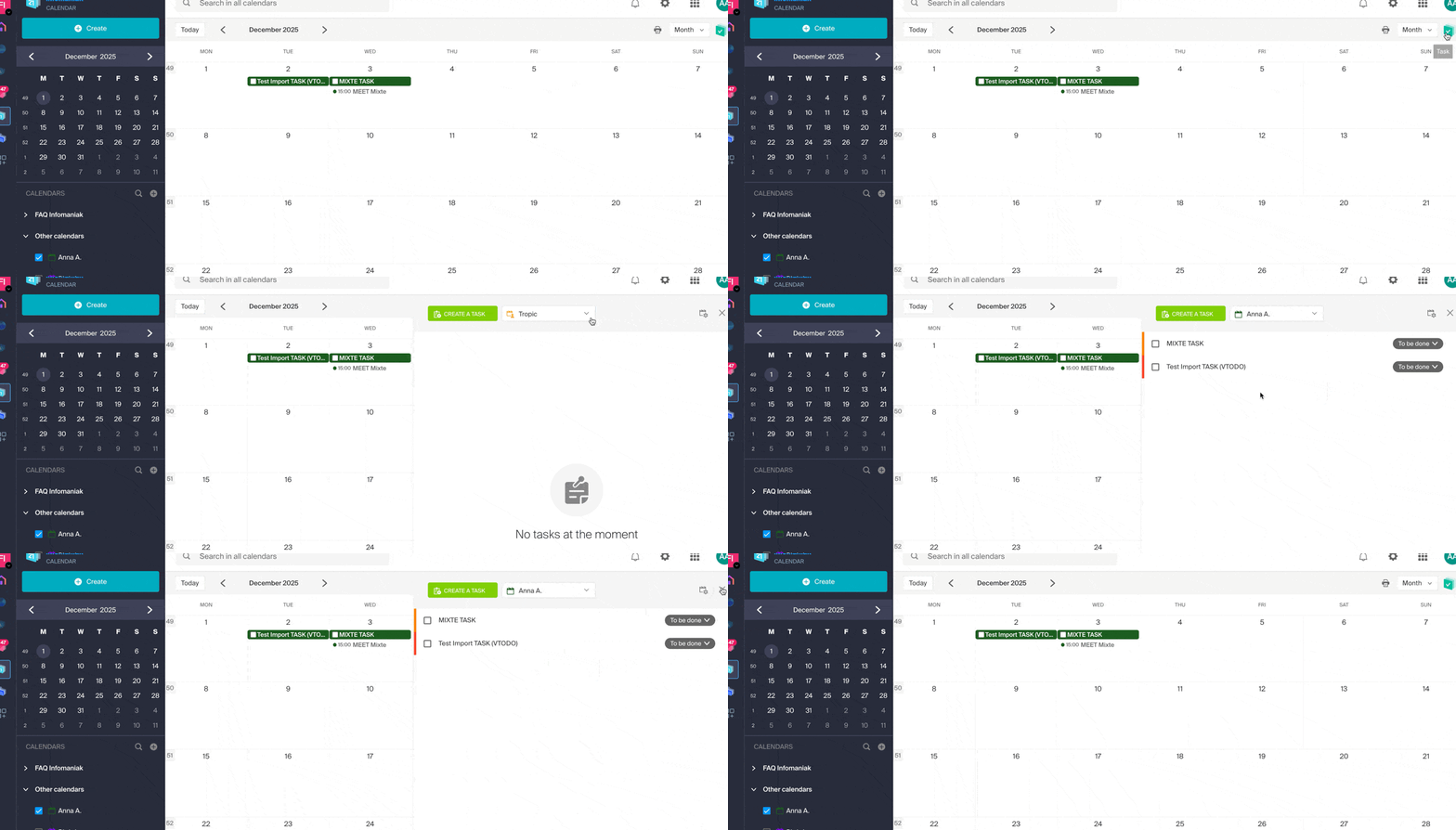
Link para esta FAQ: https://faq.infomaniak.com/1974
Esta seção de perguntas frequentes foi útil?