Base de conhecimento
1000 perguntas frequentes, 500 tutoriais e vídeos explicativos. Aqui, você encontra apenas soluções!
Create a custom MX record (for a Synology NAS, for example)
This guide explains how to create a custom MX record (mx.domain.xyz, assuming that domain.xyz belongs to you) to be used in the MX configuration of your NAS.
An MX record cannot be declared directly as an IP address, for example 178.123.456.789.
Custom MX record
To access your domain names:
- Click here to access the domain management section in your Infomaniak Manager (❓: help).
- Click on the name of the domain in question.
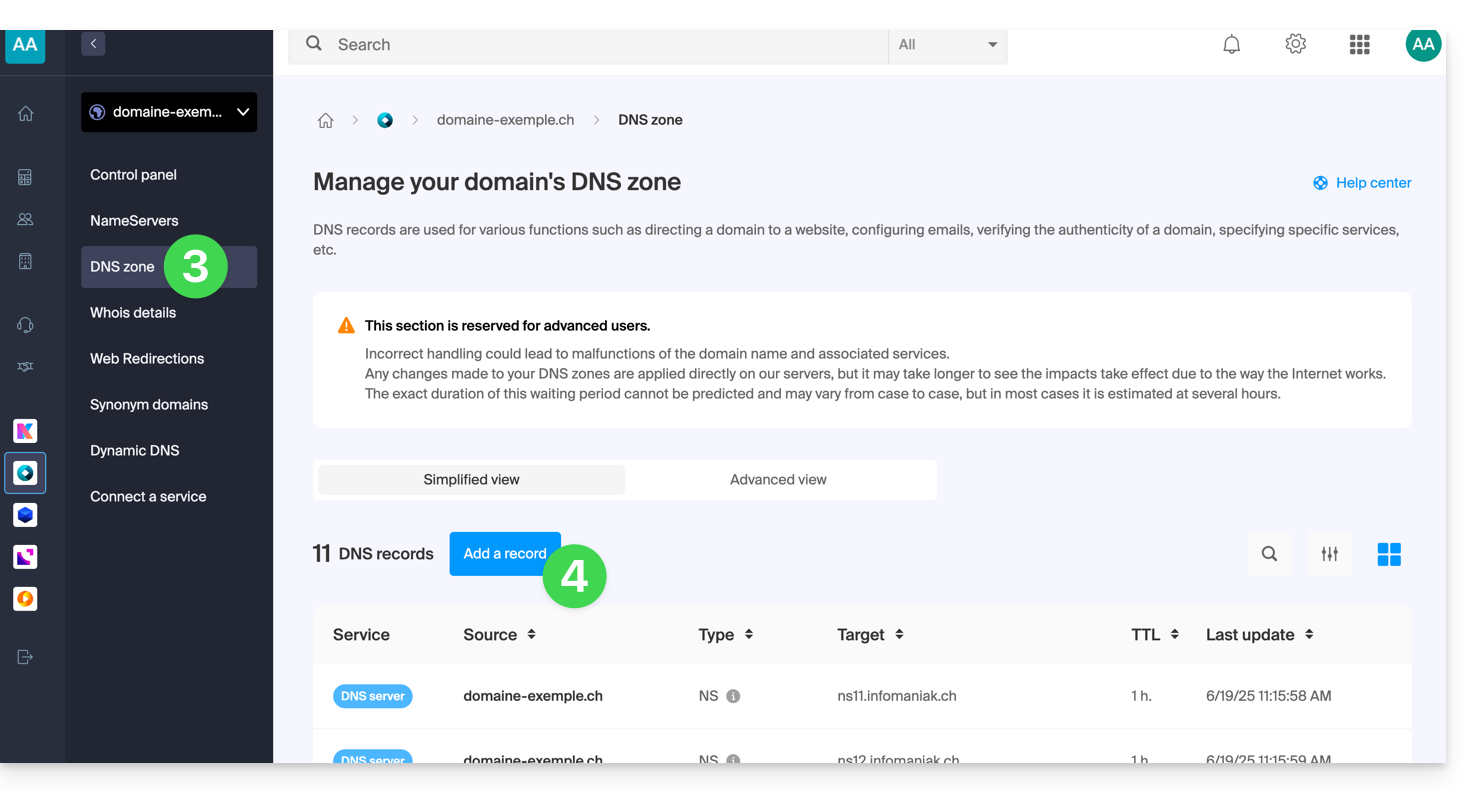
- Click on DNS Zone in the left-hand menu.
- Click on the blue Add record button:
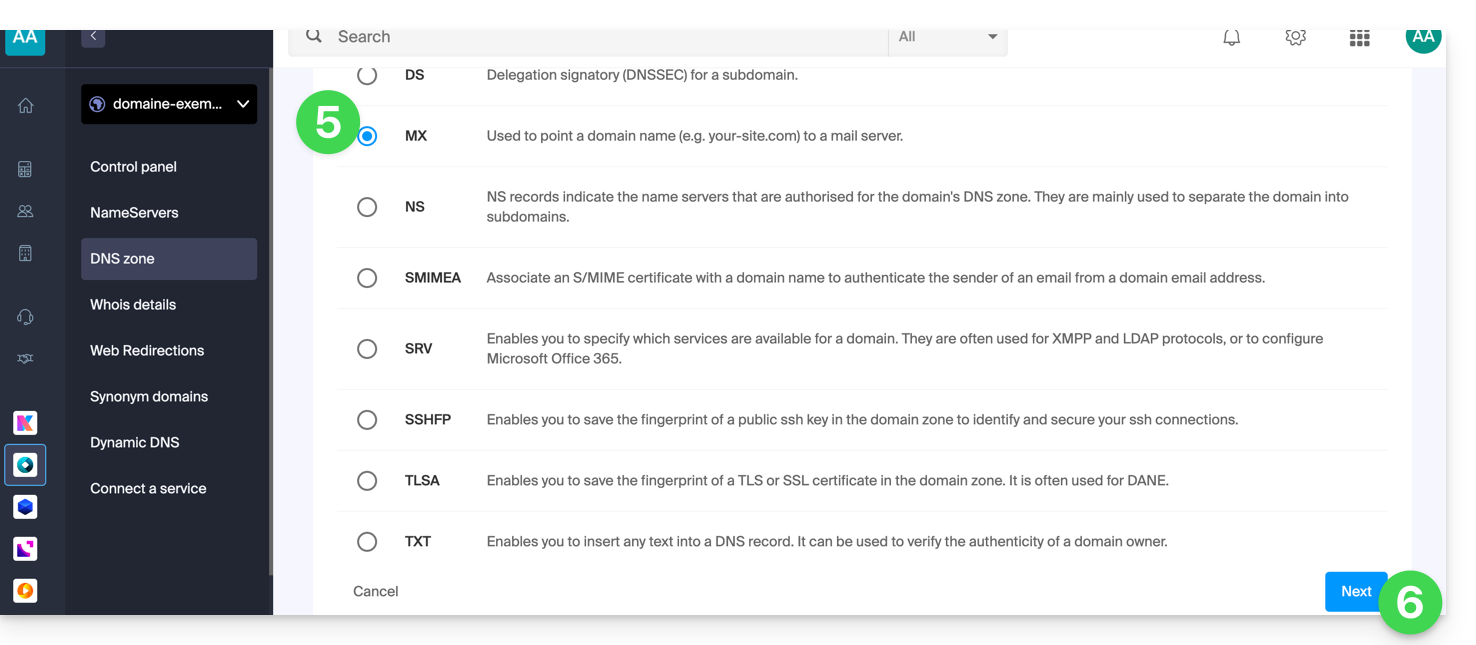
- Select MX as the type of record.
- Click on Next:
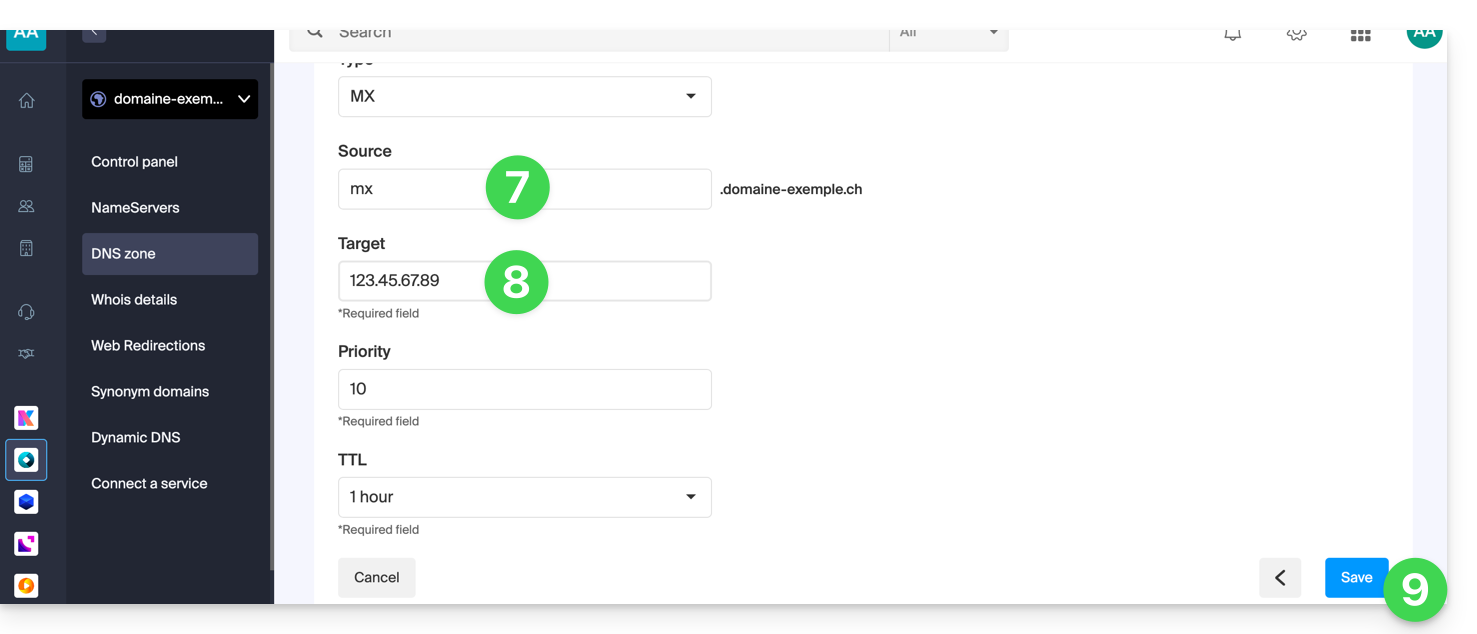
- Enter the desired MX record (e.g., "
mx.domain.xyz"). - Point the record to the desired IP address (target).
- Click on the Save button:
Link para esta FAQ: https://faq.infomaniak.com/1896
Esta seção de perguntas frequentes foi útil?