Base de conhecimento
1000 perguntas frequentes, 500 tutoriais e vídeos explicativos. Aqui, você encontra apenas soluções!
Gerenciar o método de envio de e-mail SMTP no Site Creator
Atualização 13/10/2026
Este guia diz respeito às mensagens enviadas a partir do Site Creator (por exemplo, formulário de contacto ou módulo de comércio eletrónico).
Introdução
- Por padrão, os e-mails são enviados através do protocolo PHP mail() sem autenticação (❓: ajuda).
- Recomenda-se usar o método SMTP autenticado em vez disso (❓: ajuda).
Alterar o método de envio
Pré-requisitos
- Ter um endereço de e-mail válido ou criar um (❓: ajuda my kSuite | Serviço de E-mail/kSuite).
- Criar uma senha para o dispositivo (❓: ajuda my kSuite | Serviço de E-mail/kSuite) com um nome, por exemplo, “
Site Creator” (ou “SC2026”, etc., tanto faz) para este endereço de e-mail: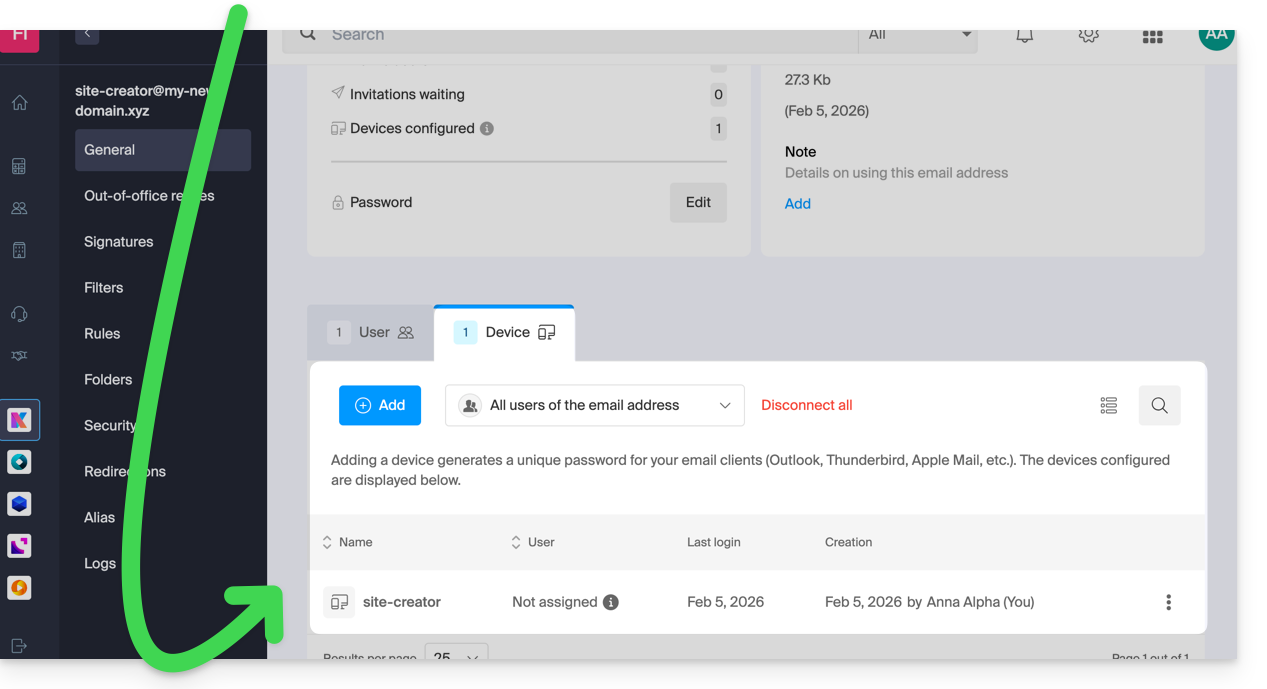
- Verifique se a configuração do domínio está correta (❓: ajuda Serviço de Email/kSuite).
Comece por iniciar sessão no Painel de Controle Infomaniak com o seu identificador (utilizador com os direitos necessários sobre o produto em questão):
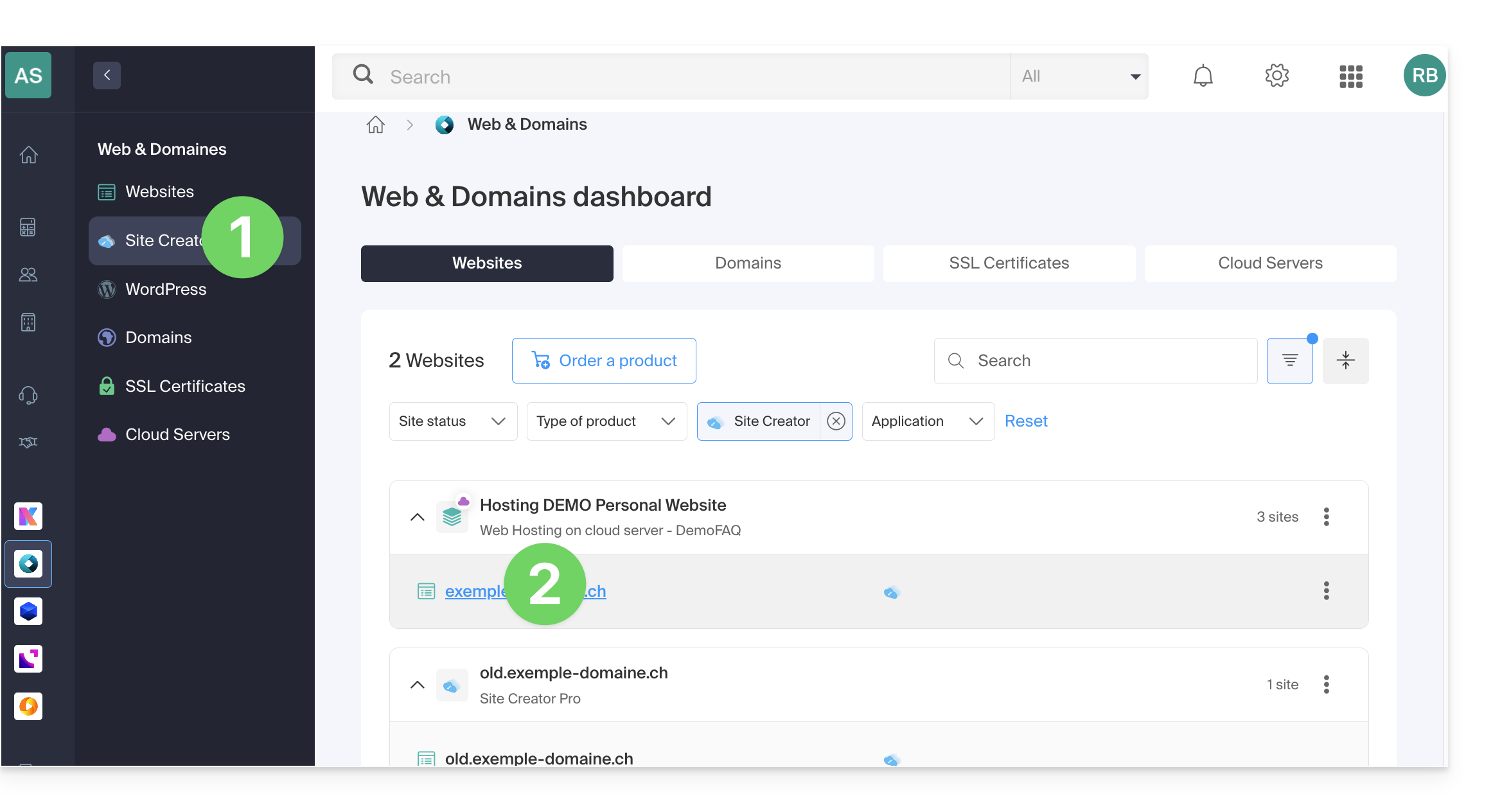
- Clique aqui para acessar o gerenciamento de hospedagens e sites (filtrado para exibir apenas o Site Creator).
- Se nada for exibido, você pode não estar na Organização à qual seu site está vinculado (❓: ajuda).
- Clique no nome do Site Creator desejado:
- Clique no botão para editar o seu site:
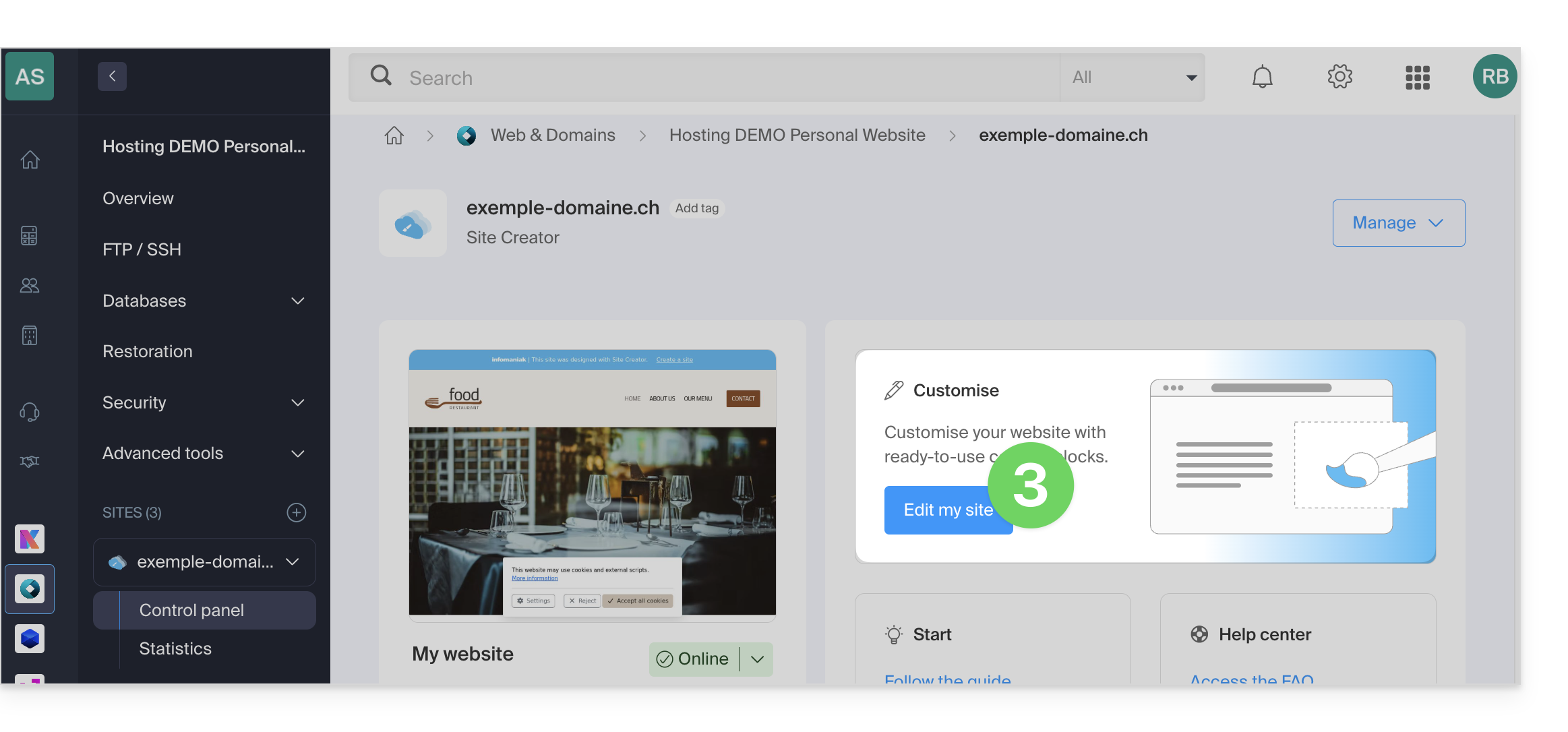
Depois de entrar no Site Creator, para modificar o método de envio de e-mails:
- Clique no botão Configurações no menu lateral esquerdo.
- Clique em Configurações gerais:
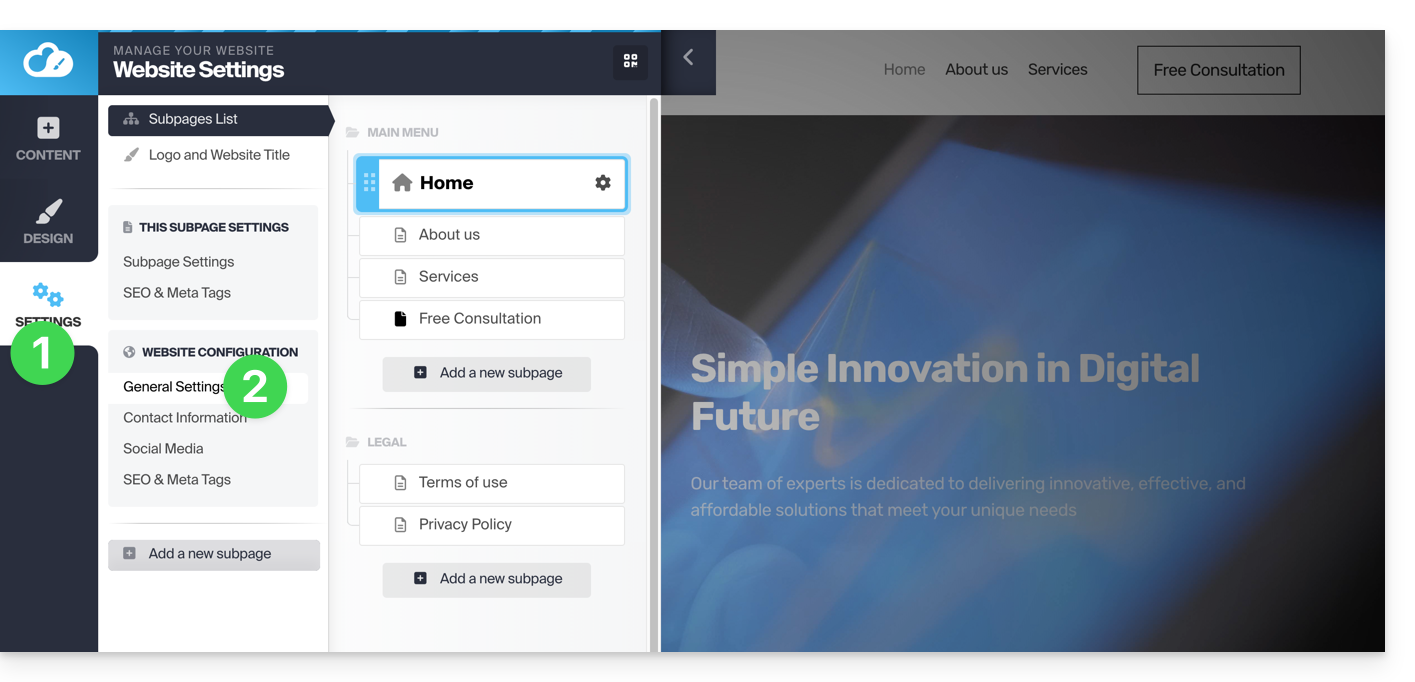
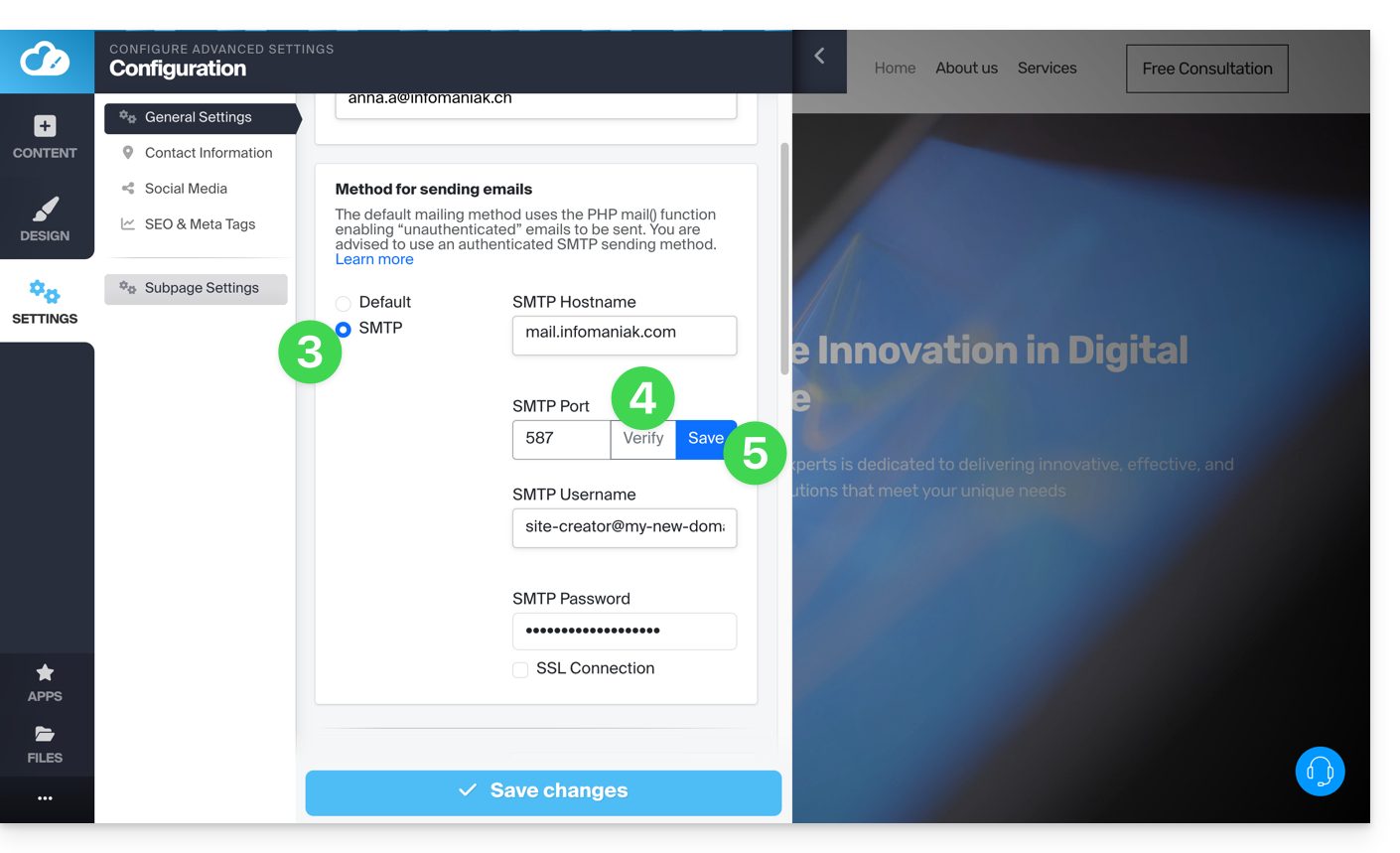
- Escolha o método SMTP e preencha os campos com os dados do servidor SMTP, bem como as informações relativas ao seu endereço de e-mail e à sua senha:
- Servidor SMTP de saída =
mail.infomaniak.com - Porta SMTP:
587 - Nome de usuário/username = o endereço de e-mail completo (❓: ajuda)
- Senha/password = a senha gerada para o endereço de e-mail que você deseja consultar (❓: ajuda my kSuite | Serviço de E-mail/kSuite).
- Consulte este outro guia se precisar de informações sobre outras portas compatíveis.
- Servidor SMTP de saída =
- Depois de preencher todos os campos, clique no botão Verificar.
- Se tudo estiver correto, o botão Guardar será exibido e você poderá clicar nele para guardar as suas configurações de e-mail:
Link para esta FAQ: https://faq.infomaniak.com/1867
Esta seção de perguntas frequentes foi útil?