Base de conhecimento
1000 perguntas frequentes, 500 tutoriais e vídeos explicativos. Aqui, você encontra apenas soluções!
Usar o Joplin com o kDrive e o WebDAV
Atualização 13/08/2026
Este guia explica como armazenar o banco de dados do Joplin no seu kDrive Infomaniak e conectá-lo aos seus diversos dispositivos através do protocolo WebDAV. Assim, você mantém suas notas em um local seguro, em um suporte de armazenamento localizado na Suíça.
✘ INDISPONÍVEL com
kSuite Free / kSuite Standard
my kSuite / my kSuite+ (ik.me, etik.com, ikmail.com)
Preâmbulo
- Joplin é uma ferramenta gratuita e de código aberto para anotações, que permite organizar todas as suas notas em pastas e acessá-las a partir de qualquer dispositivo (computador, dispositivo móvel, etc.).
- O Joplin irá armazenar vários dos seus ficheiros de configuração, portanto, para não sobrecarregar os seus diretórios kDrive, recomenda-se criar uma pasta dedicada na sua estrutura pessoal no kDrive, com um nome de pasta simples como "
joplin", por exemplo, e, em seguida, especificá-la no final do link WebDAV no ponto 6 abaixo: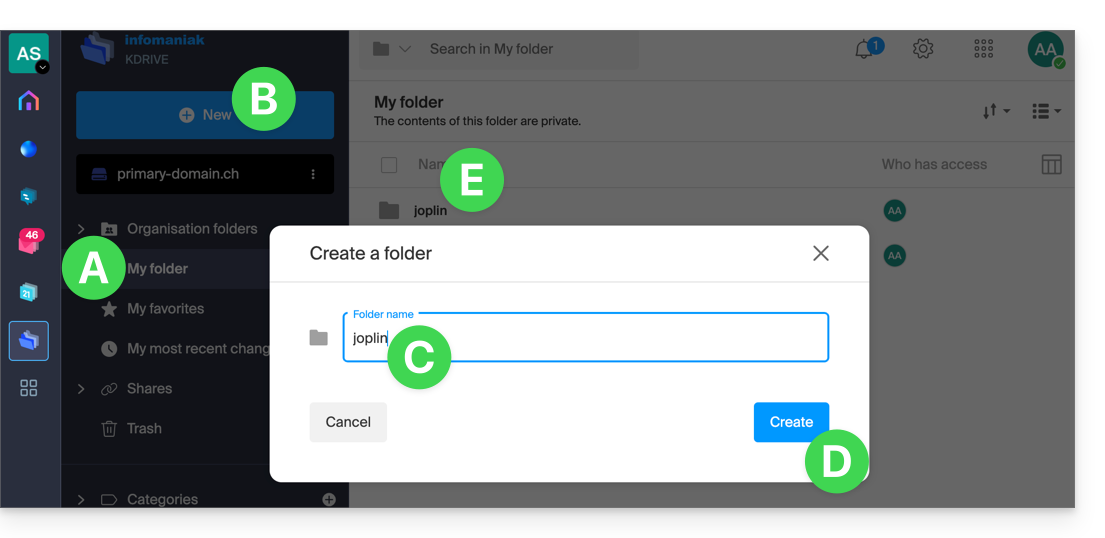
Configurar o Joplin para usar o kDrive via WebDAV
Pré-requisitos
- Descarregue o Joplin
- Conheça o seu identificador kDrive (ID kDrive)
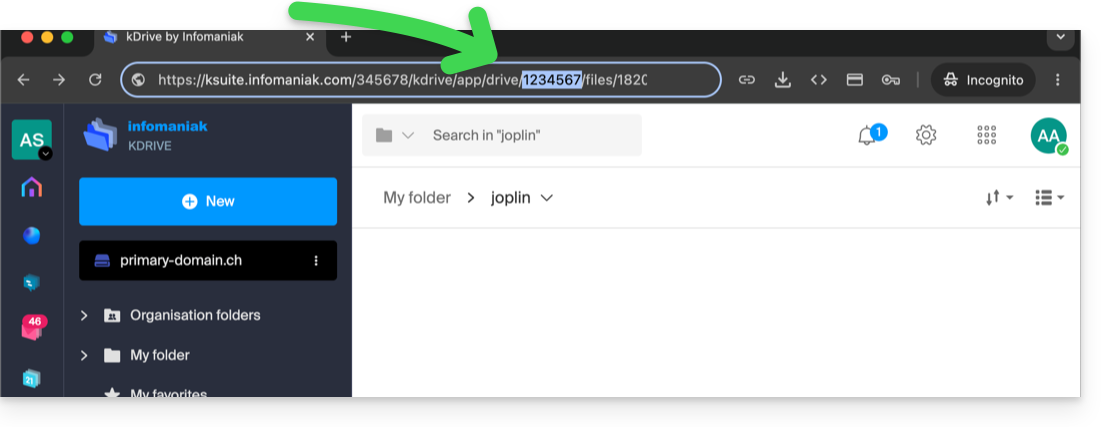
O exemplo abaixo é praticamente idêntico em todas as versões do Joplin:
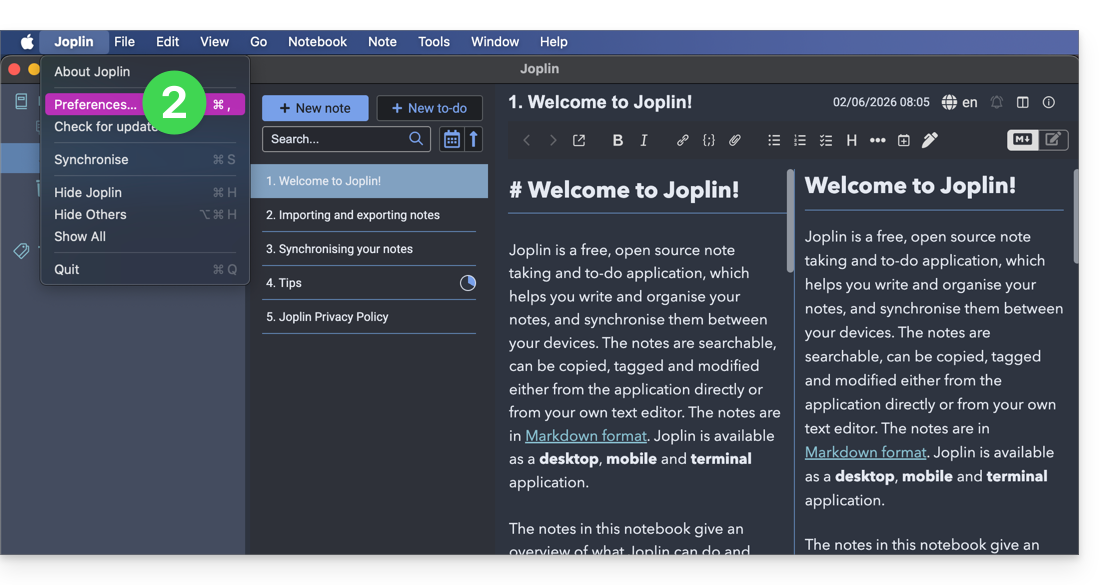
- Abra a aplicação Joplin.
- Aceda às preferências da aplicação:
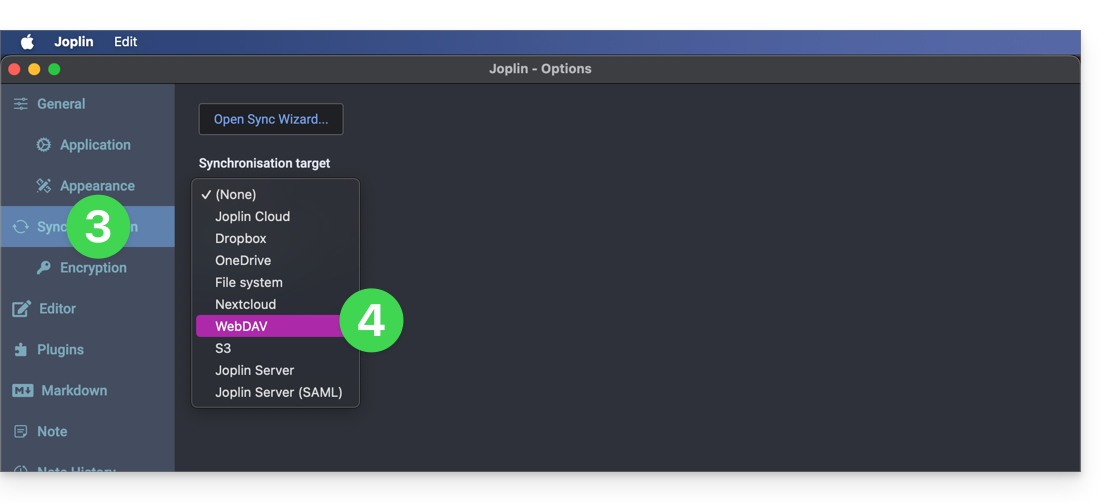
- Toque em Sincronizar.
- Toque no menu para selecionar um destino.
- Escolha o modo WebDAV:
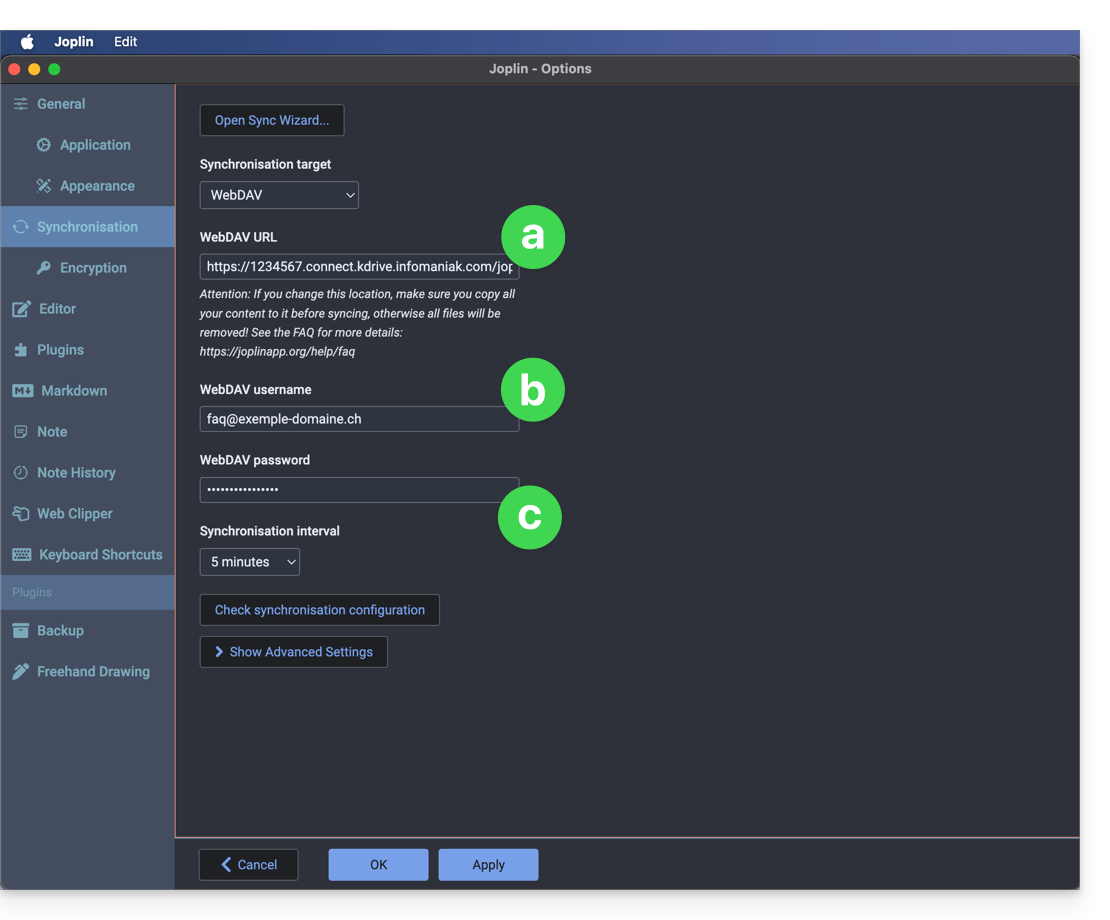
- Para as configurações da conta, utilize as seguintes informações:
- Endereço do servidor:
https://IDkDrive.connect.kdrive.infomaniak.com(consulte os pré-requisitos) seguido de/joplinou /nome da pasta (leia a introdução acima) - Nome de usuário: endereço de e-mail para fazer login na conta Infomaniak
- Senha: senha do aplicativo caso a autenticação de dois fatores esteja ativada ou a senha da sua conta de usuário Infomaniak, caso não tenha ativado a autenticação de dois fatores
- Endereço do servidor:
- Clique em teste de sincronização abaixo e aguarde a confirmação da conexão.
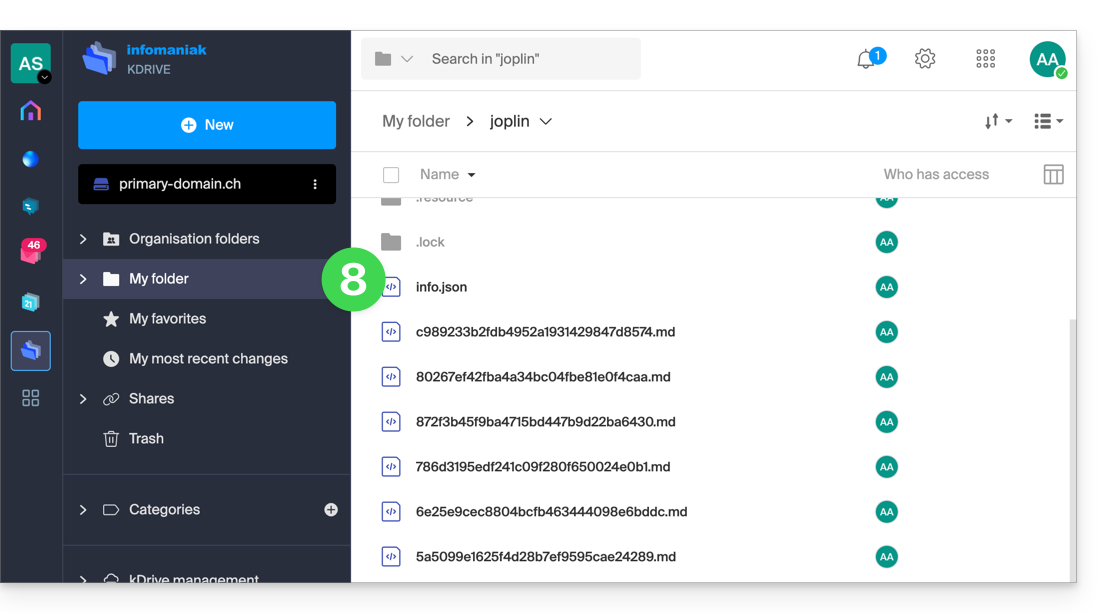
- Verifique na sua pasta kDrive se os arquivos Joplin foram gravados corretamente:
- Volte às notas para começar a trabalhar.
Link para esta FAQ: https://faq.infomaniak.com/1800
Esta seção de perguntas frequentes foi útil?