Base de conhecimento
1000 perguntas frequentes, 500 tutoriais e vídeos explicativos. Aqui, você encontra apenas soluções!
Partilhar publicamente um calendário do Calendar Infomaniak
Atualização 13/10/2026
Este guia explica como tornar público um dos seus calendários a partir da aplicação web Calendar Infomaniak (serviço online ksuite.infomaniak.com/calendar).
Introdução
- Você receberá uma URL específica para sua agenda no formato
.icsque o Calendar (antigo iCal Apple), Calendário (antigo iCalendar Microsoft), Thunderbird (antigo Lightning Mozilla) ou até mesmo o Google Agenda podem reconhecer para exibir sua agenda: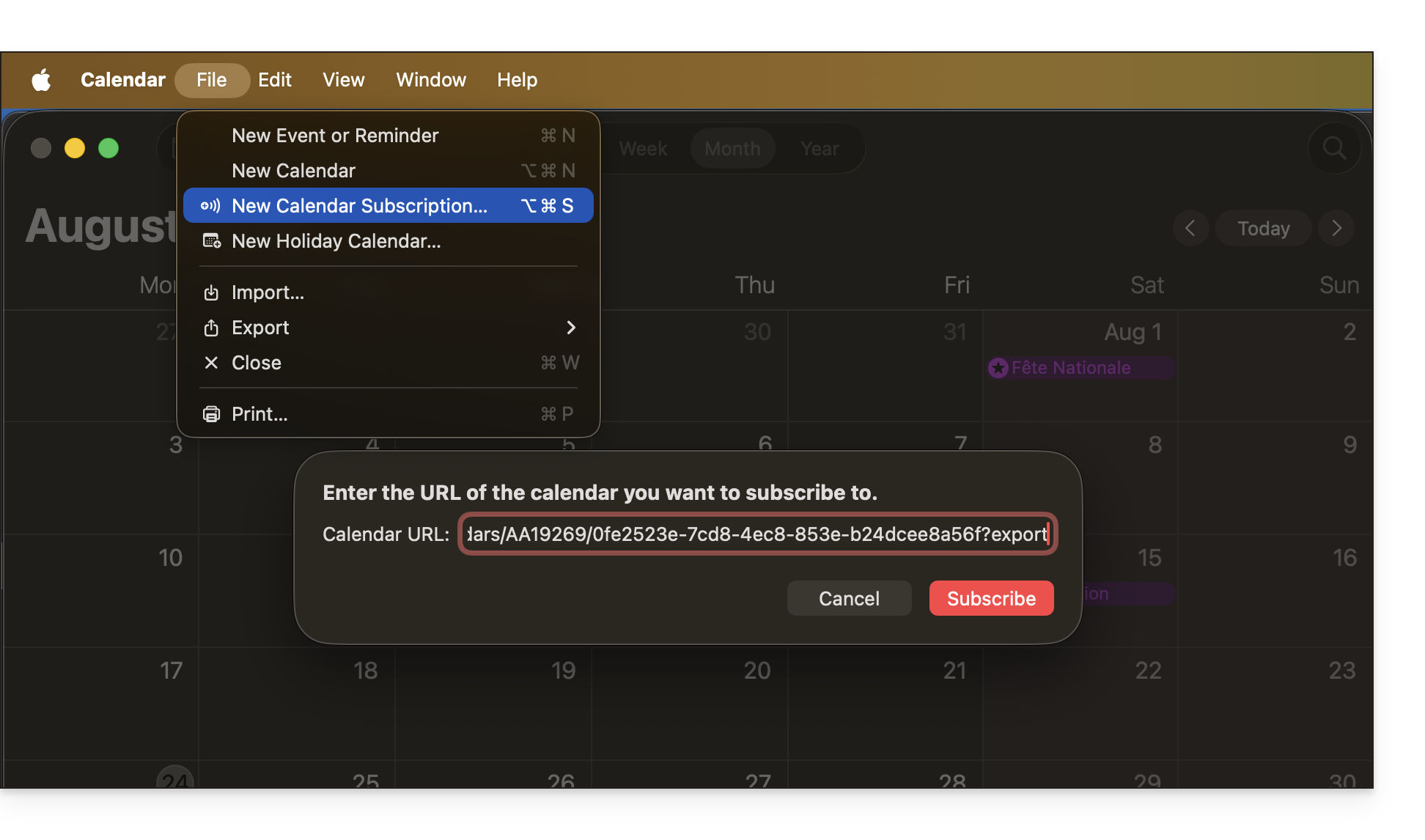
- Os dados contidos no calendário compartilhado não serão mais privados, mas estarão disponíveis apenas em modo de leitura para os usuários que se "inscreverem” nele.
- A frequência das atualizações pontuais efetuadas pela aplicação que utiliza o URL do seu calendário deve ser definida na própria aplicação.
- Scripts PHP (não fornecidos) também permitem analisar esses arquivos, permitindo, por exemplo, a inclusão de eventos em um site.
- Consulte este outro guia para configurar a sincronização dos seus calendários ou este outro guia para partilhar um calendário com os seus colaboradores, atribuindo diferentes permissões.
Ativar a partilha pública de um calendário Infomaniak
Para partilhar um calendário publicamente:
- Clique aqui para aceder à aplicação web Calendar da Infomaniak (serviço online ksuite.infomaniak.com/calendar).
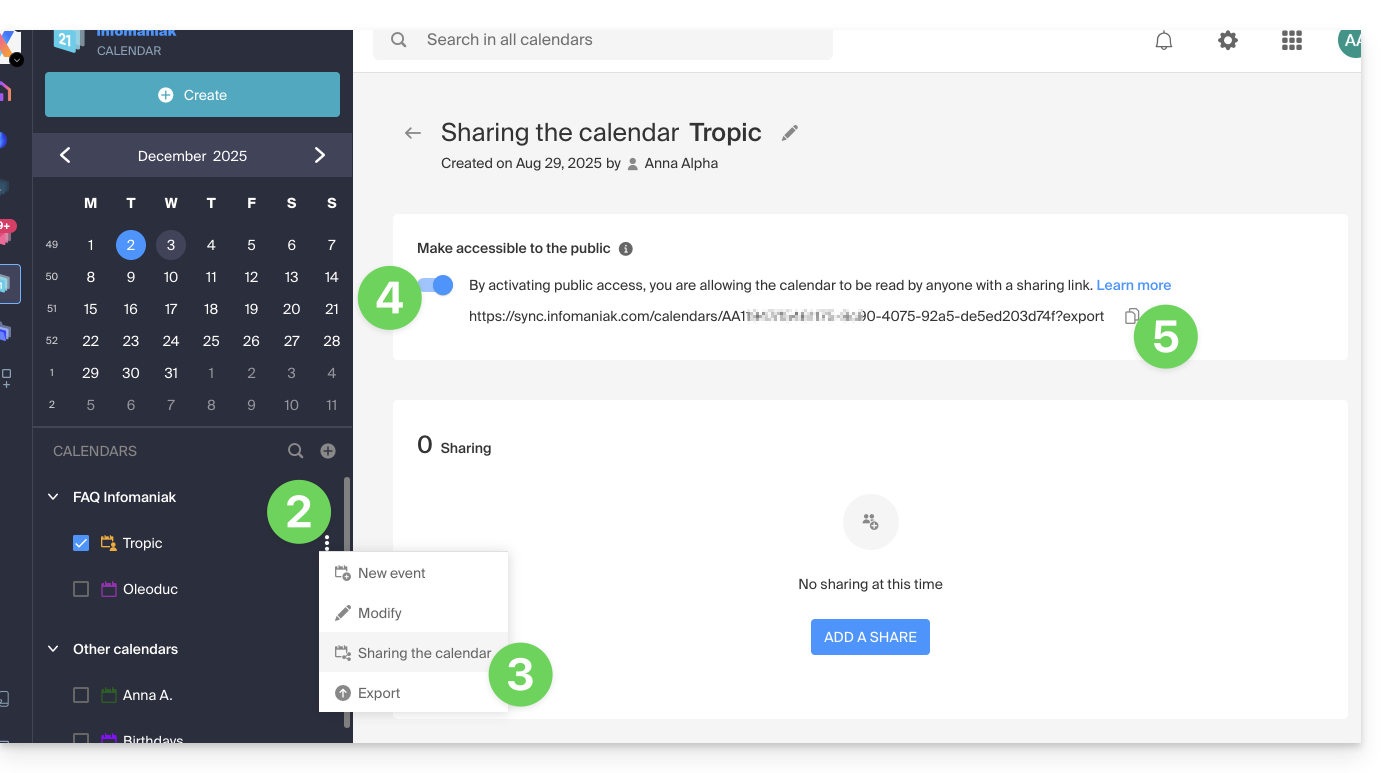
- Clique no menu de ação ⋮, à direita de um calendário.
- Clique em Partilhar calendário.
- Ative o botão de alternância para ativar o compartilhamento público.
- Clique no ícone para copiar o endereço para a área de transferência:
- É sempre possível remover o acesso público a partir desta página de compartilhamento (consulte o ponto 4 acima):
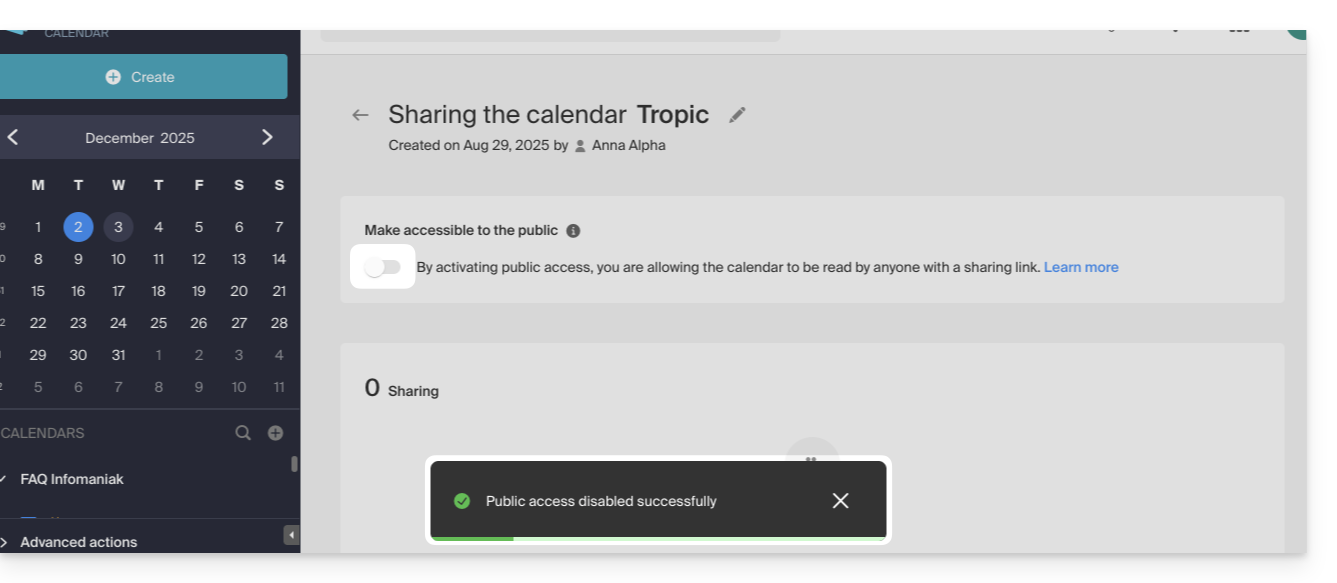
- É sempre possível remover o acesso público a partir desta página de compartilhamento (consulte o ponto 4 acima):
Link para esta FAQ: https://faq.infomaniak.com/1763
Esta seção de perguntas frequentes foi útil?