Base de conhecimento
1000 perguntas frequentes, 500 tutoriais e vídeos explicativos. Aqui, você encontra apenas soluções!
Remover um dispositivo (eliminar uma senha de e-mail) no Serviço de E-mail
Este guia explica como, a partir de um Serviço de Email, redefinir ou remover as palavras-passe de um endereço de emailpara interromper a conexão de um software de terceiros, como o Outlook ou o Thunderbird.
As outras opções de acesso e gerenciamento são apresentadas no guia principal.
Preâmbulo
- Alterar a senha de um endereço de e-mail equivale a alterar a senha IMAP/SMTP:
- Assim que a senha for alterada, você deverá atualizar seus softwares (Outlook, etc.), dispositivos móveis (iPhone), etc. com a nova senha (isso é de sua responsabilidade).
- Se não conseguir iniciar sessão no Manager ou no Mail/kSuite, não poderá gerir as palavras-passe de um dos endereços de e-mail: consulte este outro guia neste caso.
Remover uma palavra-passe/dispositivo
Pré-requisitos
- Ter, no mínimo, o direito de gerir o Serviço de Email em questão (ou ser Administrador / Responsável legal dentro da Organização).
Para interromper qualquer conexão IMAP/POP/SMTP que esteja sendo feita atualmente por meio de uma senha gerada nesta interface (isso não remove o endereço dos aplicativos de e-mail Infomaniak — para isso, é necessário gerenciar os usuários do endereço de e-mail), é possível revogar um dispositivo ou até mesmo excluir todas as configurações existentes em um clique:
- Clique aqui para acessar o gerenciamento do seu produto no Painel de Controle Infomaniak (precisa de ajuda?).
- Clique no nome do produto em questão.
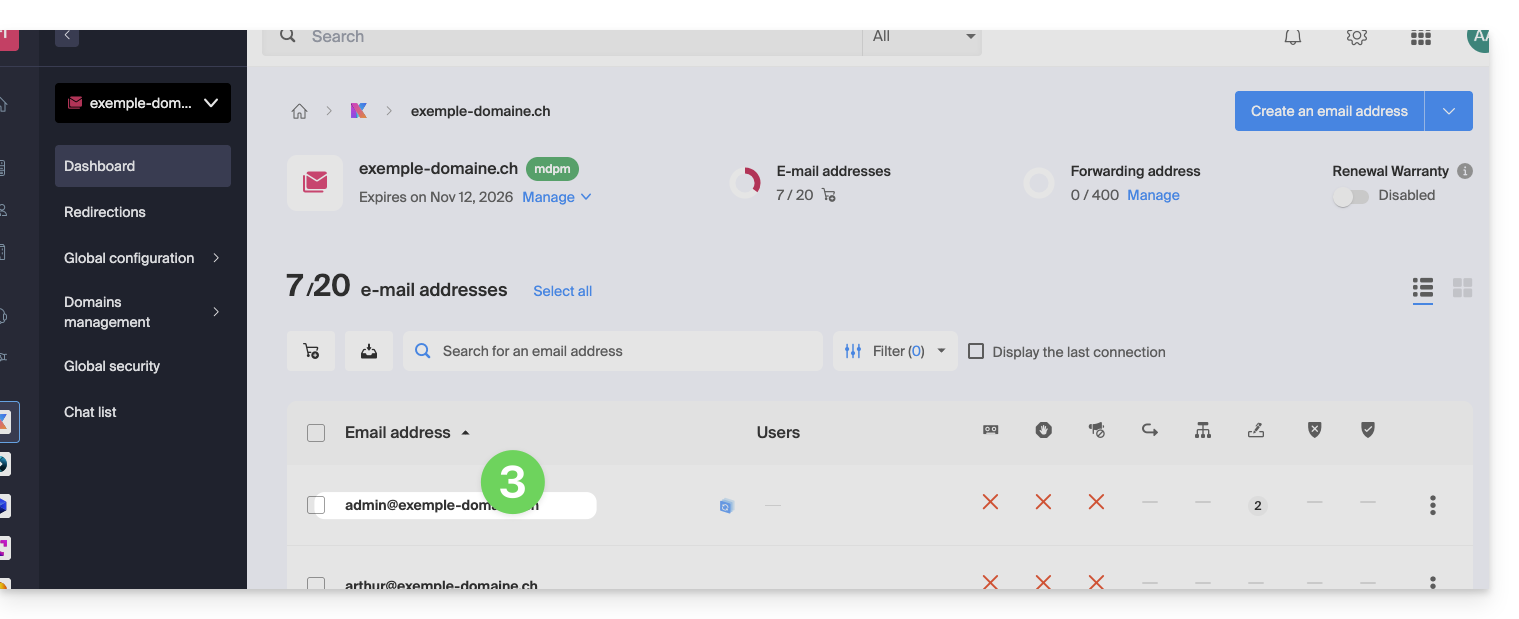
- Clique no endereço de e-mail correspondente na tabela:
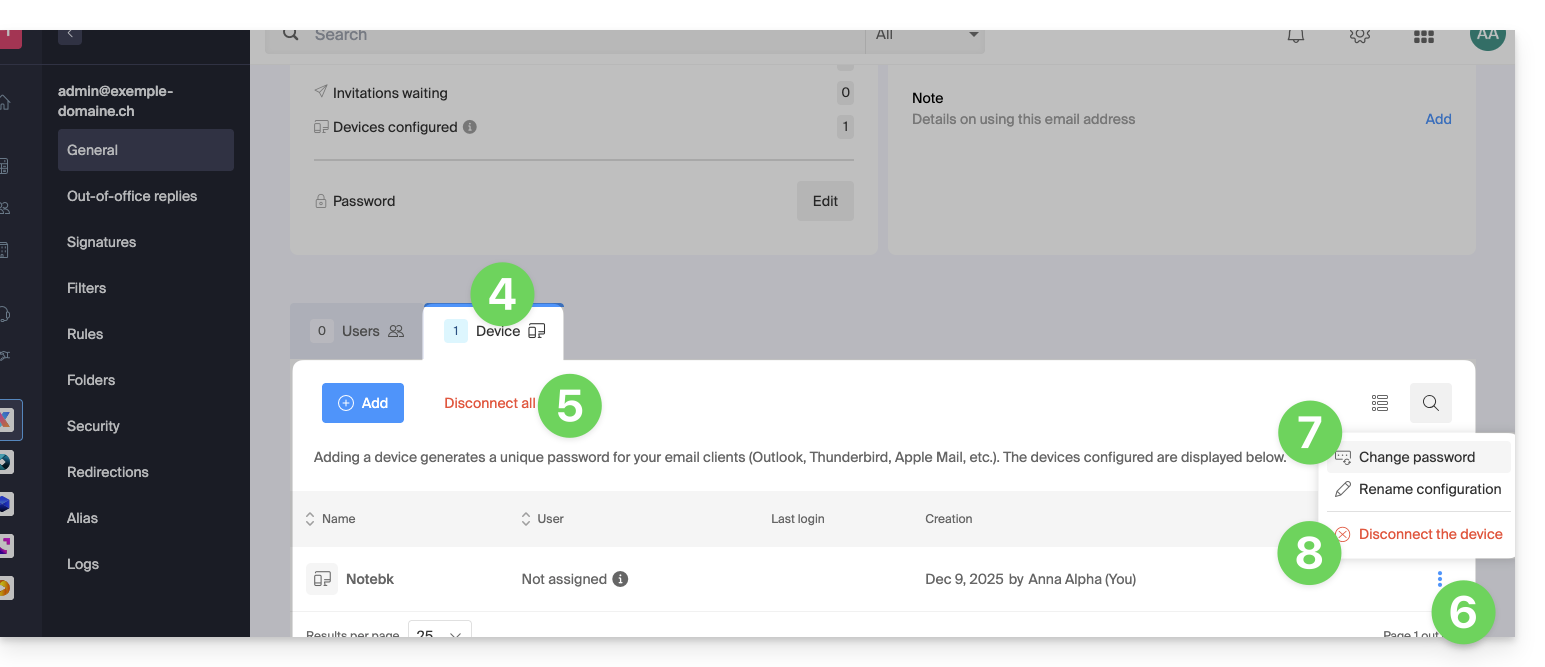
- Clique na aba Dispositivos.
- Clique no link vermelho para desconectar todos os dispositivos registrados (é necessária uma confirmação).
- Clique no menu de ação ⋮, localizado à direita do dispositivo em questão.
- Clique em “Alterar senha” para encerrar a conexão atual, mas permitir que o dispositivo se reconecte com uma nova senha.
- Clique em “Desconectar dispositivo” para removê-lo da lista e eliminar a conexão correspondente:
O que é uma senha “genérica”?
Alguns endereços de e-mail podem exibir uma indicação específica na seção Dispositivos: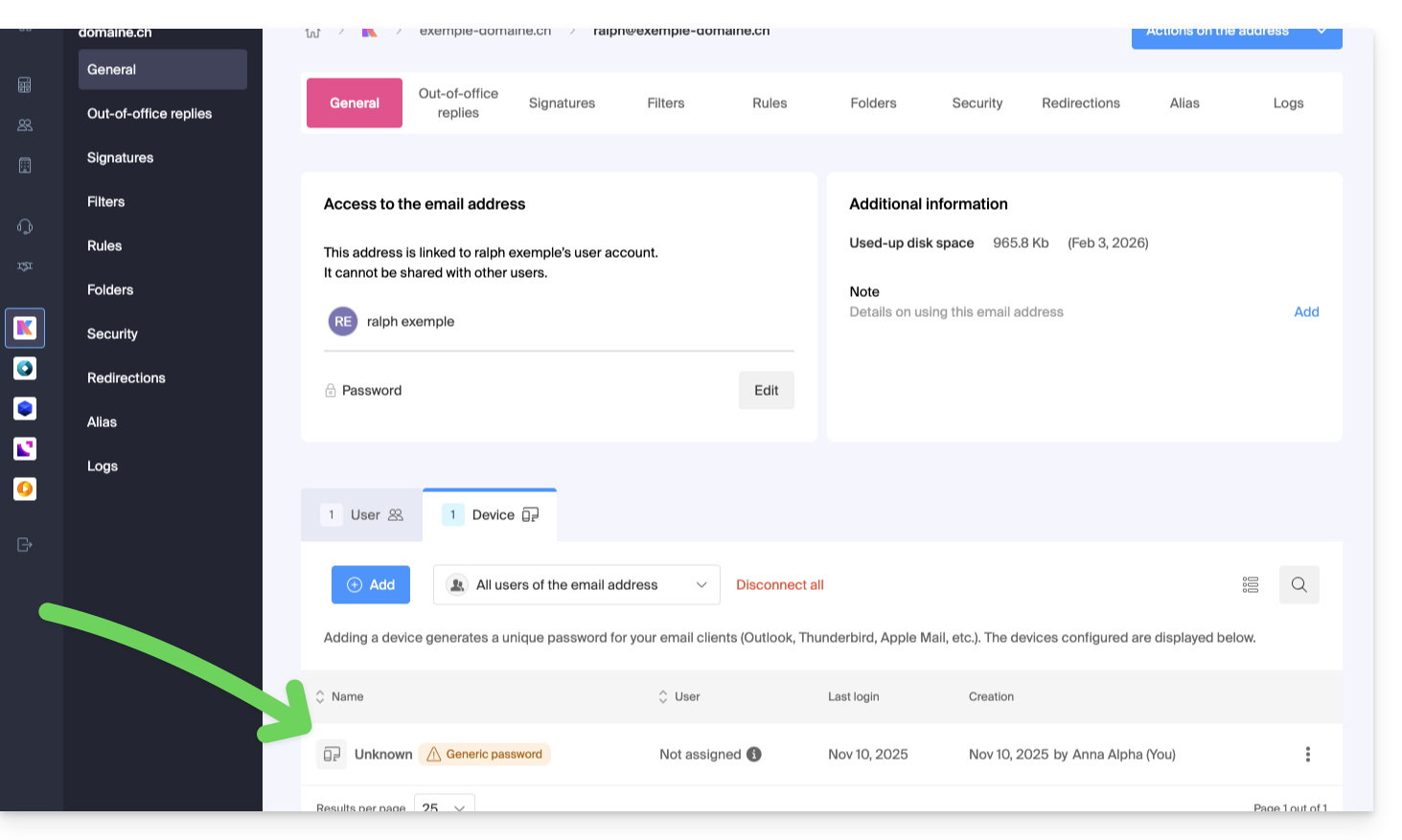
Se for esse o caso, não se preocupe, isso indica que o endereço possui uma senha atribuída durante sua criação (anterior a 2026). Essa senha permanece válida, mas, como acontece com outras senhas, não é possível exibi-la.E, ao contrário de outras senhas, esta não pode ser redefinida (a opção está desativada):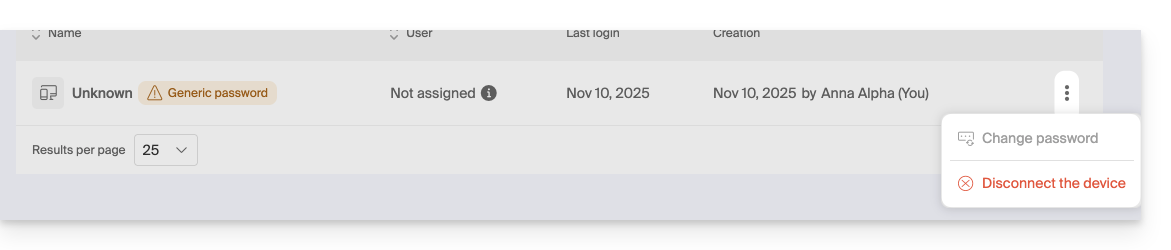
Nesse caso, você pode adicionar sem problemas uma senha adicional.
Link para esta FAQ: https://faq.infomaniak.com/1736
Esta seção de perguntas frequentes foi útil?