Base de conhecimento
1000 perguntas frequentes, 500 tutoriais e vídeos explicativos. Aqui, você encontra apenas soluções!
Restaurar eventos apagados no Calendar Infomaniak
Este guia explica como recuperar eventos, tarefas, períodos de indisponibilidade e horários excluídos por engano em um dos seus calendários/agendas do aplicativo web Calendar Infomaniak (serviço online ksuite.infomaniak.com/calendar para a gestão dos seus eventos e compromissos).
✘ INDISPONÍVEL com
kSuite Free
my kSuite (ik.me, etik.com, ikmail.com)
Serviço Mail Starter
Ao fazer o upgrade de uma destas ofertas gratuitas, será possível recuperar o backup até 30 dias.
Restauração de calendários/agendas
Prazo de retenção das cópias de segurança
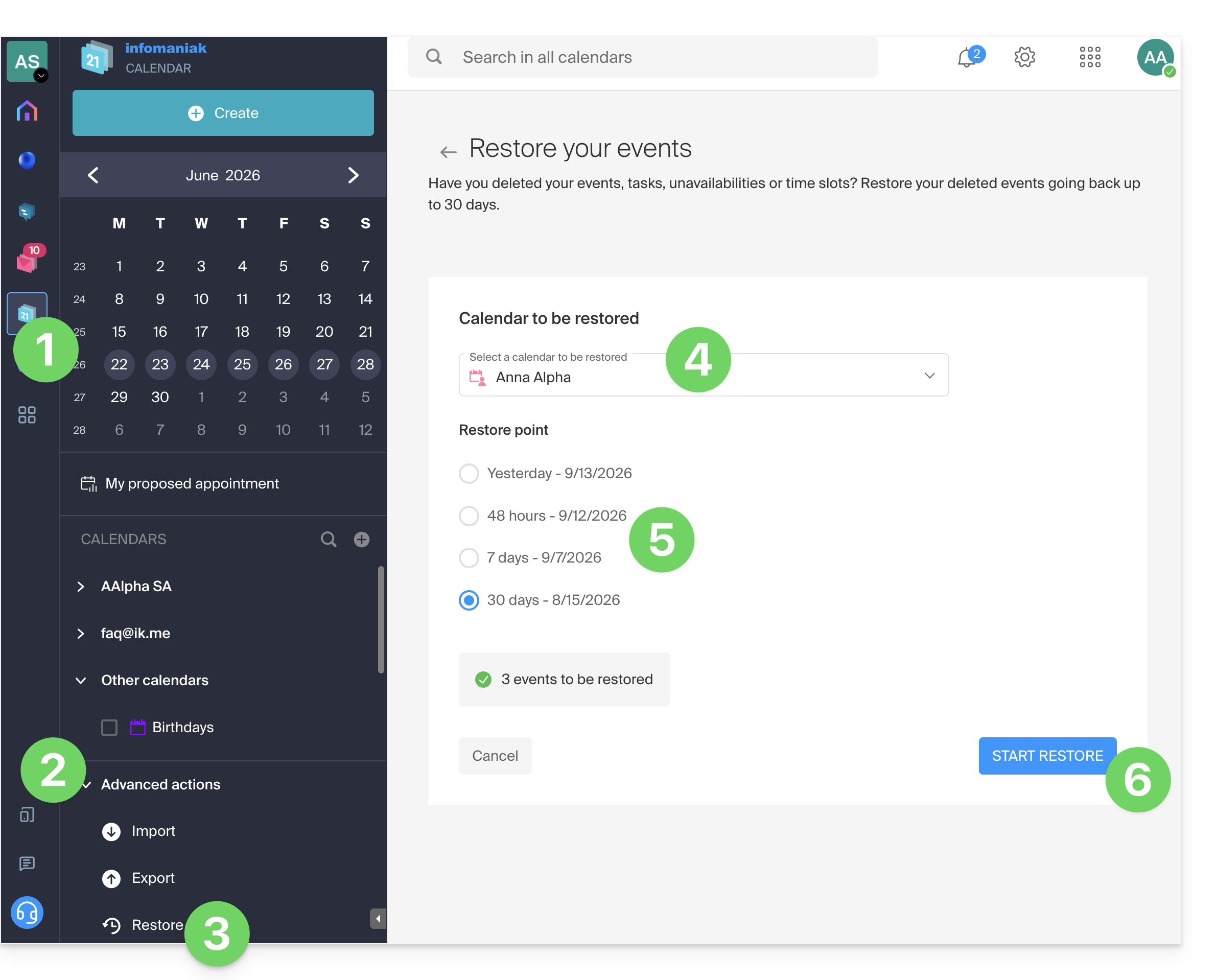
Os pontos de restauração são efetuados diariamente. Após a criação de uma cópia de segurança do estado completo do seu calendário, a Infomaniak disponibiliza-a durante 30 dias. Se for possível restaurar eventos, poderá voltar ao ponto de há 24 horas, 48 horas, 7 dias e 30 dias:
- Clique aqui para acessar o aplicativo web Calendar da Infomaniak (serviço online ksuite.infomaniak.com/calendar).
- Clique em Ações avançadas no menu lateral esquerdo.
- Selecione Restaurar.
- Escolha o calendário a ser restaurado.
- Escolha a versão desejada (1/2/7/30 dias).
- Inicie a restauração usando o botão na parte inferior da página, que fica ativo se houver eventos que possam ser restaurados:
Link para esta FAQ: https://faq.infomaniak.com/1688
Esta seção de perguntas frequentes foi útil?