Base de conhecimento
1000 perguntas frequentes, 500 tutoriais e vídeos explicativos. Aqui, você encontra apenas soluções!
Partilhar um livro de endereços no Contacts Infomaniak
Este guia explica como partilhar contactos com outros utilizadores a partir das listas de contactos da aplicação web Contactos Infomaniak (serviço online ksuite.infomaniak.com/contacts).
Introdução
- Para gerir os contactos, consulte este outro guia.
- Consulte este outro guia para gerir os catálogos de endereços e também partilhá-los.
Compartilhar uma lista de contatos
Para compartilhar contatos:
- Clique aqui para acessar o aplicativo web Contatos Infomaniak (serviço online ksuite.infomaniak.com/contacts).
- Clique no menu de ação ⋮ à direita de um catálogo de endereços (antes de eventuais grupos, que não podem ser compartilhados especificamente, mas que serão visíveis durante o compartilhamento).
- Clique em Partilhar:
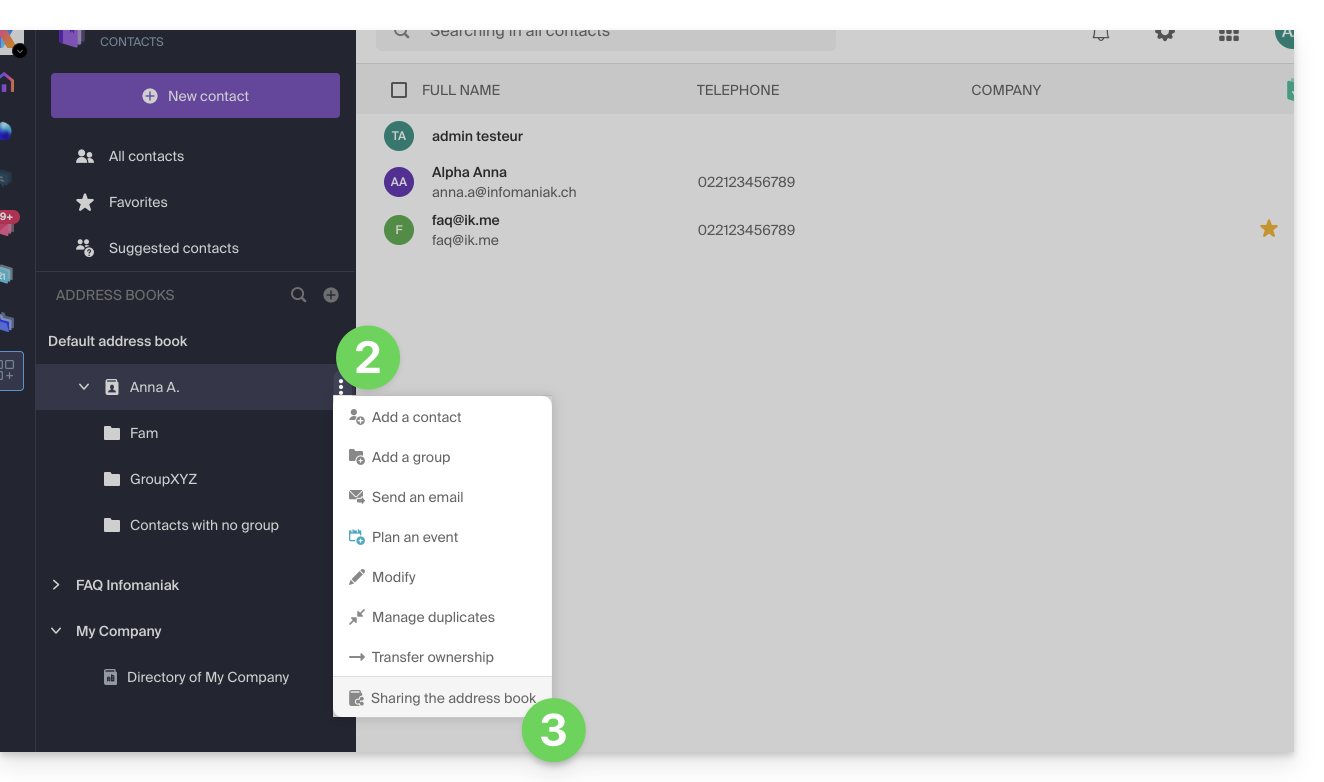
- Se já existir uma partilha em curso e pretender iniciar outra, clique em Partilhar na parte superior, caso contrário, clique no botão Partilhar mais abaixo.
- Insira o endereço de e-mail do utilizador que terá acesso à lista de contactos:
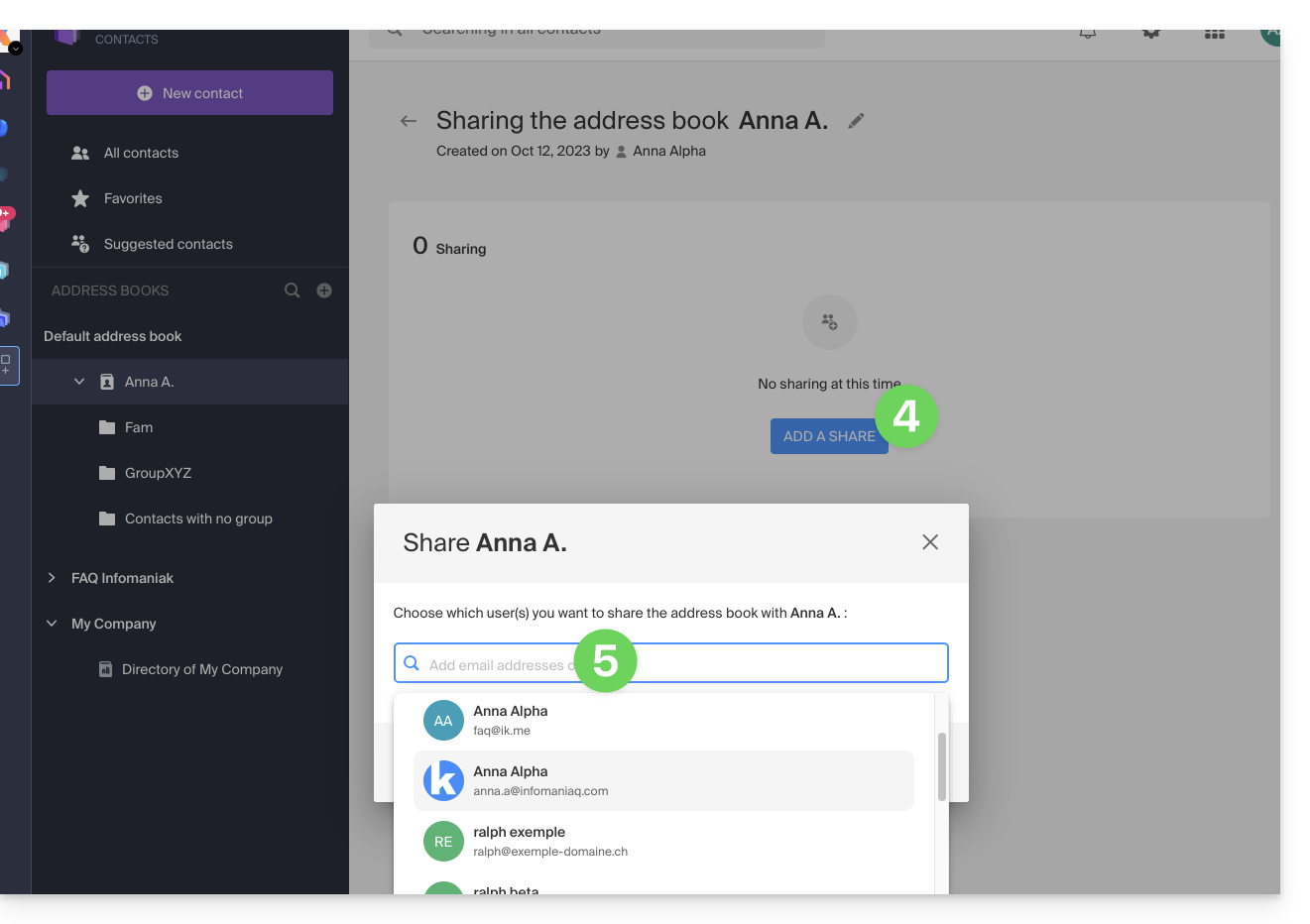
- Se o utilizador ainda não tiver um, poderá criar um gratuitamente.
- Especifique os direitos do utilizador nesta lista de contactos (Administração, Apenas leitura, Leitura e escrita).
- Conclua clicando no botão de compartilhamento:
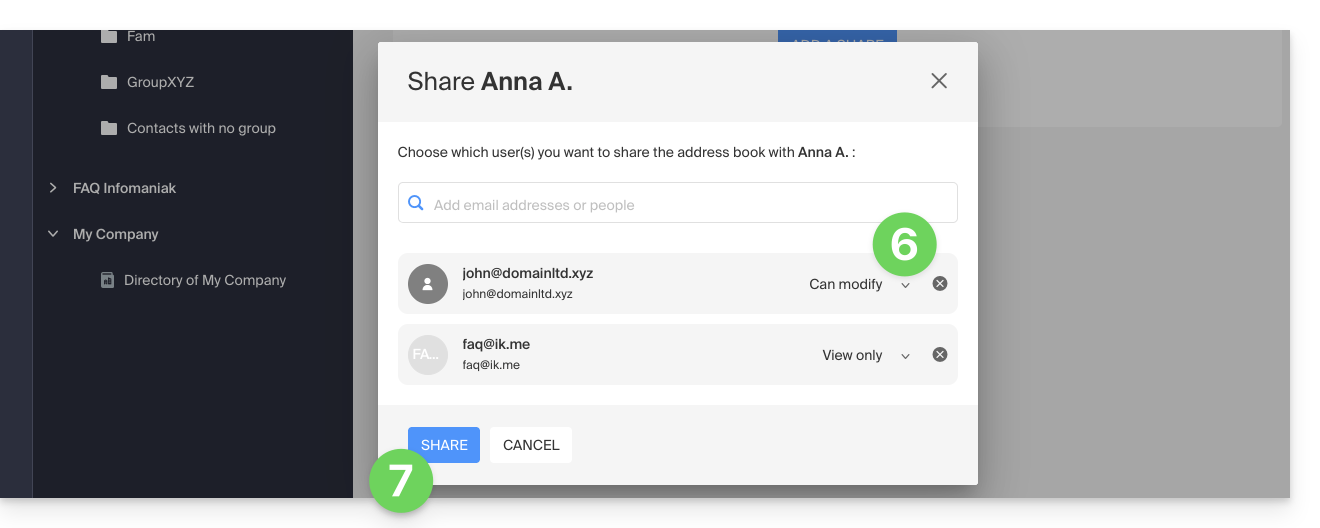
Os contatos criados ou movidos/copiados para esta lista de endereços no futuro serão visíveis de forma dinâmica para todos os usuários que tiverem acesso ao compartilhamento.
Aceitar o compartilhamento
O usuário convidado deverá aceitar o compartilhamento para acessar os dados compartilhados (os nomes dos grupos já são visíveis antes da aceitação), que estarão em uma seção chamada “Outras listas de endereços”: 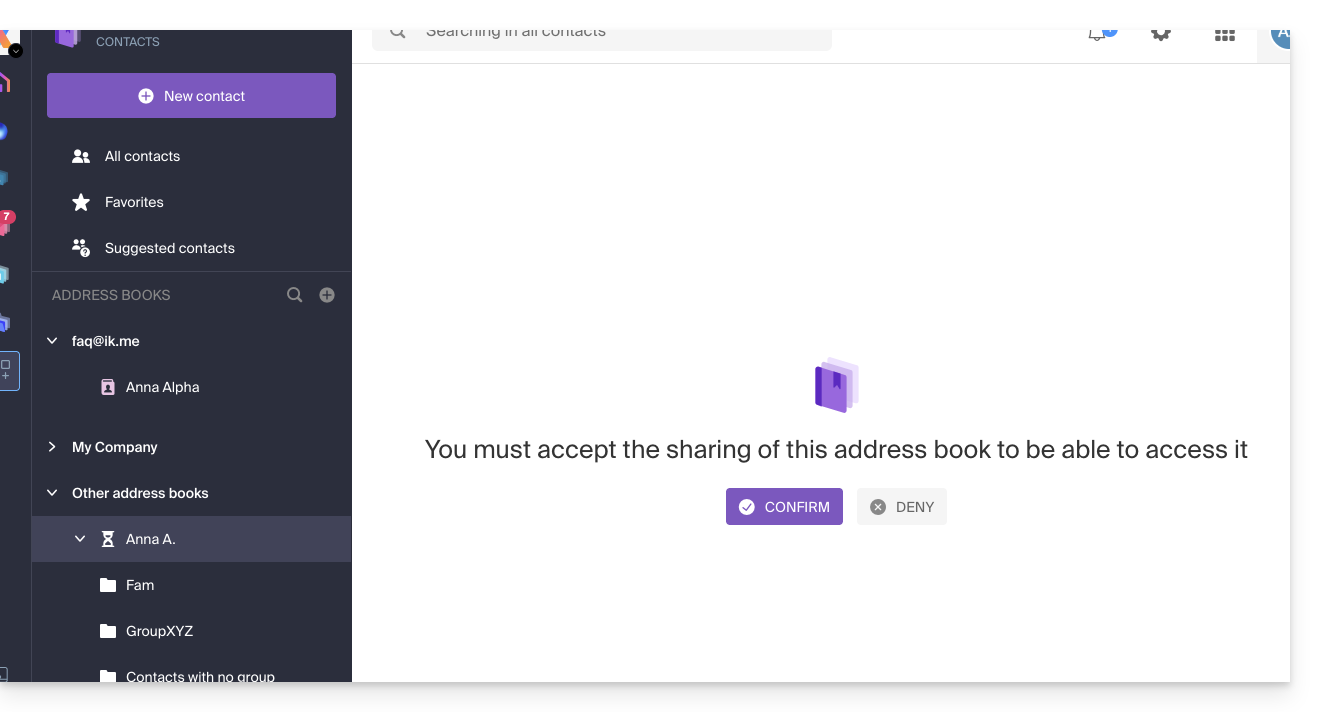
Dependendo das permissões concedidas, ele poderá realizar certas operações nos contatos ou simplesmente consultá-los, inclusive ao redigir um novo e-mail: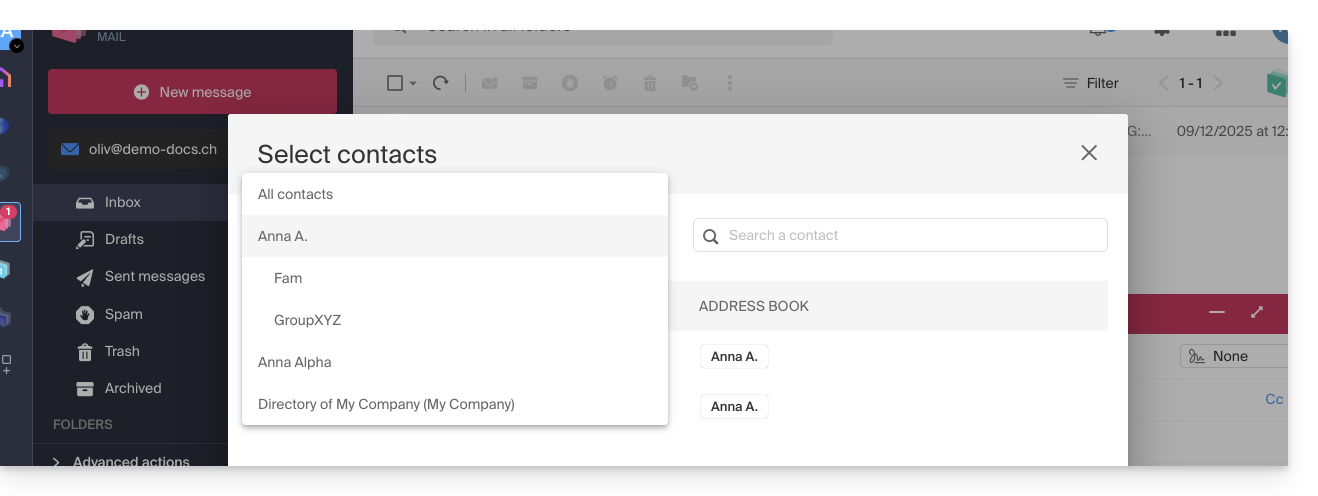
Cancelar um compartilhamento já aceito
Um utilizador pode sair de um compartilhamento através do menu de ação ⋮, à direita da lista de contactos compartilhada: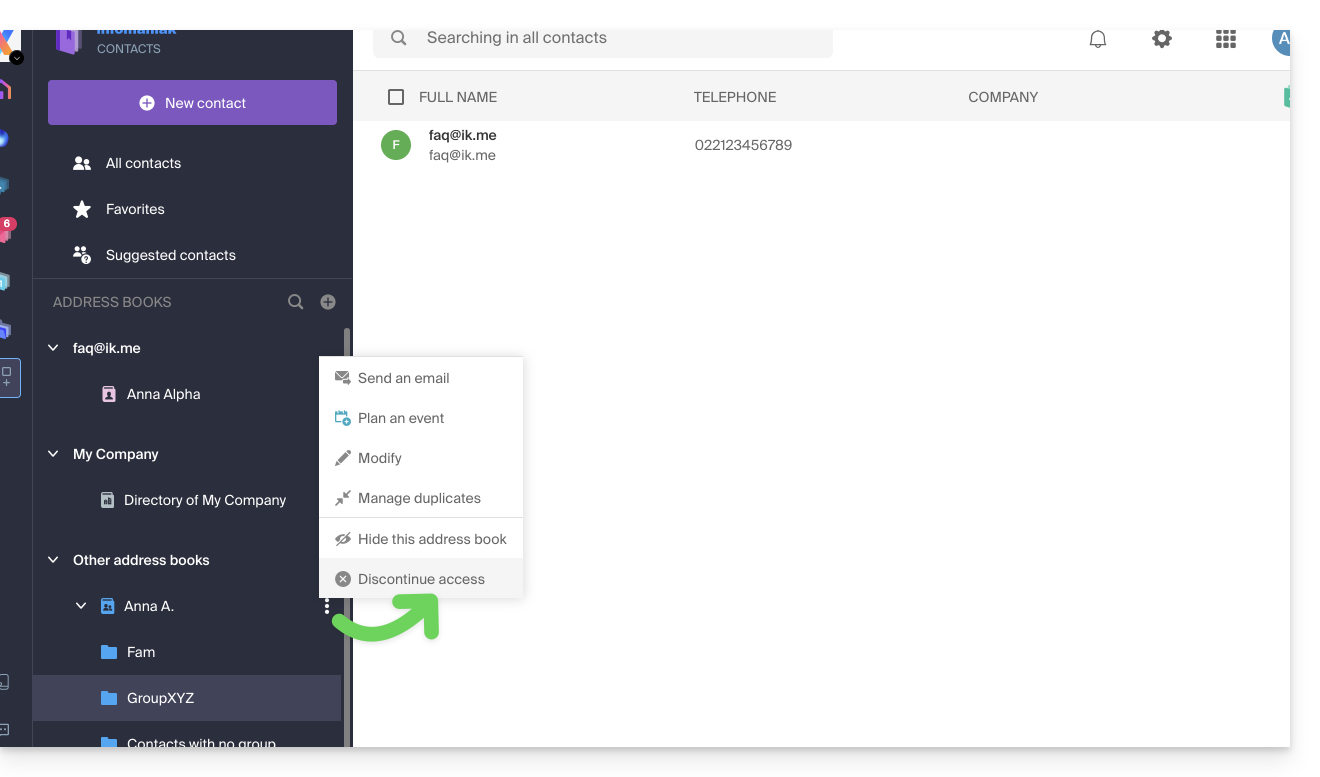
Link para esta FAQ: https://faq.infomaniak.com/1678
Esta seção de perguntas frequentes foi útil?