Base de conhecimento
1000 perguntas frequentes, 500 tutoriais e vídeos explicativos. Aqui, você encontra apenas soluções!
Adicionar um arquivo anexo a um evento no Calendar Infomaniak
Este guia explica como adicionar um anexo proveniente do kDrive a um evento de um calendário na aplicação web Calendar Infomaniak (serviço online ksuite.infomaniak.com/calendar).
Introdução
- Alguns softwares ou aplicativos também permitem adicionar um anexo e, nesse caso, se você sincronizar a agenda com a da sua solução, o arquivo anexado poderá ter um tamanho máximo de 64 KB.
Adicionar um anexo ao kDrive
Ao criar um novo evento no aplicativo web Calendar da Infomaniak (serviço online ksuite.infomaniak.com/calendar), você pode adicionar um ou mais anexos (links para arquivos do kDrive):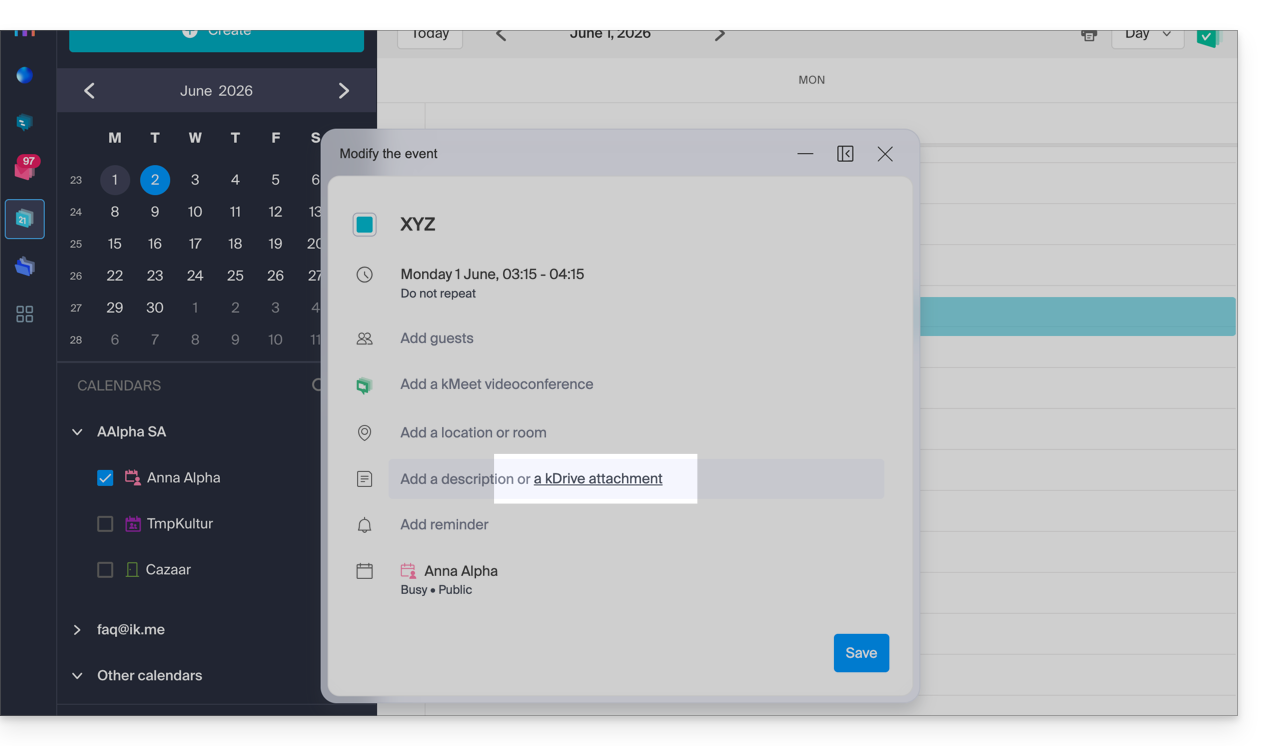
Em seguida, clique no link “Inserir um link kDrive” e você terá acesso ao kDrive diretamente da janela de criação de eventos do Calendar: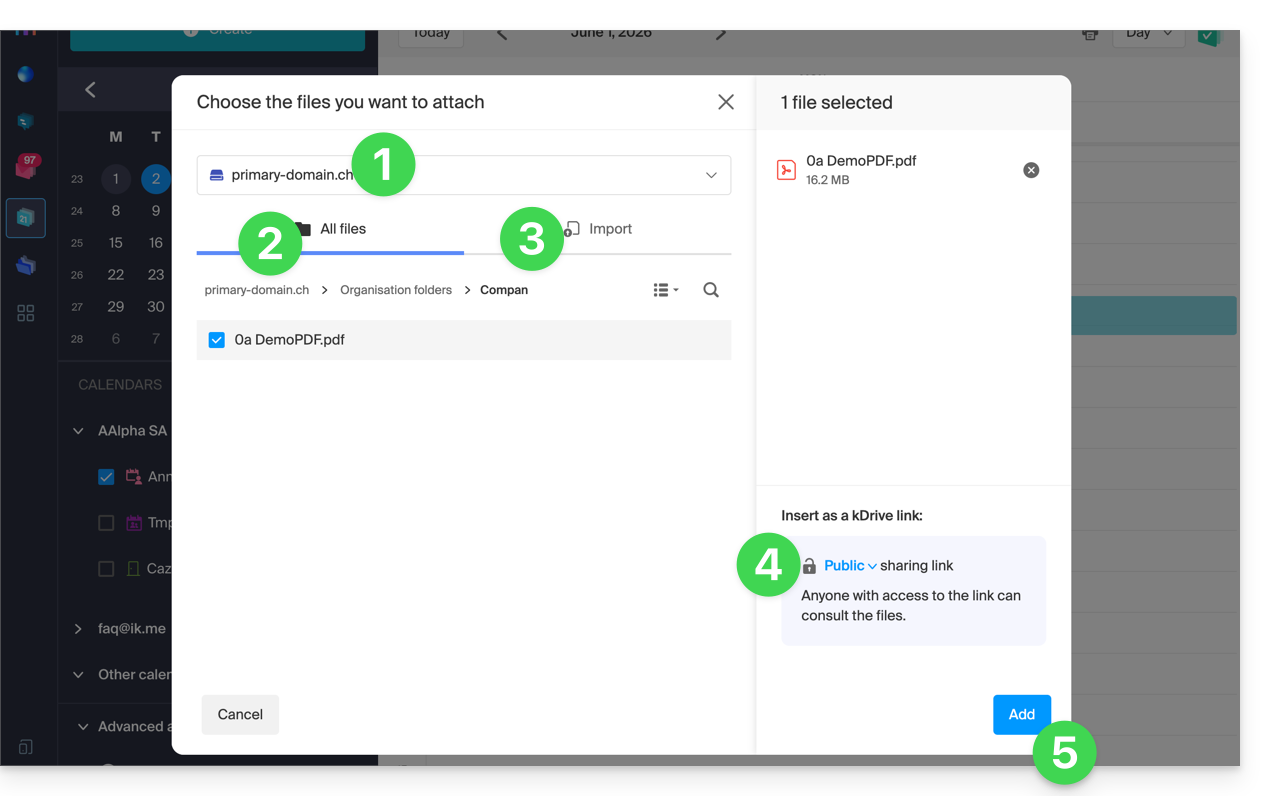
- Se necessário, selecione o kDrive.
- Navegue e escolha os arquivos a serem adicionados ao evento.
- Caso contrário, importe novos documentos que serão armazenados no kDrive.
- Após a seleção, escolha se o link deve ser:
- um link público (qualquer pessoa pode acessá-lo)
- um link restrito (apenas as pessoas com acesso podem acessá-lo)
- Clique em Adicionar.
Seja o evento recorrente ou não, você pode adicionar arquivos que serão compartilhados com aqueles que consultarem o evento no calendário: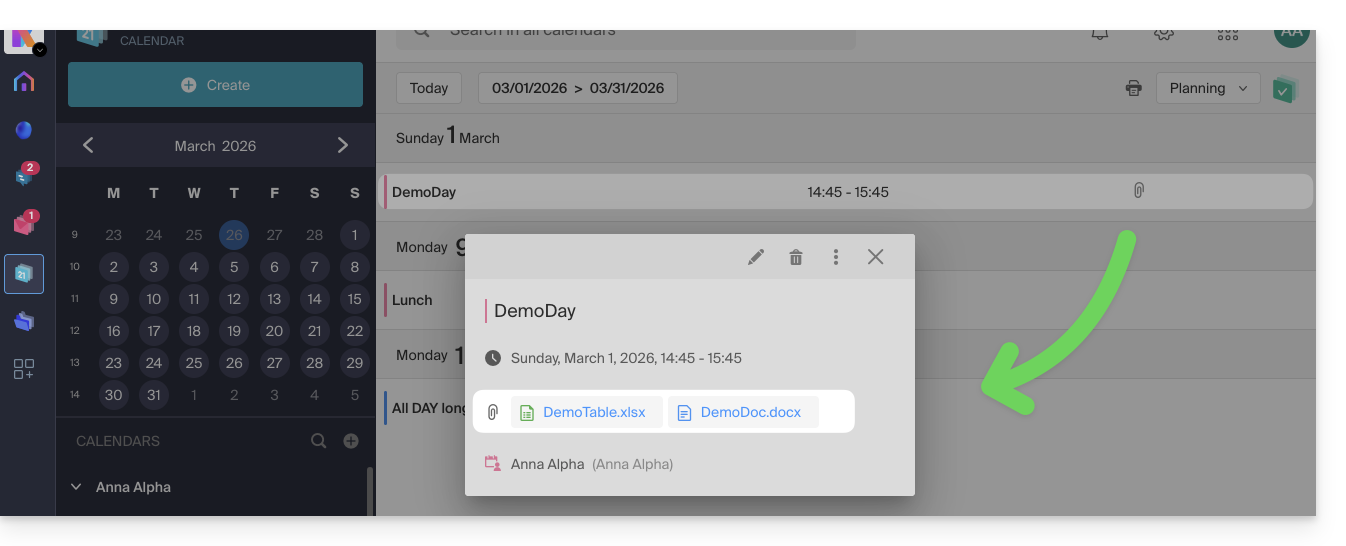
Os participantes do evento que consultarem a ficha através de uma aplicação sincronizada, Outlook, Gmail e outras, verão os links na descrição (como é o caso do possível link kMeet, por exemplo, se uma videoconferência estiver prevista para o evento).
Link para esta FAQ: https://faq.infomaniak.com/1673
Esta seção de perguntas frequentes foi útil?