Base de conhecimento
1000 perguntas frequentes, 500 tutoriais e vídeos explicativos. Aqui, você encontra apenas soluções!
Copiar ou mover contatos para os Contatos Infomaniak
Este guia explica como copiar ou mover contatos para diferentes agendas na aplicação web Contacts da Infomaniak (serviço online ksuite.infomaniak.com/contacts).
Introdução
- Os contactos também podem ser geridos dentro de grupos, ou seja, subpastas do seu livro de endereços.
Copiar ou mover um contacto
Para isso:
- Clique aqui para acessar o aplicativo web Contatos Infomaniak (serviço online ksuite.infomaniak.com/contacts).
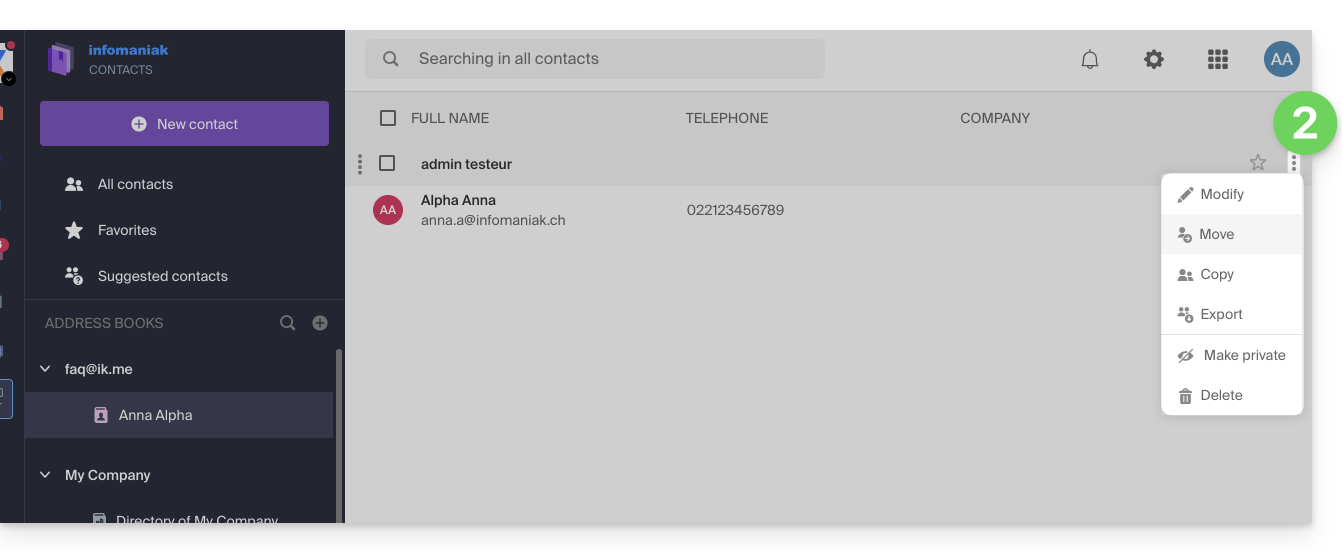
- Clique no menu de ação ⋮ à direita de um contato para escolher copiar ou mover o contato para o local desejado usando um assistente:
Você também pode clicar e manter o botão do mouse pressionado na extremidade esquerda da linha de um contato para copiar ou mover um contato (ou vários contatos, caso os selecione previamente) para o catálogo desejado na barra lateral esquerda: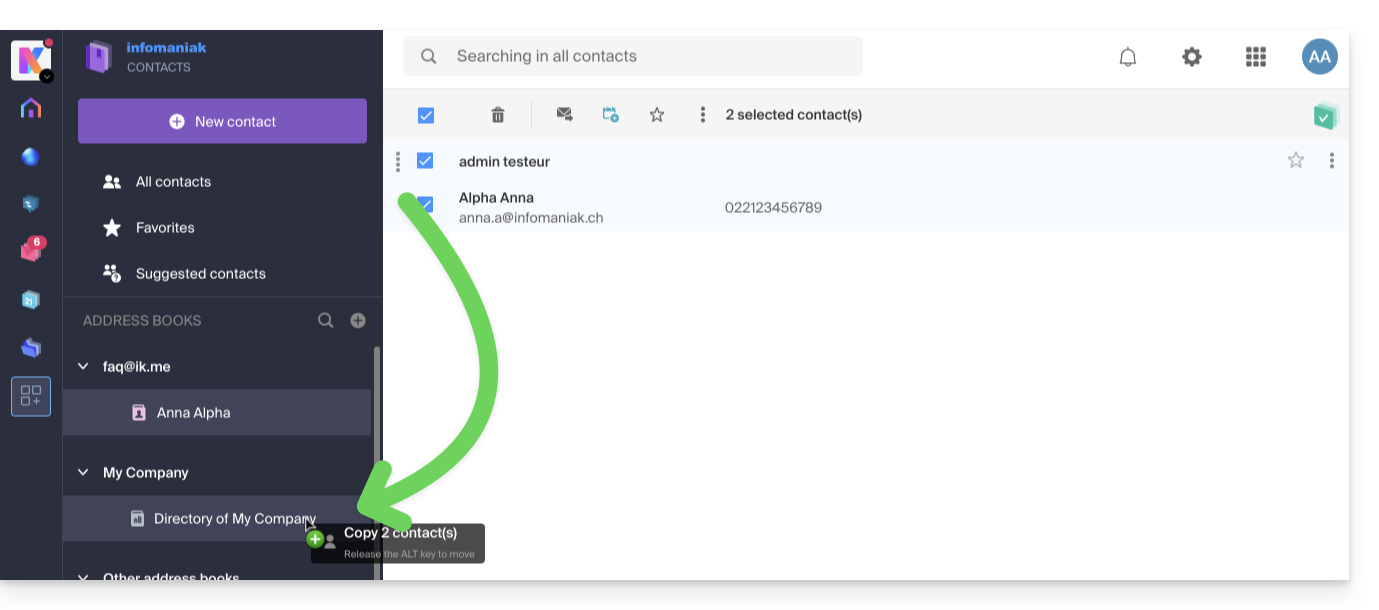
O comportamento padrão ao mover um contato da lista de endereços para outra pasta ou lista de endereços é "mover".
Ao pressionar a tecla do teclado que normalmente usa para copiar arquivos do seu computador (a tecla ALT, por exemplo) e arrastá-los de um lugar para outro, você poderá "copiar" os contatos em vez de movê-los.
Link para esta FAQ: https://faq.infomaniak.com/1652
Esta seção de perguntas frequentes foi útil?