Base de conhecimento
1000 perguntas frequentes, 500 tutoriais e vídeos explicativos. Aqui, você encontra apenas soluções!
Configurar lembretes de faturação com antecedência
Atualização 12/10/2026
Este guia explica como receber notificações por e-mail sobre o vencimento de um produto Infomaniak, em intervalos diferentes que você pode configurar para não ser sobrecarregado com mensagens desnecessárias.
Pré-requisitos
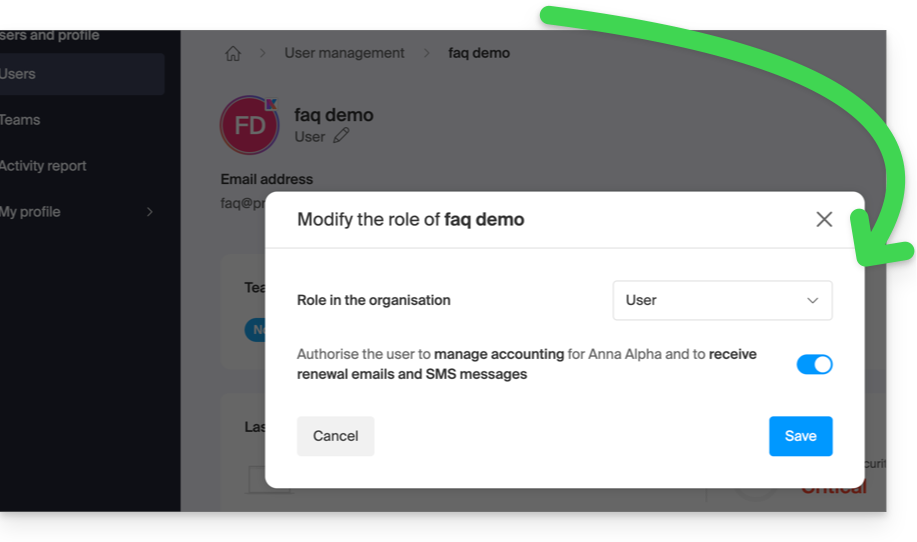
- Ter, no mínimo, o direito de gerenciar a contabilidade (❓: ajuda):
Ativar ou desativar os e-mails
Para verificar e modificar a configuração atual das mensagens de faturação:
- Clique aqui para aceder à página de configuração/contabilidade no painel de controlo Infomaniak (precisa de ajuda?).
- Nesta página, ative ou desative as notificações desejadas:
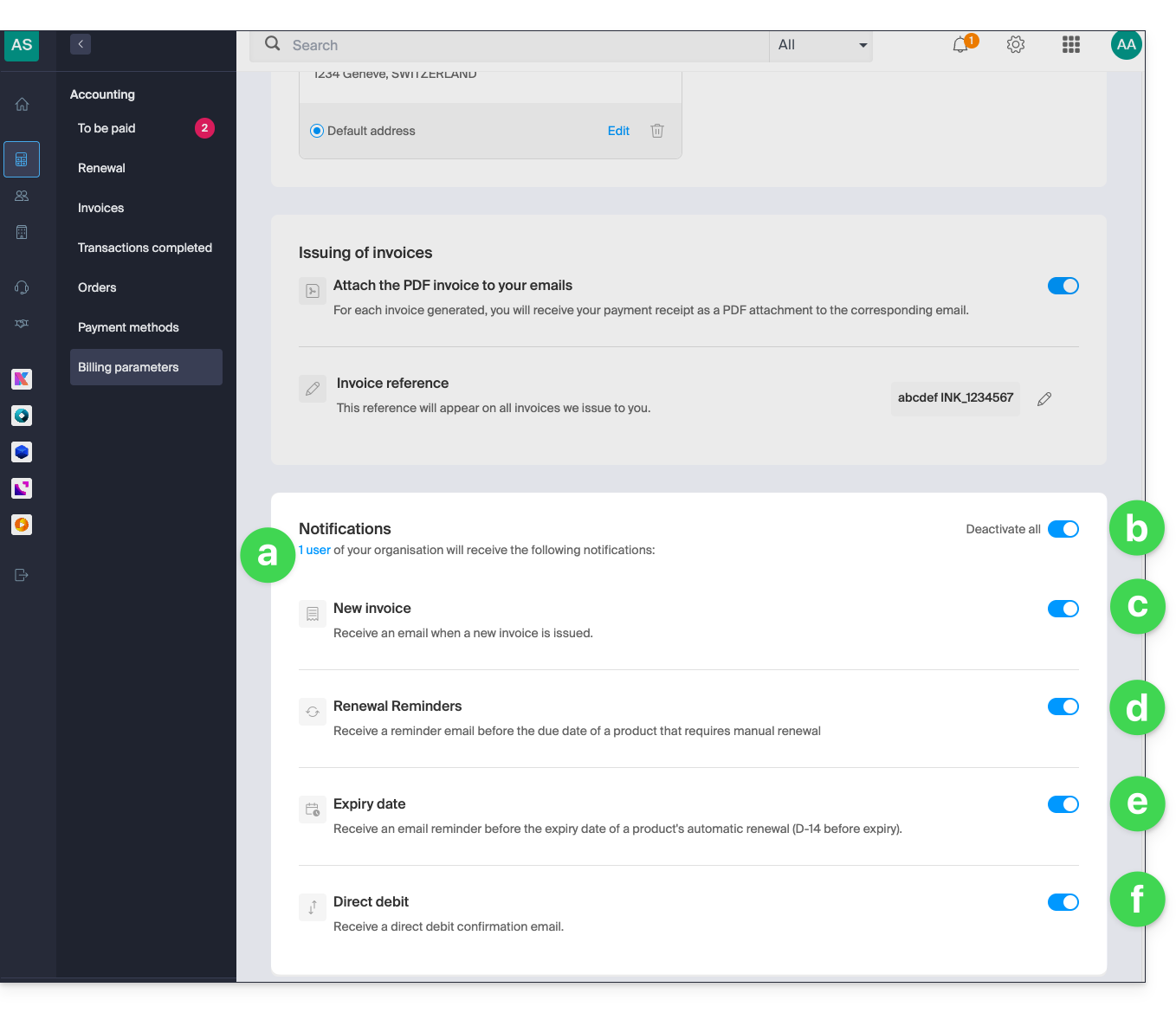
- Permite visualizar o(s) utilizador(es) afetado(s) pelo recebimento das notificações (ver pré-requisitos).
- Permite ativar ou desativar todas as notificações com um único clique.
- Notificação por e-mail quando uma fatura é emitida.
- E-mail de lembrete antes da data de vencimento de um produto que não será renovado automaticamente.
- E-mail de lembrete antes da data de vencimento da renovação automática de um produto (14 dias antes do vencimento).
- E-mail de confirmação durante um débito automático.
As suas preferências são guardadas automaticamente assim que uma alteração é efetuada na página.
Consulte também este outro guia sobre as faturas.
Link para esta FAQ: https://faq.infomaniak.com/1634
Esta seção de perguntas frequentes foi útil?