Base de conhecimento
1000 perguntas frequentes, 500 tutoriais e vídeos explicativos. Aqui, você encontra apenas soluções!
Venda de ingressos: realize vendas diretas e no local
Este guia explica como efetuar vendas a partir de uma conta de organizador, bem como as vendas no local (no âmbito do sistema de bilheteira Infomaniak). Se, por exemplo, pretender imprimir bilhetes gratuitos, convites, bilhetes VIP ou pagos, pode efetuar uma encomenda a partir do balcão e gerar esses bilhetes.
Aceder ao balcão
Para isso:
- Clique aqui para acessar o gerenciamento do seu produto no Manager Infomaniak (precisa de ajuda?).
- Clique diretamente no nome atribuído ao balcão de bilhetes relacionado ao evento.
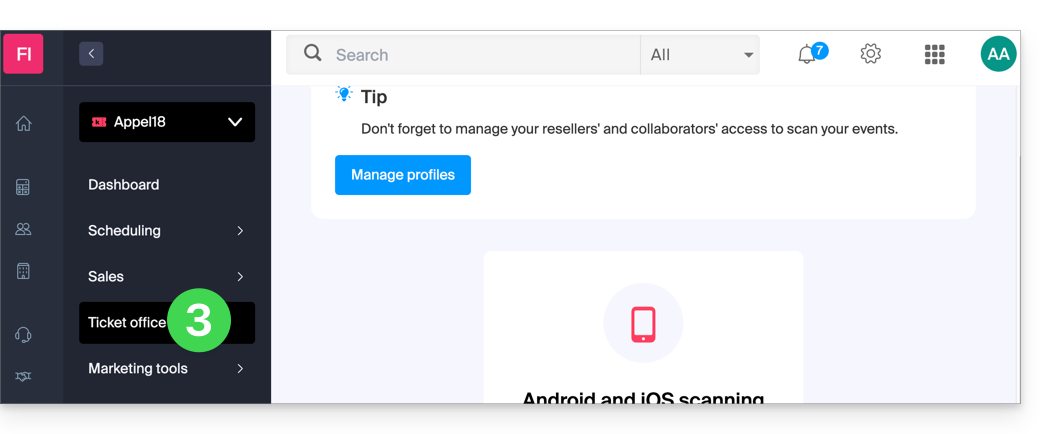
- Clique em Balcão no menu lateral esquerdo:
Criar uma nova encomenda a partir do balcão
Para tal:
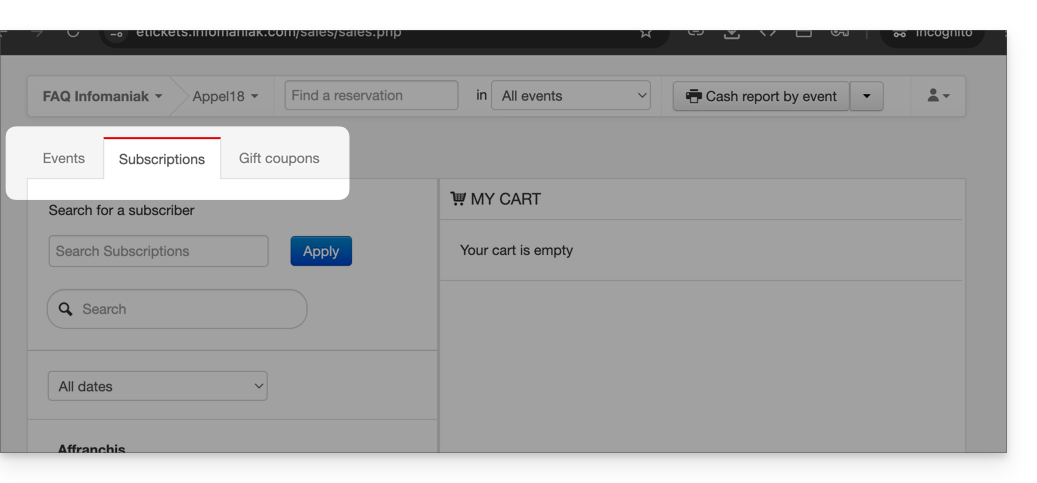
- Escolha se a venda se refere a um evento, um passe ou um vale-presente:
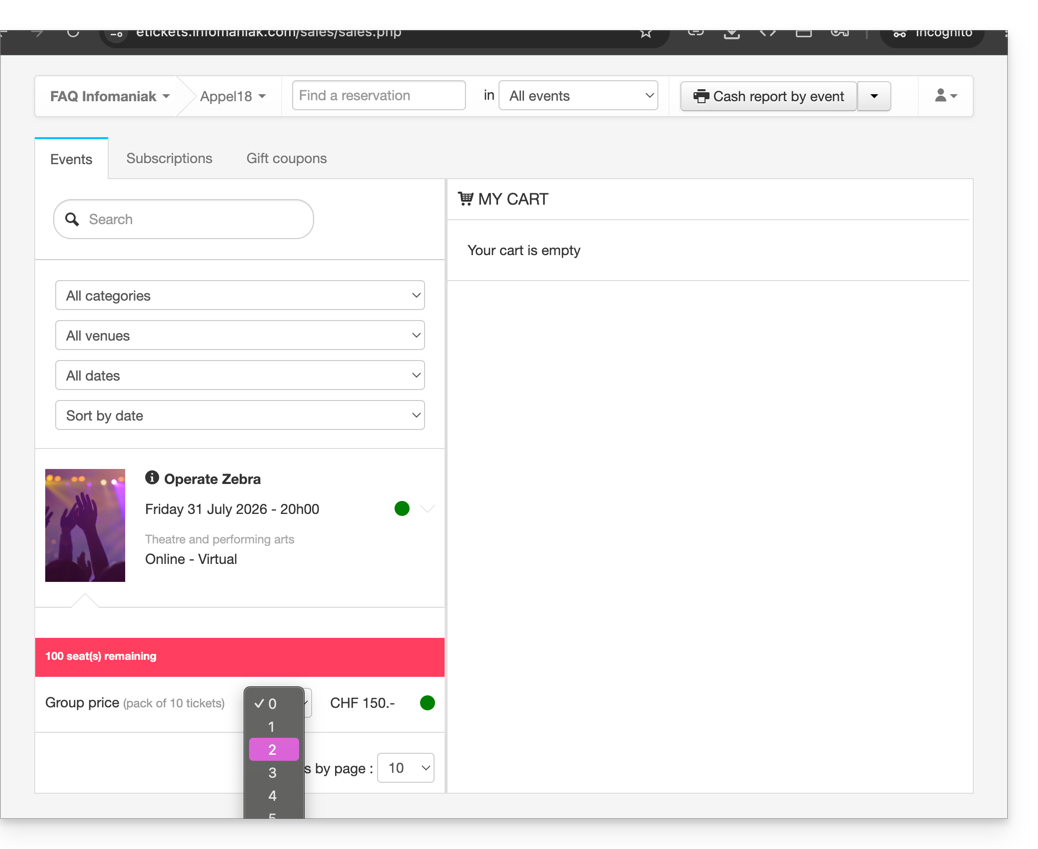
- Escolha o evento ou o artigo desejado, bem como o número de bilhetes a adicionar ao carrinho:
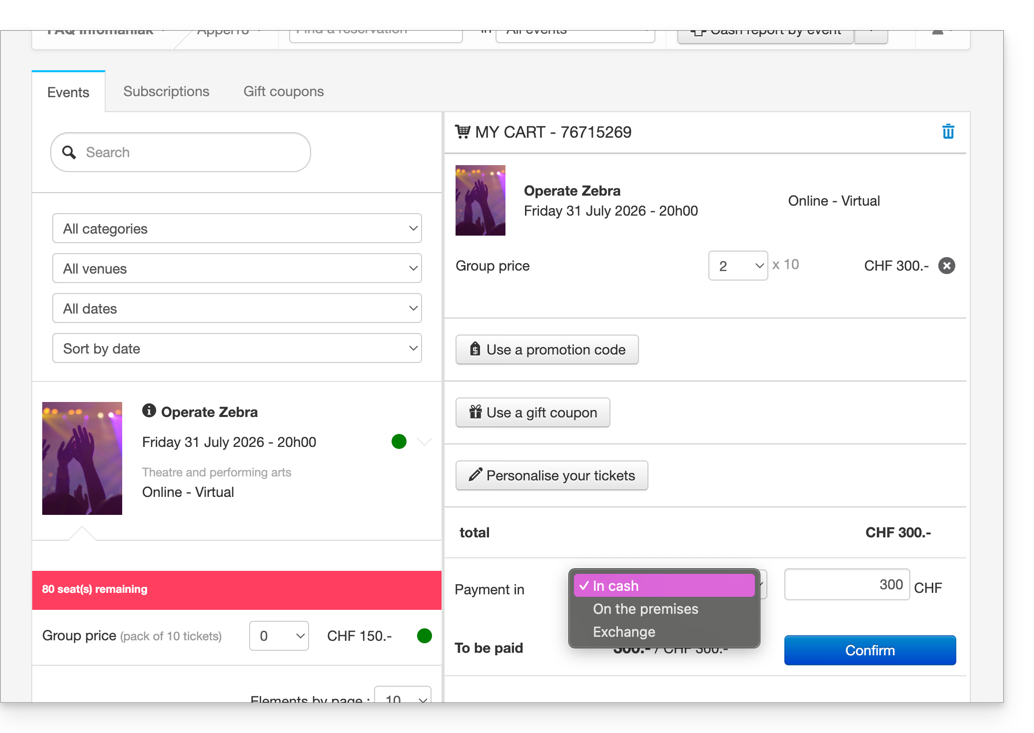
- Defina as configurações no carrinho, como a localização no mapa do local, as informações dos formulários por preço e o uso de um código promocional ou vale-presente:
- É possível personalizar as informações que serão exibidas nos bilhetes a serem impressos.
- Definir um método de pagamento; para um bilhete gratuito, como por exemplo para um convite, deverá escolher o método de pagamento Gratuito/Convite.
- Após preencher as informações, Validar o pedido.
Associar o pedido a um cliente
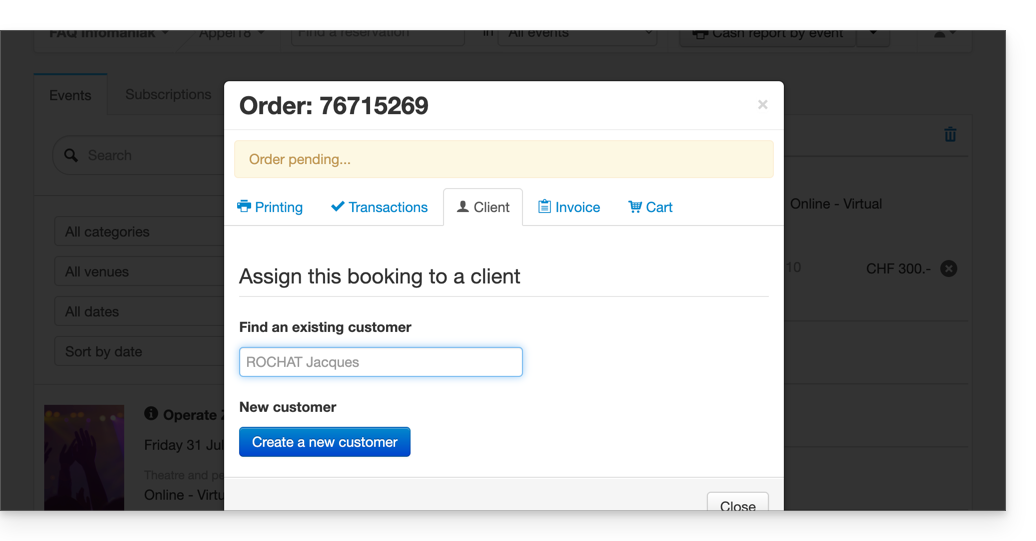
No balcão, a atribuição de um pedido a um cliente é opcional. É, portanto, necessário indicar o cliente se desejar poder localizar um pedido pelo nome ou endereço de e-mail do cliente, enviar os bilhetes por e-mail ou exibir o nome e o apelido do cliente no bilhete.
Para isso, será necessário clicar na aba Cliente e procurar um cliente existente ou criar um novo cadastro de cliente.
Se a venda se referir a um passe e um endereço de e-mail estiver associado a esse passe, o cliente será sugerido diretamente.
Imprimir ou enviar os bilhetes
É possível imprimir ou enviar os bilhetes por e-mail. Para isso, basta ir ao separador correspondente e escolher o tipo de impressão ou de envio por e-mail.
Outras utilizações do balcão
O balcão permite realizar outras operações importantes, como a troca de bilhetes ou a validação de reservas; consulte este outro guia.
Link para esta FAQ: https://faq.infomaniak.com/1574
Esta seção de perguntas frequentes foi útil?