Base de conhecimento
1000 perguntas frequentes, 500 tutoriais e vídeos explicativos. Aqui, você encontra apenas soluções!
Install Lovable.dev content on an Infomaniak web hosting
This guide explains how to publish an application created with Lovable, using a Node.js-based website on Infomaniak.
Prerequisites
- A Lovable project on a paid Lovable plan, synchronized with a GitHub repository.
- A Node.js website.
- A domain name or subdomain for the application.
1. Synchronize the Lovable project with GitHub
To do this:
- Open the project in Lovable.
- Open the project settings.
- Go to the Git > GitHub section:
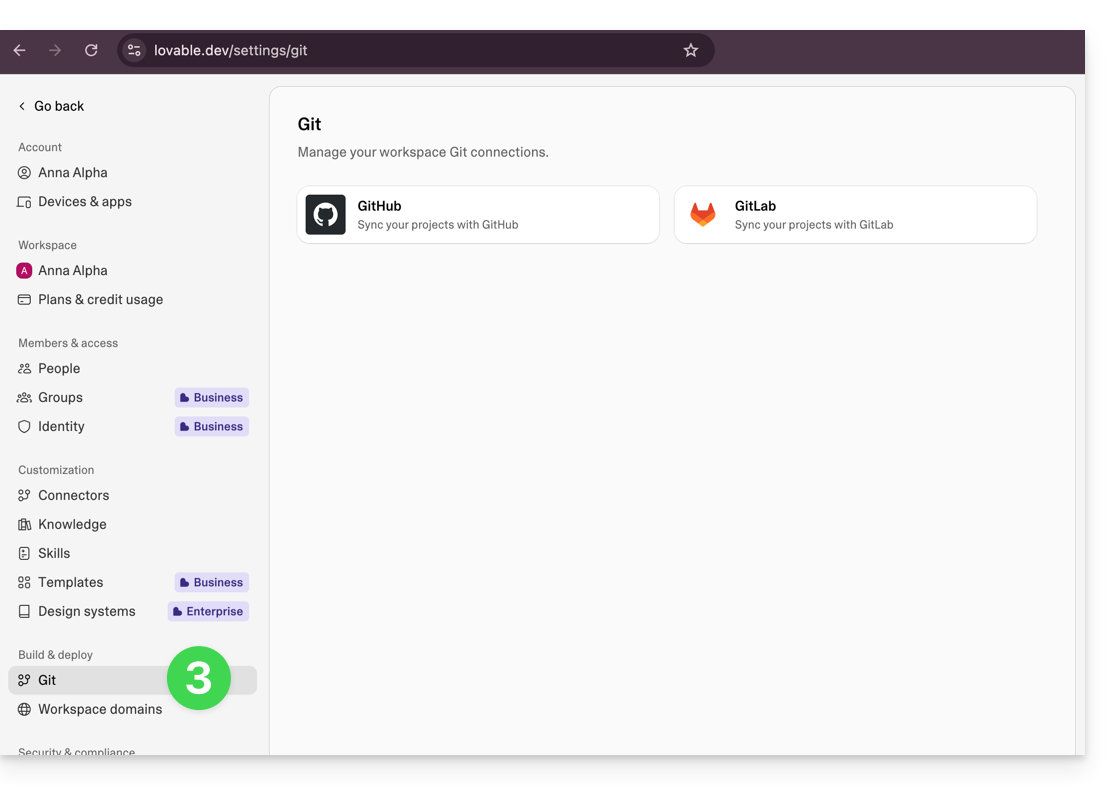
- Connect the project to a GitHub account.
- Wait for the GitHub repository to be created and the synchronization to complete.
2. Download the ZIP archive from GitHub
To do this:
- Open the GitHub repository associated with the Lovable project.
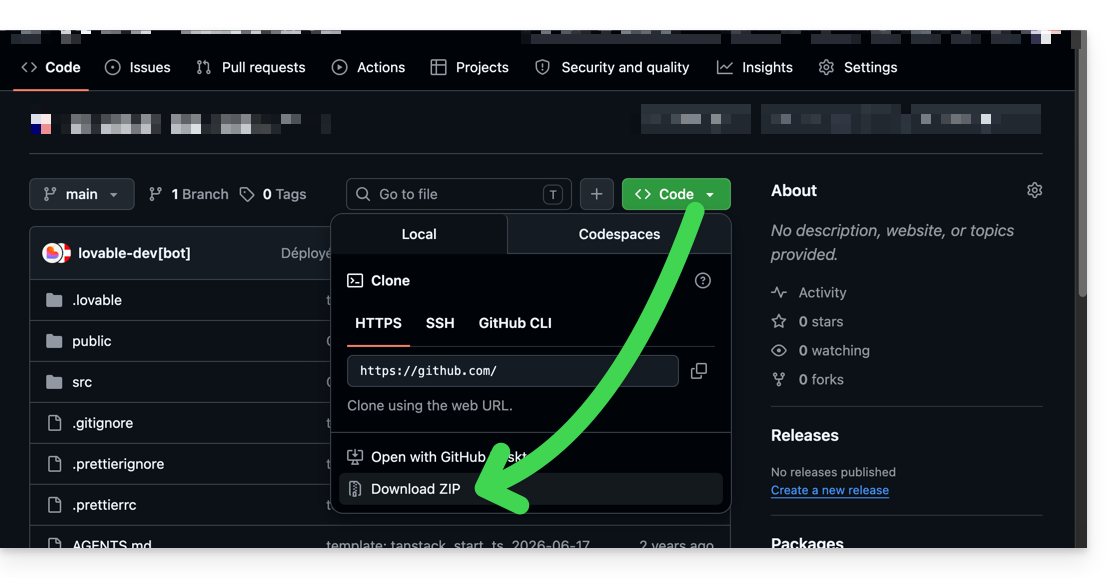
- In GitHub, click on Code.
- Click on Download ZIP:
- Keep the downloaded ZIP archive.
3. Create the Node.js site on Infomaniak
To do this:
- Click here to access the hosting & website management section in your Infomaniak Manager (❓: help).
- Click on the name of the relevant hosting.
- Click the button to add a website.
- Select a project using advanced technologies.
- Choose Node.js.
- Associate the domain name or subdomain intended for the application.
- Select the custom method:
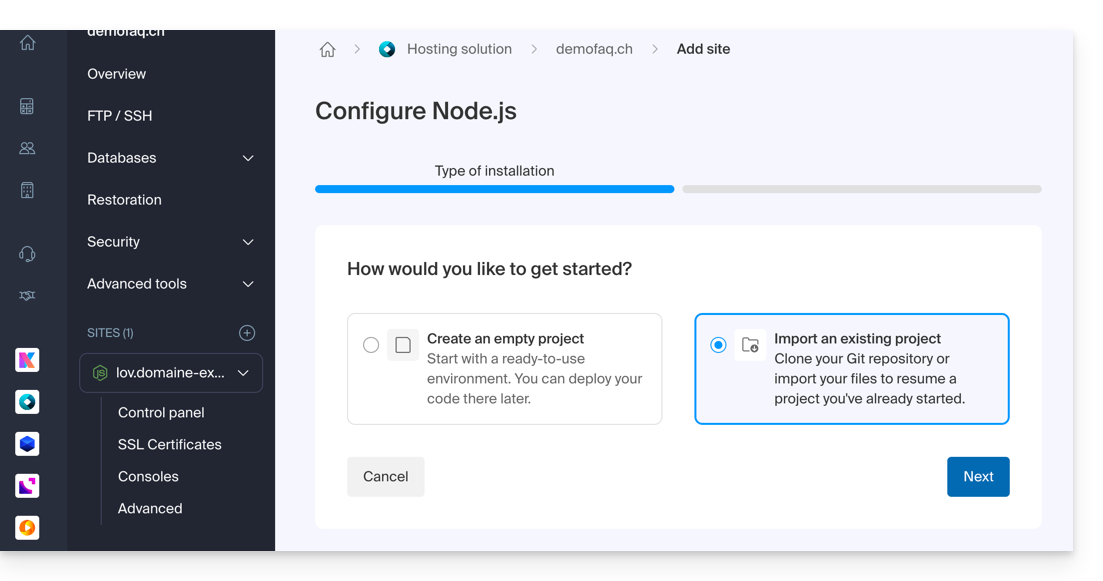
- Choose import via ZIP archive.
- Import the ZIP archive downloaded from GitHub:
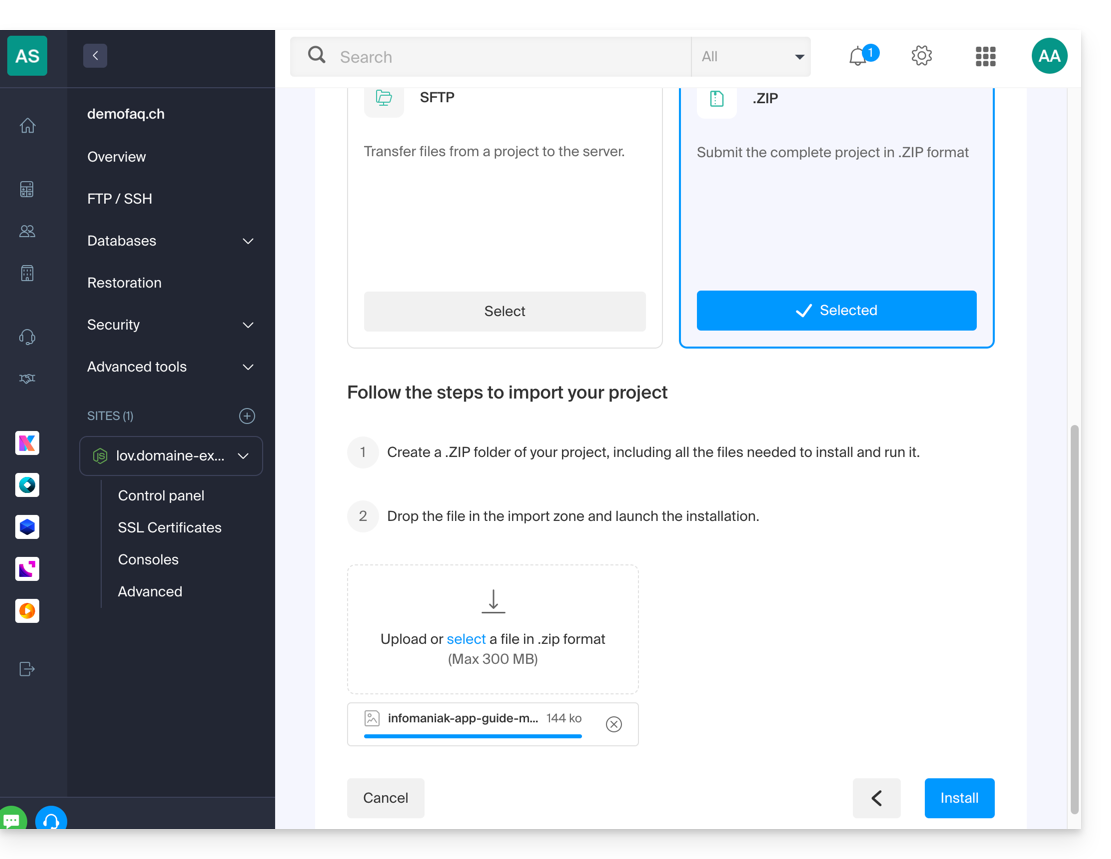
Then, enter the following values:
Build command:
npm install && npm run buildExecution command:
npm start
Save the configuration.
Your site has been published.
Link para esta FAQ: https://faq.infomaniak.com/1568
Esta seção de perguntas frequentes foi útil?