Base de conhecimento
1000 perguntas frequentes, 500 tutoriais e vídeos explicativos. Aqui, você encontra apenas soluções!
Modificar uma oferta de Rádio Streaming existente
Este guia explica como modificar uma oferta de Rádio Online, por exemplo, para aumentar o limite máximo de consumo mensal ou a qualidade da transmissão (taxa de bits máxima).
Modificar a oferta existente
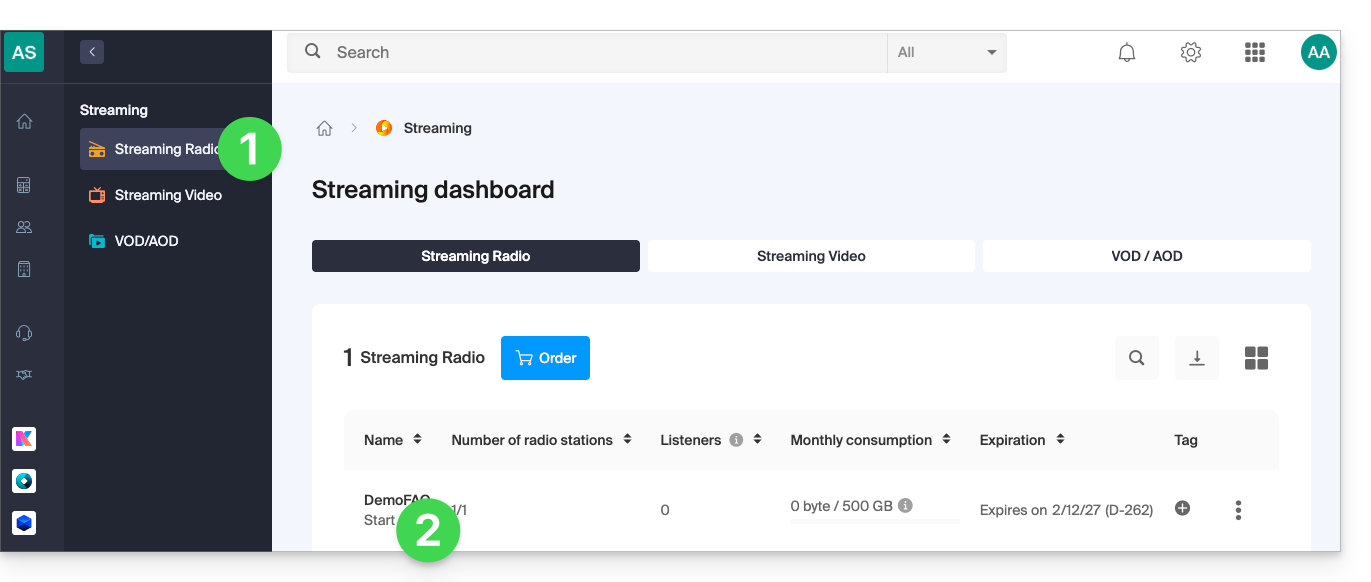
Para modificar as suas rádios existentes:
- Clique aqui para acessar o gerenciamento do seu produto no painel de controle Infomaniak (precisa de ajuda?).
- Clique diretamente no nome atribuído ao produto em questão:
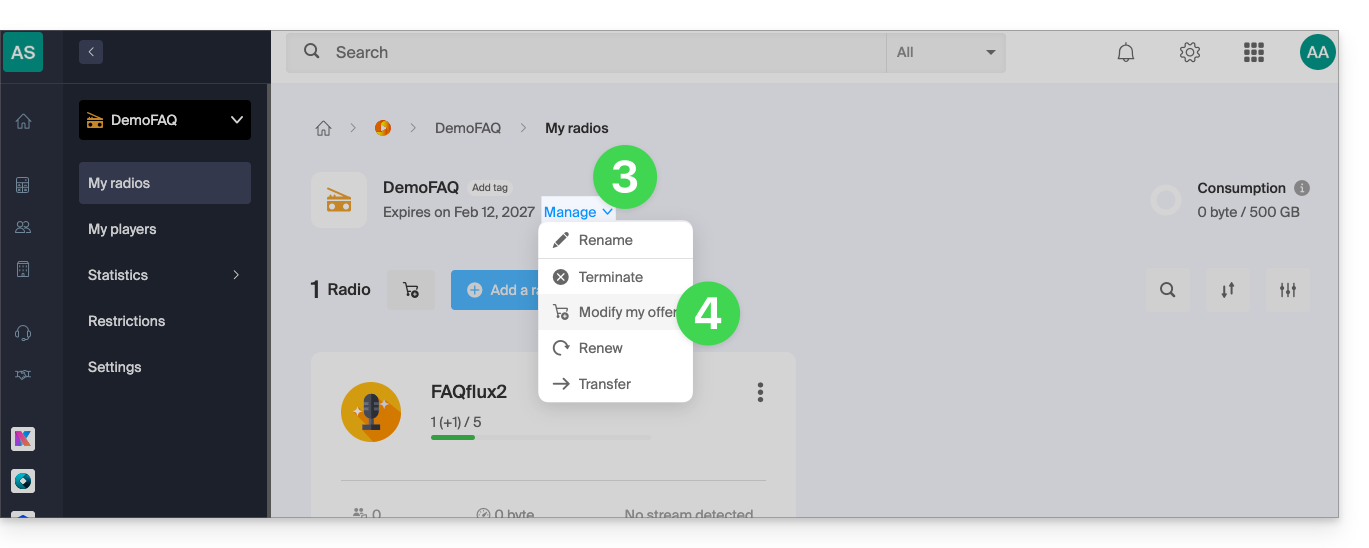
- Clique no ícone de seta para baixo para gerenciar o produto.
- Clique em Modificar a oferta no menu suspenso:
- Navegue pelas setas, se necessário, e escolha a nova oferta que melhor se adapta às suas necessidades:
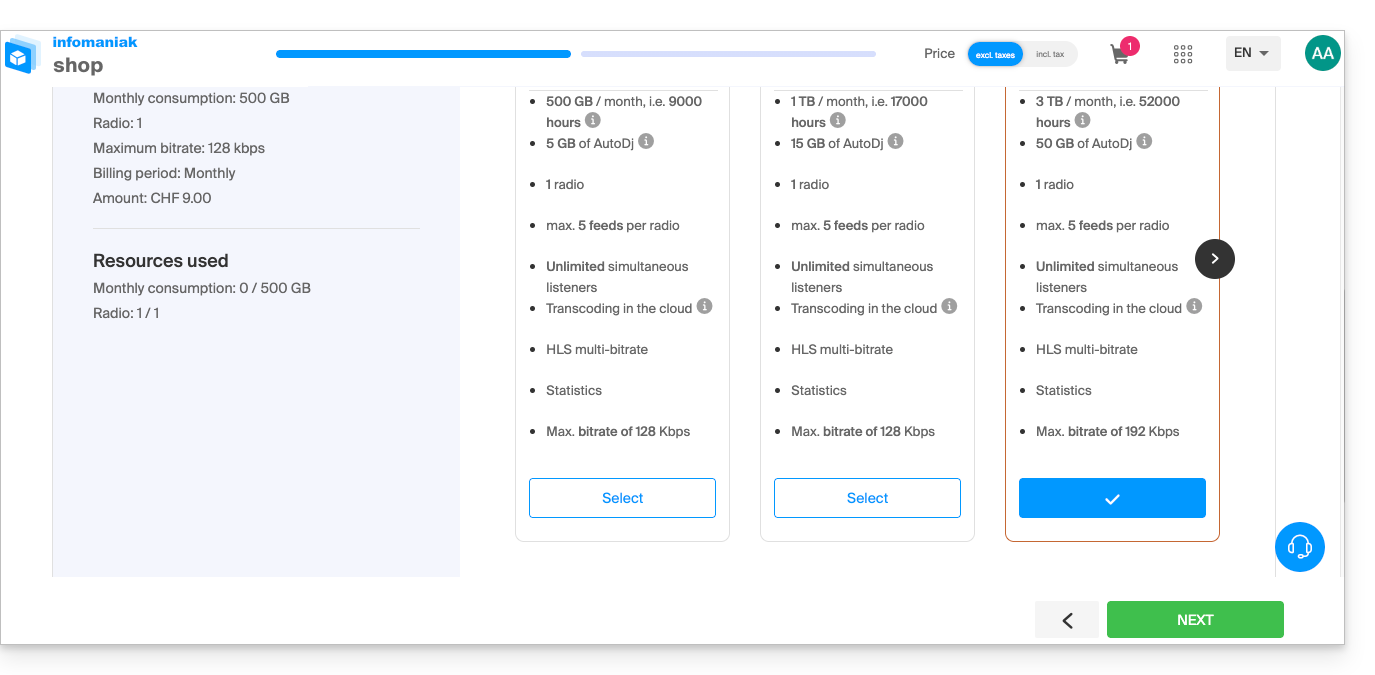
A alteração é efetuada após o pagamento, sendo calculado um valor proporcional ao tempo restante até à data de vencimento inicial.
Link para esta FAQ: https://faq.infomaniak.com/1566
Esta seção de perguntas frequentes foi útil?