Base de conhecimento
1000 perguntas frequentes, 500 tutoriais e vídeos explicativos. Aqui, você encontra apenas soluções!
Display the website's IP address
This guide explains how to display the IP address of a site on your Web Hosting.
Preamble
- The IPv4 address is usually the same for each of the sites on the hosting (unless you have acquired a dedicated IP).
Display the IP address of your site
The IP address is specified on the hosting management page (Starter or containing multiple sites):
- Click here to access the management of your site on the Infomaniak Manager (need help?).
- Click directly on the name assigned to the product concerned.
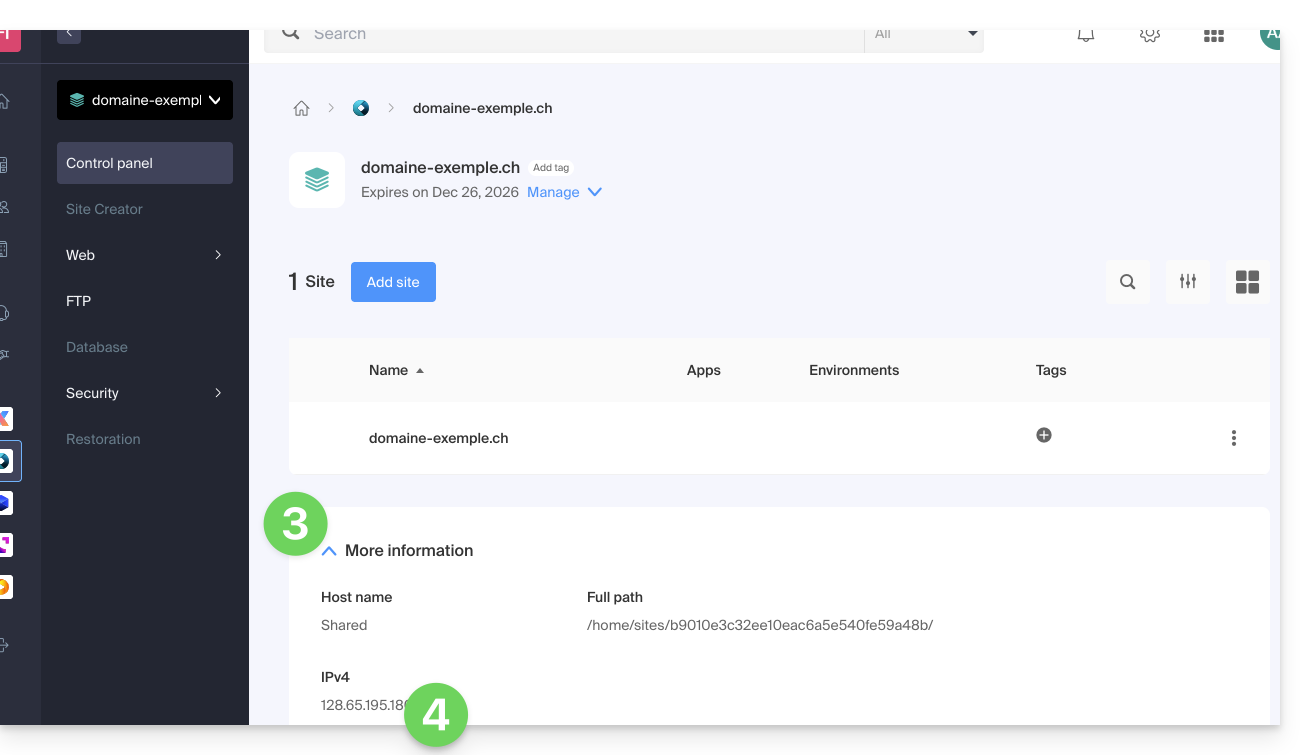
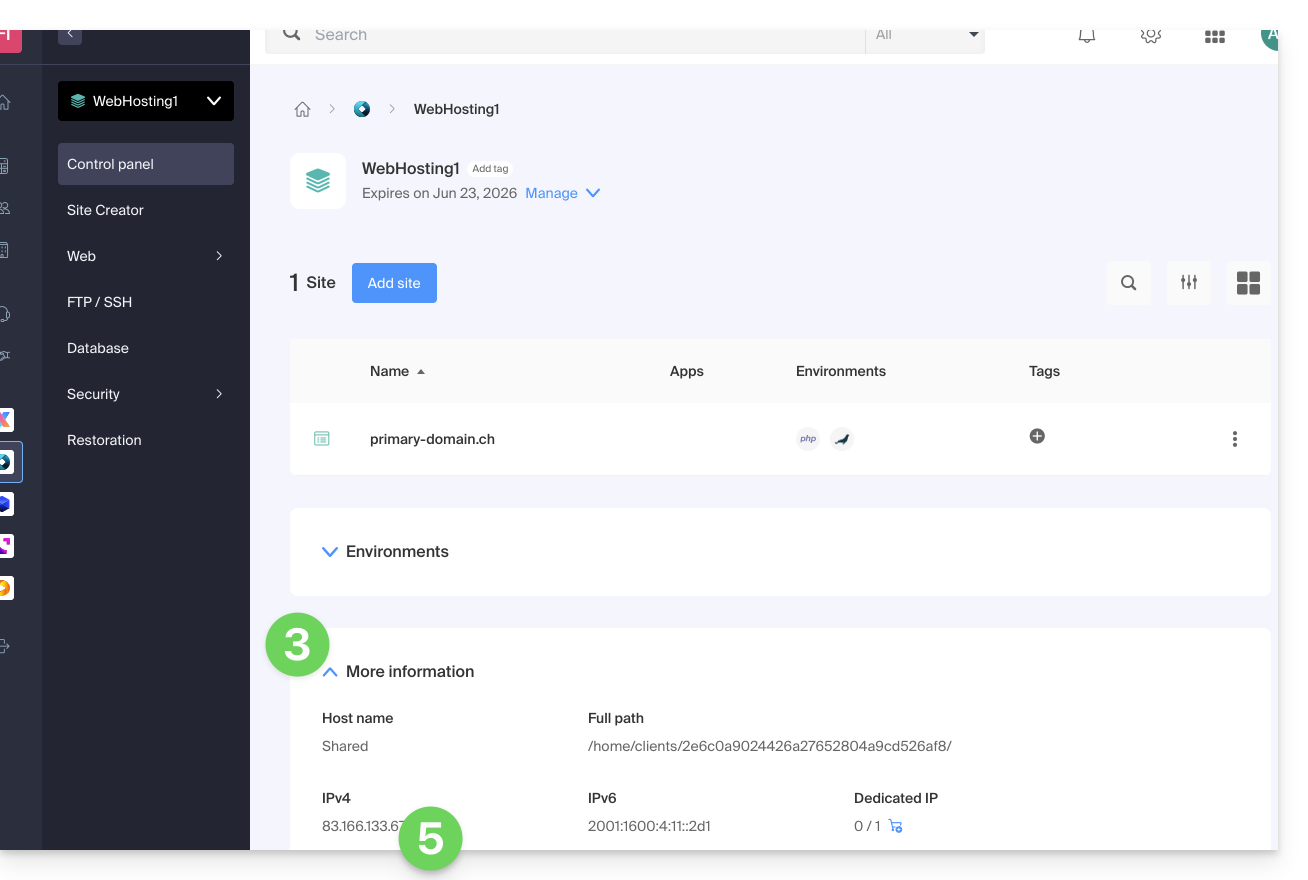
- Then click on the chevron to expand the Information section of this hosting.
- The IPv4 address is displayed on the page:
- The IPv6 address is also displayed in the case of paid hosting:
Link para esta FAQ: https://faq.infomaniak.com/1500
Esta seção de perguntas frequentes foi útil?