Base de conhecimento
1000 perguntas frequentes, 500 tutoriais e vídeos explicativos. Aqui, você encontra apenas soluções!
Traduzir o conteúdo de uma mensagem no kChat Infomaniak
Este guia detalha o serviço de tradução automática integrado no aplicativo kChat da Infomaniak.
Traduzir o texto durante a leitura
Para traduzir automaticamente para o seu idioma uma mensagem recebida redigida em um idioma estrangeiro:
- Clique aqui para acessar o aplicativo web kChat da Infomaniak (serviço online ksuite.infomaniak.com/kchat) ou abra o aplicativo móvel (aplicativo para smartphone ou tablet iOS / Android) ou o aplicativo para desktop (aplicativo para computador em macOS / Windows / Linux).
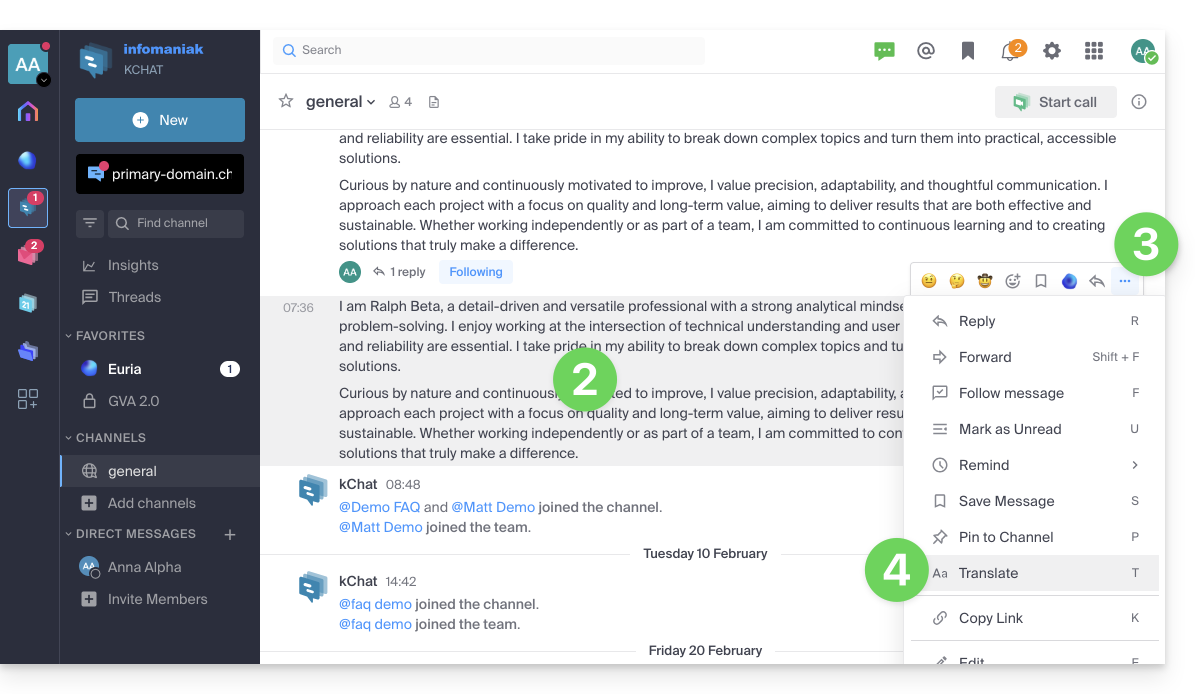
- Acesse a mensagem que deseja traduzir.
- Clique no menu de ações ••• localizado no canto superior direito do item em questão.
- Clique em Traduzir:
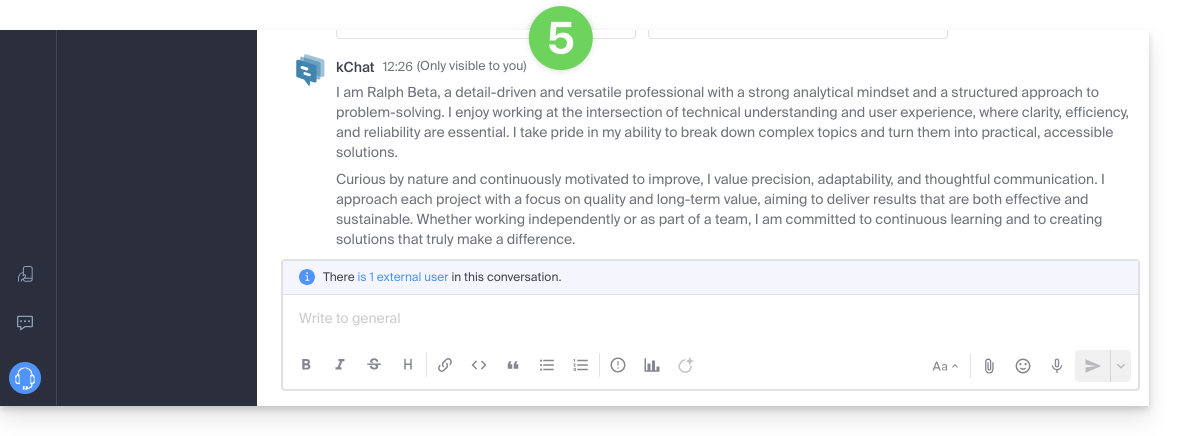
- A mensagem traduzida é exibida após a última mensagem da sua conversa e só é visível para você:
Traduzir o texto com o Euria durante a redação
Pode pedir ao Euria para traduzir o texto que está a redigir:
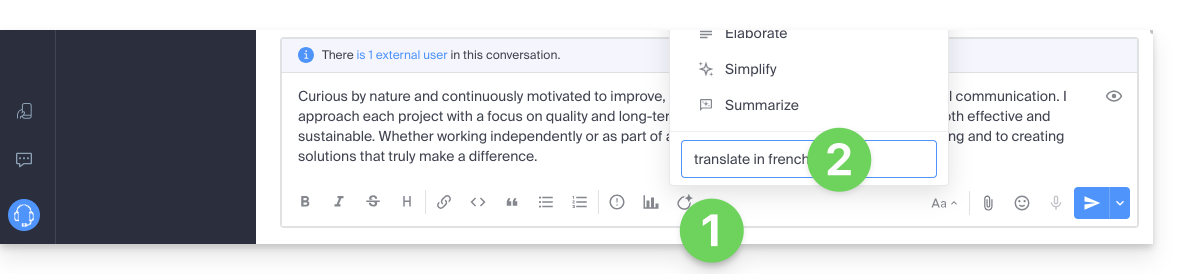
- Clique no ícone Euria.
- Indique as suas instruções:
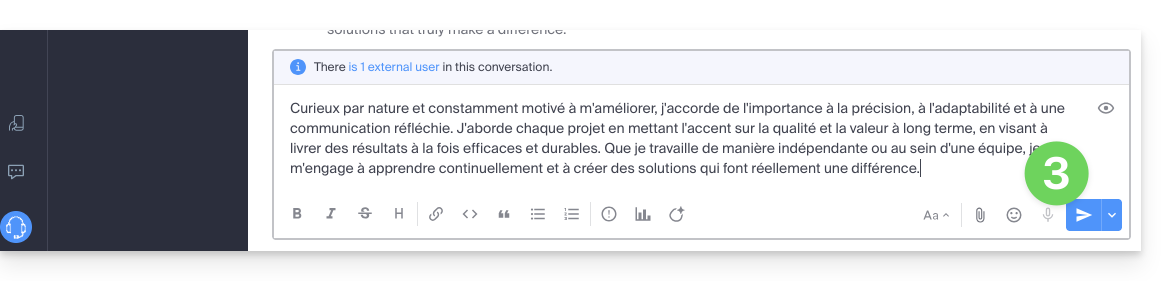
- O texto será então exibido no idioma desejado e você poderá enviá-lo da seguinte forma:
Link para esta FAQ: https://faq.infomaniak.com/1467
Esta seção de perguntas frequentes foi útil?