Base de conhecimento
1000 perguntas frequentes, 500 tutoriais e vídeos explicativos. Aqui, você encontra apenas soluções!
Remover um utilizador de um endereço de e-mail a partir do Serviço de E-mail
Este guia explica como, a partir de um Serviço de Email, remover o acesso de um utilizador que consulta um endereço de email no ecossistema Infomaniak, ou seja, utilizando apenas a aplicação web Mail Infomaniak (serviço online ksuite.infomaniak.com/mail) e/ou a aplicação móvel Infomaniak Mail (aplicação para smartphone ou tablet iOS / Android).
As outras possibilidades de gestão de acessos (por senha, por exemplo) são apresentadas no guia principal; consulte também, se necessário, este outro guia para bloquear um serviço de e-mail completo para todos os utilizadores.
Pré-requisitos
- Ter, no mínimo, o direito de gerir o Serviço de Email em questão (ou ser Administrador / Responsável legal dentro da Organização).
Gestão e remoção de um utilizador a partir do Serviço de Email
O modelo atual de gestão de acessos ao e-mail permite que cada utilizador de uma Organização se conecte de forma independente e segura à mesma conta de e-mail, sem partilhar uma palavra-passe global.
Se um utilizador não precisar mais de acesso a uma conta de e-mail e ao seu conteúdo, basta removê-lo através da interface:
- Clique aqui para acessar o gerenciamento do seu Serviço de E-mail no Gerenciador Infomaniak (precisa de ajuda?).
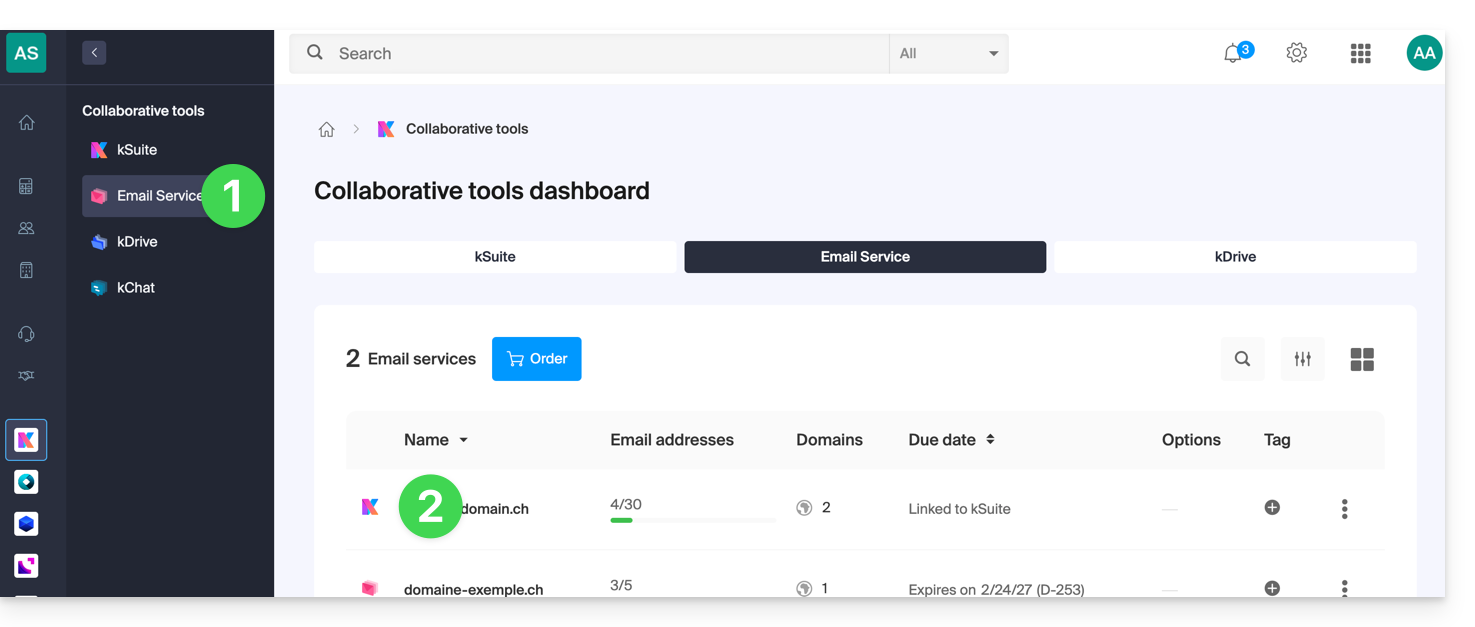
- Clique diretamente no nome atribuído ao produto em questão:
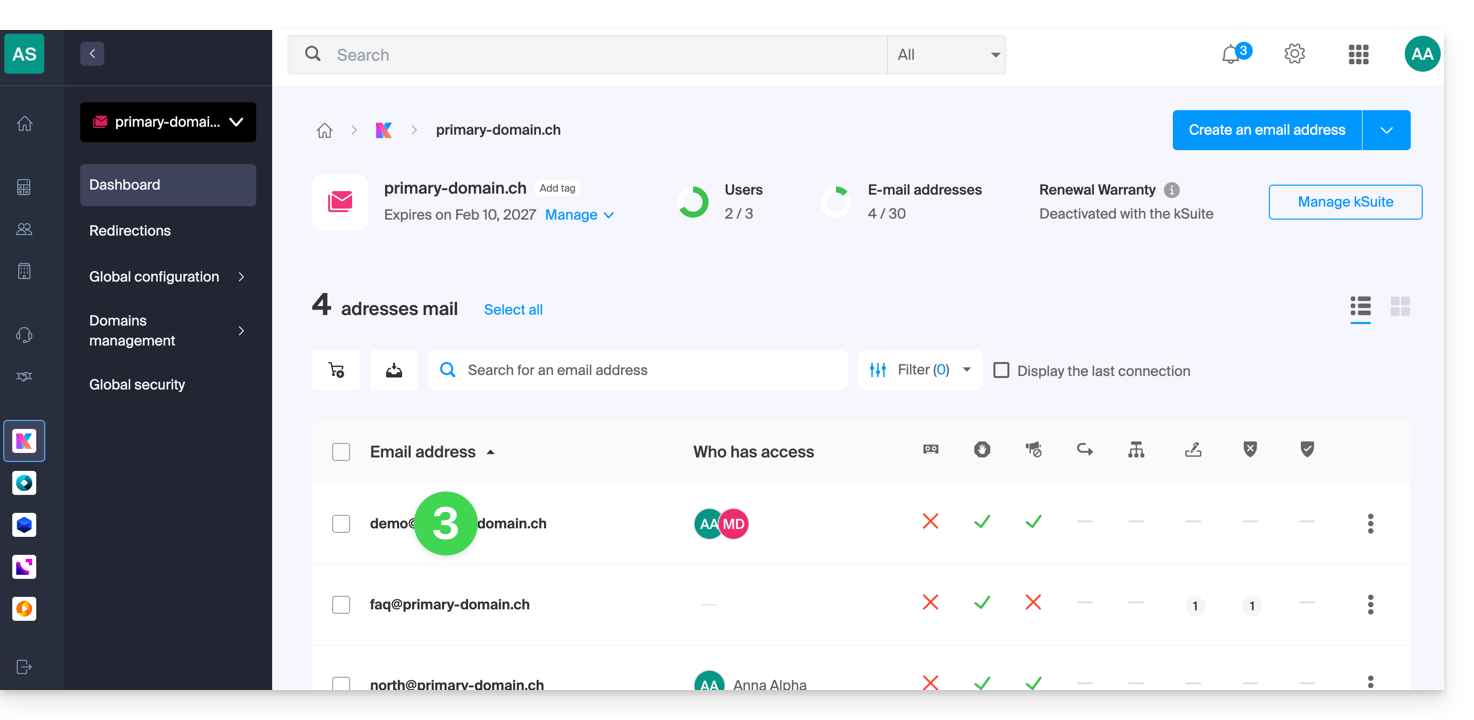
- Clique no endereço de e-mail correspondente na tabela que aparece:
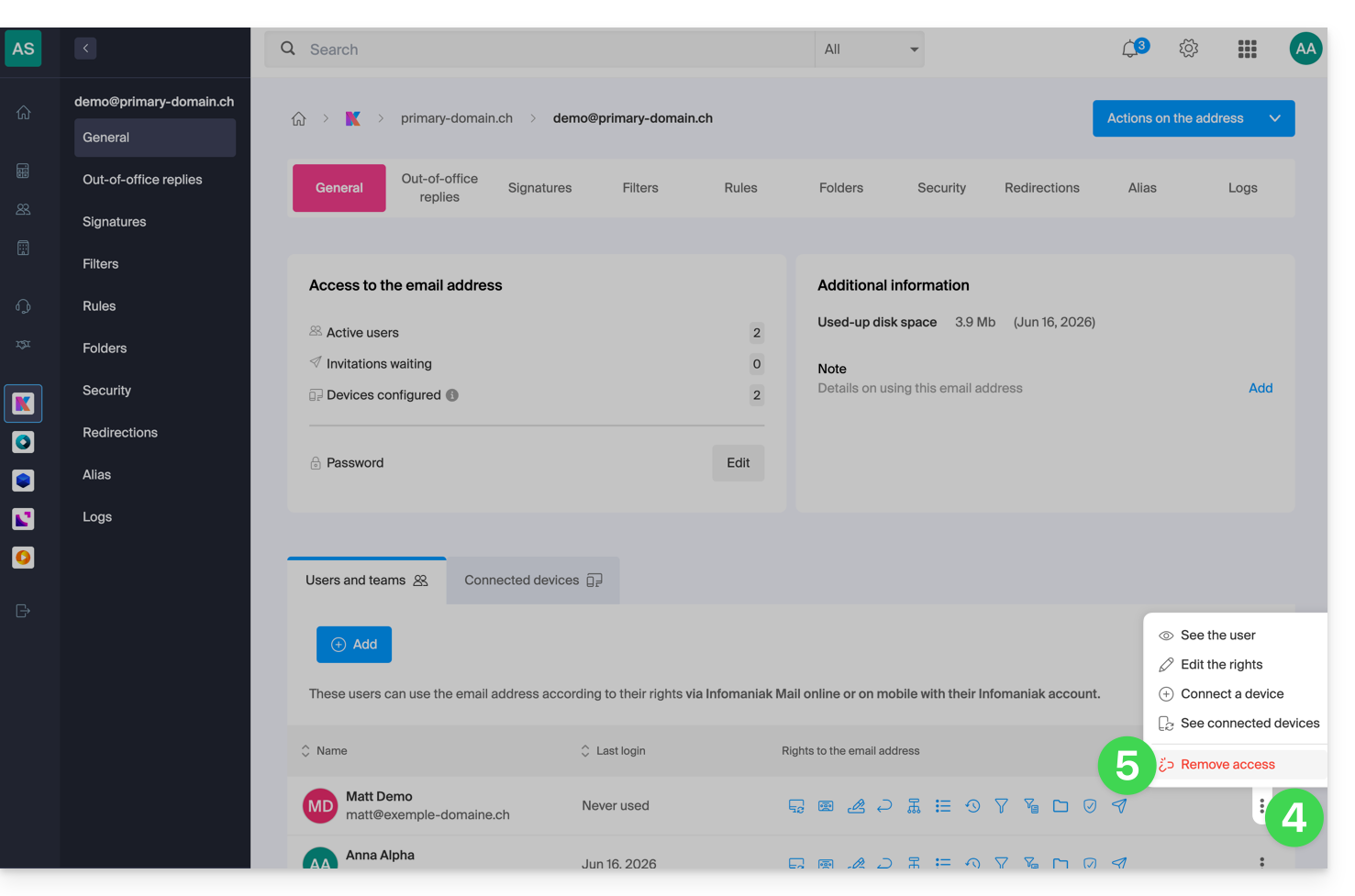
- Na tabela de utilizadores que têm atualmente acesso ao endereço em questão, clique no menu de ações ⋮ à direita do utilizador em questão.
- Escolha revogar o acesso deste utilizador ao endereço de e-mail:
- Confirme a ação: todos os acessos a este endereço de e-mail serão interrompidos e ele não poderá mais consultá-lo.
Link para esta FAQ: https://faq.infomaniak.com/1371
Esta seção de perguntas frequentes foi útil?