Base de conhecimento
1000 perguntas frequentes, 500 tutoriais e vídeos explicativos. Aqui, você encontra apenas soluções!
Excluir um fluxo de áudio
Este guia explica como remover um fluxo de áudio do seu Streaming de Rádio, sem eliminar o produto por completo.
Remover uma rádio
Para aceder ao serviço de Streaming e remover um dos fluxos:
- Clique aqui para aceder à gestão do seu produto no Manager Infomaniak (precisa de ajuda?).
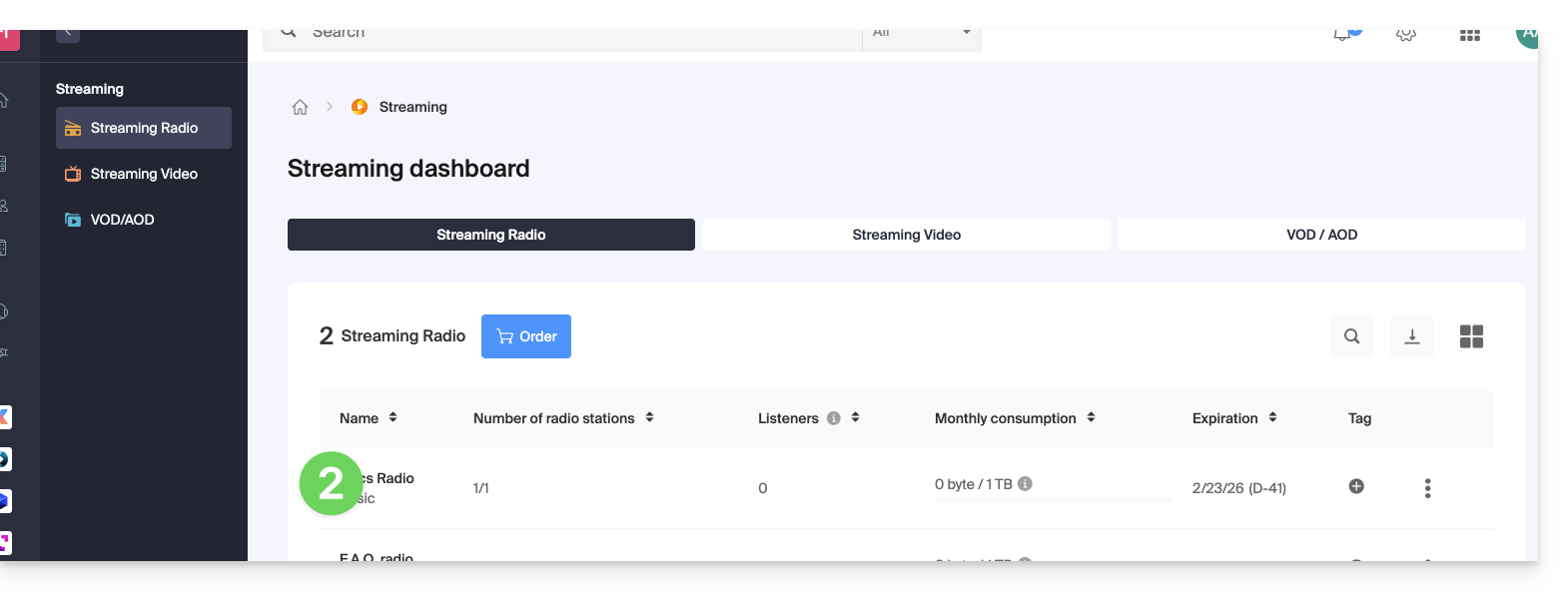
- Clique diretamente no nome atribuído ao produto em questão:
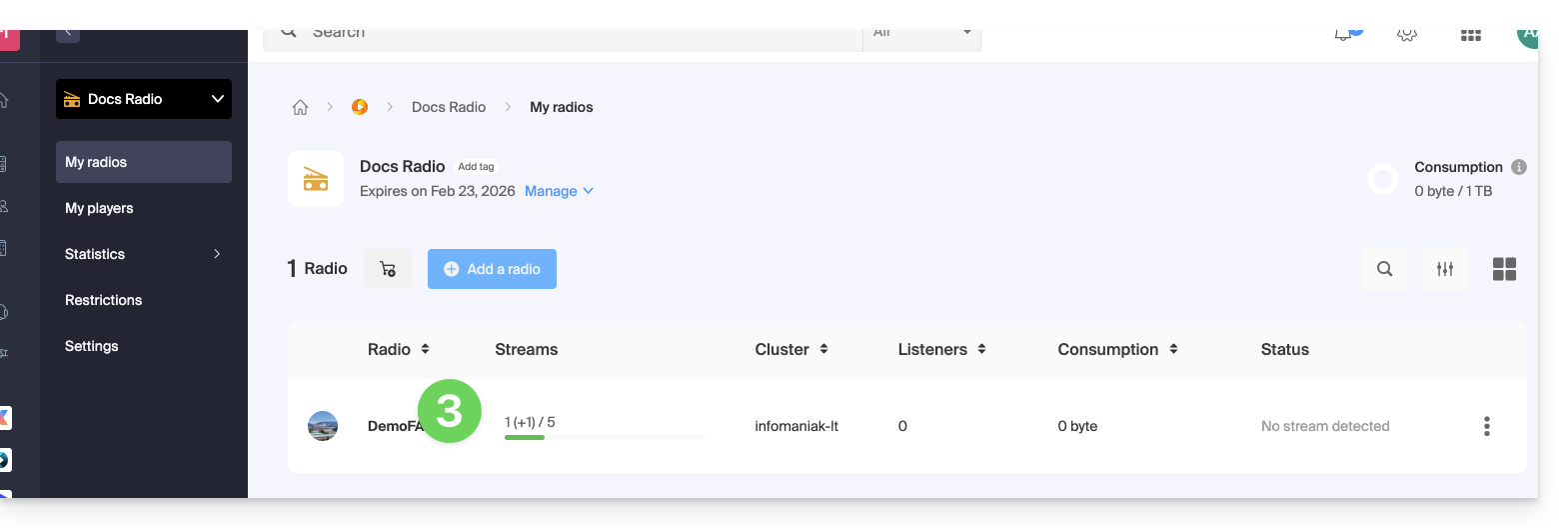
- Clique no nome da rádio em questão:
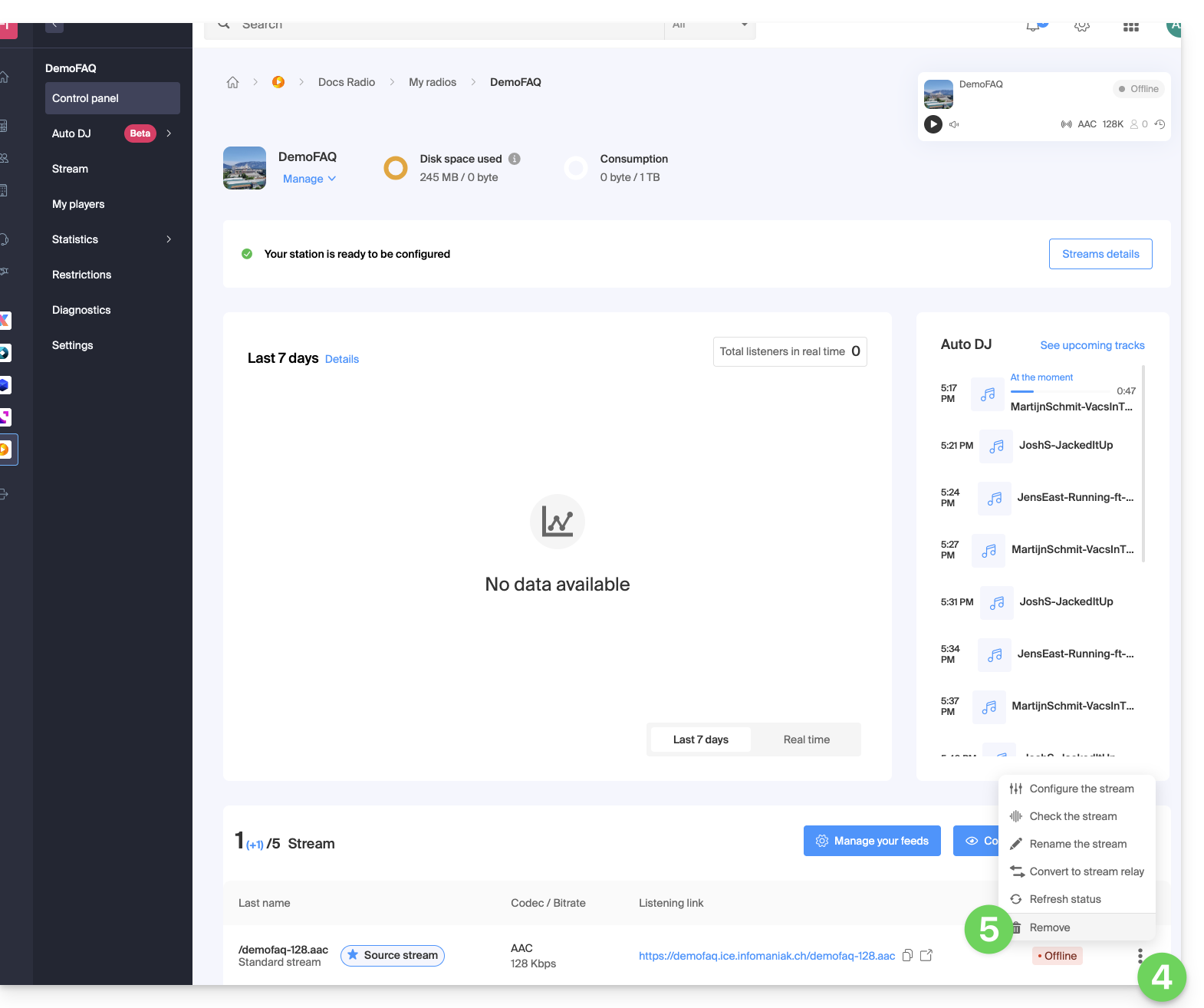
- Clique no menu de ação ⋮ localizado à direita do elemento em questão.
- Clique em Eliminar:
- Introduza o nome da rádio para confirmar a eliminação.
Link para esta FAQ: https://faq.infomaniak.com/1343
Esta seção de perguntas frequentes foi útil?