Base de conhecimento
1000 perguntas frequentes, 500 tutoriais e vídeos explicativos. Aqui, você encontra apenas soluções!
Transferir uma instância para outra máquina física
Atualização 13/08/2026
Este guia explica como transferir uma instância para outra máquina física dentro da Public Cloud Infomaniak.
Introdução
- Esta operação pode ser realizada a qualquer momento e apresenta várias vantagens:
- antecipar ou evitar uma manutenção programada;
- distribuir a carga entre vários servidores;
- melhorar a estabilidade ou o desempenho de uma instância.
Migrar a instância para outra máquina física…
… desde o Horizon
- Clique aqui para acessar o gerenciamento do seu produto no Manager Infomaniak (precisa de ajuda?).
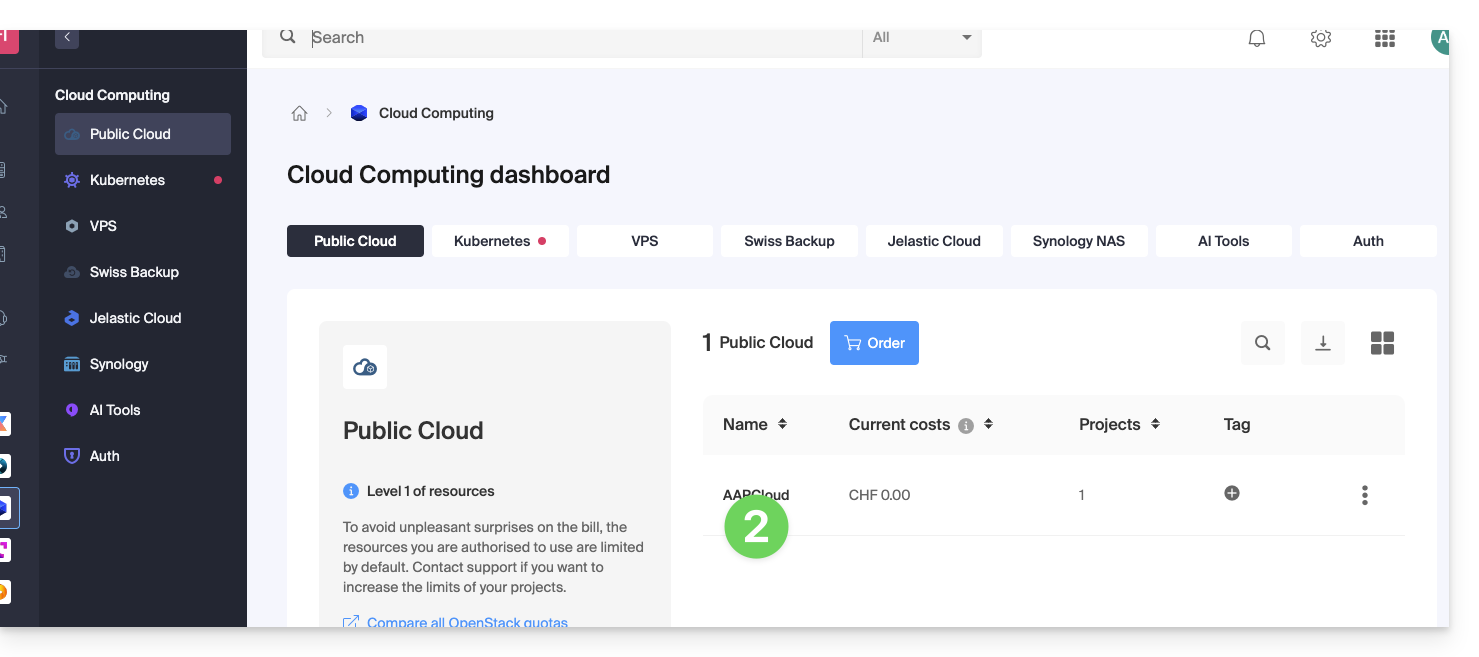
- Clique diretamente no nome atribuído ao produto em questão:
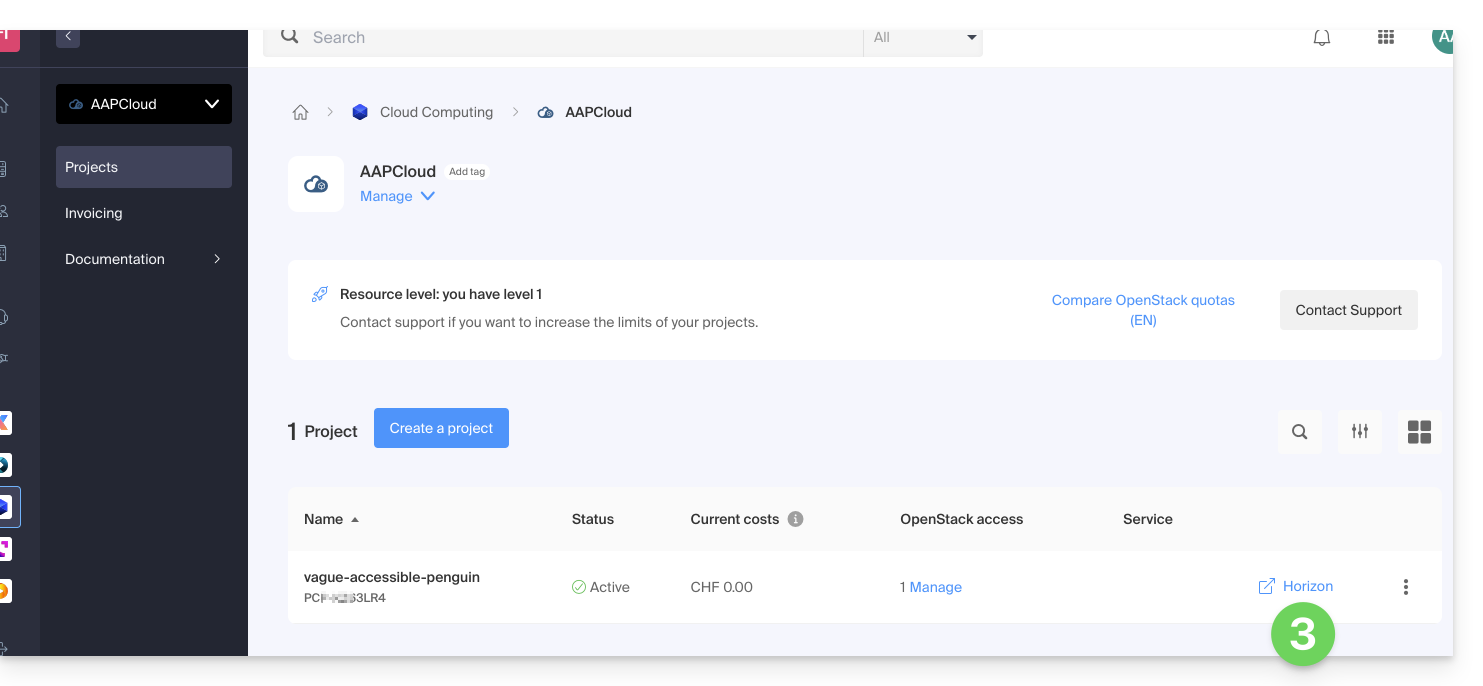
- Clique no atalho Horizon para se conectar:
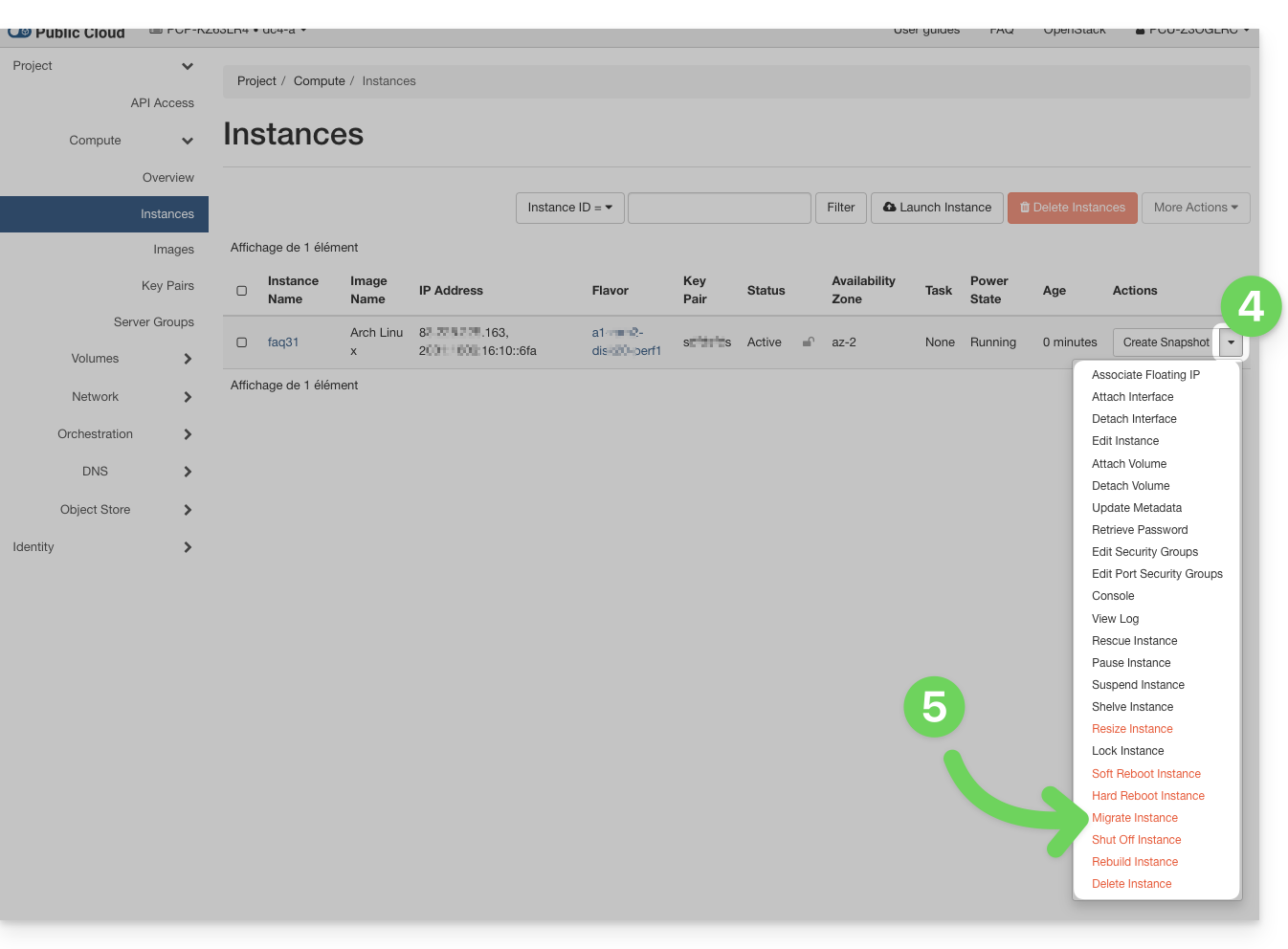
- No menu Instâncias, clique no menu de ação ⋮, à direita da instância que pretende transferir.
- Clique em Transferir uma instância (Migrate):
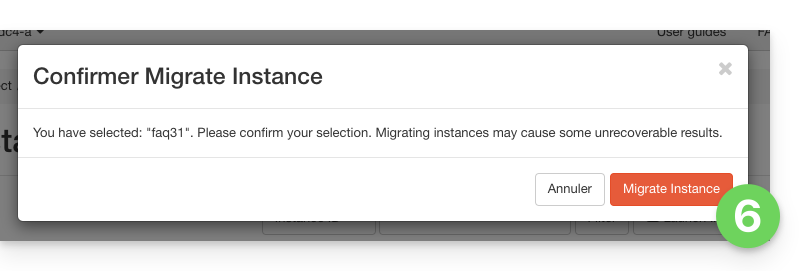
- Confirme a transferência:
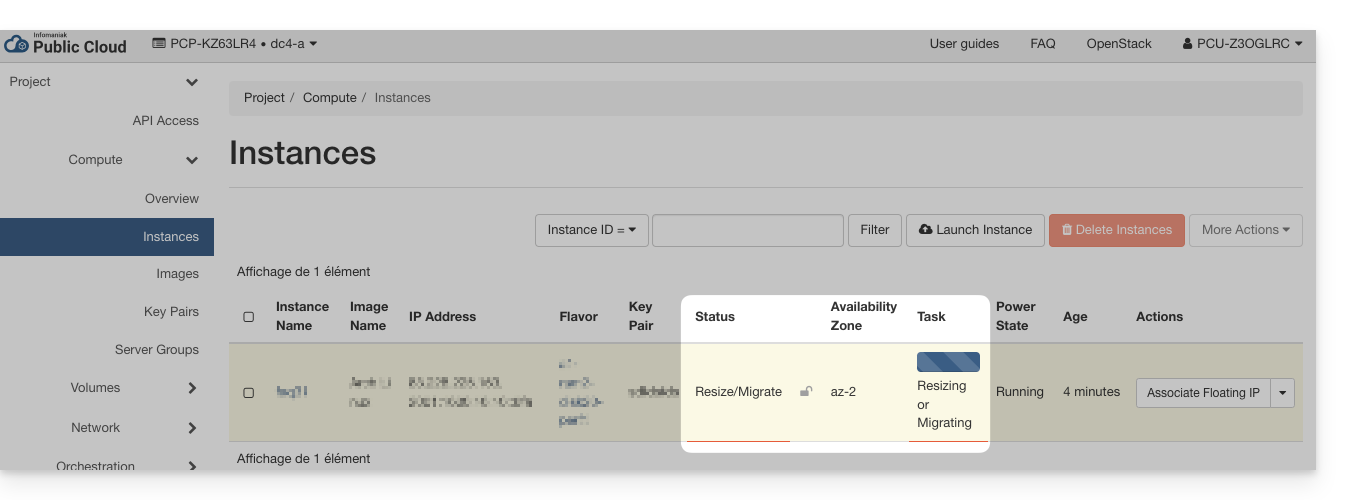
- Verifique o status atual e aguarde alguns minutos:
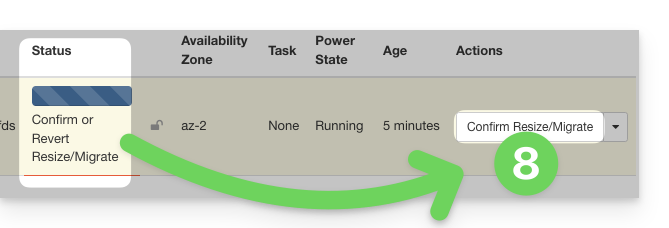
- Confirme a migração:
- Aguarde a conclusão da operação antes de reiniciar ou modificar a instância.
… na linha de comando (CLI)
- Liste as suas instâncias disponíveis:
openstack server list - Identifique o ID da instância a ser transferida (coluna
ID). - Inicie a migração para outro host físico:
openstack server migrate <ID_da_instância>
Este comando inicia a transferência da instância para um novo host dentro do cluster. - Verifique o estado da migração:
openstack server show <ID_da_instância>
A instância passa então para o estadoRESIZEDquando a migração é concluída, mas ainda não foi confirmada. - Após a conclusão e validação da migração, confirme a transferência:
openstack server resize --confirm <ID_da_instância>
ou, dependendo das versões do cliente OpenStack:openstack server migration confirm <ID_da_instância>- Se o comando
server migration confirmexibir um aviso indicando que está obsoleto, o processo ainda será executado em segundo plano e a confirmação será devidamente considerada. - Se você receber um erro do tipo:
Cannot 'confirmResize' instance ... while it is in vm_state active (HTTP 409)
isso significa que a migração já foi confirmada (manualmente ou automaticamente).
- Se o comando
- Você também pode cancelar a migração se um problema for detectado antes da confirmação:
openstack server resize --revert <ID_da_instância>
ou:openstack server migration revert <ID_da_instância> - Se nenhuma ação manual for realizada, a migração será confirmada automaticamente após 24 horas. O estado da instância retorna então para
ATIVO.
A transferência é transparente para o sistema operacional e para os dados da instância. Uma breve interrupção pode ocorrer durante a migração.
Link para esta FAQ: https://faq.infomaniak.com/1327
Esta seção de perguntas frequentes foi útil?