Base de conhecimento
1000 perguntas frequentes, 500 tutoriais e vídeos explicativos. Aqui, você encontra apenas soluções!
Gerenciar os registros SRV
Atualização 05/10/2026
Este guia explica como adicionar ou modificar um ou mais registos do tipo SRV na zona DNS (de um nome de domínio) gerida no Manager Infomaniak.
Introdução
- Este tipo de registo permite indicar quais os serviços disponíveis para um domínio.
- São frequentemente utilizados para os protocolos XMPP, LDAP ou para configurar o Microsoft Office 365.
Modificar a zona DNS
Para gerir este tipo de registo numa zona DNS:
- Clique aqui para acessar o gerenciamento de domínios no seu Painel de Controle Infomaniak (❓: ajuda).
- Clique no nome do domínio em questão.
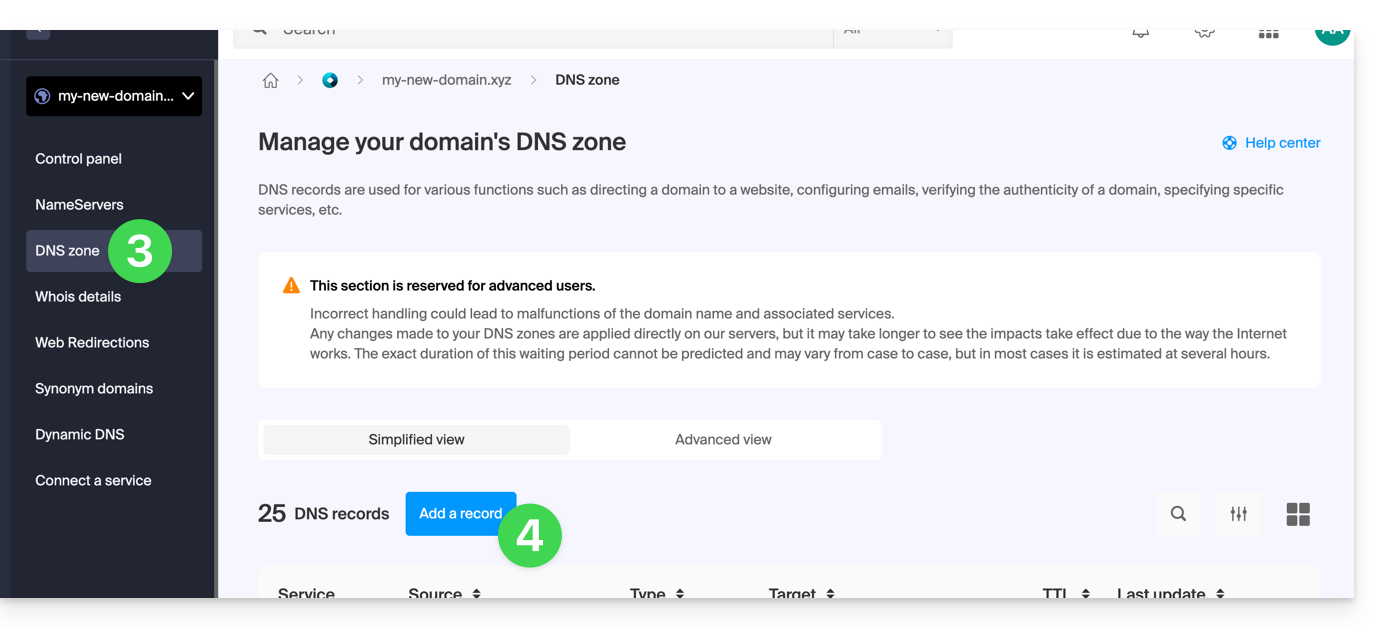
- Clique em Zona DNS no menu lateral esquerdo.
- Clique no botão para adicionar um registo:
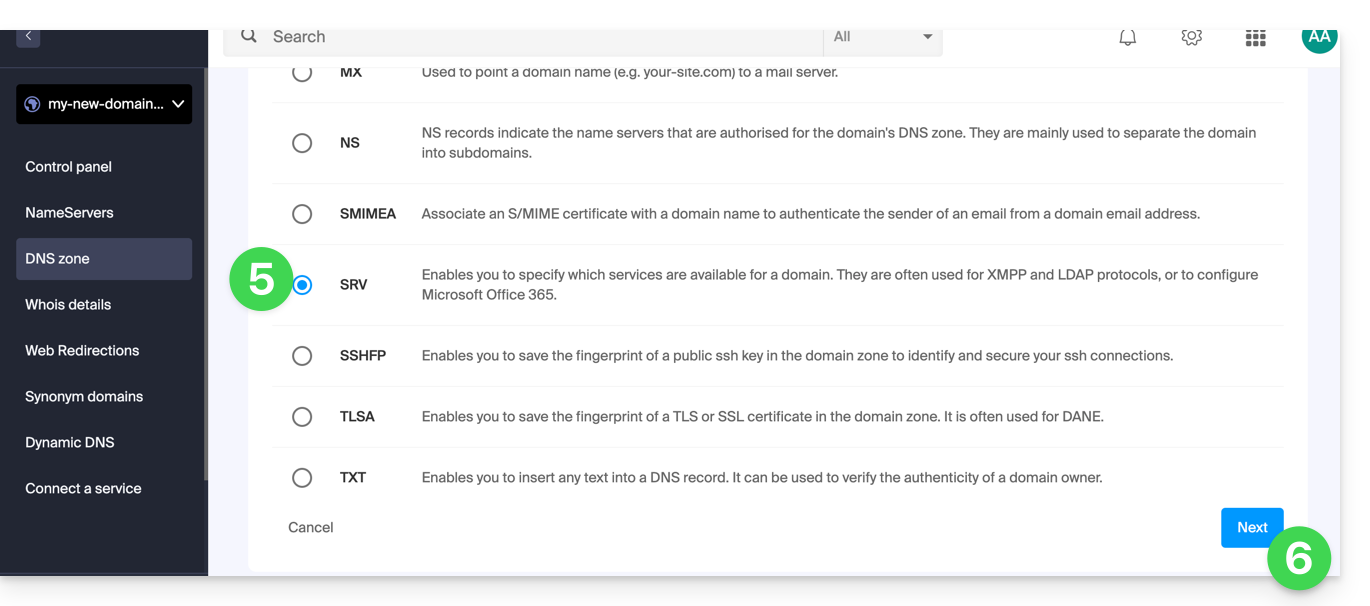
- Clique no botão de rádio SRV para adicionar um registo.
- Clique no botão Seguinte:
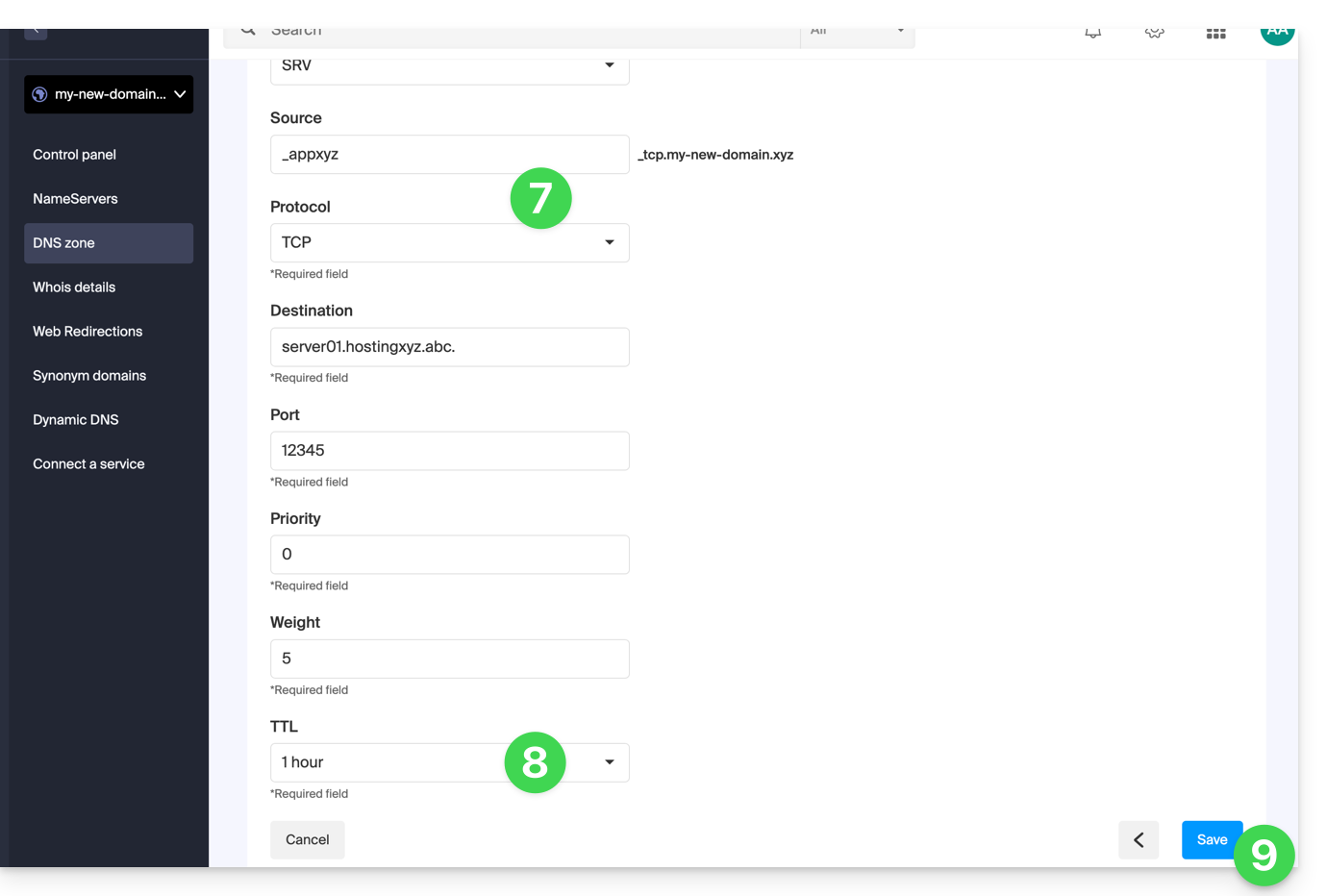
- Insira os valores do SRV necessários para sua zona DNS (o
._tcp.domain…já está preenchido). - Deixe o valor padrão para o TTL.
- Clique no botão Guardar:
Verifique se o registo SRV completo foi adicionado corretamente na tabela de registos: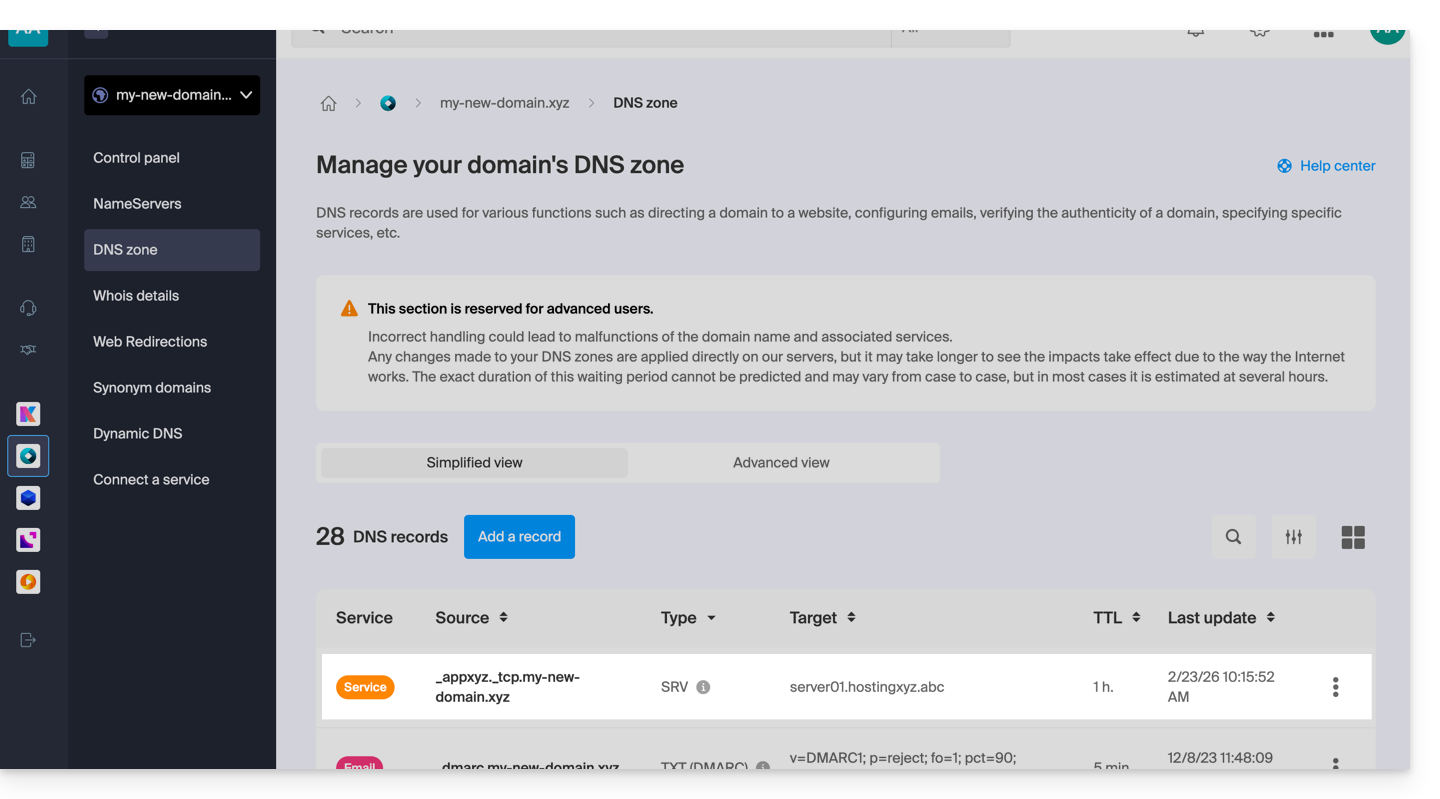
Link para esta FAQ: https://faq.infomaniak.com/110
Esta seção de perguntas frequentes foi útil?