Base de conhecimento
1000 perguntas frequentes, 500 tutoriais e vídeos explicativos. Aqui, você encontra apenas soluções!
Exibir e encaminhar os cabeçalhos de um e-mail
Este guia explica como visualizar e encaminhar os cabeçalhos de um e-mail.
Introdução
- Um e-mail é composto por um cabeçalho (
header) e o conteúdo propriamente dito da mensagem (body, corpo do texto). - A maioria dos softwares/clientes de e-mail não exibe diretamente os cabeçalhos, mas exibi-los ou transmiti-los permite que o suporte da Infomaniak identifique os problemas encontrados.
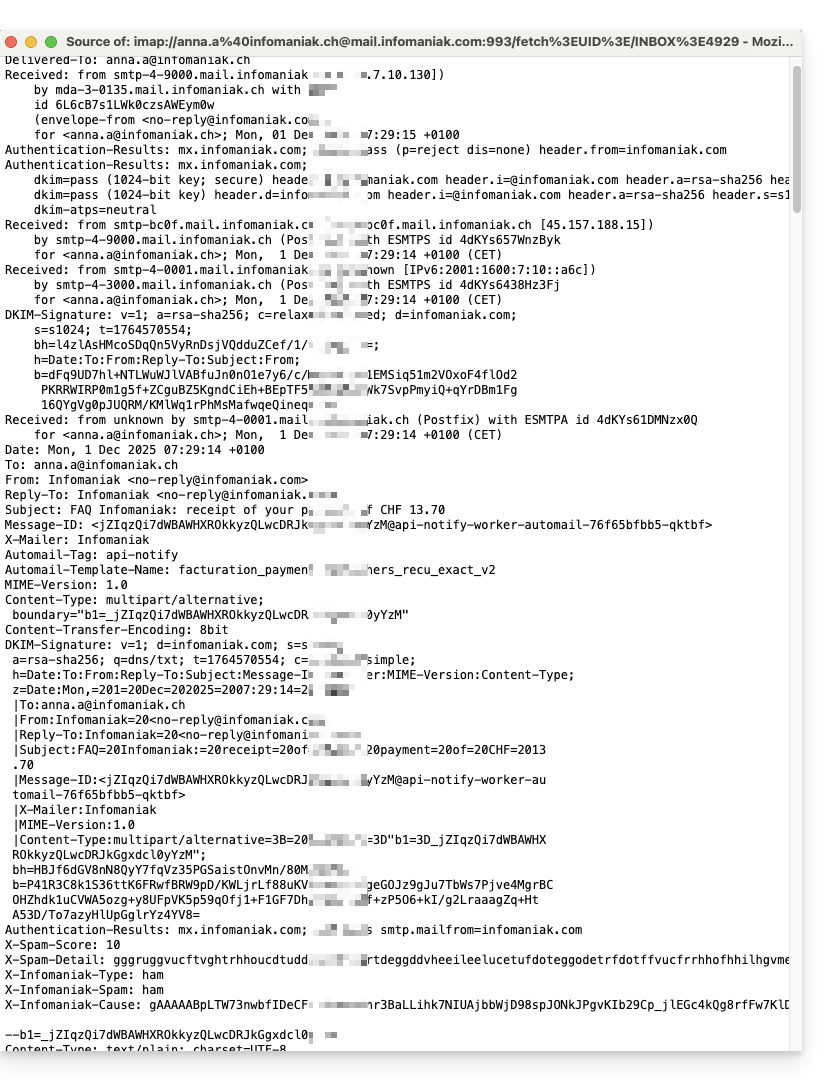
- Os cabeçalhos (ou seja, a origem) de um e-mail fornecem diferentes informações, como:
- o remetente
- o destinatário
- a data
- o assunto
- os servidores envolvidos durante a transmissão entre o remetente e o destinatário:
Exibir os cabeçalhos no Mail Infomaniak
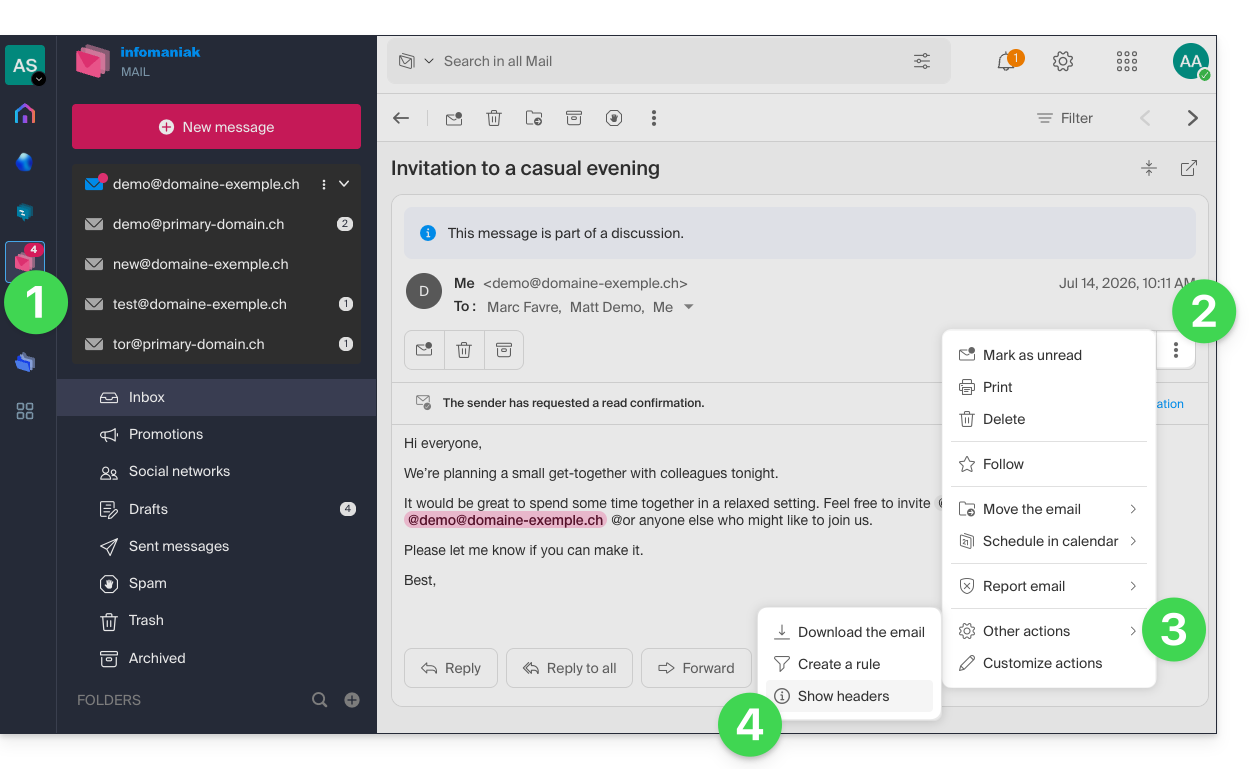
Para visualizar os cabeçalhos de um e-mail a partir da interface Mail Infomaniak:
- Clique aqui para acessar os e-mails no seu kSuite Infomaniak (❓: ajuda).
- Abra a mensagem em questão e clique no menu de ações ⋮, à direita.
- Clique no menu de outras ações.
- No menu que aparece, selecione Ver cabeçalhos:
- Repita a operação para ocultá-los:

Para exibir os cabeçalhos com um software/cliente de e-mail externo, consulte este outro guia.
Transmitir os cabeçalhos de um e-mail
Para encaminhar os cabeçalhos de um e-mail, em resposta a uma solicitação do suporte ou para o destinatário de sua escolha, basta…
- … copiar e colar os cabeçalhos exibidos conforme o método descrito acima.
- … encaminhe a mensagem de e-mail.
No entanto, para que os cabeçalhos estejam presentes, é imprescindível encaminhar a mensagem não no corpo da mensagem, mas sim como anexo. O e-mail em anexo estará, em princípio, no formato .eml e este arquivo contém todos os cabeçalhos necessários.
Um terceiro método de transmissão completa de e-mails é explicado em este outro guia.
Link para esta FAQ: https://faq.infomaniak.com/1055
Esta seção de perguntas frequentes foi útil?