Kennisbank
1.000 veelgestelde vragen, 500 tutorials en uitlegvideo's. Hier vind je alleen maar oplossingen!
Manage external email warning
This guide explains what the "External" label means in the web app Mail (online service ksuite.infomaniak.com/mail) and the mobile app Infomaniak Mail (application for iOS/Android smartphones or tablets) when viewing certain messages: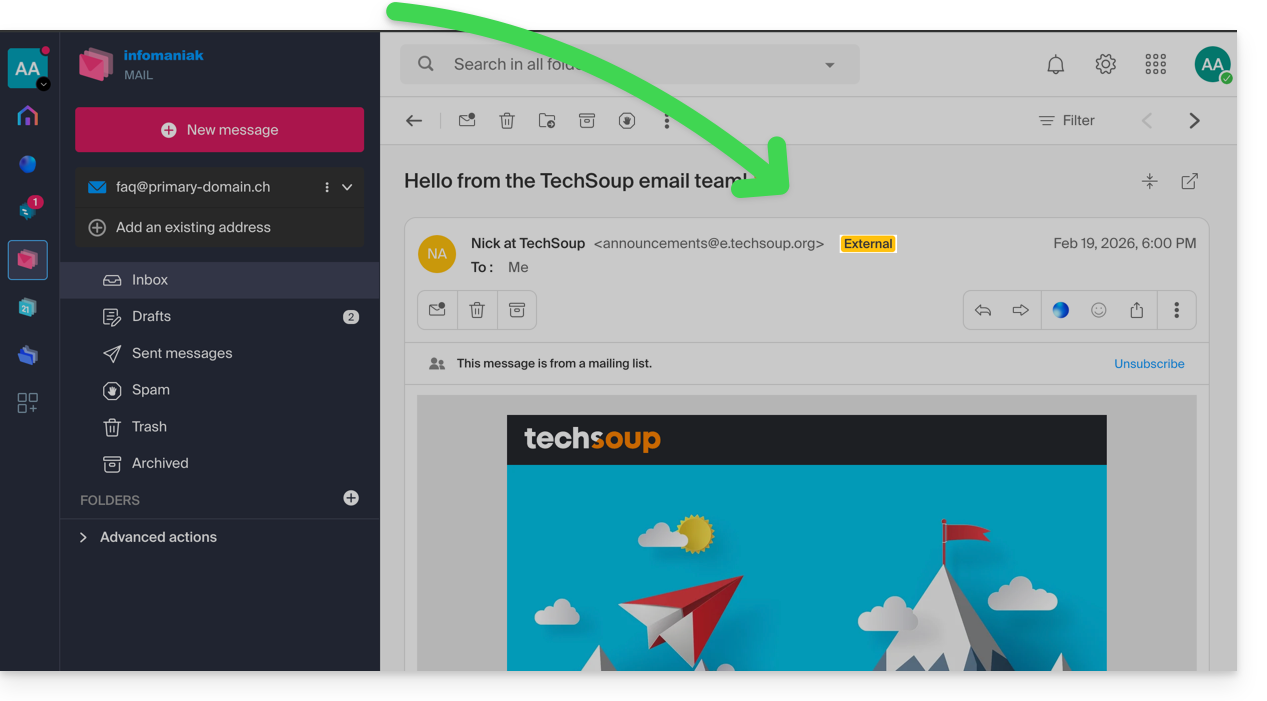
Introduction
- The "external email" notice is displayed in the following cases:
- The domain name (or alias) of the sender does not match the domain name of the email address configured in Mail.
- The sender is not in your contacts (including suggested contacts).
- The email comes from an address hosted outside the Organization.
- With certain free plans, such as my kSuite, the notice will be displayed as "unknown" instead of “external”.
Enable or disable the disclaimer
You can enable or disable the disclaimer; the effect is immediate for incoming emails and when replying to an external email. To do this:
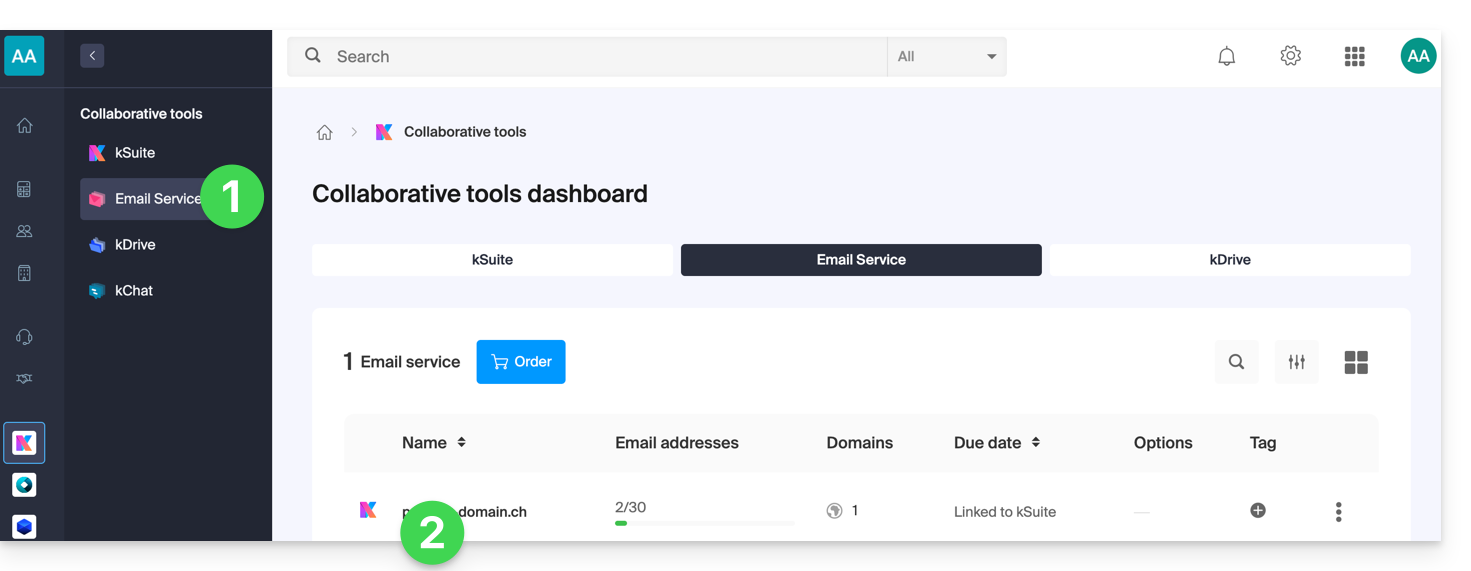
- Click here to access the Mail Service management in your Infomaniak Manager (❓: help).
- Click on the name of the Mail Service in question:
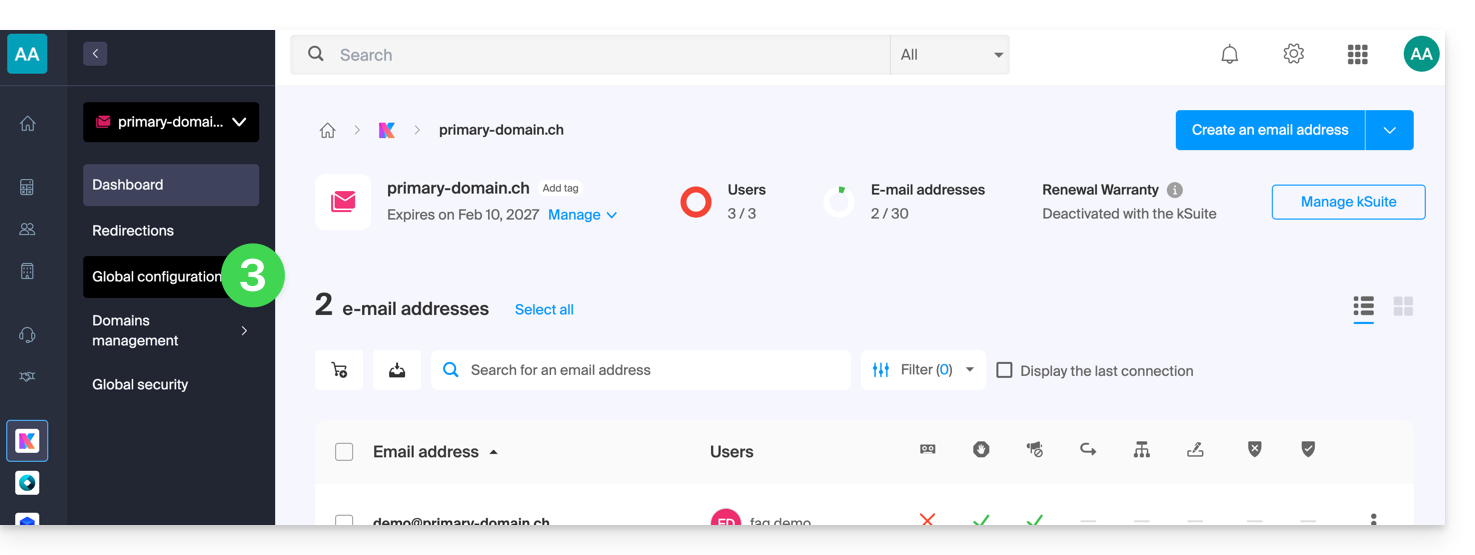
- Click on Global Settings in the left-hand menu:
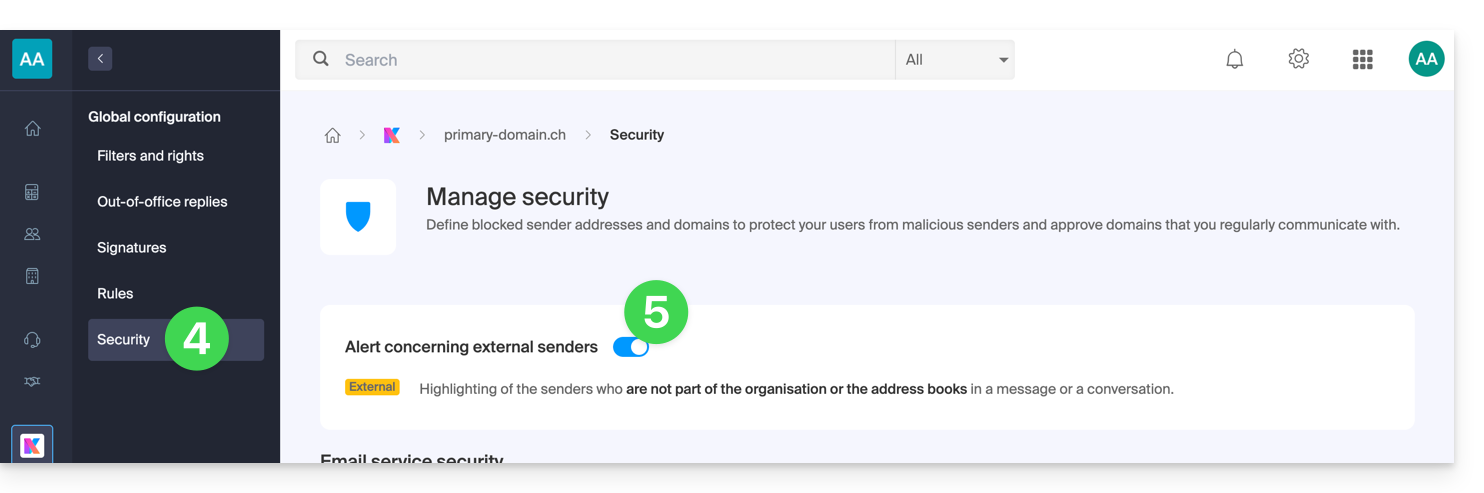
- Click on the Security tab.
- Enable or disable the toggle switch:
Link naar deze veelgestelde vragen: https://faq.infomaniak.com/964
Is deze veelgestelde vragenlijst nuttig geweest?