Kennisbank
1.000 veelgestelde vragen, 500 tutorials en uitlegvideo's. Hier vind je alleen maar oplossingen!
Create an alternative email address (alias) within an Infomaniak Mail service
This guide explains how to add, using the email address creation wizard, an “alias” address, i.e., a variation of your usual email address, to an Infomaniak Mail Service.
✘ UNAVAILABLE with
my kSuite (ik.me, etik.com, ikmail.com)
Introduction
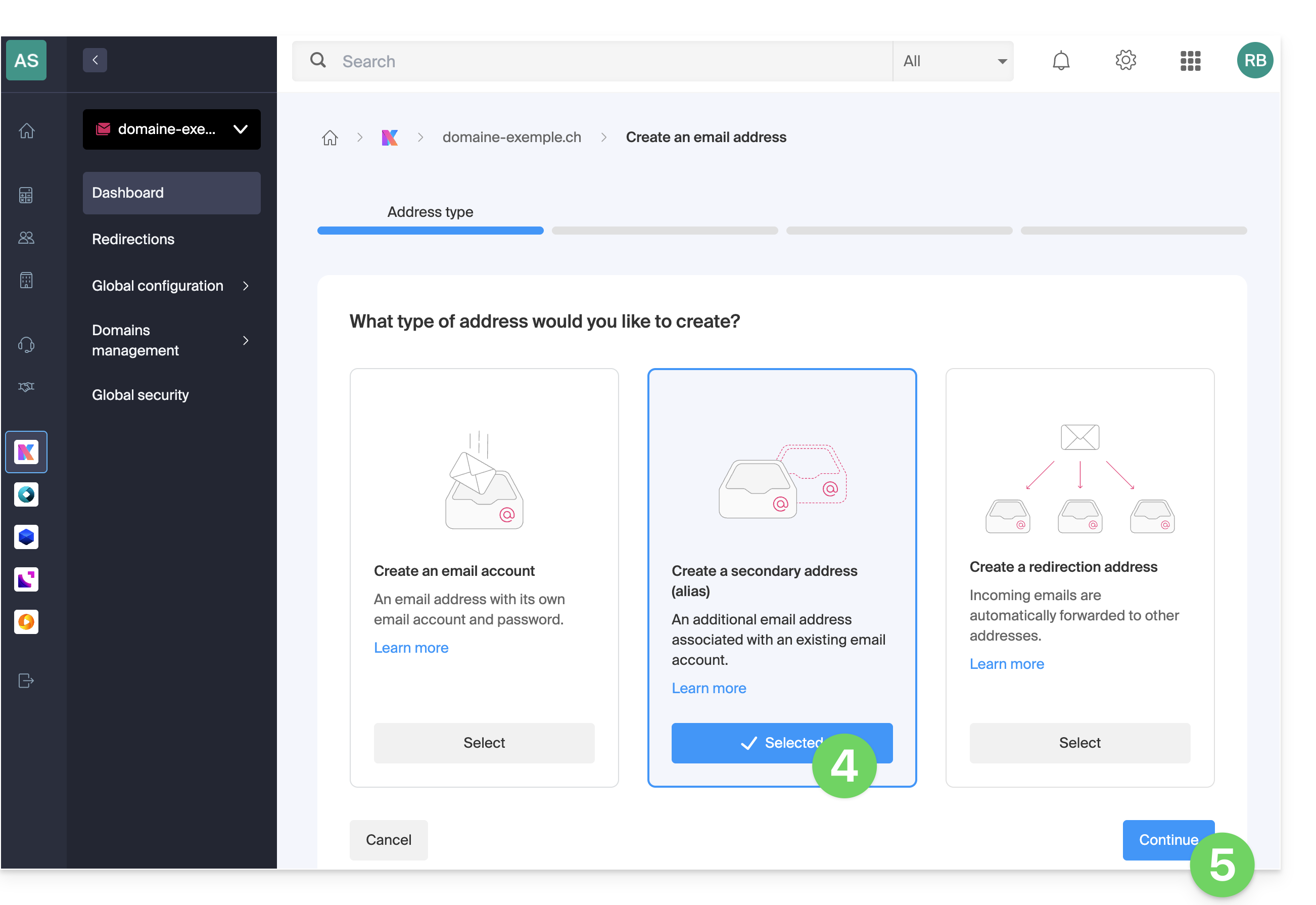
- The creation assistant offers 3 types of addresses:
- The number of aliases possible per email address is limited (❓: help).
- You can also directly add an alias from the settings of an email address (❓: help).
- Users of the address receive an email each time an alias is added or removed.
- You can also configure the Infomaniak Web Mail app or a messaging software/client so that sending emails from this type of email address works (❓: help).
- An alternative on-the-fly alias feature exists (❓: help).
- To modify what comes after the @ symbol, use alias domains (❓: help).
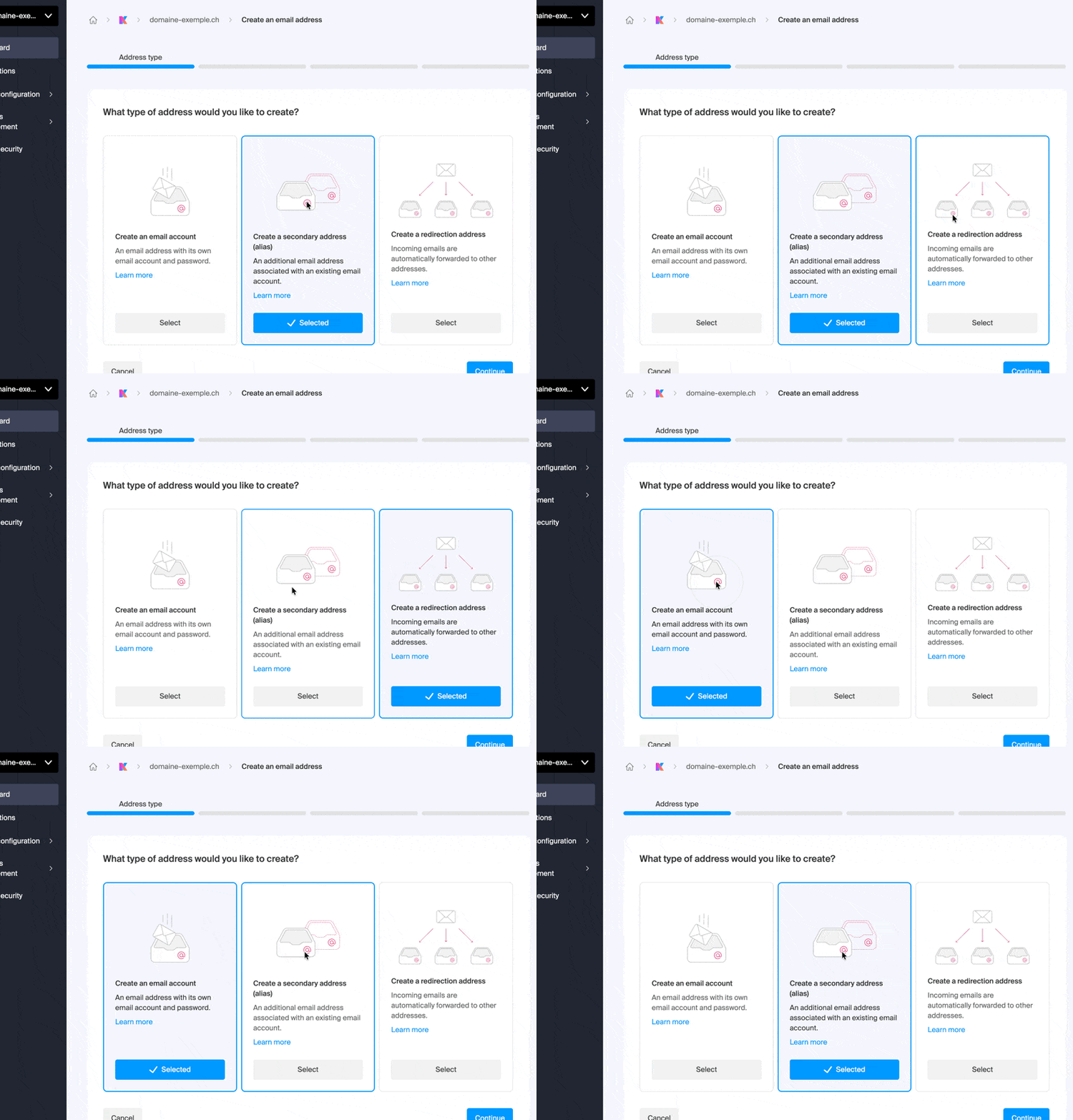
Create an alternative email address on a Mail Service
Prerequisites
- You must have a Mail service on your Infomaniak Manager (❓: help).
- You must be at least an Administrator of the Organization (❓: help).
- You must have at least one existing email address (❓: help).
Next, to create an alternative address:
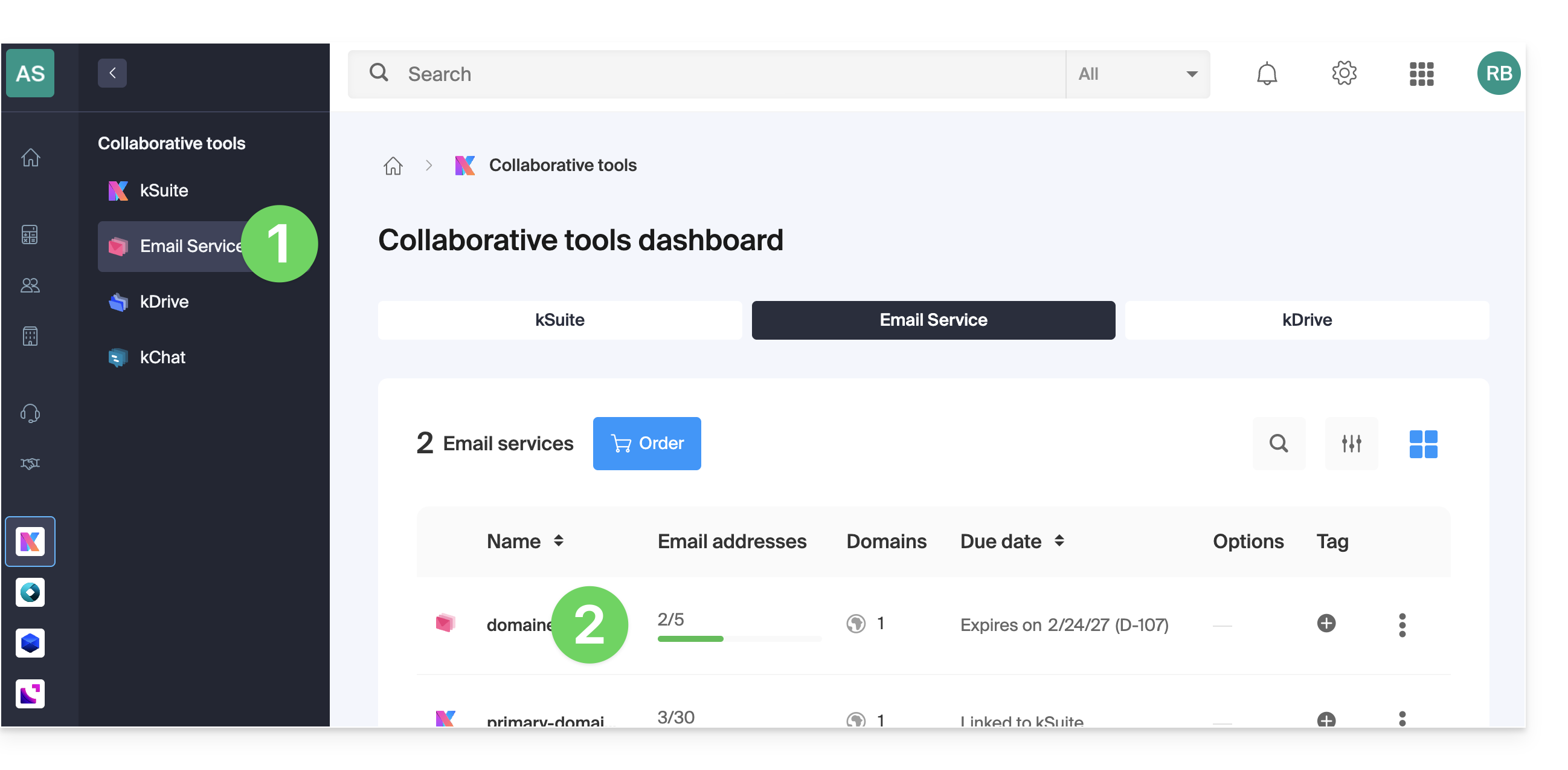
- Click here to access the Mail Service management in your Infomaniak Manager (❓: help).
- Click on the name of the Mail Service in question:
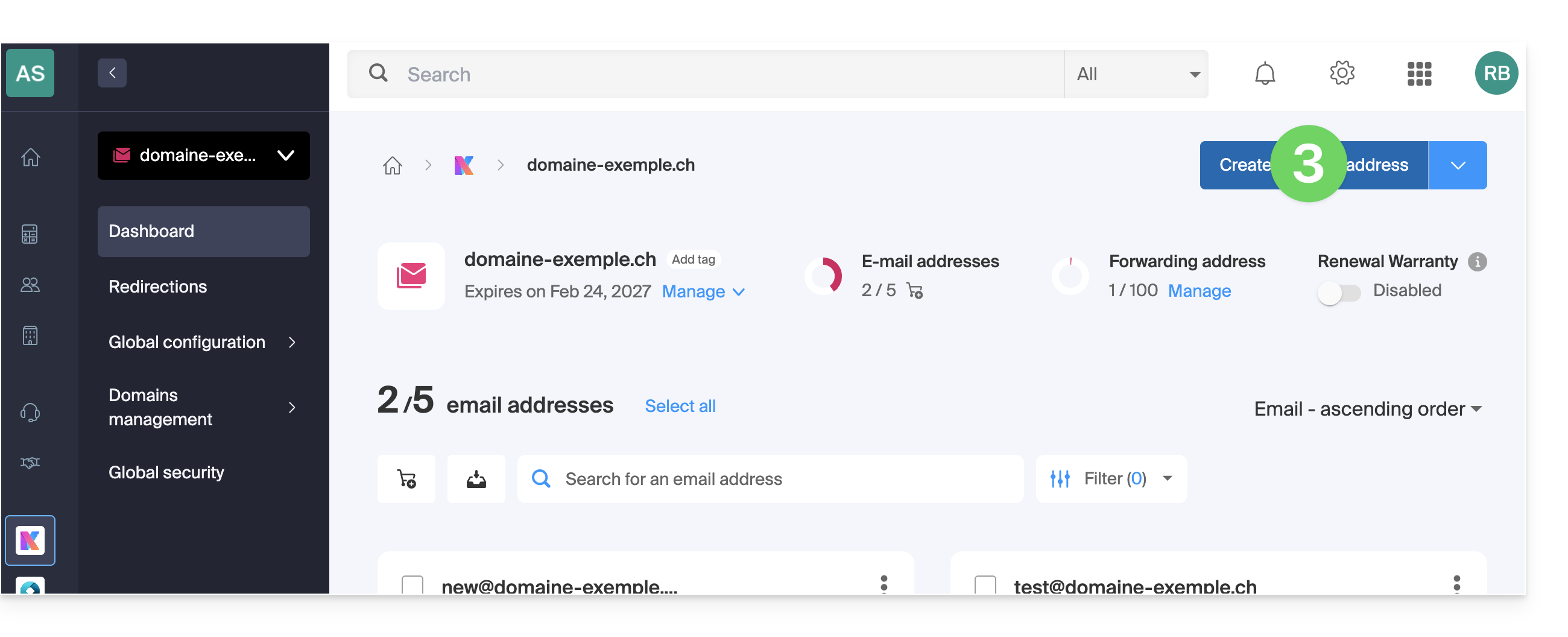
- Click on the blue Create a mail address button in the top right corner:
- Choose the second type from the 3 options.
- Click the button to Continue:
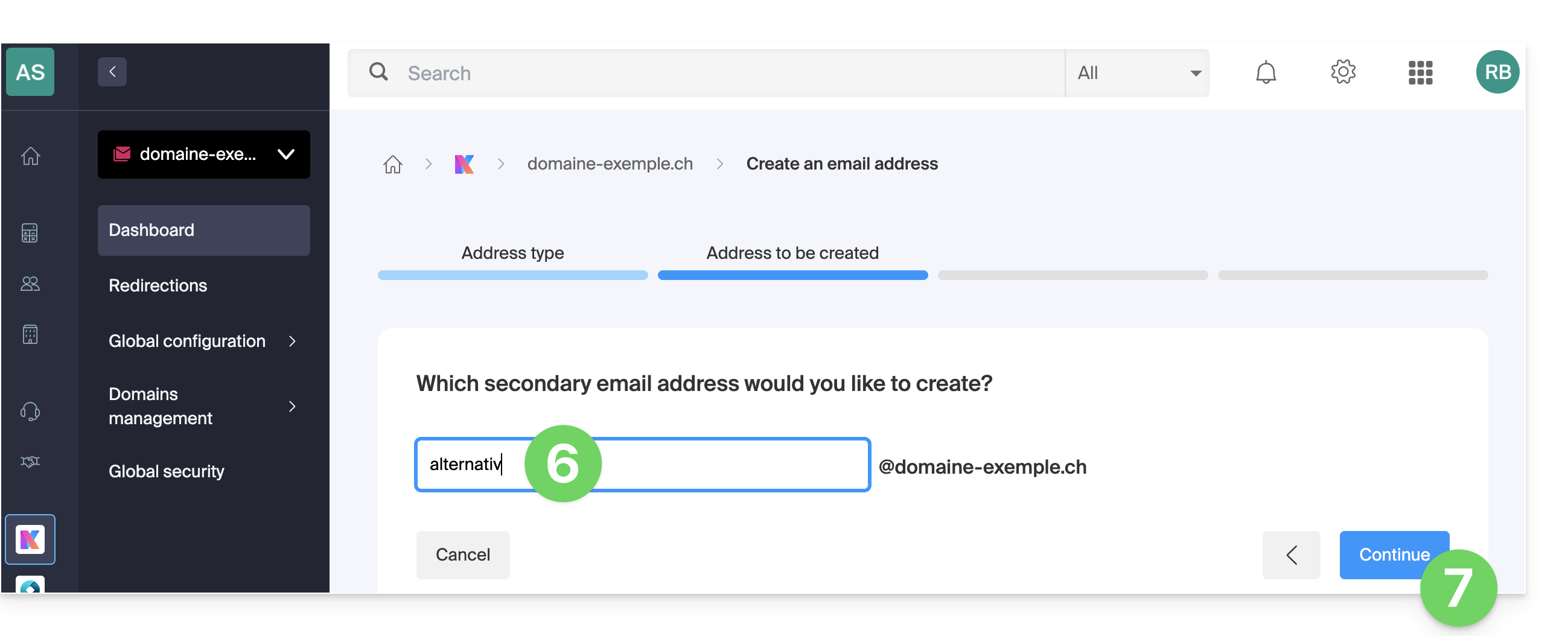
- Enter the name that will make up the email address (❓: help) without adding the domain name.
- Click the button to Continue:
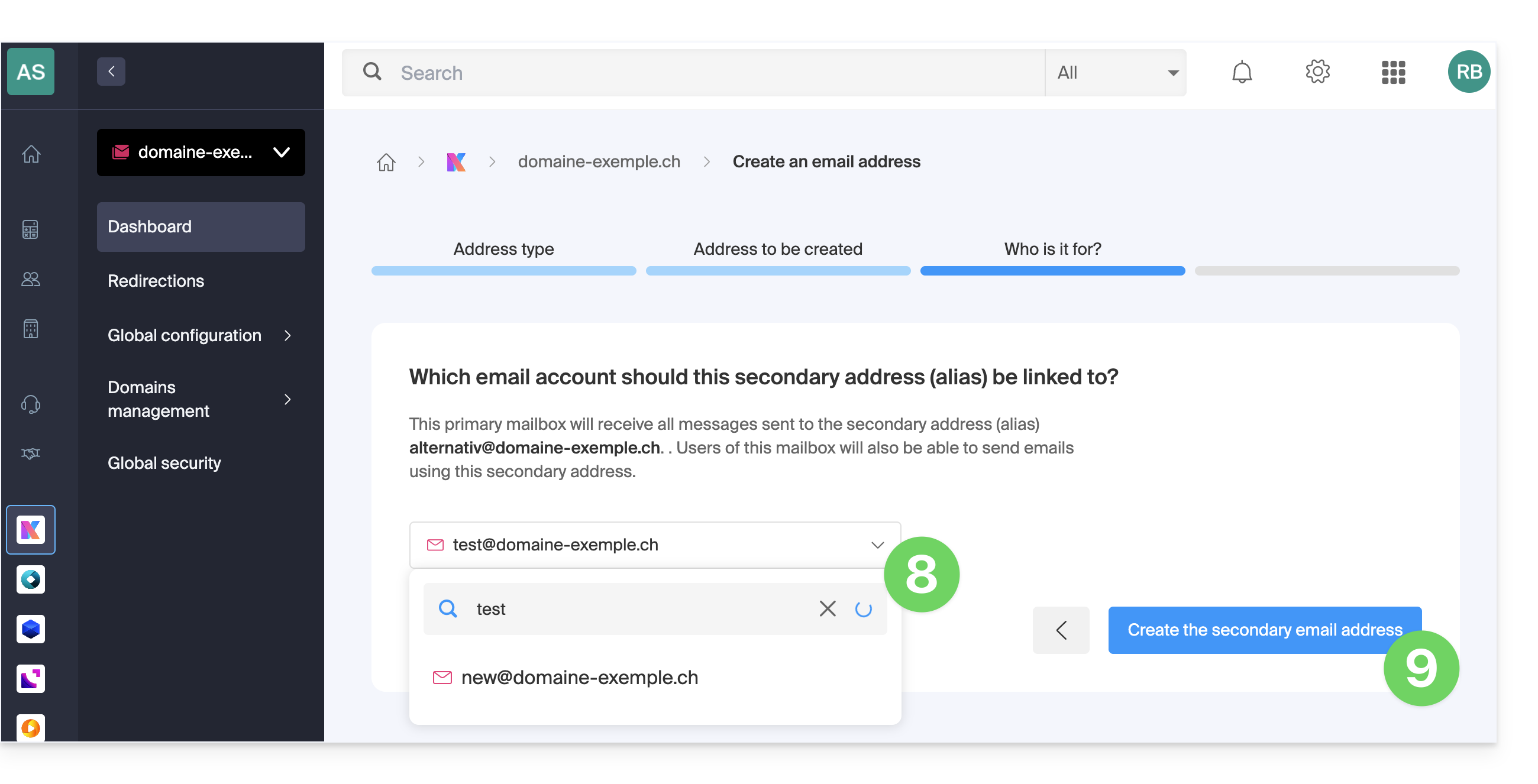
- Select and/or search for the main email address on which the alias will be created.
- Click the button to Continue:
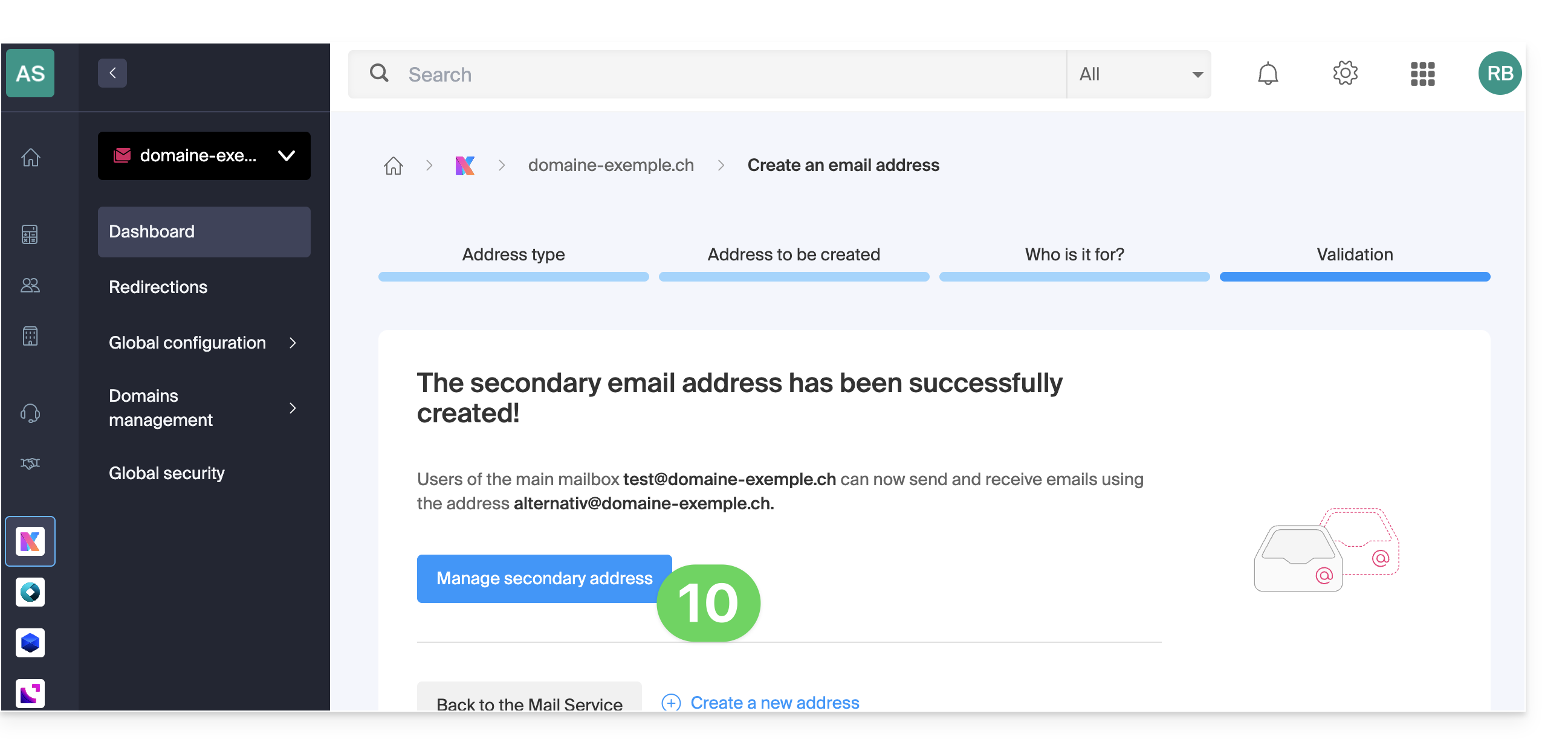
- You're done. Click the button to view the aliases and add/remove them (❓: help):
How an alias works
An alternative email address, commonly called an alias, is an additional address linked to a primary email address. It does not have its own password or storage space, as it automatically forwards all received messages to the main inbox.ar elle redirige automatiquement tous les messages reçus vers la boîte de réception principale. For example:
- Main email address:
florent@domain.xyz - Alternative addresses:
florent.dupont@domain.xyzand/orfd@domain.xyzand/orcontact@domain.xyz, etc.
You can therefore create alternative versions of your email addresses by modifying what comes before the @ symbol.
For example:
john-peter.smith@domain.xyz is a long email address…
It can be shortened and used as follows:
jps@domain.xyz
In this example, you need to create an alias "jps" for the address "john-peter.smith".
Then, if someone writes to jps@domain.xyz:
- their message will arrive in the inbox of the main address (
john-peter.smith@domain.xyz).
If someone writes to john-peter.smith@domain.xyz AND includes jps@domain.xyz in the CC:
- his message will arrive twice in the inbox of the main address (
john-peter.smith@domain.xyz).
Specific features & benefits
Using an alias allows you to multiply your contact points while simplifying your daily email management:
- Keep a single inbox: receive emails from multiple aliases directly in your main address, avoiding the creation of multiple mailboxes.
- Centralized management: the user doesn't need to remember multiple passwords; settings such as the signature, auto-reply, or filtering rules are centralized on the main address.
- Privacy and security: the alias allows you to communicate without revealing your main email address or real identity when sending messages.
- Multi-domain usage: it is possible to connect multiple domain names to the Mail Service to receive messages on different extensions (e.g., .com, .ch, .fr) via a single interface (❓: help).
- Cost optimization: alternative addresses are not deducted from the number of addresses included in the Mail Service offer, allowing you to create many identities/spellings without additional costs.
Link naar deze veelgestelde vragen: https://faq.infomaniak.com/2902
Is deze veelgestelde vragenlijst nuttig geweest?