Kennisbank
1.000 veelgestelde vragen, 500 tutorials en uitlegvideo's. Hier vind je alleen maar oplossingen!
Een alternatief e-mailadres (alias) aanmaken
Het aanmaken en beheren van aliassen (alternatieve e-mailadressen) gebeurt rechtstreeks via de E-maildienst in het beheerpaneel (Manager) van Infomaniak: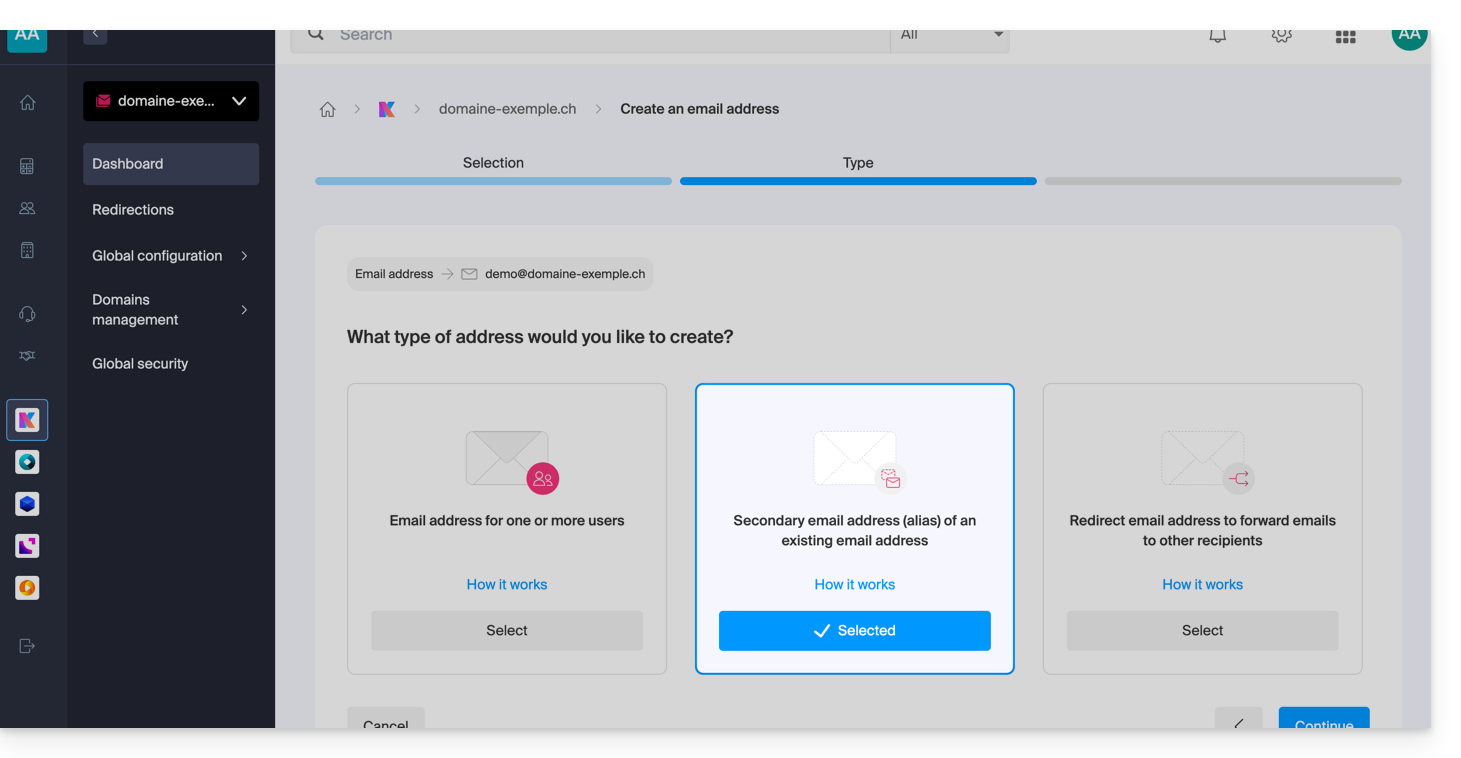
Wat zijn alternatieve e-mailadressen?
Een alternatief e-mailadres, ook wel alias genoemd, is een extra adres dat is gekoppeld aan een hoofde-mailadres. Het heeft geen eigen wachtwoord of eigen opslagruimte, omdat alle ontvangen berichten automatisch worden doorgestuurd naar de hoofdbrievenbus.ar elle redirige automatiquement tous les messages reçus vers la boîte de réception principaleBijvoorbeeld:
- Hoofdadres voor e-mail:
florent@domain.xyz - Alternatieve adressen:
florent.dupont@domain.xyzen/offd@domain.xyzen/ofcontact@domain.xyzenz.
Voor gedetailleerde instructies over het aanmaken van een alias, raadpleeg deze andere handleiding.
Speciale kenmerken en voordelen
Het gebruik van een alias maakt het mogelijk om het aantal contactpunten te vergroten en tegelijkertijd het dagelijks beheer van e-mails te vereenvoudigen:
- Eén inbox voor alles: e-mails van verschillende aliassen worden rechtstreeks in de hoofdmailbox afgeleverd, waardoor het aanmaken van meerdere e-mailadressen overbodig is.
- Centraal beheer: de gebruiker hoeft geen meerdere wachtwoorden te onthouden; instellingen zoals de handtekening, de automatische afwezigheidsmelding of de filterregels worden centraal beheerd voor het hoofdaccount.
- Privacy en beveiliging: een alias maakt het mogelijk om te communiceren zonder het primaire e-mailadres of de werkelijke identiteit te onthullen bij het verzenden van berichten.
- Gebruik met meerdere domeinen: het is mogelijk om meerdere domeinnamen te koppelen aan de e-maildienst om berichten te ontvangen op verschillende extensies (bijv. .com, .ch, .fr) via één interface; raadpleeg deze andere handleiding.
- Kostenoptimalisatie: alternatieve adressen worden niet meegerekend in de quota voor adressen die in het Service Mail-aanbod zijn opgenomen, waardoor u veel identiteiten/spellingvarianten kunt aanmaken zonder extra kosten.
Voor specifieke behoeften is het ook mogelijk (en dit geldt voor alle e-mailaanbiedingen van Infomaniak) om tijdelijke/dynamische aliassen te genereren om inkomende e-mails te filteren of u aan te melden bij externe services zonder uw hoofdpostvak te overbelasten. Lees deze andere handleiding.
Link naar deze veelgestelde vragen: https://faq.infomaniak.com/2902
Is deze veelgestelde vragenlijst nuttig geweest?