Kennisbank
1.000 veelgestelde vragen, 500 tutorials en uitlegvideo's. Hier vind je alleen maar oplossingen!
Een domeinnaam van Swisscom overzetten naar Infomaniak
Bijwerken 14-09-2026
Deze handleiding legt uit hoe u de EPP-code van uw domeinnaam bij Swisscom kunt opvragen, zodat u deze kunt gebruiken bij Infomaniak.
Inleiding
- De termen "
EPP", "AuthCode", "AuthInfo", "transfercode" en "autorisatiecode" verwijzen allemaal naar een reeks alfanumerieke tekens die uniek is voor een domeinnaam en waarvan het belangrijkste doel is om de toestemming van de eigenaar te verifiëren voordat een domeinnaam wordt overgedragen tussen registrars. - Lees de hoofdhandleiding over de rest van de overdrachtsprocedure.
- ⚠️ Hierbij wordt een domeinnaam die u bij een andere aanbieder dan Infomaniak heeft geregistreerd, overgedragen, zodat het toekomstige beheer van dit domein bij Infomaniak plaatsvindt. Het gaat dus niet om een interne overdracht van de ene gebruiker naar de andere, en de code die u moet opvragen is dus geen code voor een interne overdracht bij uw huidige aanbieder.
Verplaats de domeinnaam naar Infomaniak
Om de autorisatiecode bij uw huidige provider op te vragen:
- Klik hier om in te loggen op het beheerderspaneel van uw Control Panel HCP Swisscom-producten.
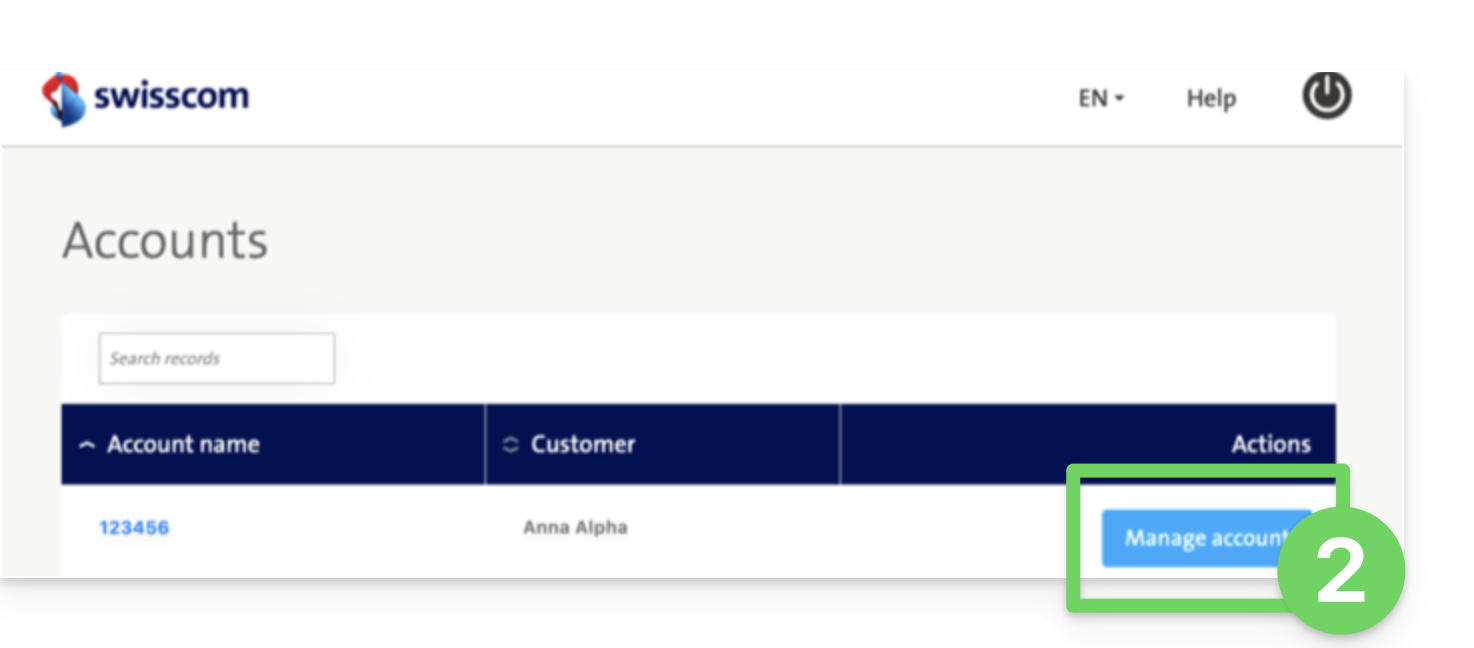
- Klik op de blauwe knop Account beheren:
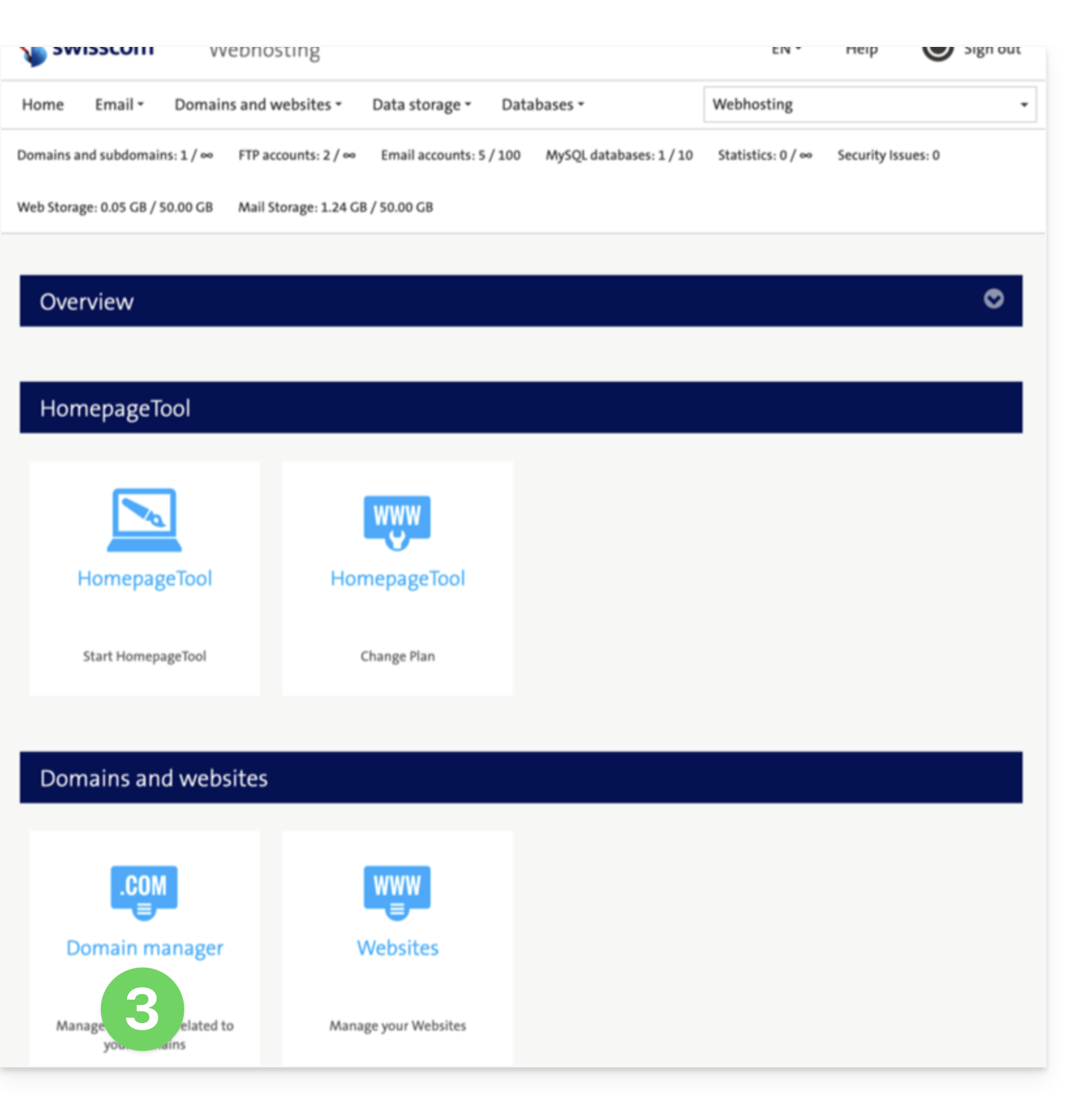
- Klik op Domeinbeheer (in het gedeelte Domeinen en websites):
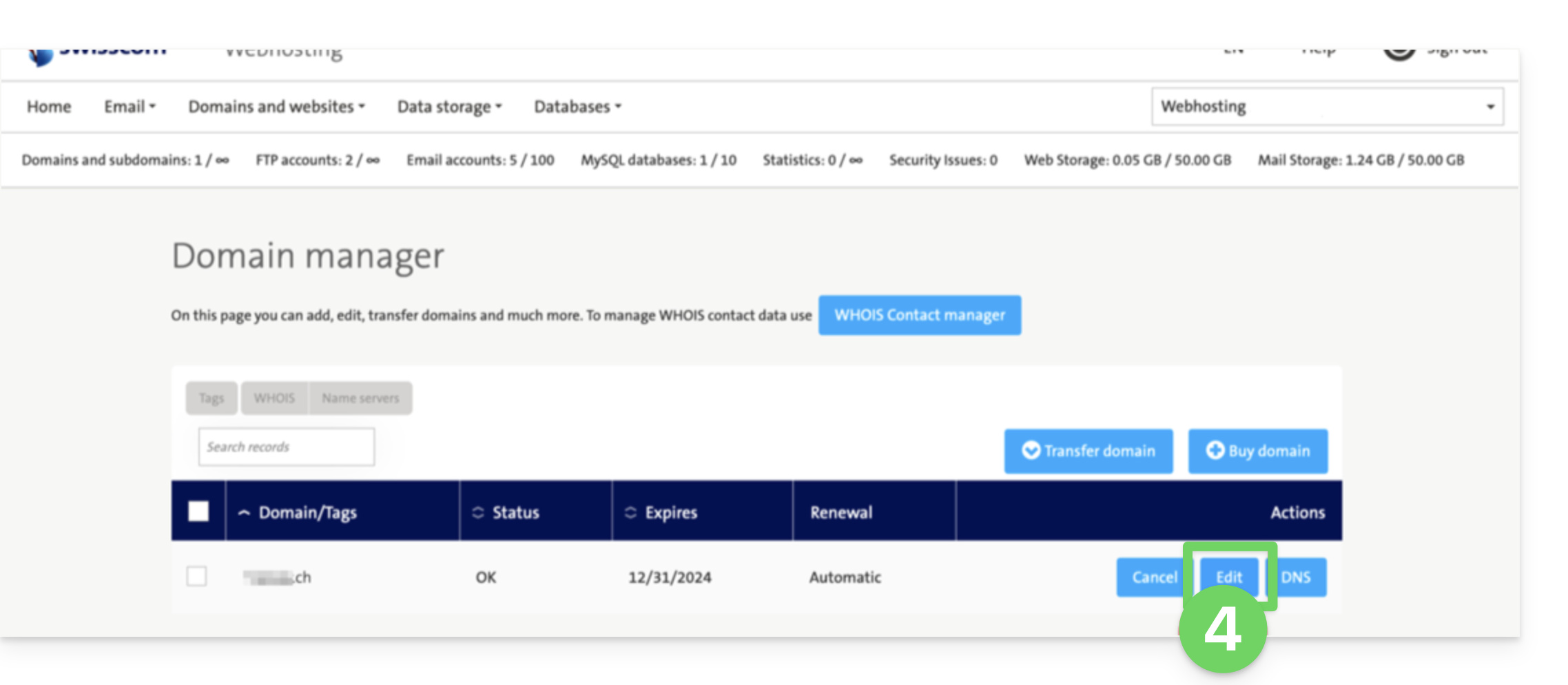
- Klik op Bewerken bij het betreffende domein:
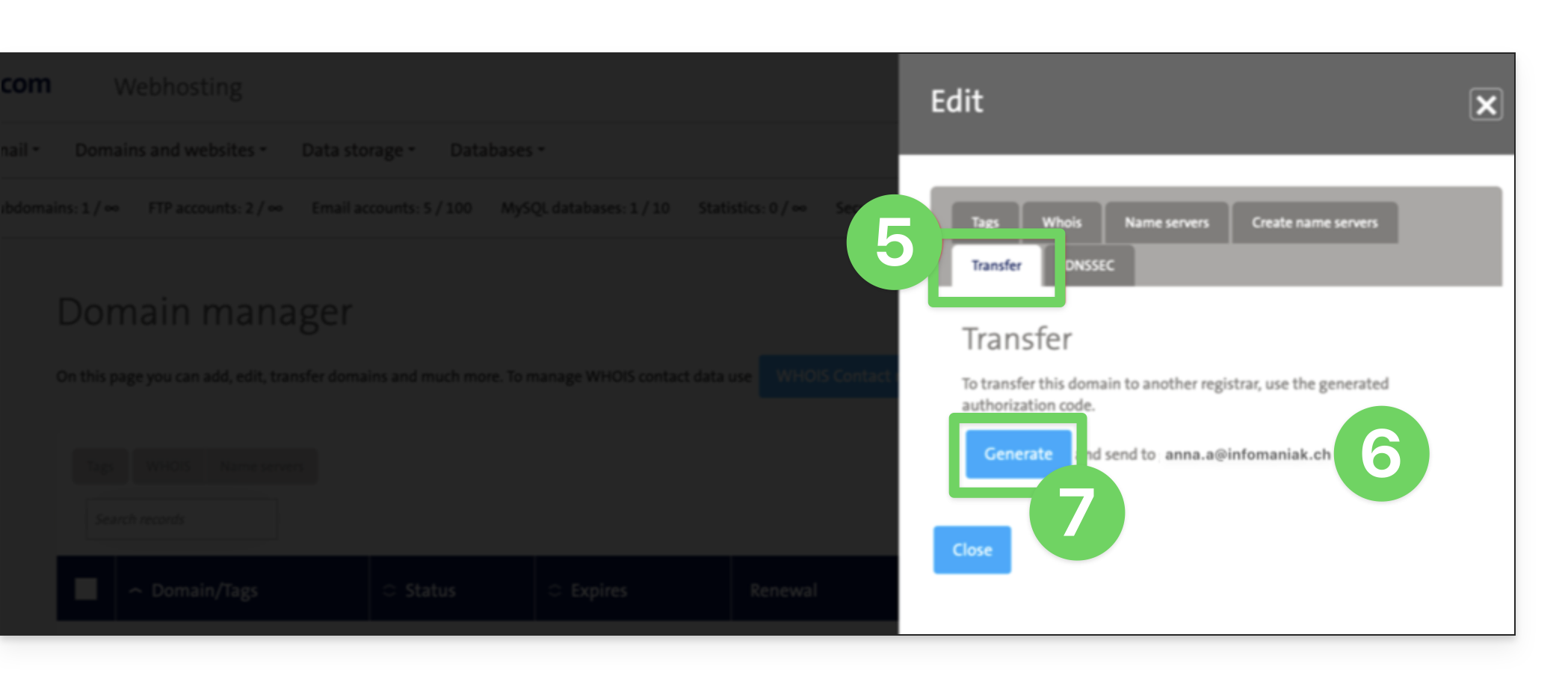
- Klik op Verplaatsen (in het gedeelte Bewerken).
- Controleer het e-mailadres voor contact.
- Klik op Genereren om de code per e-mail te verzenden (naar het adres in punt 6 hierboven):
- Zodra u de autorisatiecode heeft ontvangen, kunt u de hoofdhandleiding van Infomaniak raadplegen voor meer informatie over de rest van de procedure voor het overdragen van een domeinnaam.
Link naar deze veelgestelde vragen: https://faq.infomaniak.com/2853
Is deze veelgestelde vragenlijst nuttig geweest?