Kennisbank
1.000 veelgestelde vragen, 500 tutorials en uitlegvideo's. Hier vind je alleen maar oplossingen!
Merge or hide duplicate contacts in Infomaniak Contacts
Bijwerken 02-11-2026
This guide explains how to remove duplicate contacts in the address book of the Contacts web app from Infomaniak.
Remove duplicate contacts
To view existing duplicates in your Infomaniak address books and merge them (or hide them):
- Click here to access the Infomaniak Contacts web app (online service ksuite.infomaniak.com/contacts).
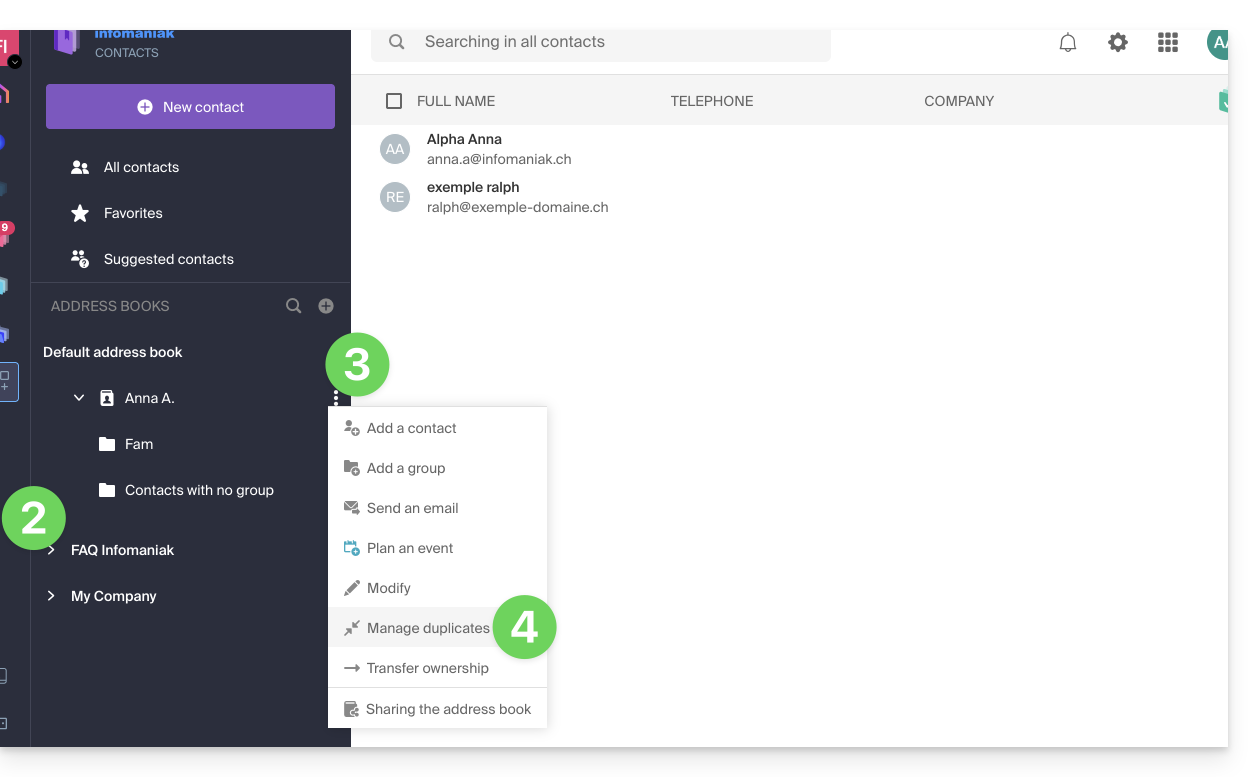
- Click on the chevron to expand the list of address books if necessary.
- Click on the action menu ⋮ to the right of the address book in question.
- Click on Manage duplicates:
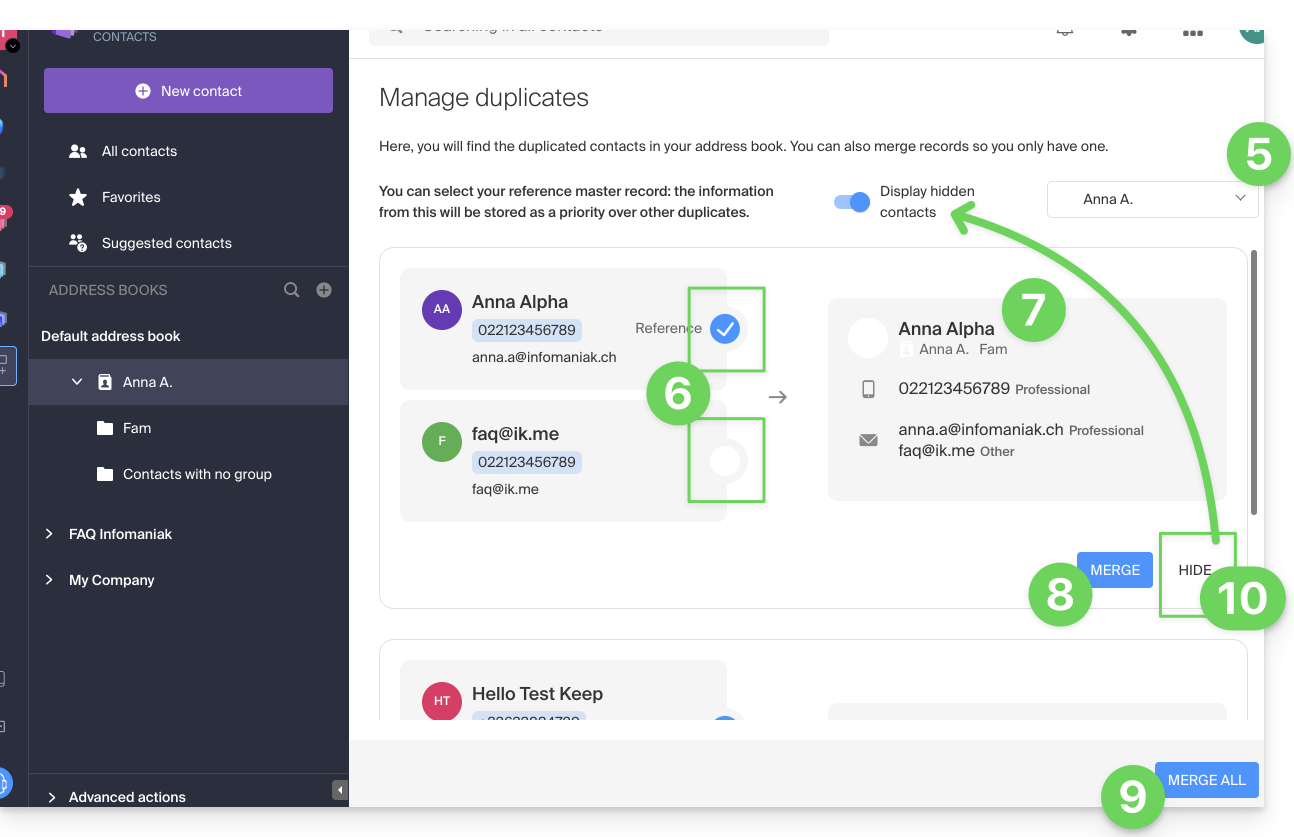
- If necessary, select the address book in which to search for duplicates.
- Click on the entry that should be the reference to keep; identical information is highlighted in blue.
- View and check the information from the duplicate entries that will be added to the reference entry (point 6 above):
- Click on the blue Merge to process button to process duplicates one by one…
- … or click on Merge All to process all duplicates.
- You can also hide a duplicate to avoid processing it, and review it later by clicking on the toggle switch at the top of the page:
Please note that you cannot undo this operation (refer to this other guide if you are looking for information on restoring address books).
Link naar deze veelgestelde vragen: https://faq.infomaniak.com/2794
Is deze veelgestelde vragenlijst nuttig geweest?