Kennisbank
1.000 veelgestelde vragen, 500 tutorials en uitlegvideo's. Hier vind je alleen maar oplossingen!
Gebruik de "RSS-feed"-app van Site Creator
Deze handleiding legt uit hoe u een externe RSS-feed kunt invoegen op een pagina van Site Creator van Infomaniak.
Site Creator biedt geen RSS-feeds aan die u extern kunt integreren, ook niet met de module Blog.
Een RSS-feed (extern) weergeven in Site Creator
Vereisten
- Toegang tot Site Creator:
- Klik hier om naar het beheer van uw product in de Infomaniak Manager te gaan (hulp nodig?).
- Klik rechtstreeks op de naam van de betreffende Site Creator.
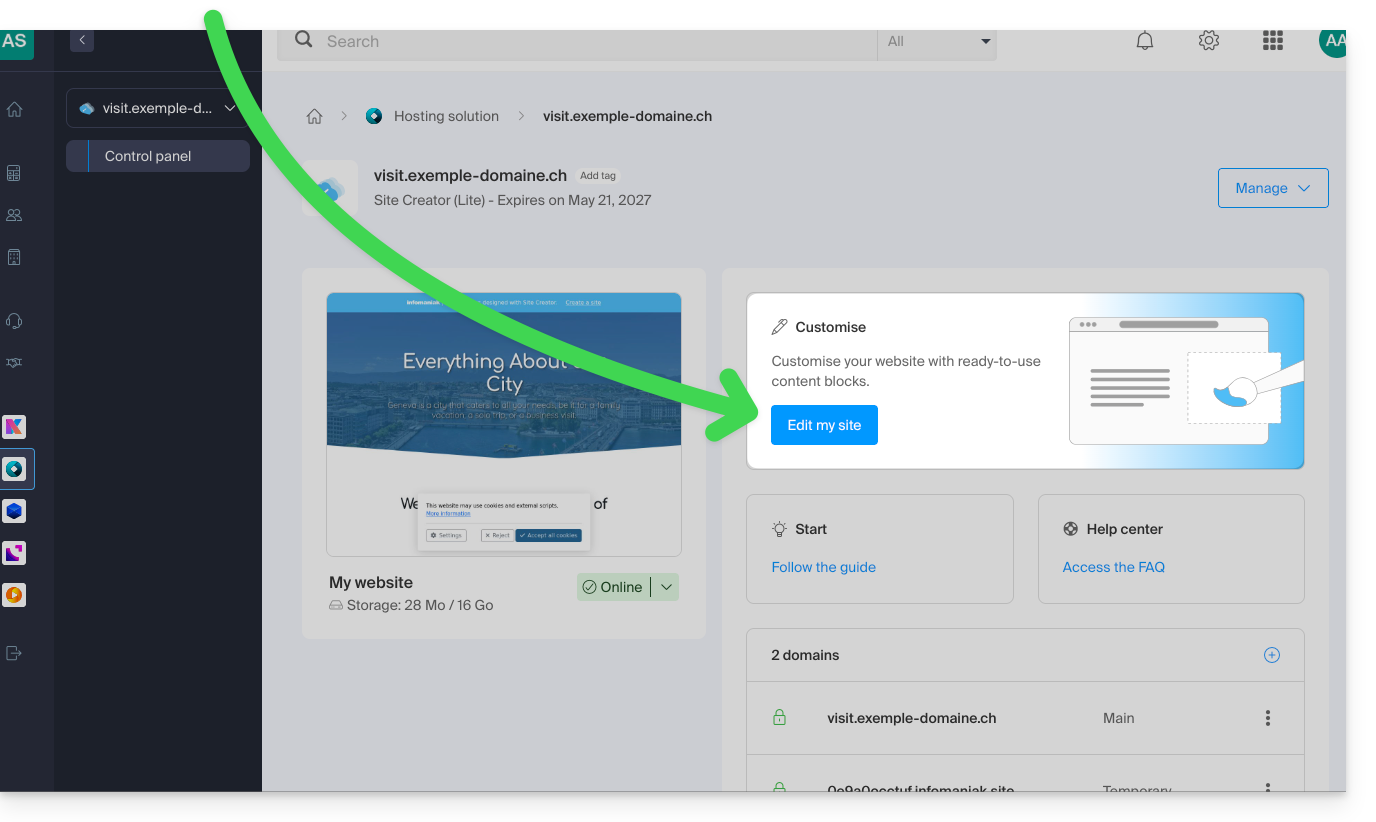
- Klik op de knop Mijn site bewerken om de editor te openen:
Zodra u in Site Creator bent, op de pagina waar u uw toekomstige blogartikelen wilt invoegen:
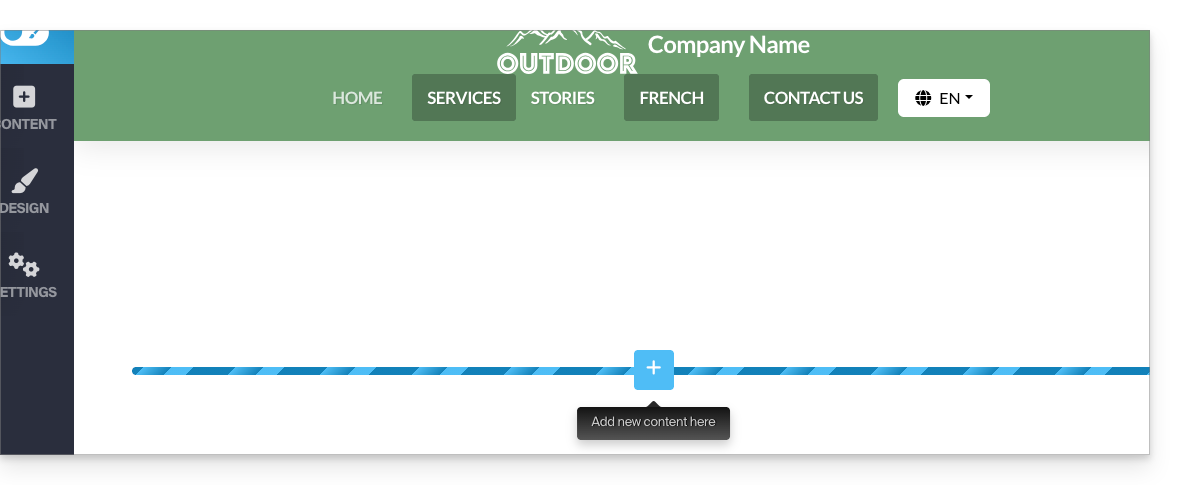
- Klik op de knop + onder een reeds ingevoegd blok:
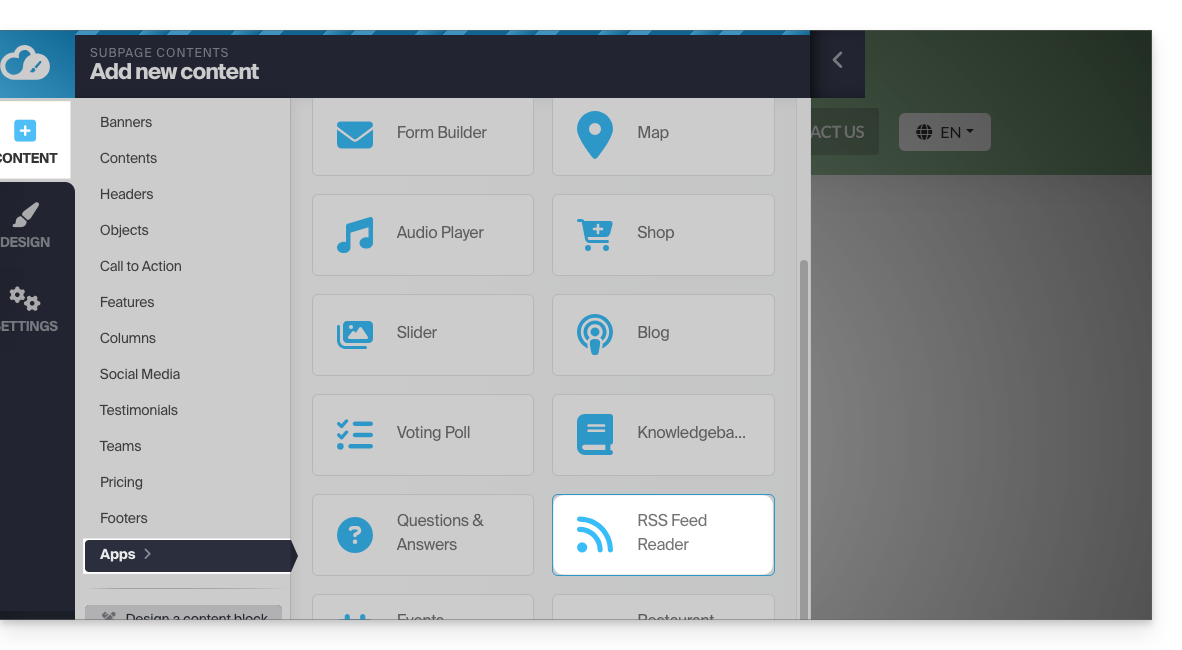
- Klik op Applicaties (in het tabblad Inhoud dat is geopend toen u op de knop klikte om het visuele blok toe te voegen).
- Klik op de module RSS-feed:
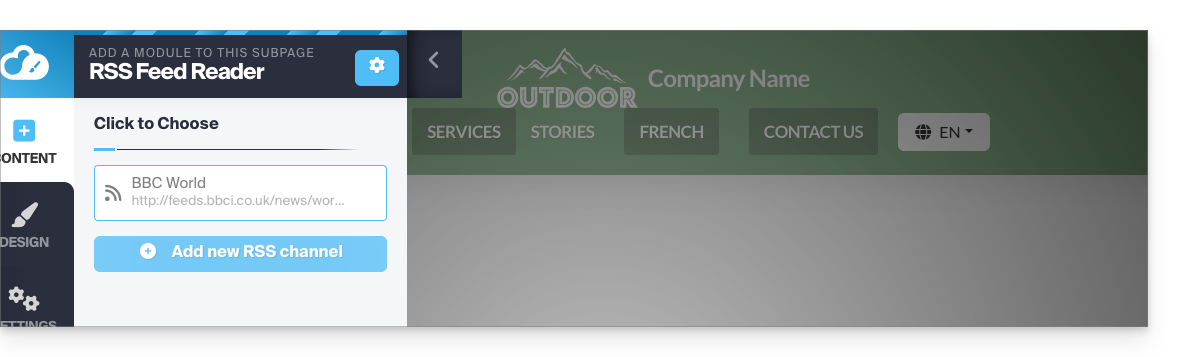
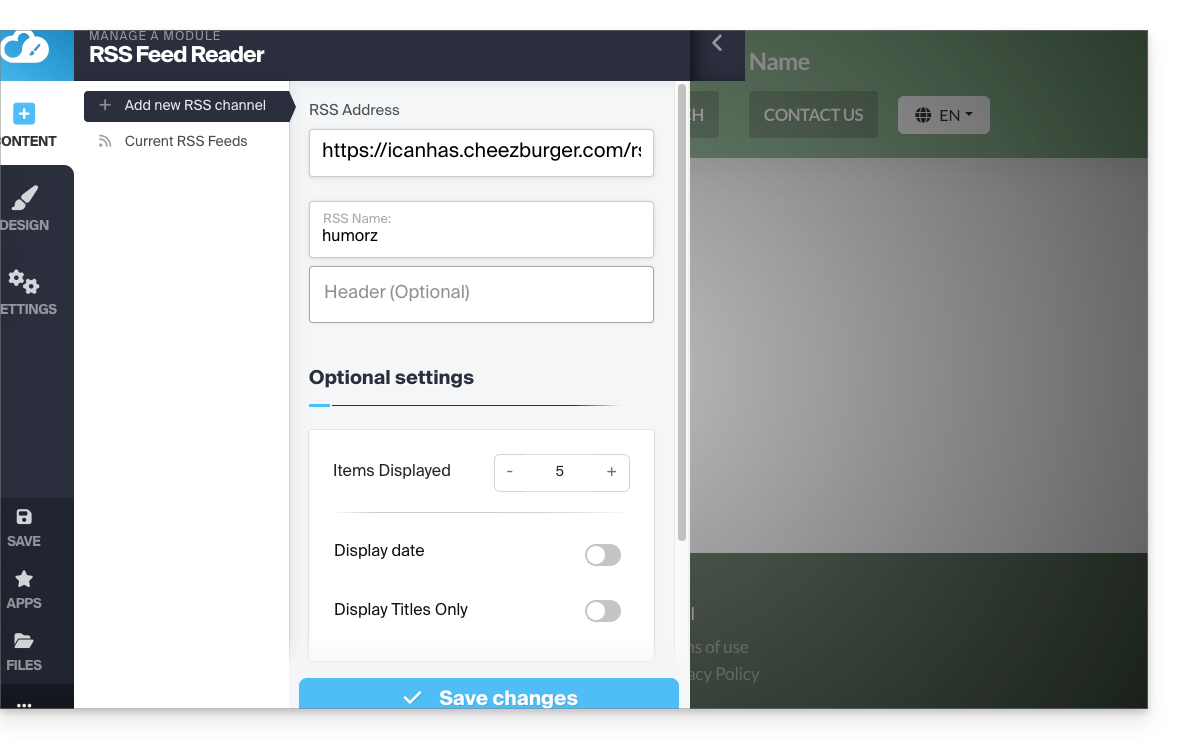
- Klik om een nieuwe kanaal toe te voegen:
- Voer de gegevens van de gewenste feed in en sla op:
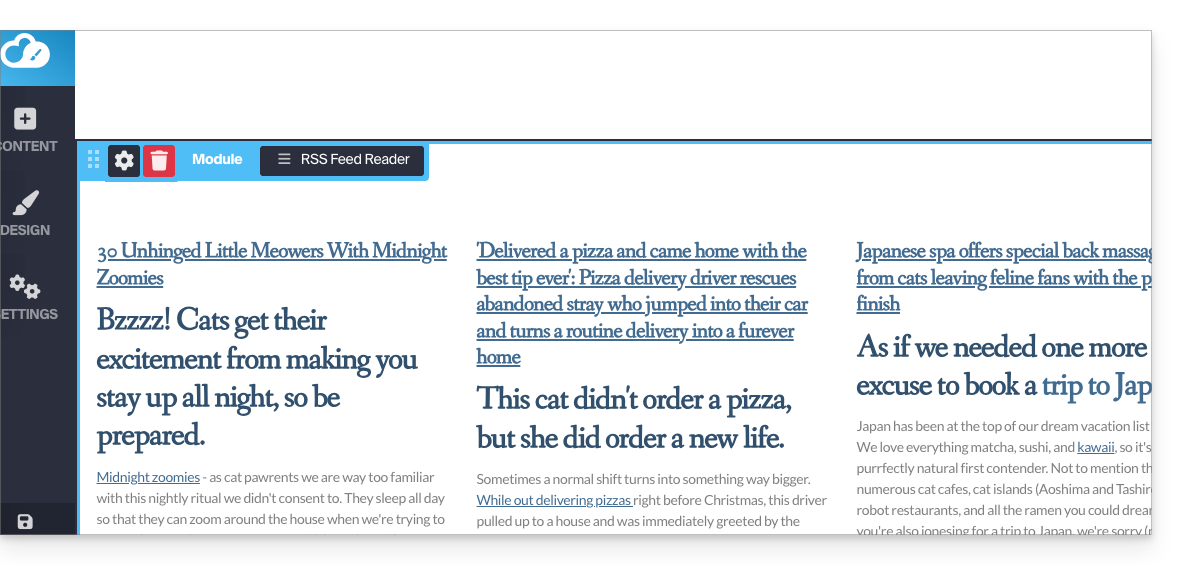
- De dynamische feed wordt in uw pagina geïntegreerd en wordt automatisch bijgewerkt zodra er nieuwe berichten worden gepubliceerd:
Link naar deze veelgestelde vragen: https://faq.infomaniak.com/2793
Is deze veelgestelde vragenlijst nuttig geweest?