Kennisbank
1.000 veelgestelde vragen, 500 tutorials en uitlegvideo's. Hier vind je alleen maar oplossingen!
Gebruik de "Agenda"- en "Calendly"-app van Site Creator
Deze handleiding beschrijft de modules Agenda en Calendly voor Site Creator van Infomaniak.
Vereisten
- Toegang tot Site Creator:
- Klik hier om naar het beheer van uw product in het Infomaniak-beheerportaal te gaan (hulp nodig?).
- Klik rechtstreeks op de naam van de betreffende Site Creator.
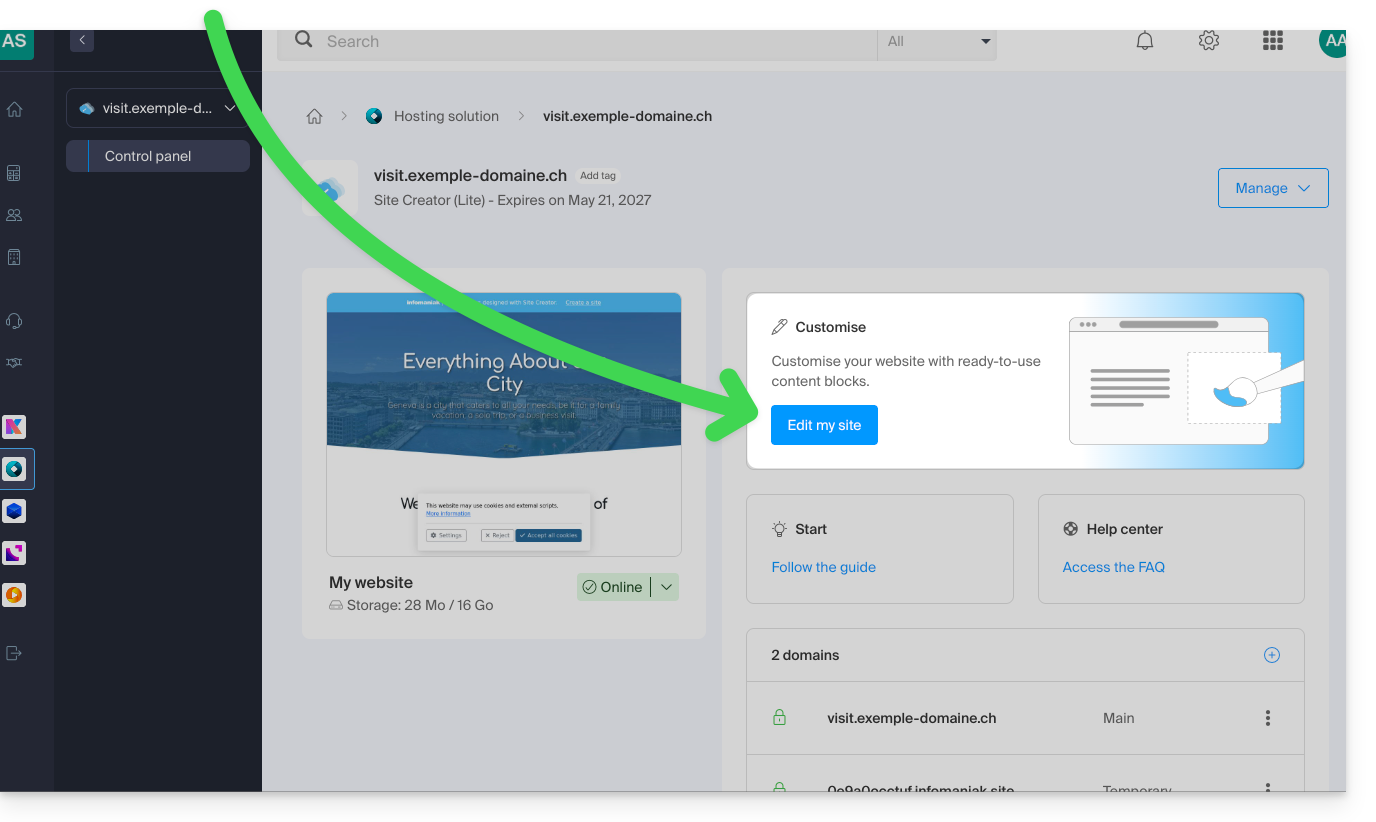
- Klik op de knop Mijn site bewerken om de editor te openen:
Kalendermodule
Ga naar Site Creator:
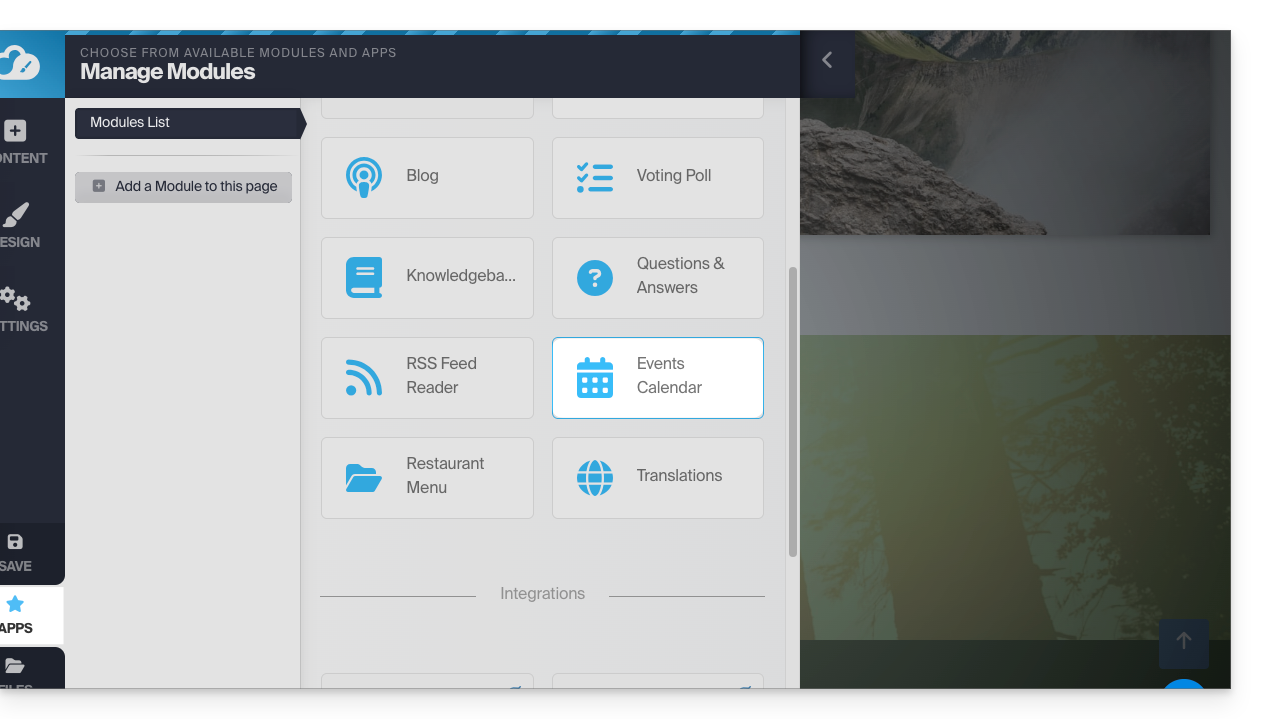
- Klik op de knop Applicaties in het linkermenu.
- Klik op Agenda:
Voeg gebeurtenissen toe die betrekking hebben op uw activiteiten en die u op een dynamische manier op uw website wilt weergeven: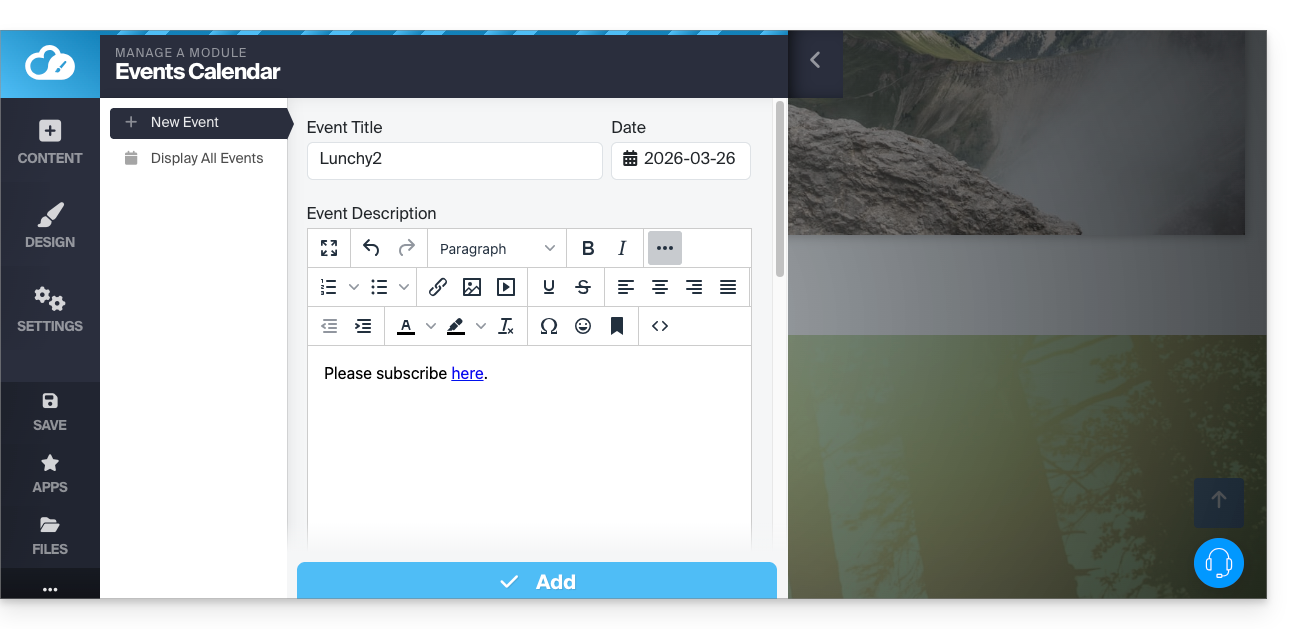
Nadat u een paar evenementen hebt toegevoegd, kunt u deze op dezelfde plek in de kalender bekijken: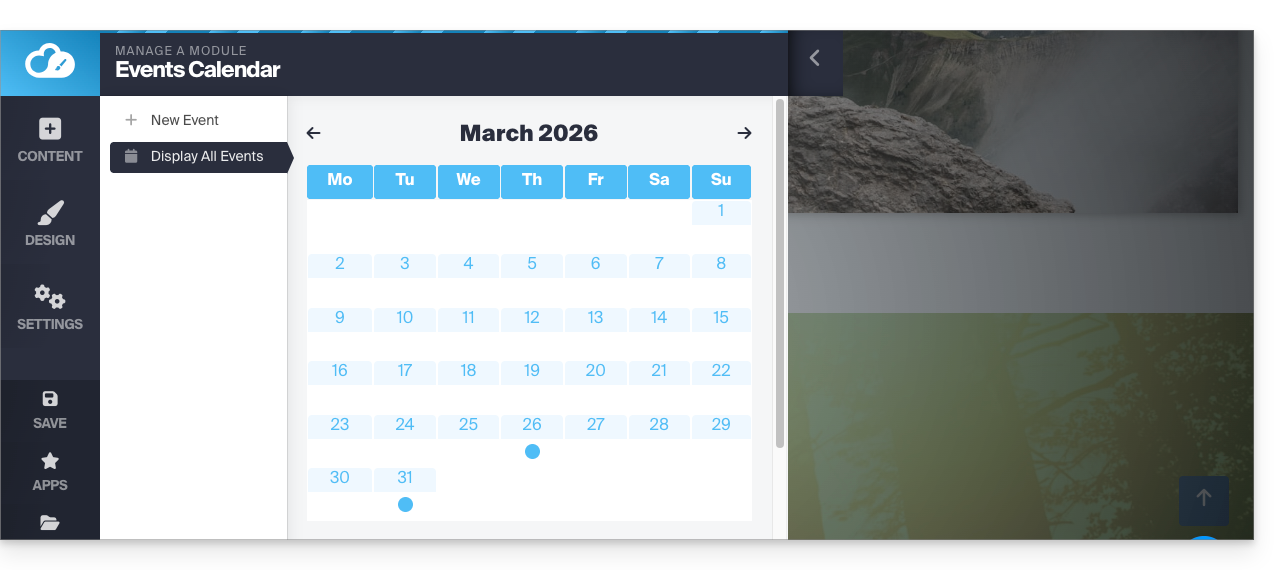
Voeg vervolgens de module Kalender toe op de gewenste plek in uw website: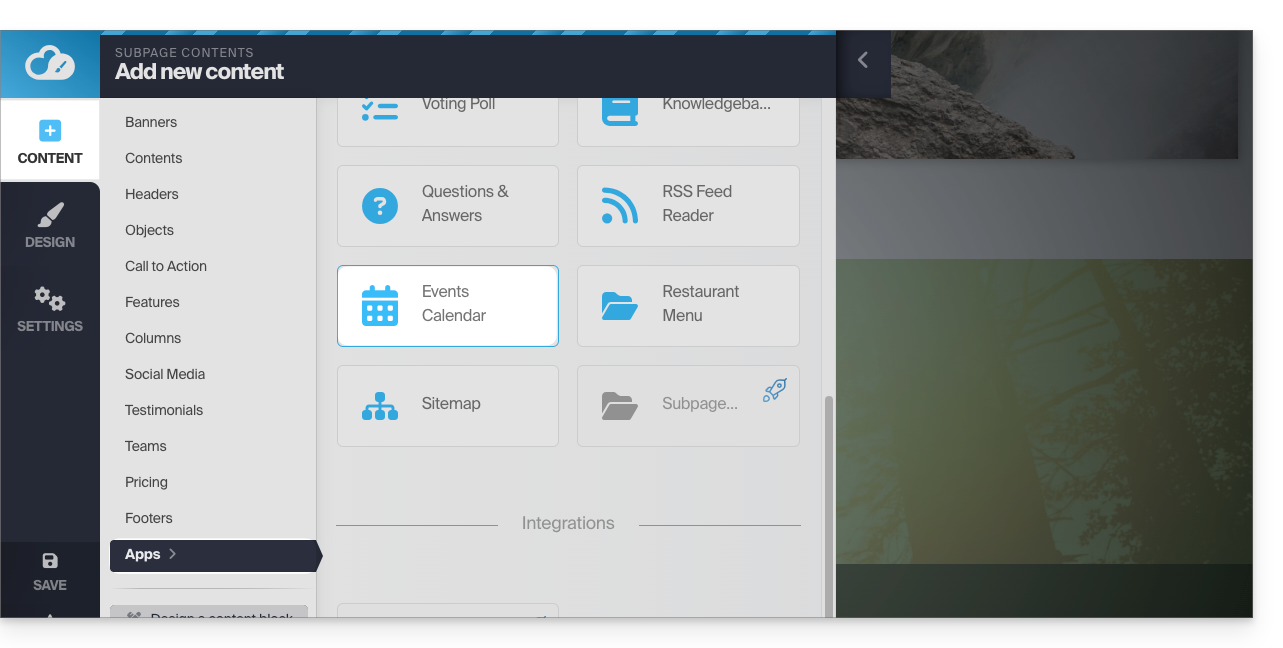
Uw bezoekers kunnen de geplande evenementen zien, ook wanneer u deze in uw kalender wijzigt: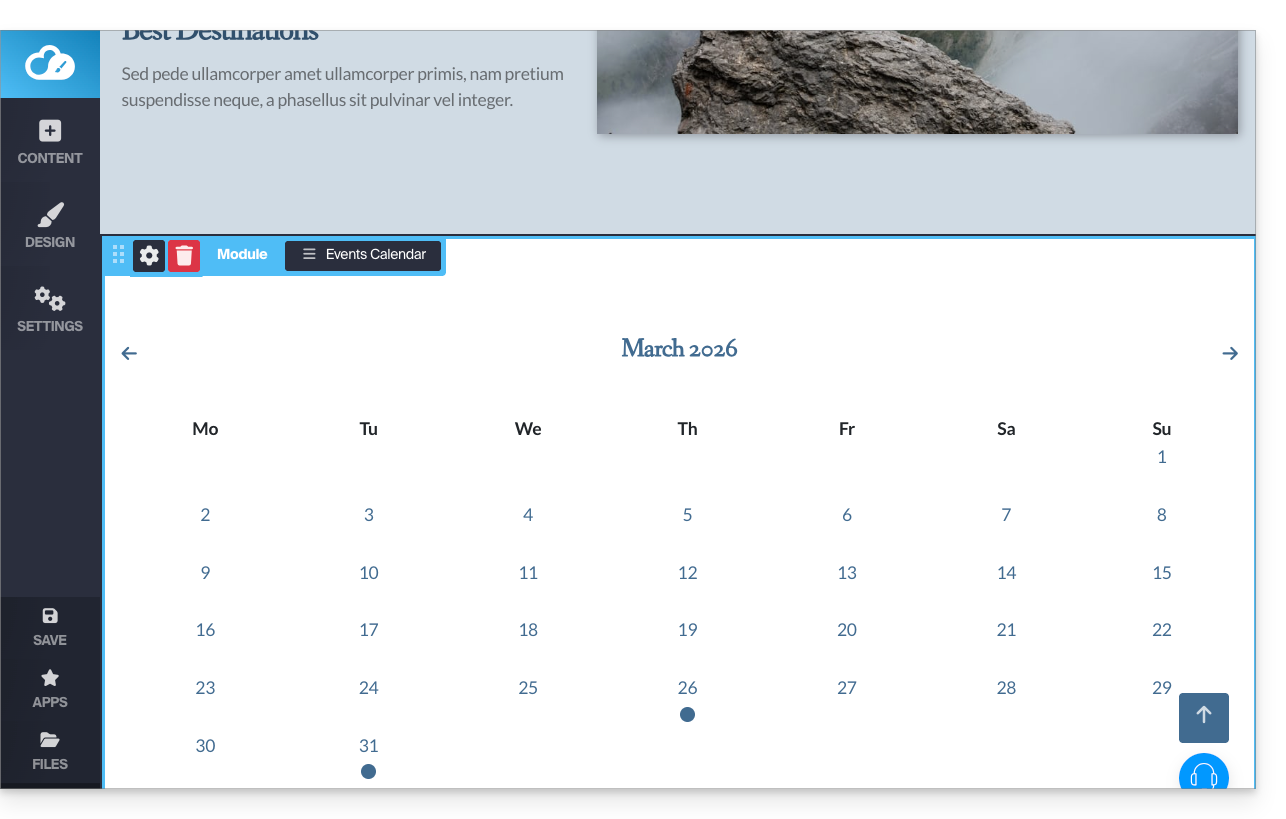
Calendly-module
✘ NIET BESCHIKBAAR met
Site Creator Gratis / Lite
Deze integratie is mogelijk als u een account heeft bij de externe dienst Calendly.
Ga naar Site Creator:
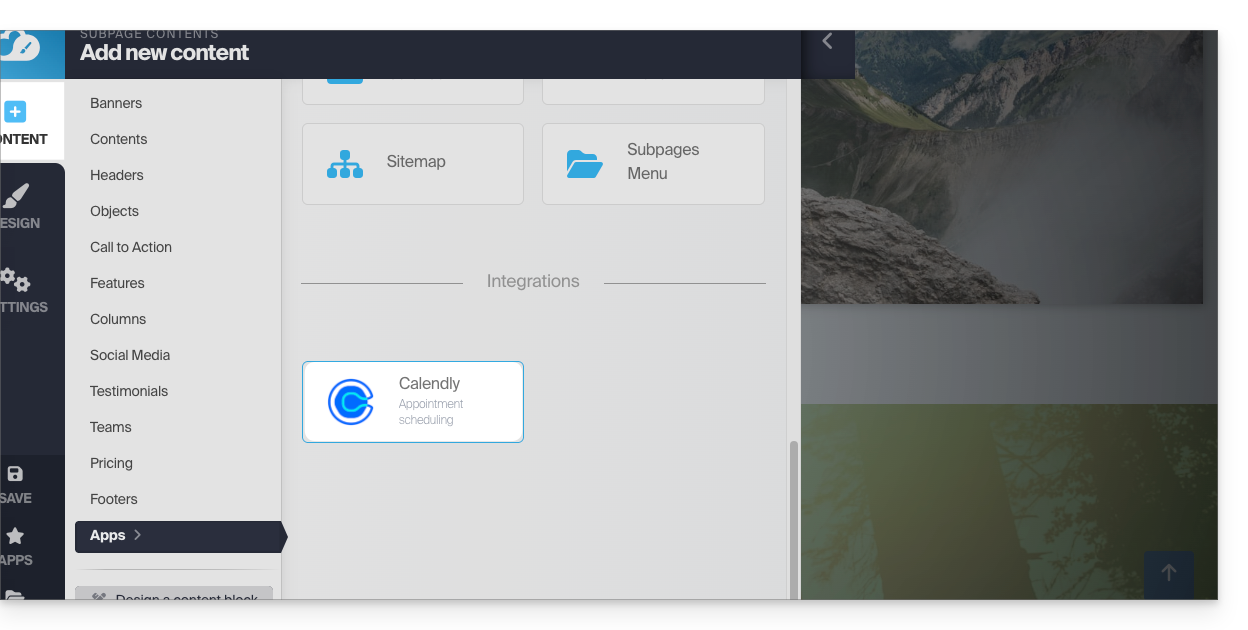
- Klik op de knop Inhoud in het menu aan de linkerkant.
- Klik op Apps in het linkermenu.
- Klik op Calendly om de module in te voegen:
- Klik om de applicatie te configureren met de gegevens van uw Calendly-account:
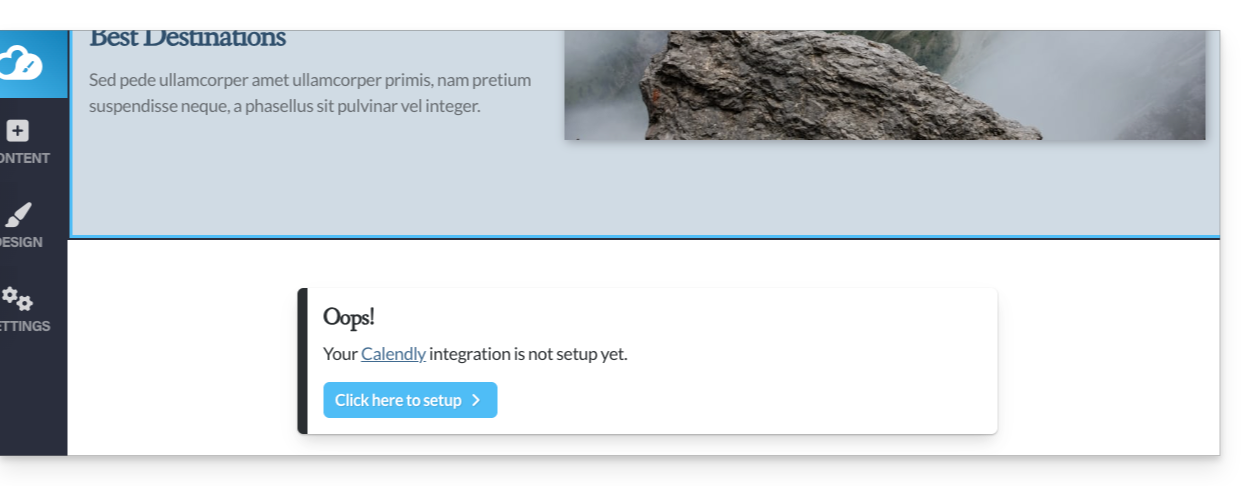
Voeg vervolgens de Calendly-module toe op de gewenste plek op uw website om uw Calendly-gegevens te bekijken: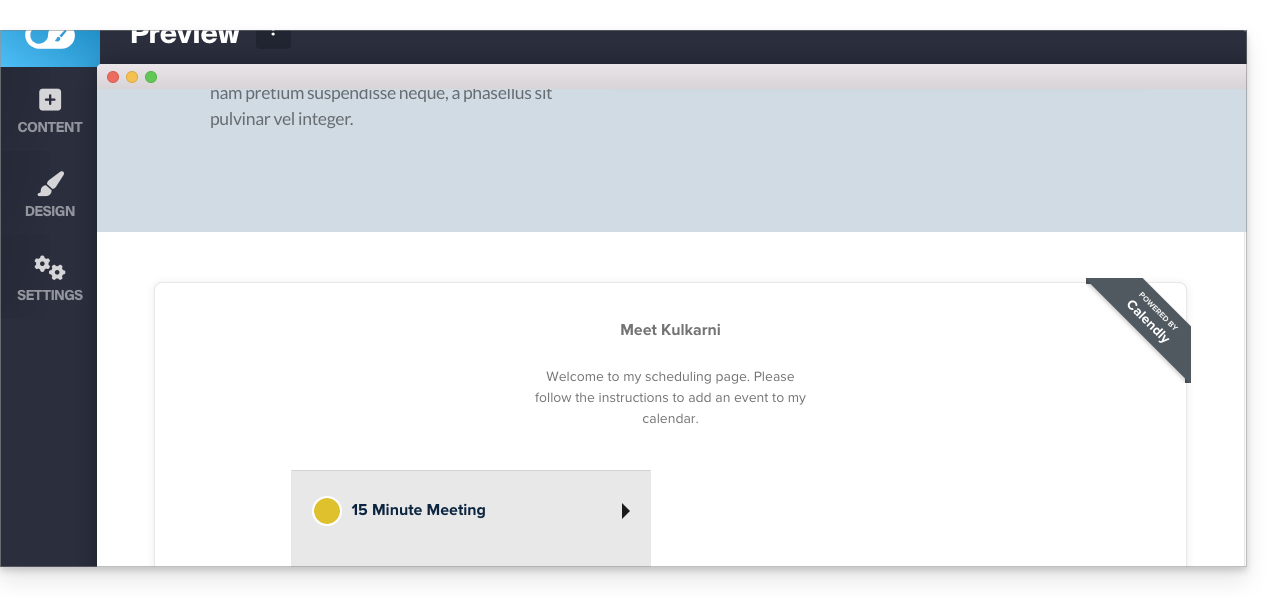
Link naar deze veelgestelde vragen: https://faq.infomaniak.com/2578
Is deze veelgestelde vragenlijst nuttig geweest?